A writer's dashboard for a folder of Markdown. ✍️
Point it at your manuscript. Get lexical health, pacing, character presence, and revision history from the files you already have — then read, edit, and annotate them on the same surface.
Nothing uploads. No account, no subscription, no database. Your book stays a folder of Markdown files in your own git repository, readable by every other tool you own.
pipx install proseview
proseview --root /path/to/your/novel
Already writing in Obsidian, novelWriter, or plain Vim? Keep doing that. Proseview reads the same files and gives you the numbers your editor doesn't.




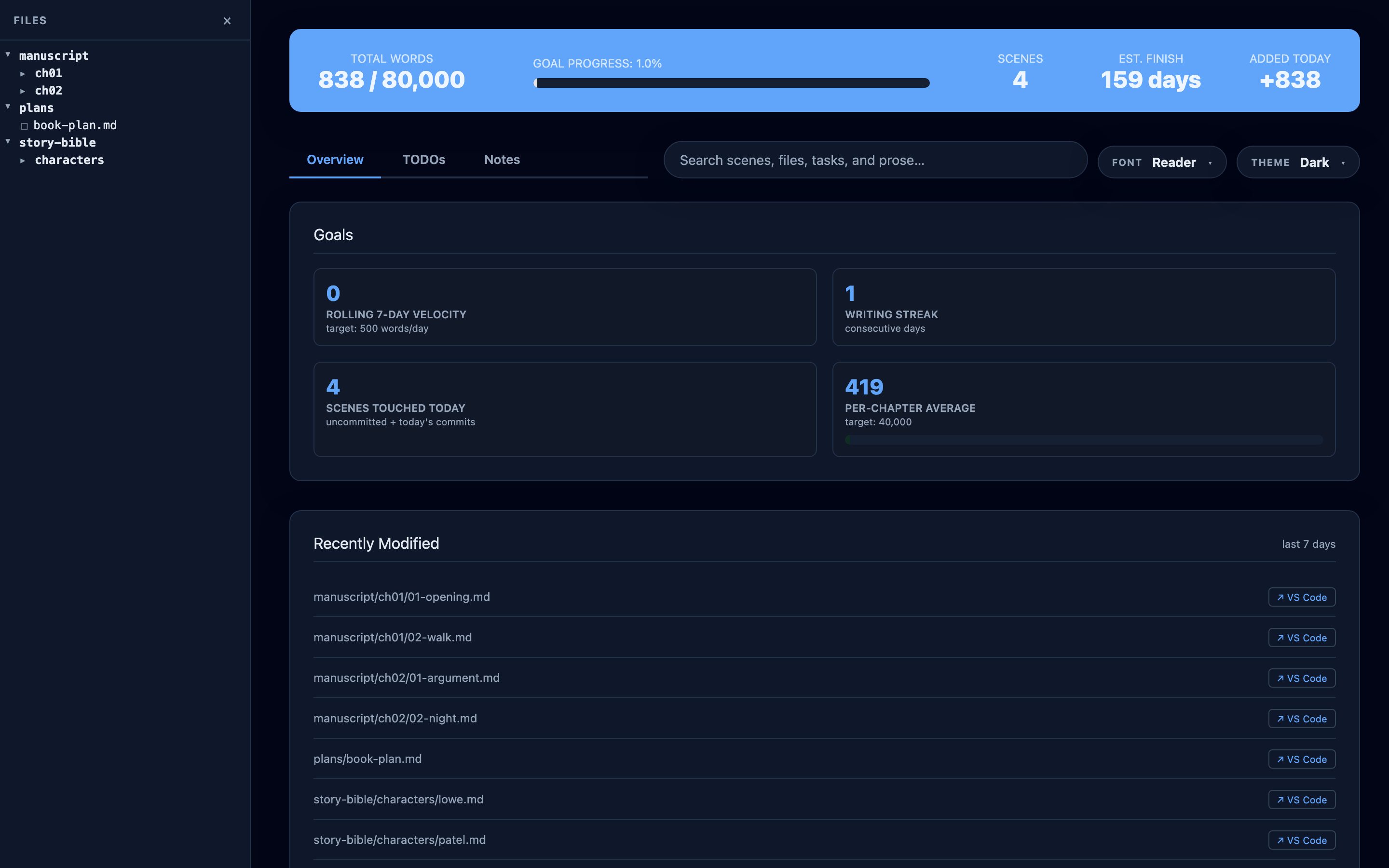
Nine prose passes highlight repetition, passive voice, filter verbs and more, right on the page you are reading.
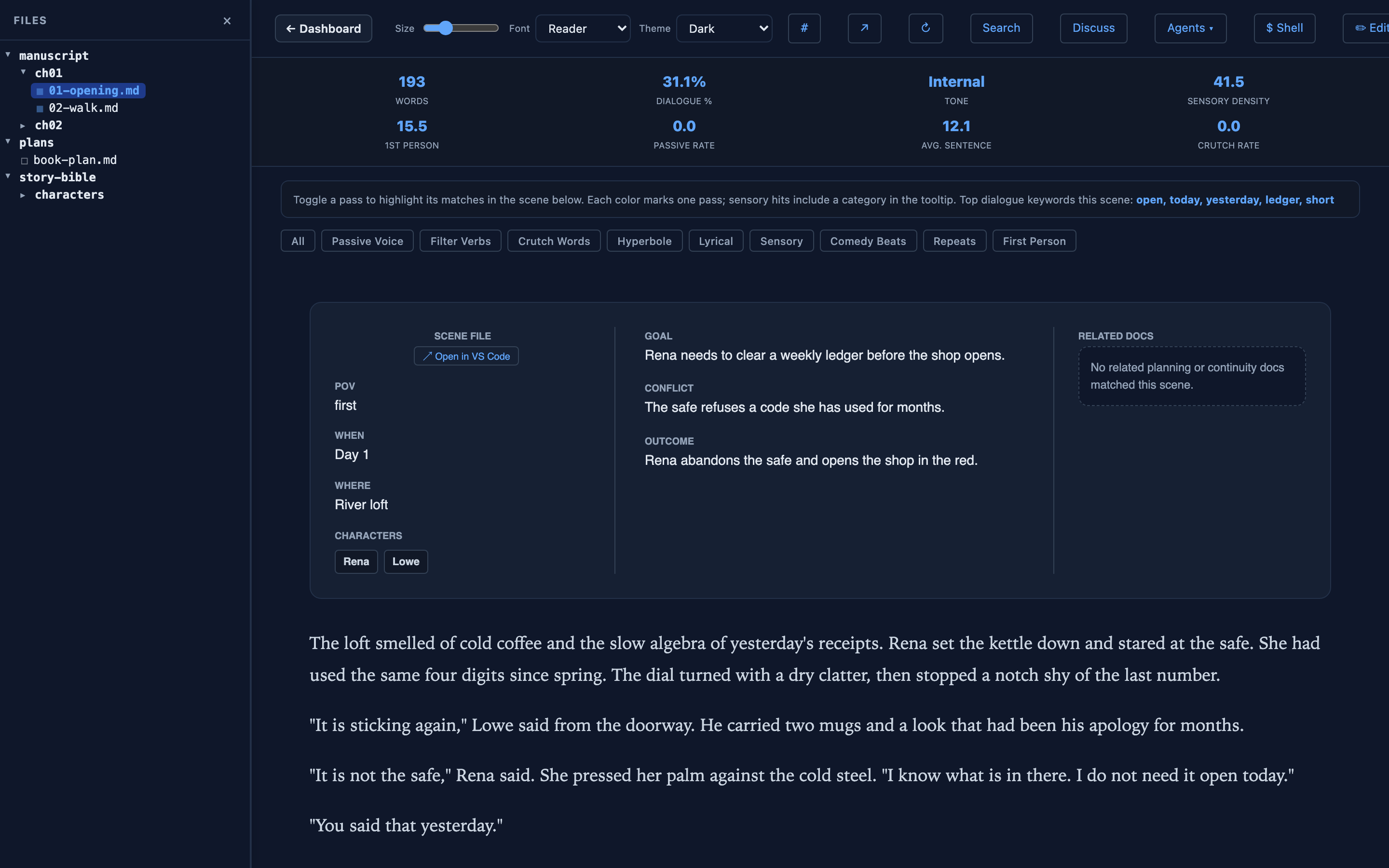
Mod-K from anywhere. File paths, scene metadata, TODOs, notes, and prose,
grouped by kind.
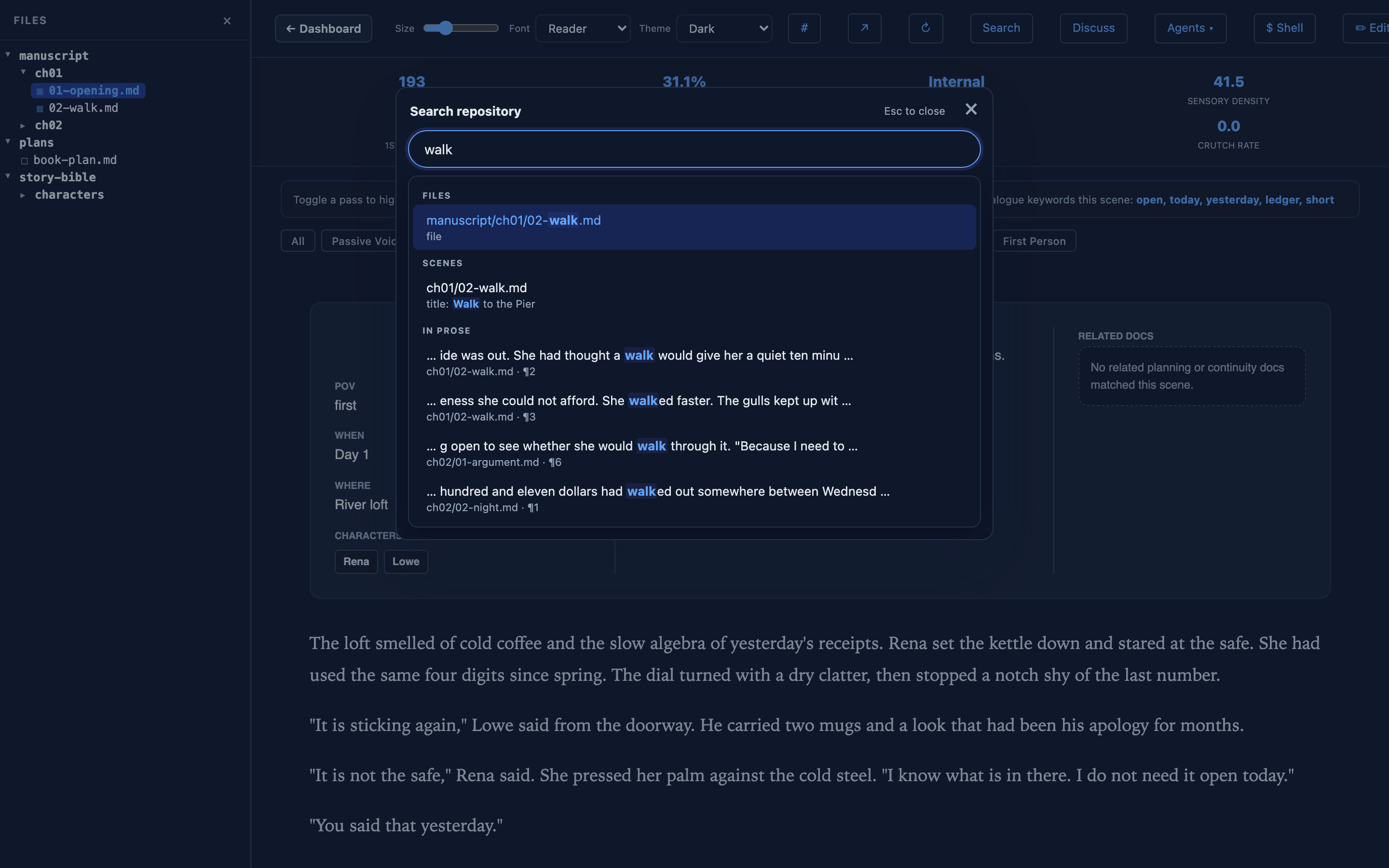
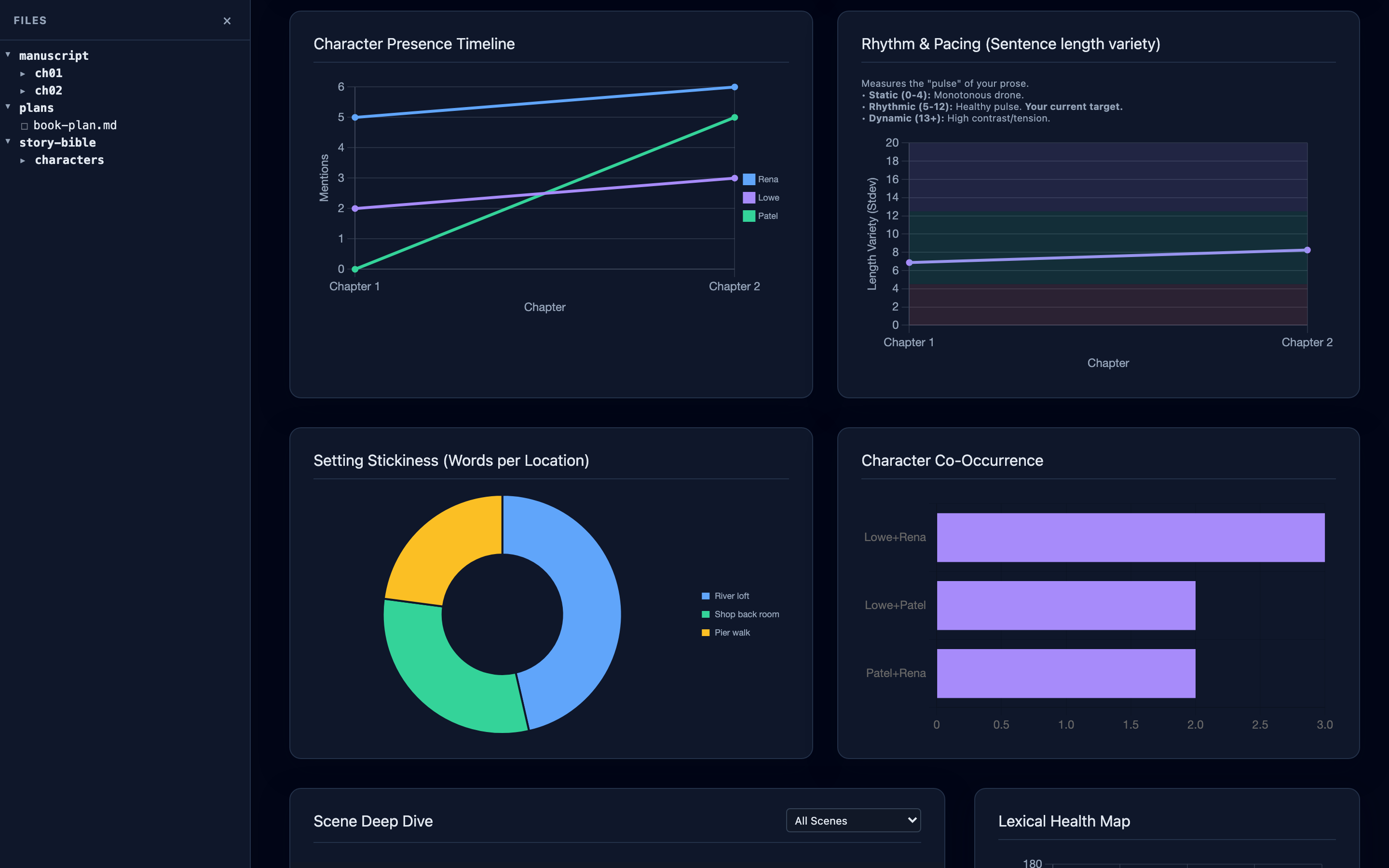
Screenshots use the bundled
fixtures/demo-repo(four scenes), so the charts are deliberately small. Your book fills them in.
- 📊 Dashboard. Word count, chapter pacing, lexical health (MATTR / MTLD), sentence-rhythm variance, character presence, location stickiness, character co-occurrence, plus a sortable scene table.
- 📖 Reading view. Open a scene as a typographic page with a real reader font. The dashboard chrome gets out of the way.
- ✏️ WYSIWYG editor. ProseMirror-backed. Same surface as the reading
view, just with
Edittoggled on. Mod-S saves. Conflict guard checks the file mtime so a concurrent change in your editor never gets silently overwritten. - 🎨 Editorial highlights. Toggle nine prose passes on top of any scene: repetition, passive voice, filter verbs, crutch words, hyperbole, lyrical reach, sensory density, comedy beats, first-person rate. Each pass is a single click.
- 🗒️ Inline TODOs and Notes. Select a passage, drop a
TODOor a taggedNOTE(continuity / character / theme / question), and it lands in the file as a Markdown comment. Survives in git. - 🔎 Repository search.
Mod-Kfrom anywhere. File paths, scene metadata, TODOs, notes, and prose, grouped by kind. Opening a result reveals it in the sidebar. - 📦 EPUB export.
proseview exportcompiles your scenes into a book, in the same order the dashboard counts them. Needspandocinstalled; nothing else does. - 🔁 Live reload. Save a file in your editor and the dashboard picks up the change over Server-Sent Events. No manual refresh.
- 🔗 Deep links. Every scene and file has a URL. Copy the address bar to share or revisit a view. Back / forward work.
- 🎨 Themes and fonts. Light, Dark, Docsify, Hopscotch. Reader, Literary, Inter, Georgia, Baskerville, Sans, Mono.
- 🧪 Tested. 400 tests: unit coverage of the analytics engine, scene parsing, save guards, history, and refresh behavior, plus end-to-end tiers that boot the real server and drive the real UI in a browser.
Entirely optional, and it never runs on its own. Proseview has no model of its own and no API key of yours — it drives the agent CLIs already installed on your machine, under your login.
Select a passage and send it to Codex, Claude, or Gemini; open a document-aware Discuss conversation beside a scene; or use the built-in terminal (a real PTY) for anything else. Details below.
If you want none of this, ignore it. Everything above works without an agent installed.
Requirements: Python 3.11+ on macOS or Linux. The server uses Unix-only
APIs (fcntl, and a real PTY for the terminal), so Windows needs WSL.
git clone https://github.com/ourarash/proseview.git
cd proseview
pip install -r requirements.txt

# Run the dashboard against your novel repo
python -m proseview --root /path/to/your/novel
A browser tab will open at http://localhost:7842. Press Ctrl-C to stop.
If you'd rather install proseview as a tool:
pip install -e .
proseview --root /path/to/your/novelA folder of Markdown scene files, one folder per chapter. The minimum viable repo:
my-novel/
├── manuscript/
│   ├── ch01/
│   │   ├── 01-opening.md
│   │   └── 02-meeting.md
│   └── ch02/
│       └── 01-aftermath.md
└── .proseview.yaml          # optional
Scene files use simple frontmatter:
---
title: Opening
chapter: Chapter 1
status: draft
where: A bar in the West Village
when: Friday night, late
pov: Nima
characters: [Nima, Mira]
goal: Nima needs to get the question on the table
conflict: He's afraid she already has someone
outcome: She agrees to dinner; he leaves rattled
todos:
  - Tighten the opening paragraph
---

# Opening

The bar was loud and the music was bad...
Every field is optional. Proseview reads what's there and falls back gracefully on what isn't.
These are the keys proseview recognizes. Any other keys are passed through and ignored. Every field is optional.
title(string) header of the scene viewer; defaults to a Title-Case version of the filename stem.chapter(string) "Chapter" column in the scene table and the chapter rows of charts; defaults to the chapter folder name.status(string) color-coded status badge. Conventional values:draft,revision,done. Anything else renders as a generic chip; missing meansunknown.
where(string) "Where" row in the scene card. Also feeds the Setting Stickiness chart (Words per Location).location(string) synonym forwhere(older convention).when(string) "When" row in the scene card. Free-form.pov(string) "POV" row in the scene card. Free-form.characters(list of strings) "Characters" row in the scene card; each name is clickable to open the bio if<characters_path>/<name>.mdexists. Also feeds the Character Presence and Co-occurrence charts.
goal(string) "Goal" row in the arc panel.conflict(string) "Conflict" row in the arc panel.outcome(string) "Outcome" row in the arc panel.
todos(list of strings) each entry shows up as a frontmatter-level TODO in the Tasks panel. Inline<!-- TODO: ... -->comments inside the prose are picked up too and get a line anchor.
A scene with no frontmatter still renders, just with Unknown /
Not defined placeholders in the scene card and the file's stem as
its title.
proseview export --root /path/to/your/novel --author "Your Name"
# → output/your-novel.epub
Scenes are compiled in the same order the dashboard counts them: chapters become top-level sections, scenes become sub-sections, and pandoc builds the table of contents from that structure. Titles and chapters use frontmatter where present and fall back to the filename and folder, exactly as the scene table does.
Append other folders after the manuscript — planning notes, an outline, a story bible — one appendix per folder, in the order you name them:
proseview export --list-appendix-folders     # what can I append?
proseview export --appendix plans --appendix outline
Each folder contributes the Markdown files sitting directly inside it. Nested
directories are left out, so an archive like plans/done/ stays out of the
book, and README.md is skipped. Appendix headings are pushed below the
table-of-contents depth so they do not compete with your chapters.
Options: --output, --title, --author, --language, --epub-version
(epub3 / epub2), --cover-image, repeatable --css, and repeatable
--appendix.
Requires pandoc (brew install pandoc
or apt install pandoc). It is the only external binary Proseview ever calls,
nothing else needs it, and the export tells you how to install it if it is
missing.
proseview works with zero config. Drop a .proseview.yaml at the
repo root if you want to customize:
# Where the manuscript lives. Default: manuscript/
manuscript_path: manuscript/

# Where character bios live. Default: story-bible/characters
characters_path: story-bible/characters

# Where AI skill prompts live. Default: skills
skills_path: skills

# Word-count goal for the finished book.
target_words: 80000

# Daily word goal (drives the "days to finish" estimate).
daily_target: 500

# Healthy band for local lexical variety (MATTR).
mattr_band: [0.74, 0.77]

# Healthy band for whole-scene lexical variety (MTLD).
mtld_band: [105, 130]

# Editor URL handler. One of: vscode, cursor, zed, positron, custom.
editor:
  scheme: vscode

# Folders shown in the file tree alongside the manuscript.
repo_tab:
  folders: [plans, continuity, outline, story-bible, docs, templates]
Every key has a sensible default; missing folders are simply skipped.
Lexical health is real, not vibes:
- 📐 MATTR (moving-average type-token ratio, window 100). Measures local vocabulary variety. Low = the same words inside a paragraph; high = constant rotation that may feel jittery.
- 📐 MTLD (measure of textual lexical diversity). Measures whole-scene variety. Low = the scene keeps circling the same ground; high = the scene keeps reaching.
- 📐 Sentence rhythm. Per-chapter standard deviation of sentence length. Static / Rhythmic / Dynamic zones are annotated on the chart.
- 📐 Dialogue percentage, passive voice rate, crutch-word rate, first-person density, sensory density, filter-verb rate, paragraph length.
Every scene gets a row in the deep-dive table; outliers get listed under Editorial Alerts with a one-line revision signal.
Four places where AI shows up, all opt-in:
-
Selection menu. Highlight any text in a scene. The pill that appears includes
Add TODO,Add Note, and (if the corresponding tools are installed locally)Run in CodexandSkills. Skills are reusable prompts you keep inskills/<name>/SKILL.md; they show up automatically in the menu. -
Agent menu. From the scene header, launch a conversation with Codex, Claude, or Gemini scoped to that file. The conversation runs in the in-browser terminal so you can keep reading the prose underneath while the agent works.
-
Discuss. Choose
Discussin a scene or text-file header for a document-aware conversation in the side dock. The document you are reading is attached to each question by default — drop its chip to omit it, or press@to attach other files and folders. Tool and file actions wait on approvals you can see.Under the hood it starts a local
codex app-serveron demand and uses your existing Codex login, model, and history. Proseview stores a bounded list of thread IDs and display metadata for each document in your state directory, and discards raw reasoning — only Codex's own progress summaries reach the browser.Historylets you reopen, rename, export, or remove a previous conversation.New conversationstarts a blank discussion while keeping the previous one available there. -
TODOs as Markdown. Every TODO and Note is a plain
<!-- TODO: ... -->or<!-- NOTE[tag]: ... -->comment in the scene file. Your AI assistant can see them through the file, your repo can track them through git, and you can grep them.
This is alpha. Things that are working and things that are coming:
- ✅ Live server, live reload, ProseMirror editor, highlights, TODOs, notes, deep links, in-browser terminal, agent menu, and document-aware Discuss conversations with Codex.
- ✅ Vendored front-end dependencies. chart.js, marked, xterm and
friends ship with the package and load from
/vendor/. ProseMirror modules are pinned to specific versions on esm.sh. - ✅ Modularized front-end. The JS lives in twelve topical files under
templates/assets/js/, concatenated at render time. - ✅
proseview initwrites a starter.proseview.yamlso a fresh novel repo gets a working configuration with one command. - ✅ Persisted UI prefs. Your highlight-pass toggles and theme choices survive scene navigation and reloads.
- 🚧 Diff-confirm for AI-suggested edits (selection runs in a terminal today; nothing applies edits without your approval, but the diff UX is still terminal-only).
- 🚧 Configurable agent list (Codex / Claude / Gemini are presets today).
- 🚧 Continuity surfacing (warn when a scene contradicts a known fact).
- 🚧 Frontmatter editor (status, where, todos) inside the scene viewer so you don't need to drop into your text editor for routine fields.
See plans/roadmap.md for the full punch list.
pip install -e ".[dev]"
pytest
That runs the unit suite plus an HTTP end-to-end tier that boots a real
proseview subprocess and drives every endpoint — saves and the conflict
guard, TODOs and notes, the AI proposal bridge through the actual CLI, live
reload over SSE, and PTY terminals — asserting on bytes written to disk.
Discuss integration tests use a deterministic fake app-server and isolated
home/state directories; they never contact Codex, the network, or your profile.
~15 seconds, no extra dependencies.
A browser tier drives the real UI in Chromium (editor round-trip fidelity, the selection menu, highlight passes, deep links, agents, terminals, Discuss streaming/approvals/shared-dock behavior, and applying an AI proposal end to end). It's opt-in:
pip install -e ".[e2e]"
python -m playwright install chromium
pytest -m e2e_browser
Both tiers work on a throwaway copy of fixtures/demo-repo. See
CONTRIBUTING.md for details.
MIT. See LICENSE.