29873 read only mount#33035
Conversation


|
|
 TJHeeringa
force-pushed
the
29873-Read_only_mount
branch
from
TJHeeringa
force-pushed
the
29873-Read_only_mount
branch
from
4c3c642 to
84973d9
Compare


|
@mmattel Hi Martin - we have been chatting about this feature at the conference - right? ;-) Can you test this? Thanks a lot! |

|
That´s pre-Christmas 😄 will do ! |

|
@DeepDiver1975 |
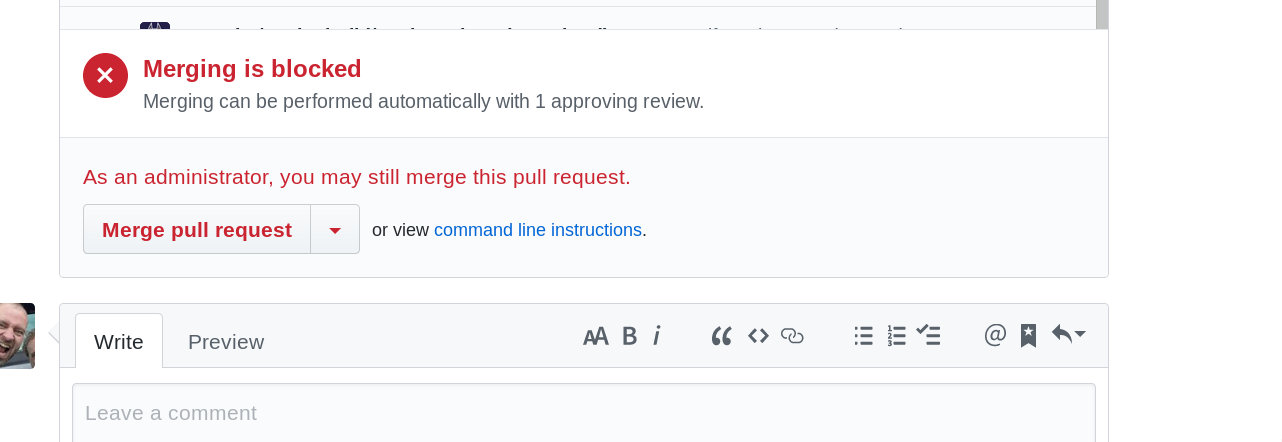
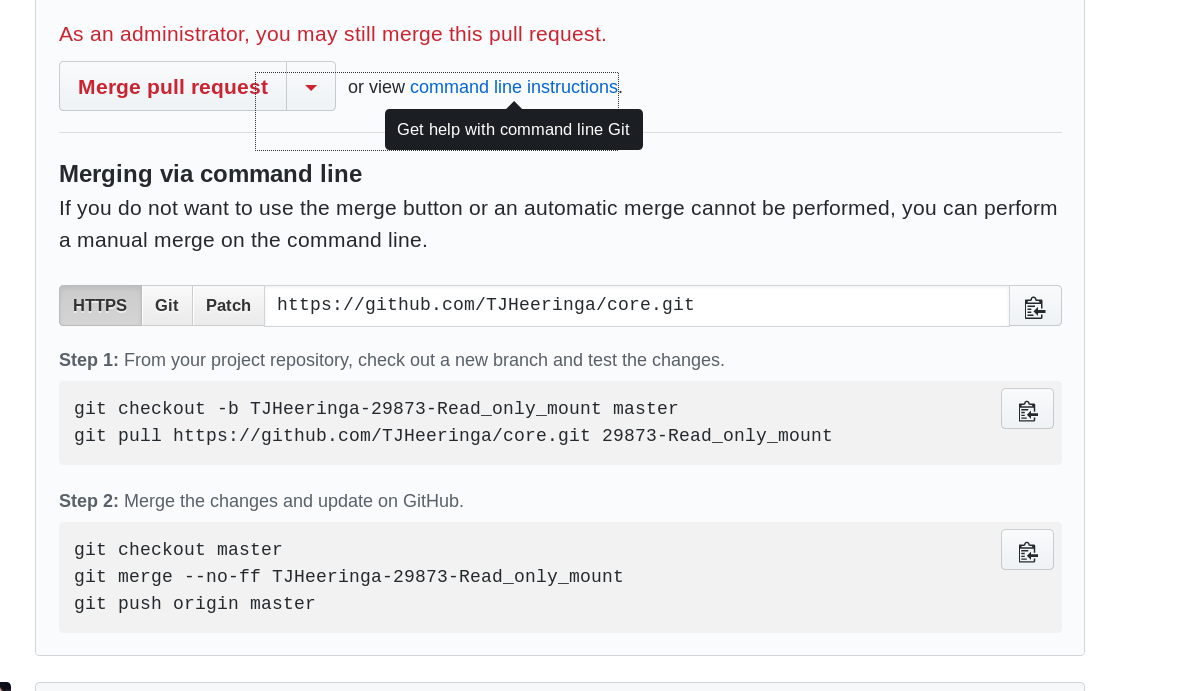
Click on the link 'vie command line options' Step 1 is what you need: |
|
The first thing I found is the following:
|
|
Sure, I can. Usually a default for existing options would be added by migrations. Since this code does not have migrations, I am unsure how to fix this. I have been looking around and could do either of the following:
The second option is easier to make, but gives unwanted behavior, since it has to be triggered somehow. The first option on the other hand seems a bit hackish and isn't something that one should do, since then you have the same problem again, when adding another options in the future. Do you guys now a better solution? |


| ' <label for="mountOptionsEncrypt">{{t "files_external" "Enable encryption"}}</label>' + | ||
| ' </div>' + | ||
| ' <div class="optionRow">' + | ||
| ' <input id="mountOptionsPreviews" name="read_only" type="checkbox" value="false" checked="checked"/>' + |

There was a problem hiding this comment.
here you need value="true" because checking the checkbox will make the value "true"
with a bit of luck it might solve the problem that it's checked by default
There was a problem hiding this comment.
Sadly this doesn't work with me locally. It still automatically checks it.
| }); | ||
|
|
||
| \OC\Files\Filesystem::addStorageWrapper('read_only', function ($mountPoint, IStorage $storage, \OCP\Files\Mount\IMountPoint $mount) { | ||
| if ($mount->getOption('read_only', true) && !$storage->instanceOfStorage('\OC\Files\Storage\Home')) { |
There was a problem hiding this comment.
should this be "false" to make it default to false ?
There was a problem hiding this comment.
When I wrote it, I thought it meant: get the options read_only and return true if it is true and false otherwise, but return the value and set true otherwise, makes way more sense.

Codecov Report
@@             Coverage Diff              @@
##             master   #33035      +/-   ##
============================================
- Coverage     64.76%   64.75%   -0.02%
- Complexity    18345    18348       +3
============================================
  Files          1198     1199       +1
  Lines         69435    69458      +23
  Branches       1278     1278
============================================
+ Hits          44971    44976       +5
- Misses        24093    24111      +18
  Partials        371      371
Continue to review full report at Codecov.
|

|
Weird issues still persisting:
Solutions:
|
|
Hi @TJHeeringa , any update on this PR ? |
|
I've had no spare time to work on this PR. In about a week or two I will have some time to continue working on the PR. |

|
The failing tests have to do with php-lint. I don't know how to fix this. |

|
@TJHeeringa please rebase the PR. |
TJHeeringa
force-pushed
the
29873-Read_only_mount
branch
from
226498c to
0b88c62
Compare
|
Codecov.io keeps giving secure connection failed errors. Do I need to fix more things? |
|
@TJHeeringa codecov can be a pain. It might just be having a bad day. @PVince81 drone is passing. Please review again. |
|
@PVince81 any update ? |


|
@jvillafanez please test and review |

|
Is the migration needed?
I expect that, if the option is missing from the storage information, it's considered as false. The checkbox is expected to be shown unchecked in any case, and modifying its state should store the proper information in the DB as expected. Unless I'm missing something, the migration should be removed. The rest of the code looks good. I still need to test it though. |
I also thought that the migration wasn't needed, but for some weird reason the code, regardless of what I set as default value, always made the existing mounts behave like read_only = true. This is unwanted behavior and the migration seems to fix this issue. A test from your end without the migration would be helpful. If it works without, the migration can be removed. |
Works for me without the migration. Maybe another person can confirm.
With those steps, I can upload to the external storage
I also can upload files to the SFTP storage with those steps. After that, the "set read-only" works fine, so I don't see any issue. @TJHeeringa if you had issues without the migration, could you provide some steps as detailed as possible, so we can try to reproduce the issue? |
|
What I did was
I inserted it directly into the database, since I thought of that before thinking of checking out to a different branch that does not have the read_only code and making a mount point there. |
|
I just tried doing the checkout 'trick', but my OwnCloud won't sign in anymore after displaying a message about upgrading to 11.0 pre-alpha. Will probably take a while to figuring out what is broken. Probably some permission with the session cookie location. Error is probably occuring due to that I'm running WSL, but that's off topic for this PR. @mmattel Could you perhaps try and see if it works without the migration? |
|
@TJHeeringa to "fix" you login problem (I ran into the same ...), just run I am currently very short in time, so testing is an issue for me... |
|
I suggest you to use either docker or a VM in order to revert to a previous state easily.
I don't think the steps are good. Assuming you wrote the same code (which let me distrust this because people always make stupid mistakes), then adding a mount point directly in the DB is bad: there is no need for this when you can easily do the same in the UI; you can also add wrong or incompleted information in the DB. You also apply the migration in step 5. Under normal circumstances, migrations should be executed just after apply the code patch, without any other interaction. As far as I know, apps increases the version which should cause core to automatically check and apply new migrations; I'm not sure how this process is done for core migrations, but in any case I'd expect the migration to be run manually just after the patch. Note that what we want (if possible) is to remove the migration file, that "apply migration" step shouldn't be there in order to test what we want. As said, since downgrading isn't supported, I'd recommend you to use either docker or a VM to restore a previous state. It might also happen that you had some additional information somewhere that you forgot (or maybe you didn't know it was there) to cleanup before trying to restore the initial information. |
|
Hi, any update on this? Would be very useful ! |
|
As discussed in #35777 the master branch will from now on hold the ownCloud 10 codebase. This PR targetted ownCloud 11 which is postponed to a far distant future. Because of that I'm closing this PR and kindly ask you to re-submit this PR in a few days. Thanks a lot for your patience |
7 participants


Description
TL;DR: Made a read only option for external storages
I added a extra option in the advanced settings menu when mounting an external storage. This causes an extra row to be added in the database, when saving the mount, with whether an the mount is read only or not. A storagewrapper is added that checks the option and if the mount has the read only option the storagewrapper adds an permissionmask that makes the mount read only.
Related Issue
Motivation and Context
Sometimes you want to have a group only to be able to read a certain map. Currently no option exists to do this. Extra info can be found in:
owncloud-archive/user_management#23
#29873
How Has This Been Tested?
Currently tested it by making a external share called 'Local' and setting the option
read_onlythat I made. Haven't figured out how to write proper tests.Screenshots (if appropriate):
Types of changes
Checklist:
Open tasks:
!$storage->instanceOfStorage('\OC\Files\Storage\Home'))is required in the lineif ($mount->getOption('read_only', true) && !$storage->instanceOfStorage('\OC\Files\Storage\Home'))onlib/private/legacy/util.phpline 178