Releases: p10node/k10s
Releases · p10node/k10s
Release list
Draft v0.1.0

b3381a7
This commit was signed with the committer’s verified signature.
 pierreneter
Long NGH
pierreneter
Long NGH
Full Changelog: https://github.com/p10node/k10s/commits/v0.1.0
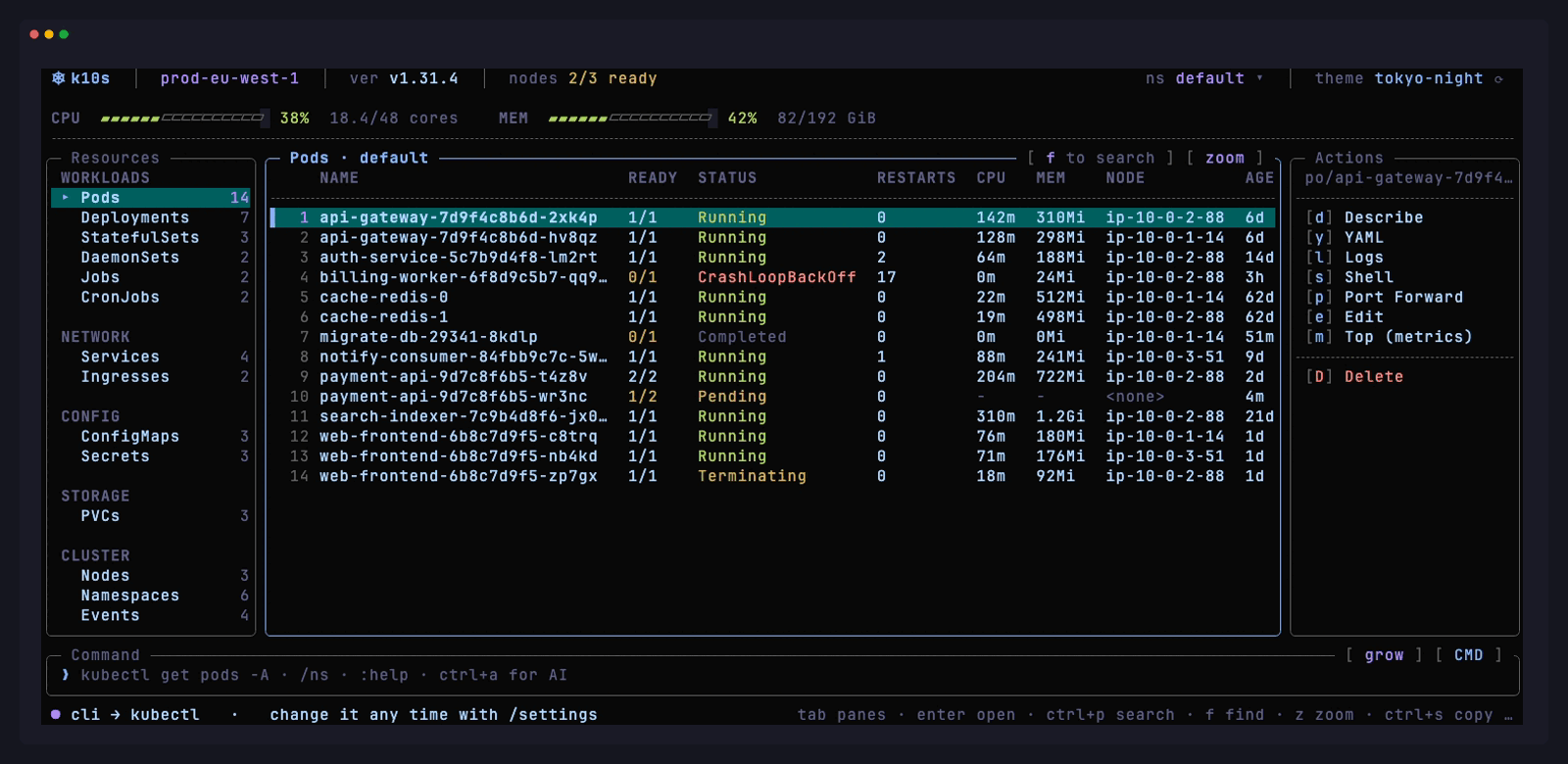
k10s — the Kubernetes terminal UI you can click.
k9s taught us to live in the terminal. k10s makes that terminal
point-and-click, instantly searchable, themeable — and gives it an AI that
already knows your cluster, namespace and selected object.
First tagged release. Inspired by k9s, different philosophy and a much
smaller scope.
Install
go install github.com/p10node/k10s@latest
Or grab a binary below — macOS (Intel/Apple Silicon), Linux (amd64/arm64),
Windows (amd64). Single static binary, no dependencies.
No cluster? go run . drops into an offline demo backend with a real
CrashLoopBackOff to poke at.
What's in it
- Your mouse works. Click a row, a pane,
[ zoom ],ns default ▾.
Every border button is real. - Nothing hidden behind memorised keys. The actions that apply to the
selected object are listed on screen with their hotkey next to them. - One search box.
ctrl+psearches resource kinds and objects
together — no prefix language. - It opens instantly. Zero watches at startup; informers start lazily
per kind. Opening Pods watches pods, not every Secret you own. - AI that sees the screen.
ctrl+a, plain English. Context, namespace,
kind and selected object go into the prompt. Bring your own key
(OpenAI-compatible or Anthropic). - Logs, exec, port-forward. Follow logs (
l), a real resize-aware TTY
(s), SPDY port-forward (p). - Self-updating.
/updateinstalls the newest release over the running
binary — checksum-verified, atomic, offers to restart. - Seven themes, live-previewed with
/theme.
Known limits
- Not yet smoke-tested on a production cluster. Treat v0.1.0 as such.
checksums.txtproves the download matches what this release published —
it proves nothing about who published it. cosign signing is next.- Windows is cross-compiled and lightly tested; exec/port-forward reports
from Windows users are especially welcome.
Verify a download against checksums.txt:
shasum -a 256 -c checksums.txt --ignore-missing