A modern, self-hosted ZFS pool monitoring dashboard built with pure Go. Fetches real-time zpool metrics via JSON and renders an interactive, responsive UI directly in your browser.




- 📊 Real-time ZFS Monitoring – Parses
zpool list -v --jsonoutput to display pool health, capacity, fragmentation, and disk details. - 🎨 Modern Dark UI – Responsive, CSS-variable-driven dashboard with smooth animations and progress indicators.
- ⚡ Zero Dependencies – Single binary with all HTML/CSS/JS embedded. No external frameworks or build steps required.
- 🔁 Interactive Refresh – Dedicated JSON API endpoint enables client-side updates without full page reloads.
- 🛡️ Production-Ready – Context timeouts, graceful error handling, and strict HTTP server configuration prevent resource leaks.
- ⚙️ Configurable Bind Address – Control network binding via
BIND_ADDRenvironment variable. - 🛠️ Security First - LocalHost default, static encoded: read-only, no-interactive localhost zfs interaction
- 🛠️ AI-Policy - Golang code human made/reviewed, html templates/parser and readme AI assisted aislop
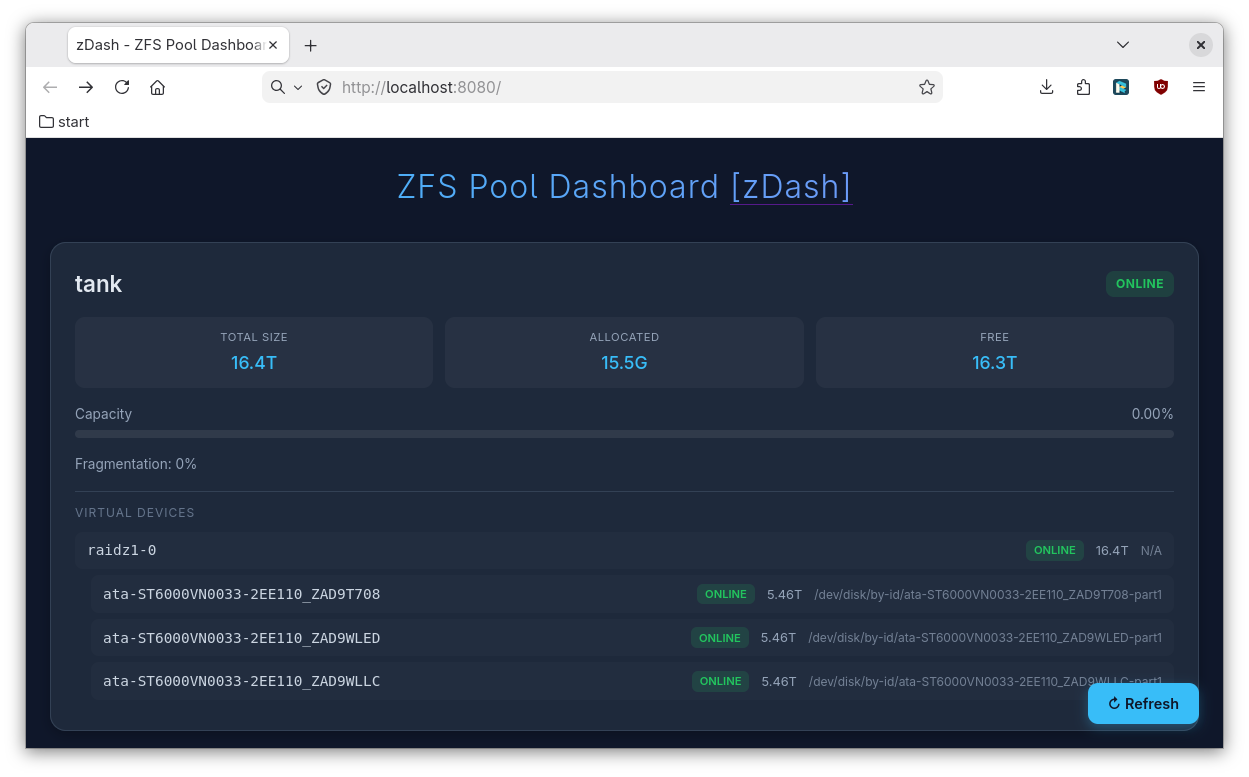
- install go / golang
- install ZFS utilities
go run paepcke.de/zdash@latest
xdg-open http://localhost:8080
access via browser : http://localhost:8080
- ZFS utilities (
zpoolmust be in$PATH) - Linux, FreeBSD, or macOS (ZFS-compatible OS)
git clone https://github.com/paepckehh/zdash.git
cd zdash
go build -ldflags="-X main.version=$(git describe --tags --abbrev=0 2>/dev/null || echo 'dev')"| Environment Variable | Default | Description |
|---|---|---|
BIND_ADDR |
127.0.0.1:8080 |
Host and port to bind the HTTP server |
# Run with defaults (localhost:8080)
./zdash

# Bind to all interfaces on custom port
BIND_ADDR=0.0.0.0:9090 ./zdash

# Run with Go race detector (for debugging)
BIND_ADDR=127.0.0.1:8080 go run -race .
Open http://<BIND_ADDR> in your browser.
- Server Startup – The Go binary starts an
http.Serverwith explicit read/write/idle timeouts. - Initial Render – Visiting
/triggers a server-sidezpool list -v --jsonexecution (5s context timeout). The JSON is parsed, injected into the embedded HTML template, and served. - Client-Side Refresh – The dashboard uses vanilla JavaScript to fetch fresh data from
/api/zpoolwithout reloading the page. - Error Handling – Failed executions or malformed JSON gracefully fallback to empty/error states without crashing the server.
| Method | Path | Description | Response Type |
|---|---|---|---|
GET |
/ |
Serves the embedded dashboard with initial data | text/html |
GET |
/api/zpool |
Returns raw zpool JSON for client refreshes |
application/json |
- Security: Exposing to untrusted networks requires reverse proxying (Nginx/Caddy) and authentication.
- Performance: Executes a shell command per request. Ideal for internal/low-traffic dashboards. For high-frequency polling or large fleets, consider caching the output via a background goroutine or integrating with
systemd/zfsevents. - Permissions: The binary requires read access to
/dev/zfsor equivalent ZFS device paths depending on your OS.
Contributions are welcome!
Distributed under the MIT License. See LICENSE for details.
Built with ❤️ using idiomatic Go, embedded assets, and modern web standards.