A security wrapper for Claude Code that runs the CLI inside macOS's sandbox-exec. The sandbox grants read/write acess only to your current project directory (plus the system temp dir) while allowing just enough extra permissions for Claude Code to work smoothly.
Warning
Heads-up: sandbox-exec is deprecated in macOS 14 (Sonoma), but still functional as of June 2025 in macOS 15 (Sequoia). Apple may remove it in a future release.
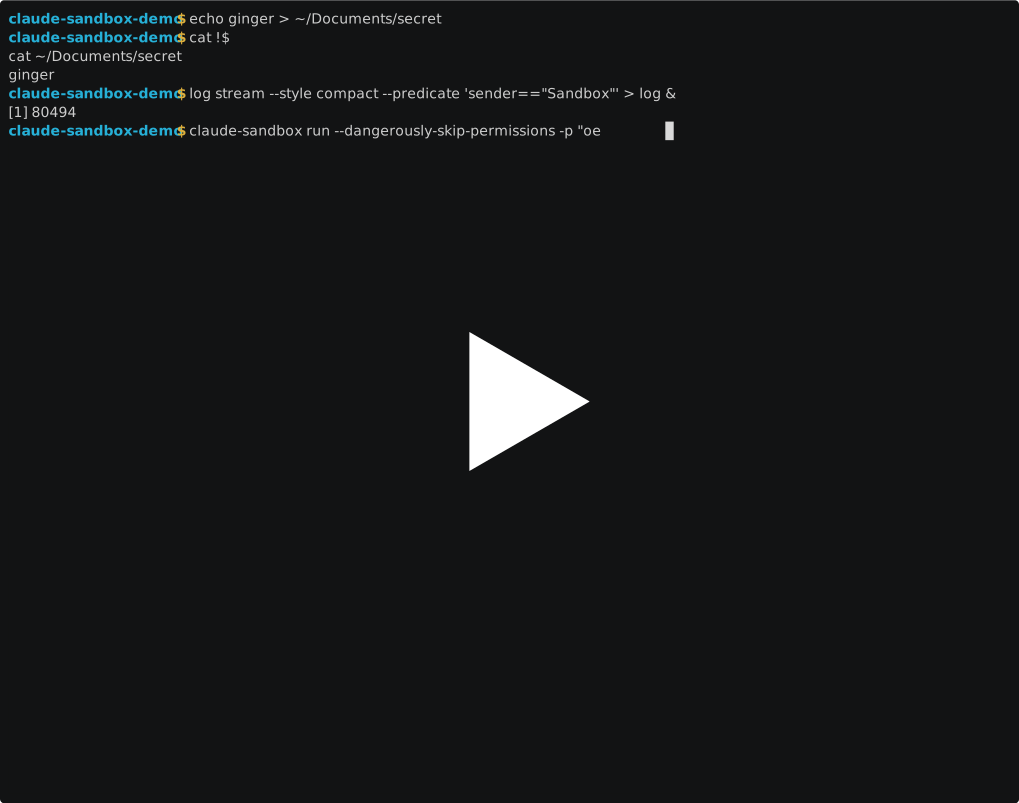
This tool provides additional security when running Claude Code with permission skipping enabled (--dangerously-skip-permissions). It creates a sandbox that:
- ✅ Allows full file access to your current project directory
- ✅ Allows reading system files needed for execution
- ✅ Allows network access (for the Claude API, but also for anything else!)
- ❌ Blocks access to your Documents, Desktop, Downloads, and other personal folders
- ❌ Blocks access to sensitive config files like
.ssh,.aws, etc.
Claude Code is an AI coding assistant that can read and write files and access the internet, etc. When you skip permission prompts for convenience, you're trusting it with full file system access. This sandbox adds a safety layer by restricting access to only the files you're actually working on or need to read/exec from the system. (Or at least attempts to! It's default deny, but I may have written the sandbox profile wrong.)
The goal here is to prevent some damaging footguns, while acknowledging there are other risks associated with using LLMs as agents that are out of scope for this approach.
-
Download the
claude-sandboxscript to a directory in your PATH (e.g.,~/.local/bin/):curl -o ~/.local/bin/claude-sandbox https://raw.githubusercontent.com/paulsmith/claude-sandbox/main/claude-sandbox -
Make it executable:
chmod +x ~/.local/bin/claude-sandbox
The script is self-contained; no separate sandbox profile file is needed.
The script has several modes:
cd /path/to/your/project
claude-sandbox # or: claude-sandbox runclaude-sandbox generate
cat $(claude-sandbox profile) # inspect if you're curiousclaude-sandbox profileclaude-sandbox helpAll additional arguments after run are passed to claude:
claude-sandbox run --dangerously-skip-permissions- The script generates a temporary sandbox profile from its embedded template
- It replaces
__PROJECT_DIR__and__HOME__with your current working directory and home directory paths - It runs Claude Code inside the sandbox using
sandbox-exec - The sandbox restricts file operations (default deny) according to the profile
- Profile files are created in
/tmpwith unique names including directory basename and checksum hash
- macOS only: Uses Apple's
sandbox-execwhich is macOS-specific. This relies on Security Framework's legacy security profiles. - Current directory only: Claude can only access files in and below the directory where you start it
- System dependencies: The profile is configured for a specific system setup (paths may need adjustment)
- Agent safety: limits filesystem damage but can't protect against bad network calls or prompt-injection.
Open the generate_profile() heredoc in claude-sandbox and tweak:
- More global tools – add extra (subpath "/path") lines or modify the
detect_package_paths()function. - Different secrets – extend the deny list regex patterns if you keep credentials elsewhere.
- Stricter network policy – comment out (allow network*) and use a proxy if you want outbound control.
- Parse
~/.claude.jsonto get the list of projects as "pre-approved" list of trusted files and directories
This sandbox provides defense-in-depth but is not a complete security solution for running Claude Code with permission skipping:
- It helps prevent accidental file access outside your project
- It cannot prevent malicious network requests or API abuse or prompt-injection
- Review Claude's outputs before running generated code
- Use version control to track changes
If Claude Code fails to start:
- Check that all required paths in the embedded template exist on your system
- Run
claude-sandbox generateto create a profile, then debug withsandbox-exec -f $(claude-sandbox profile) -D trace claude - Check the generated profile with
cat $(claude-sandbox profile)to verify paths and detected package manager paths - The sandbox part of the macOS kernel logs to the system console, you can inspect it with
log stream --style compact --predicate 'sender=="Sandbox"'
This tool is provided AS IS with no warranties; use at your own risk.