Repository navigation
Home
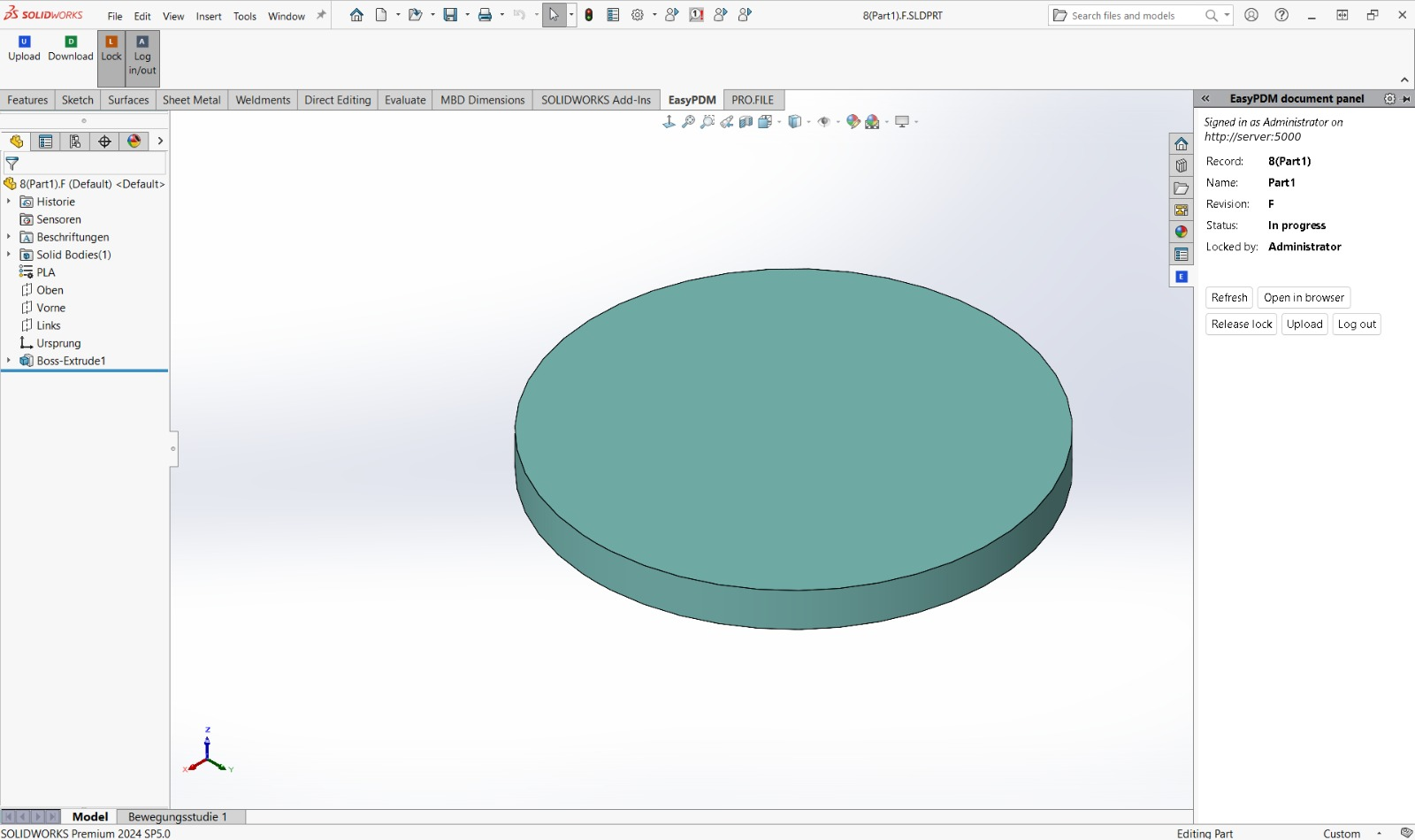
An EasyPDM add-in for SOLIDWORKS: send the document you work on to an EasyPDM server, fetch parts and assemblies from it, lock the item you are changing, and see at a glance which item you have open and whether the components of your assembly are the newest files.

Everything EasyPDM adds sits in three places:
| Where | What is there |
|---|---|
| EasyPDM tab (CommandManager, for parts, assemblies and drawings) | Upload, Download, Lock, Log in/out |
| Tools → EasyPDM menu | the same commands, and Panel |
| EasyPDM document panel (a tab of the Task Pane, on the right) | the active document's item, its buttons, and for an assembly the state of every component |
-
Installation: download, unpack, run
install.cmd, start SOLIDWORKS - Signing in: approve SOLIDWORKS in the browser, once
- Document panel: the item, the lock, outdated components
- Upload and Download: sending and fetching, and when Upload refuses
- Drawing sheets: the EasyPDM sheet formats and the title block filled in from EasyPDM
Tested on SOLIDWORKS 2024 SP5 on Windows. Needs an EasyPDM 0.9 server or later for signing in through the browser and the outdated-component check.
The add-in and the macros speak SOLIDWORKS' language: English, Polish or German. With Use English language menus ticked (Tools → Options → System Options → General) they are in English, whatever language Windows is in. They pick the language when SOLIDWORKS starts.
