Repository navigation
Drawing sheets
EasyPDM has its own drawing sheet for SOLIDWORKS, A3, A2 and A1 landscape: a frame, grid references and a title block filled in from EasyPDM, the same as in FreeCAD.
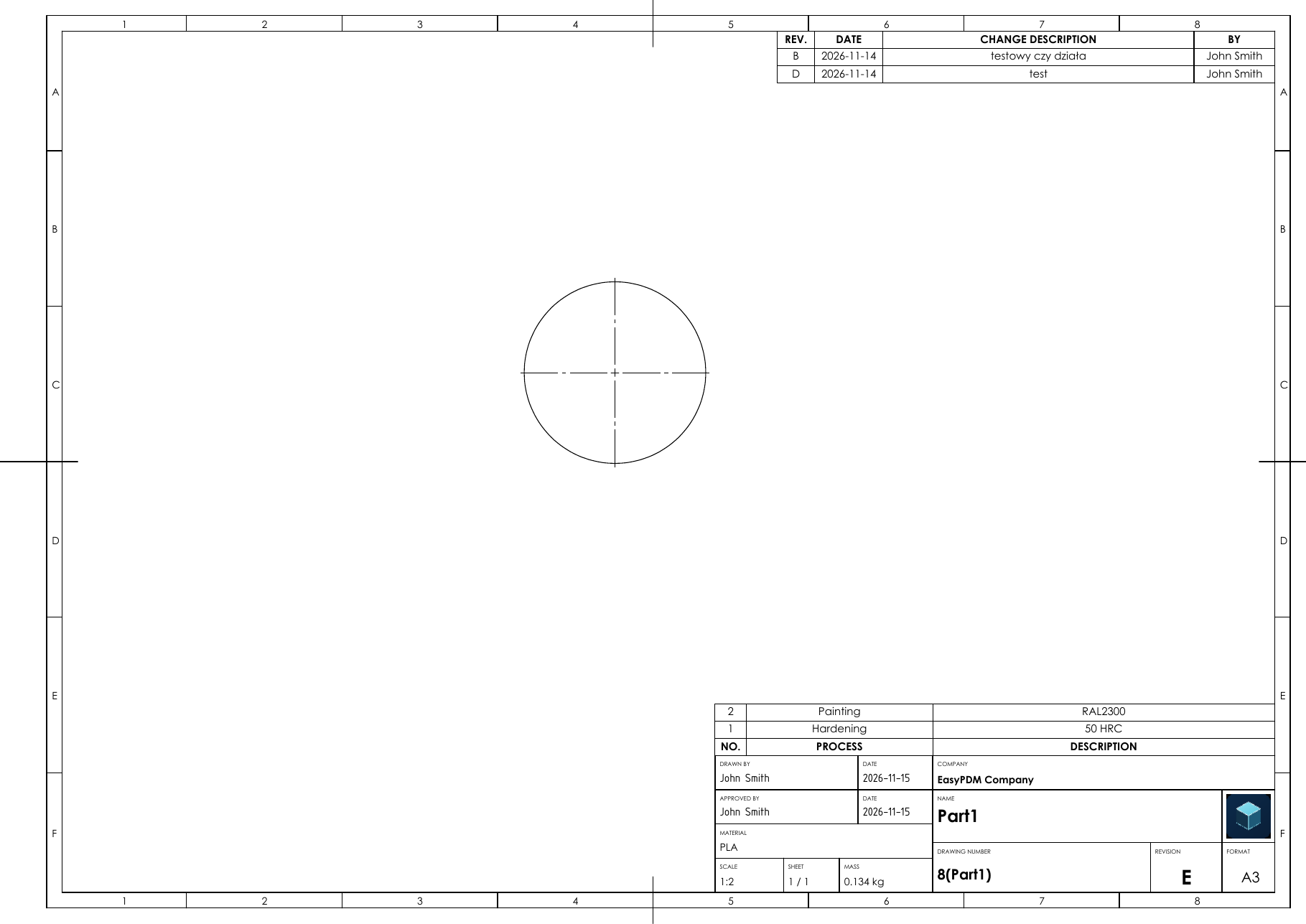
- Download the sheet formats (
.slddrt) and drawing templates (.drwdot) of the sizes you use fromtemplates/. - Put them in one folder and add it under Tools → Options → System Options → File Locations, both to Sheet Formats and to Document Templates.
- Start new drawings from
EasyPDM_A3_Landscape.drwdot(or A2, A1).
When you upload a drawing on the EasyPDM sheet, Upload fills the title block in from EasyPDM before it saves the drawing and exports its PDF: the name with its translations, the drawing number, revision, material, mass, company and logo, a processes table above the title block and a revision table in the top-right corner. Uploading again replaces them (the features EasyPDM processes, EasyPDM revisions and EasyPDM logo in the FeatureManager tree; do not rename them).
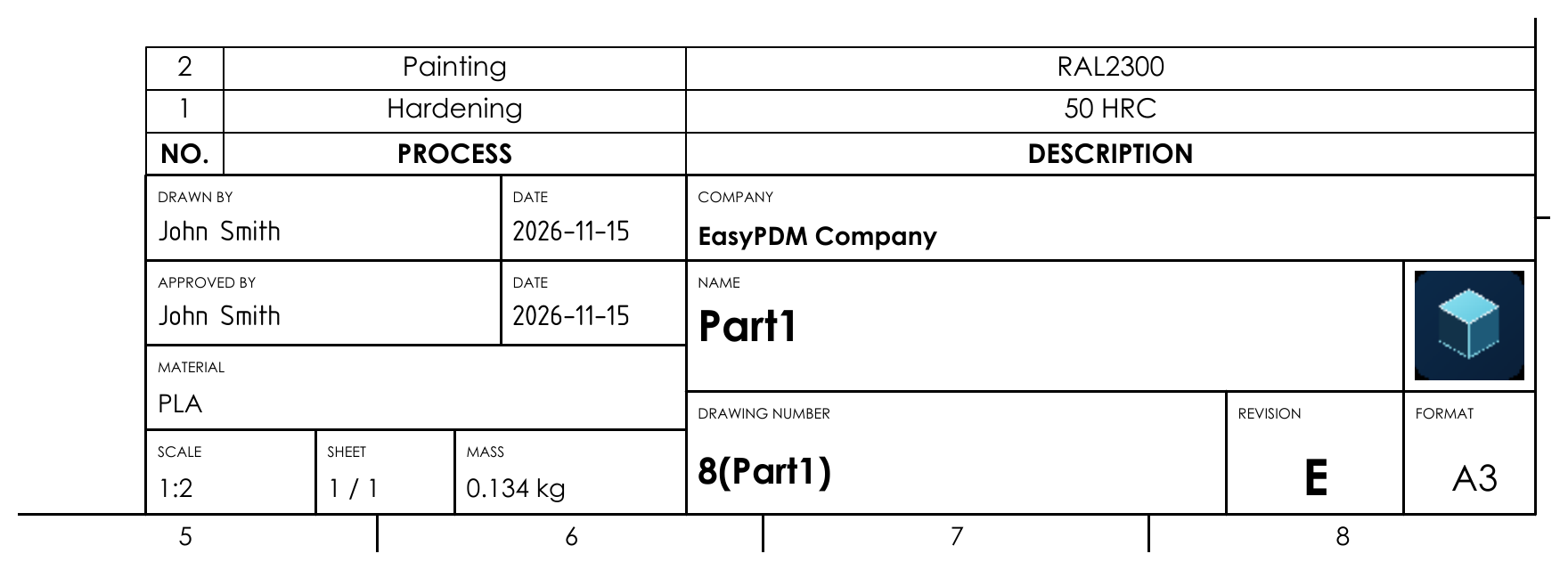
Drawn by and approved by are written into the PDF in EasyPDM when the item is sent for
review and released; the .SLDDRW keeps them empty.
Uploading a part or an assembly never exports a PDF: the item's PDF is its drawing.