Repository navigation
Document panel
The EasyPDM document panel is a tab of SOLIDWORKS' Task Pane (on the right; the blue "E" icon). Panel on the EasyPDM tab opens it. It follows the document you have active.
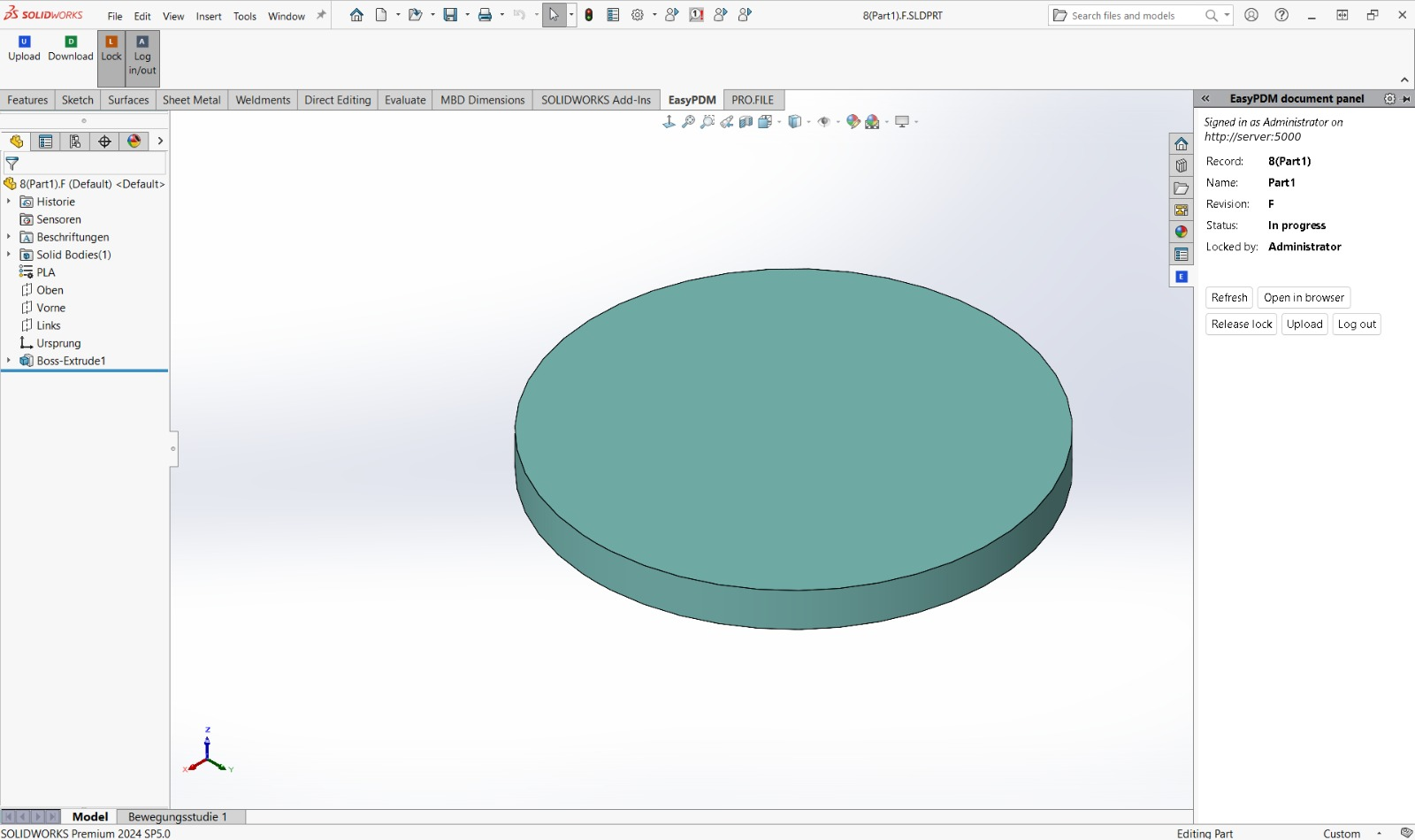
For the active document it shows:
| Field | |
|---|---|
| Record | the item's record name in EasyPDM |
| Name | the item's name |
| Revision | its current revision |
| Status | In progress, Under review, Released or Cancelled |
| Locked by | who holds the lock, or nobody |
and the buttons Refresh, Open in browser (the item itself in EasyPDM), Lock for editing / Release lock, Upload and Log in / Log out.
A document is recognised by the link the Upload macro writes into its custom properties
(EasyPDM_ItemId). A document that has never been uploaded shows This document is not in
EasyPDM yet.
One button locks and releases:
- Lock for editing when nobody holds the lock: after it only you can change the item.
- Release lock when you hold it. On the EasyPDM tab, Lock is then shown pressed.
- Greyed out for a released or cancelled item, which cannot be changed, and while someone else holds the lock; the tooltip says why.
For an assembly the panel lists the document and every component it is built from (for a part it shows only a line, and only when the part is outdated), as in the FeatureManager tree; the same component used several times shows once with its quantity (×2). Each row starts with its state:
| State | |
|---|---|
| ✓ | newest: the same file as in EasyPDM |
| ⚠ | newer file in EasyPDM: someone uploaded a new revision or the same revision again; the tooltip says who and when |
| • | changed here, not uploaded |
| – | not in EasyPDM yet, no file in EasyPDM, or not loaded (a lightweight component) |
and the revision you have here and the one in EasyPDM, plus 🔒 and a name when someone holds that component's lock.
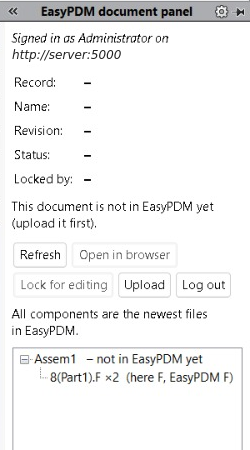
When any row has ⚠, Upload refuses: see Upload and Download.
A file is recognised by the version stamp the Upload macro writes into it
(EasyPDM_ContentVersion custom property), which stays when SOLIDWORKS saves the file again
unchanged; files uploaded by older macros are recognised by their content.