NeuralScreen v1.1.0

NeuralScreen v1.1.0 — DLSS 5 Neural Rendering desktop overlay
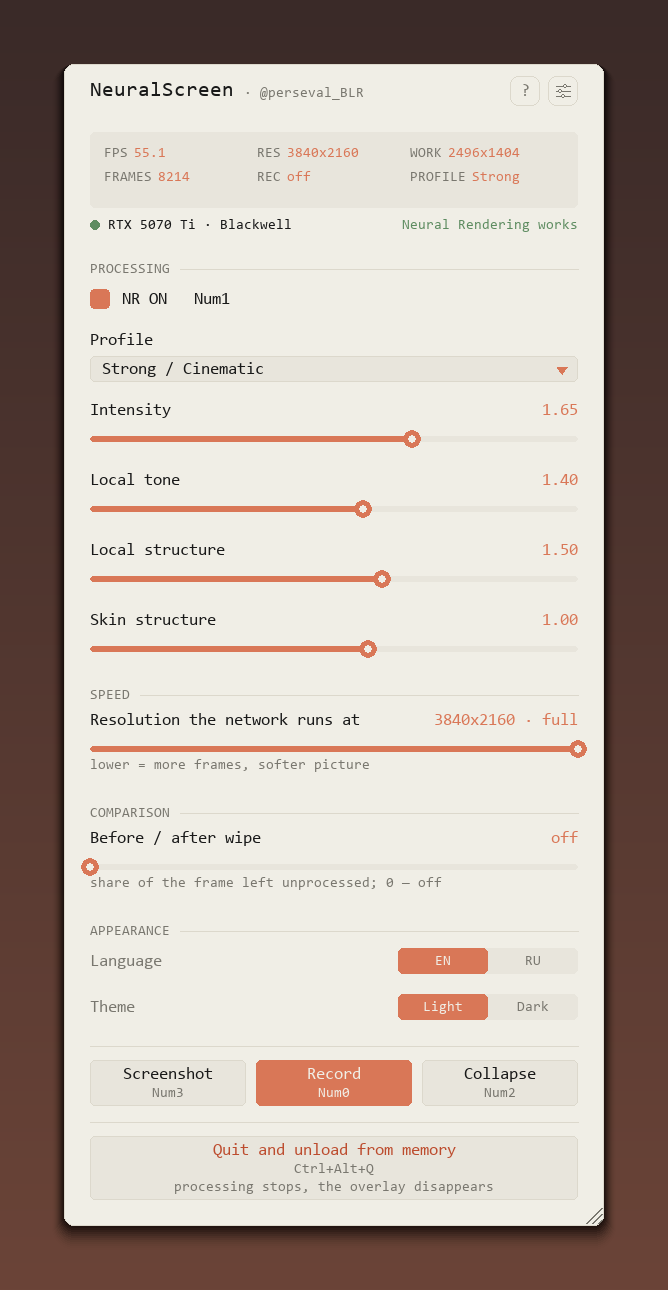 |
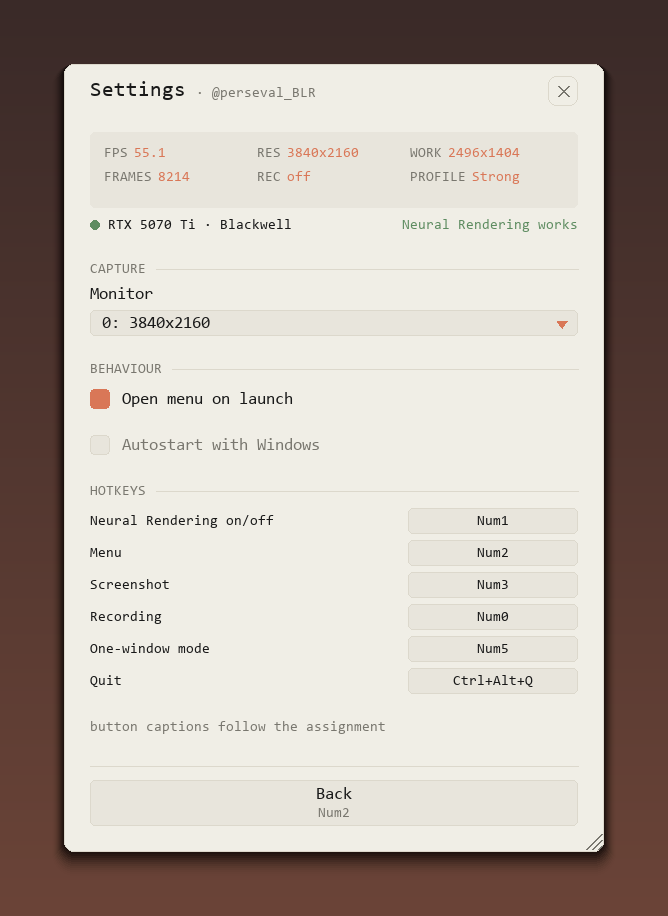 |
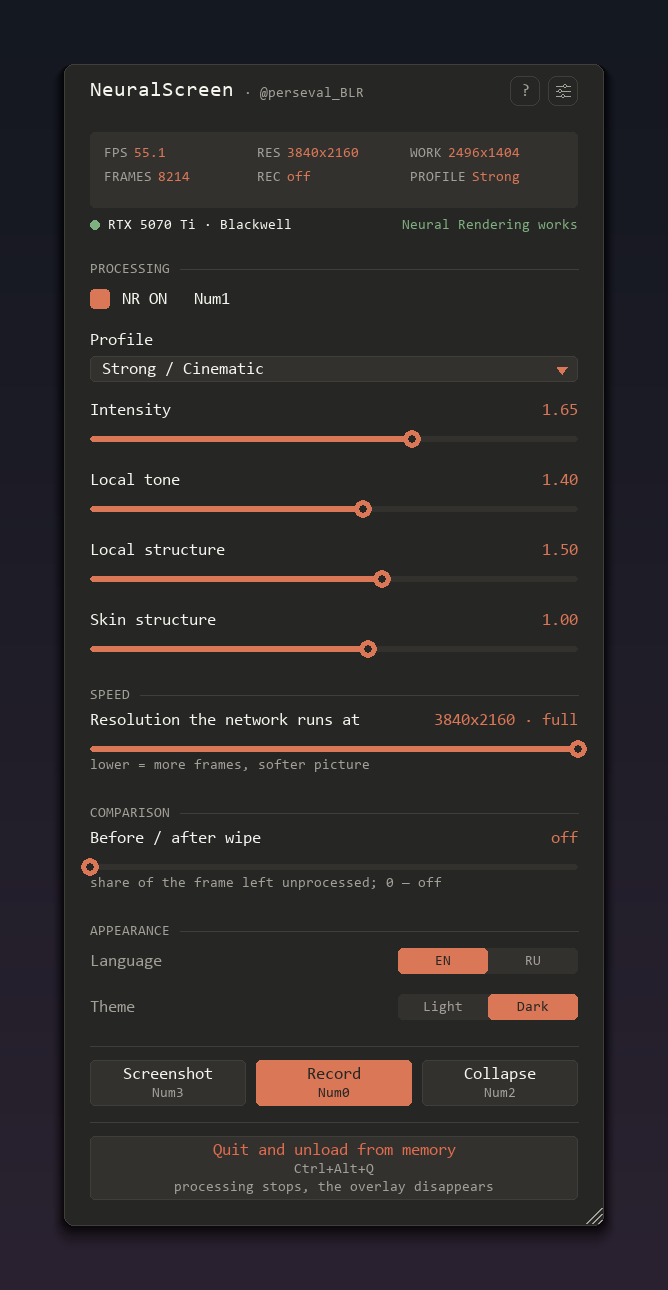 |
| main page | settings | dark theme |
What's new:
- GPU status line in the menu (green = feature 18 actually created, by the worker's answer, not the architecture)
- Before/after wipe slider — raw vs NR side by side, on the GPU, lands in recordings
- Arch hook on by default (NS_ARCH_SPOOF=0 to disable): feature 18 on 20/30/40-series. The compiled kernels are already in NVIDIA's runtime — every one of its fifteen fatbins carries sm_75, sm_86, sm_89 and sm_120 — so the refusal is a policy check, not missing code. Confirmed working on a 40-series card by a user; 20/30 still unverified, and the menu dot tells the truth either way. Likely conflicts with NVIDIA's license terms.
- NS_PHASE=1: worker phase timing via D3D12 timestamps
- NGX eval scales with the screen, not with
work_scale: 15.7 ms on a 4K desktop, 8.0 ms on 2560×1600, flat across the whole slider range at either. With NR on that is 47 FPS at 4K and 102 FPS at 2560×1600 (RTX 5070 Ti, work at the 2560×1440 cap) - Native Save As dialog for screenshots (JPEG 100%)
- Monitor selection in the menu (full pipeline restart, settings preserved)
- Configurable hotkeys ("hotkeys" in config.json)
- Autostart with Windows (menu toggle, HKCU Run)
- Menu reworked: labelled sections, language and theme as two-way switches instead of dropdowns, footer actions with their key printed under the label, and quit as its own row — "Quit and unload from memory" — instead of a × that sat next to it looking equally harmless. Header carries ? and a settings button; monitor, autostart and hotkey remapping moved behind it
- Hotkeys remappable from the menu: click a field, press the combination. Global hotkeys are suspended while the field waits, so
F8lands in the field instead of toggling the menu; every button caption follows the assignment F7for the screenshot — it had no key at all before- The menu scrolls and its height is draggable by the bottom edge; position, scale and height are remembered
- Recording costs half of what it did: 20.6 → 30.1 FPS at 4K. Encoding moved off the capture loop into its own thread (19.9 → 3.1 ms), and result pixels come back through a shared section instead of the pipe (recv 31.6 → 24.5 ms). The bitrate was never the problem — the time went into the RGBA→yuv420p conversion, which is also why there is no bitrate slider
Assets: neuralscreen-v1.1.0-full.zip (222 MB, app + portable Python + both DLLs + README EN/RU), nvngx.dll, nvngx_dlssnr.dll, README.md, README.ru.md
Controls: F9 NR · F8 menu · F7 screenshot · Insert record · Ctrl+Alt+Q quit
NeuralScreen v1.1.0 — DLSS 5 Neural Rendering на весь рабочий стол Windows
|
|
|
| основная страница | настройки | тёмная тема |
Что нового:
- Строка статуса GPU в меню (зелёная = feature 18 реально создан, по ответу воркера, а не по архитектуре)
- Шторка «до/после» — сырой кадр и NR рядом, на GPU, попадает в записи
- Хук архитектуры включён по умолчанию (NS_ARCH_SPOOF=0 — выключить): feature 18 на 20/30/40-сериях. Скомпилированные ядра уже лежат в рантайме NVIDIA — во всех пятнадцати fatbin'ах есть sm_75, sm_86, sm_89 и sm_120 — то есть отказ это проверка политики, а не отсутствие кода. На 40-й серии подтверждено пользователем, 20/30 пока не проверены; точка в меню в любом случае говорит правду. Вероятно, расходится с лицензией NVIDIA.
- NS_PHASE=1: тайминги фаз воркера таймстемпами D3D12
- NGX eval масштабируется с экраном, а не с
work_scale: 15.7 мс на рабочем столе 4K, 8.0 мс на 2560×1600, и на обоих не меняется по всему диапазону ползунка. С NR это 47 FPS на 4K и 102 FPS на 2560×1600 (RTX 5070 Ti, work на потолке 2560×1440) - Нативный диалог «Сохранить как» для скриншотов (JPEG 100%)
- Выбор монитора в меню (полный перезапуск конвейера, настройки сохраняются)
- Настраиваемые хоткеи ("hotkeys" в config.json)
- Автозапуск с Windows (тумблер в меню, HKCU Run)
- Меню переделано: озаглавленные блоки, язык и тема переключателями вместо выпадающих списков, кнопки в подвале с подписью клавиши под названием, а выход отдельной строкой — «Выйти и выгрузить из памяти» — вместо крестика, который стоял рядом и выглядел так же безобидно. В шапке ? и кнопка настроек; за ней монитор, автозапуск и переназначение клавиш
- Клавиши переназначаются из меню: клик по полю, нажатие комбинации. Пока поле ждёт, глобальные хоткеи сняты, поэтому
F8попадает в поле, а не переключает меню; подписи на кнопках меняются вместе с назначением F7на скриншот — раньше у него не было клавиши вообще- Меню прокручивается, высота тянется за нижнюю кромку; положение, масштаб и высота запоминаются
- Запись стоит вдвое меньше: 20.6 → 30.1 FPS на 4K. Кодирование ушло из цикла захвата в свой поток (19.9 → 3.1 мс), а пиксели результата возвращаются через общую секцию вместо пайпа (recv 31.6 → 24.5 мс). Битрейт тут был не при чём — время уходило в перевод RGBA→yuv420p, поэтому ползунка битрейта и нет
Ассеты: neuralscreen-v1.1.0-full.zip (222 МБ, программа + портативный Python + оба DLL + README EN/RU), nvngx.dll, nvngx_dlssnr.dll, README.md, README.ru.md
Управление: F9 NR · F8 меню · F7 скриншот · Insert запись · Ctrl+Alt+Q выход