Repository navigation
v1.3.0 - One-window mode, WGC capture, numpad keys

Notice. Not affiliated with NVIDIA; NVIDIA, DLSS and the NVIDIA logo are NVIDIA Corporation's trademarks. The bundled NVIDIA runtimes are NVIDIA's property, included unmodified as received, research/educational use only, no warranty, use at your own risk.
Warning
NeuralScreen requires the latest NVIDIA driver. Operation with older drivers or unsupported/non-standard configurations is not guaranteed.
NeuralScreen v1.3.0 — one-window mode, WGC capture, numpad keys
 |
 |
What's in 1.3.0:
- Process a single window (Num5) — the network runs on the focused window, the overlay sits on it and follows moves/resizes
- NVIDIA App and OBS can record the result — in one-window mode the overlay stops hiding from capture (no self-capture loop). Full-screen mode keeps hiding it
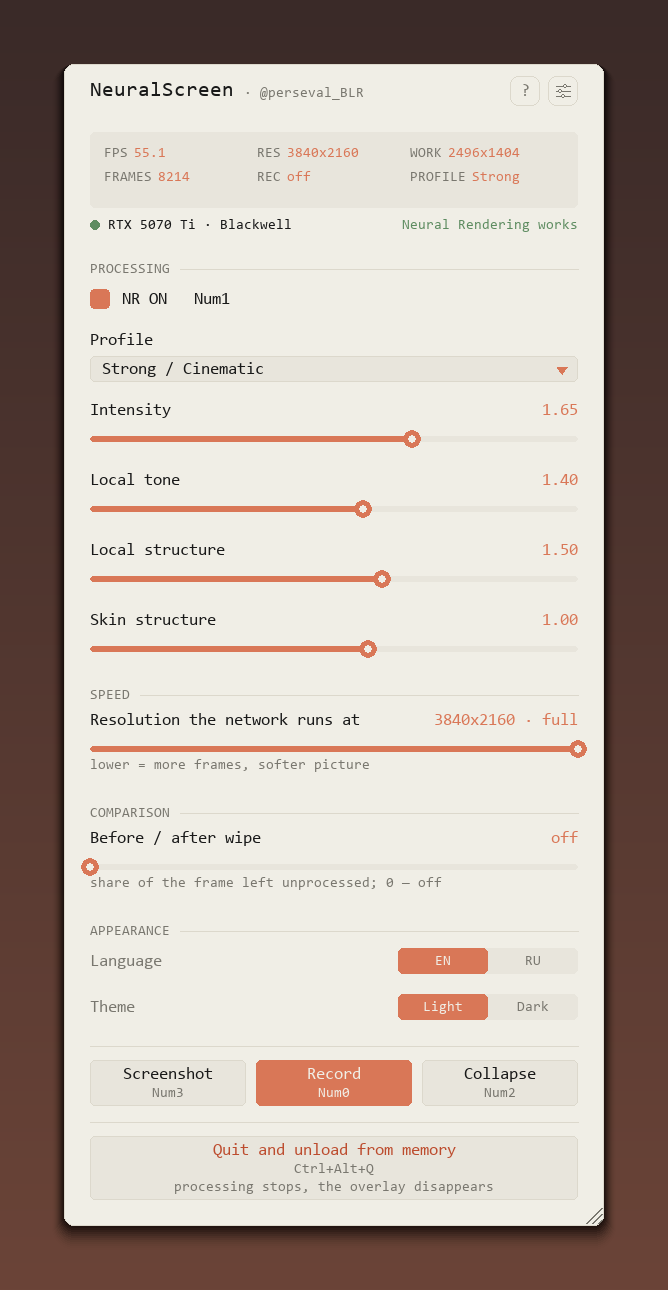
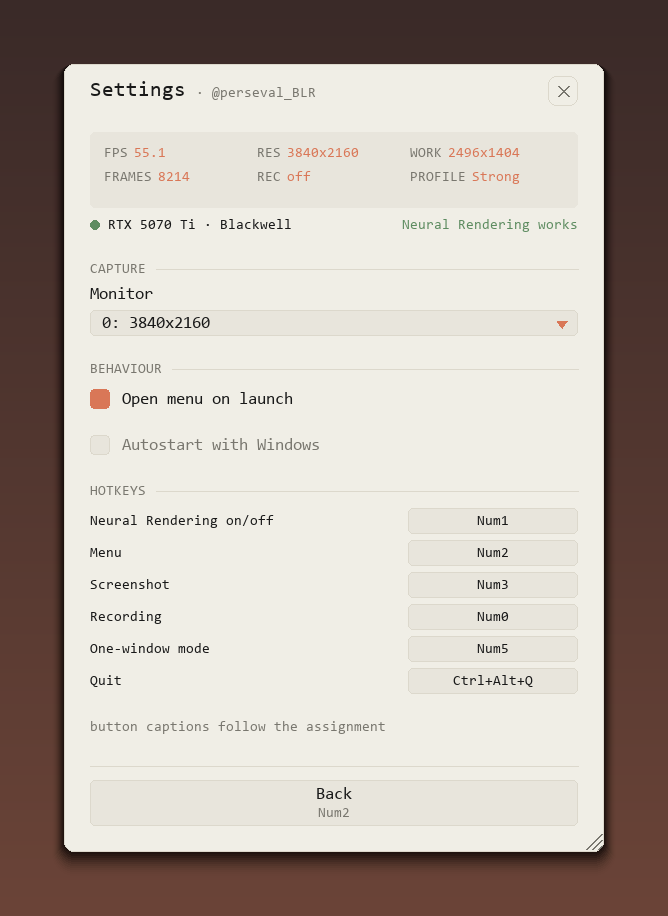
- Hotkeys moved to the numpad: Num1 NR · Num2 menu · Num3 screenshot · Num0 record · Num5 one-window · Num4/Num6 resolution · Ctrl+Alt+Q quit. Num Lock must be on
- Odd-height windows and fast windows (140+ FPS) record correctly; the capture bridge cleans up on failure
Post-release updates (same v1.3.0 archive):
- Matched residual composite — the network runs at the reduced resolution (the FPS win) and its result is composed onto the pristine 1:1 native frame: text, edges and UI keep full sharpness while the cheap low-res network does the relighting. Measured: 47.9 → 71.9 FPS at work_scale 0.65 with the native anchor intact
- The resolution slider no longer softens the picture — the residual composite keeps it sharp down to the reduced resolutions
- The menu stays fully visible across a window-mode switch — a menu open at launch is re-placed in the bottom-right corner instead of coming back clipped off the right edge of a small captured window
- The header shows the program version (v1.3.0); the channel label moved to the settings page as a button that opens the YouTube channel
- The flicker every ~4 seconds is gone — the topmost re-assert no longer fires on zero-sized helper windows (IME)
- The release archive contains only what the program needs — tests and dev tools stay in the repository
- The regression suite grew to 22 tests — bypass, on-the-fly resize, downscaled motion, config validation, i18n parity, residual+wipe, window-mode menu
Known limitations (in the README): true fullscreen games cannot be overlaid (borderless or windowed only); a fullscreen game hides the cursor and the menu is then mouse-dead; a second instance is not guarded
Assets: neuralscreen-v1.3.0-full.zip (everything inside, including NVIDIA's nvngx_dlssnr.dll), README.md, README.ru.md
NeuralScreen v1.3.0 — режим одного окна, захват через WGC, клавиши на нампаде
Что нового:
- Обработка одного окна (Num5) — сеть работает на сфокусированном окне вместо всего рабочего стола. Оверлей лежит ровно на окне и следует за ним при перемещении и ресайзе
- NVIDIA App и OBS теперь могут писать результат — в режиме окна оверлей перестаёт прятаться от захвата (петли самозахвата нет). В полноэкранном режиме он по-прежнему скрыт
- Хоткеи переехали на нампад: Num1 NR · Num2 меню · Num3 скриншот · Num0 запись · Num5 режим окна · Num4/Num6 разрешение · Ctrl+Alt+Q выход. Нужен включённый Num Lock
- Окна с нечётной высотой и быстрые окна (140+ FPS) теперь записываются корректно; канал захвата чистится при сбое
Обновления после релиза (тот же архив v1.3.0):
- Matched residual composite — сеть считает на пониженном разрешении (выигрыш в FPS), а её результат ложится на исходный кадр 1:1: текст, края и интерфейс сохраняют полную резкость, пока дешёвая сеть занимается пересветом. Замерено: 47.9 → 71.9 FPS на work_scale 0.65 при сохранённом нативном якоре
- Ползунок разрешения больше не мылит картинку — residual composite держит резкость вплоть до пониженных разрешений
- Меню больше не обрезается при переключении в режим окна — меню, открытое при запуске, переставляется в правый нижний угол вместо того, чтобы вернуться обрезанным у правого края маленького окна
- В шапке меню теперь версия программы (v1.3.0); подпись канала переехала в настройки кнопкой, открывающей YouTube-канал
- Мигание раз в ~4 секунды ушло — повторное поднятие поверх больше не срабатывает на нулевые служебные окна (IME)
- В релизном архиве только то, что нужно для работы — тесты и dev-инструменты остались в репозитории
- Регрессионный набор вырос до 22 тестов — bypass, ресайз на лету, пониженный motion, валидация конфига, паритет i18n, residual+шторка, меню в режиме окна
Известные ограничения (в README): настоящий полноэкранный режим игр оверлеем не перекрыть (только borderless/окно); полноэкранная игра прячет курсор, и меню остаётся без мыши; гварда на вторую копию программы нет
Ассеты: neuralscreen-v1.3.0-full.zip (внутри всё, включая nvngx_dlssnr.dll от NVIDIA), README.md, README.ru.md