Releases: phimage/muxy-extensions
Release list
himalaya-0.1.0

media-launcher-0.1.0
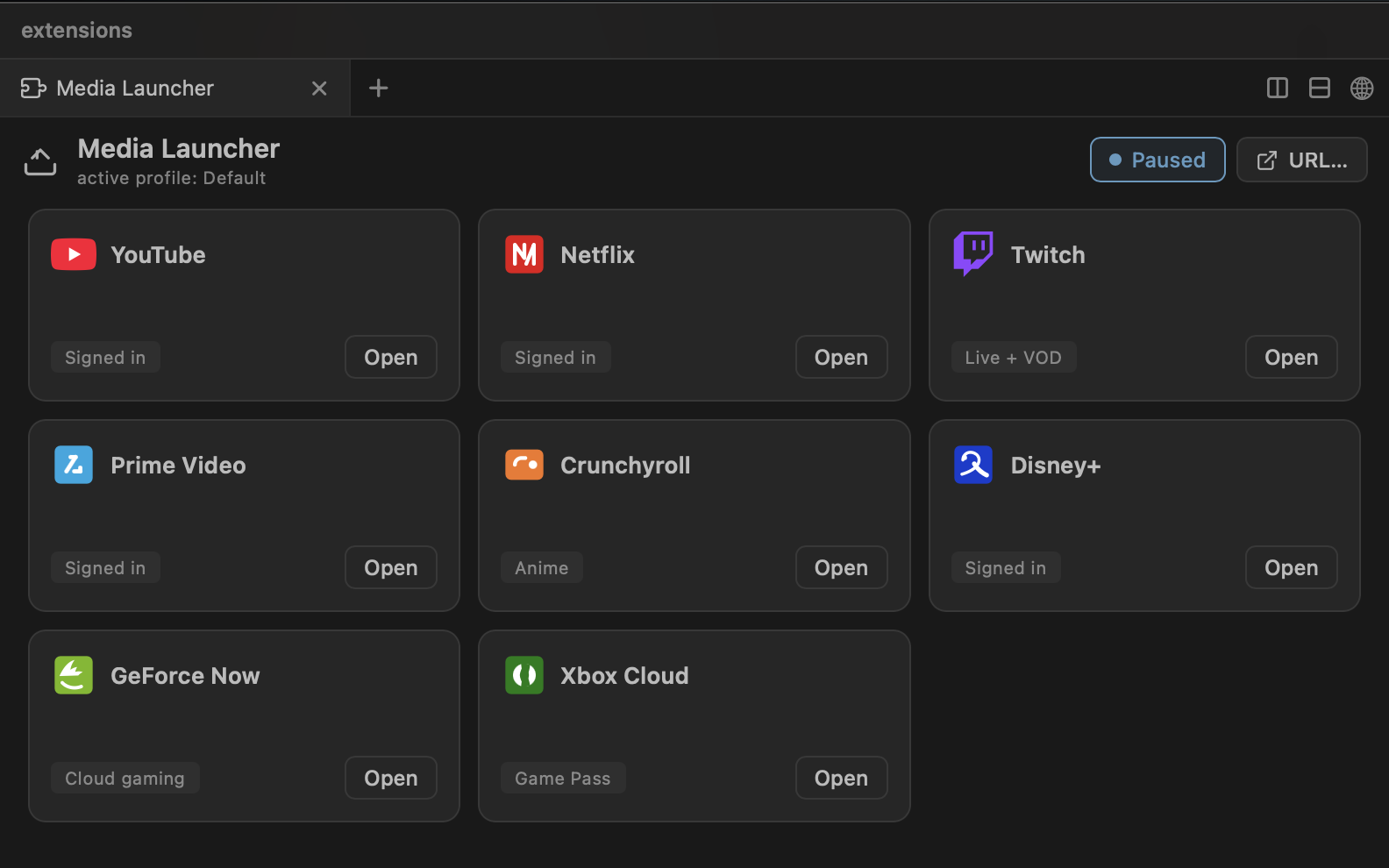
media-launcher 0.1.0 — One tab to launch your streaming and cloud-gaming services in the built-in browser, with your sessions kept intact.
Built from the media-launcher branch of https://github.com/phimage/extensions.
Install into Muxy
- Download
media-launcher-0.1.0.zip(asset below). - Unpack it into Muxy's extensions directory:
mkdir -p ~/.config/muxy/extensions
unzip -o media-launcher-0.1.0.zip -d ~/.config/muxy/extensions/
This creates ~/.config/muxy/extensions/media-launcher/ with the manifest (package.json) and the prebuilt files — the exact layout Muxy's extension store expects.
3. Quit Muxy (⌘Q) and relaunch — the store scans ~/.config/muxy/extensions/*/package.json at startup.
Commands
- Media Launcher: Open
- Media Launcher: Hide media —
cmd+ctrl+m
Screenshots
Uninstall
rm -rf ~/.config/muxy/extensions/media-launcherthen relaunch Muxy.
Locally built, unsigned dist/ of the branch, produced with the repo's own scripts/build.mjs + scripts/pack.mjs. Install only on machines you trust.
media-launcher-0.1.0.zip sha256: f5795038c9426198b5a50677db0391266f808a83803525ad96595ef2ee2674d0
ollama-0.1.0
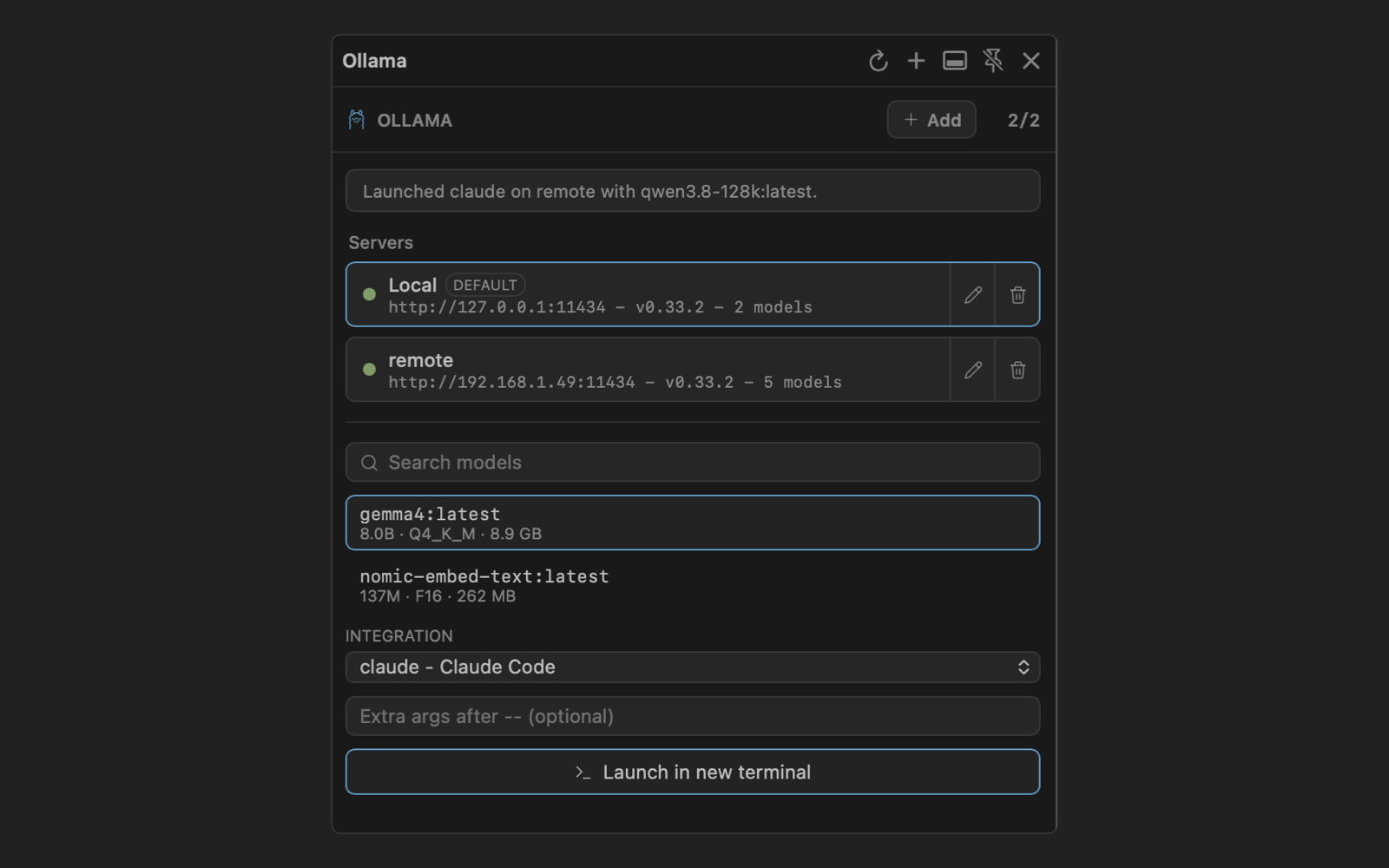
ollama 0.1.0 — Track Ollama servers, browse models, and launch coding agents with local models
Built from the ollama branch of https://github.com/phimage/extensions.
Install into Muxy
- Download
ollama-0.1.0.zip(asset below). - Unpack it into Muxy's extensions directory:
mkdir -p ~/.config/muxy/extensions
unzip -o ollama-0.1.0.zip -d ~/.config/muxy/extensions/
This creates ~/.config/muxy/extensions/ollama/ with the manifest (package.json) and the prebuilt files — the exact layout Muxy's extension store expects.
3. Quit Muxy (⌘Q) and relaunch — the store scans ~/.config/muxy/extensions/*/package.json at startup.
Commands
- Ollama: Toggle Panel —
cmd+shift+o - Ollama: Refresh
- Ollama: Add Server…
- Ollama: Launch Agent…
Screenshots
Uninstall
rm -rf ~/.config/muxy/extensions/ollamathen relaunch Muxy.
Locally built, unsigned dist/ of the branch, produced with the repo's own scripts/build.mjs + scripts/pack.mjs. Install only on machines you trust.
ollama-0.1.0.zip sha256: 0904900b1a3673c16fb62e4f00c7fcd3ad5a1044a651cb295fc1967a383a2ed2
gitlab-0.1.0
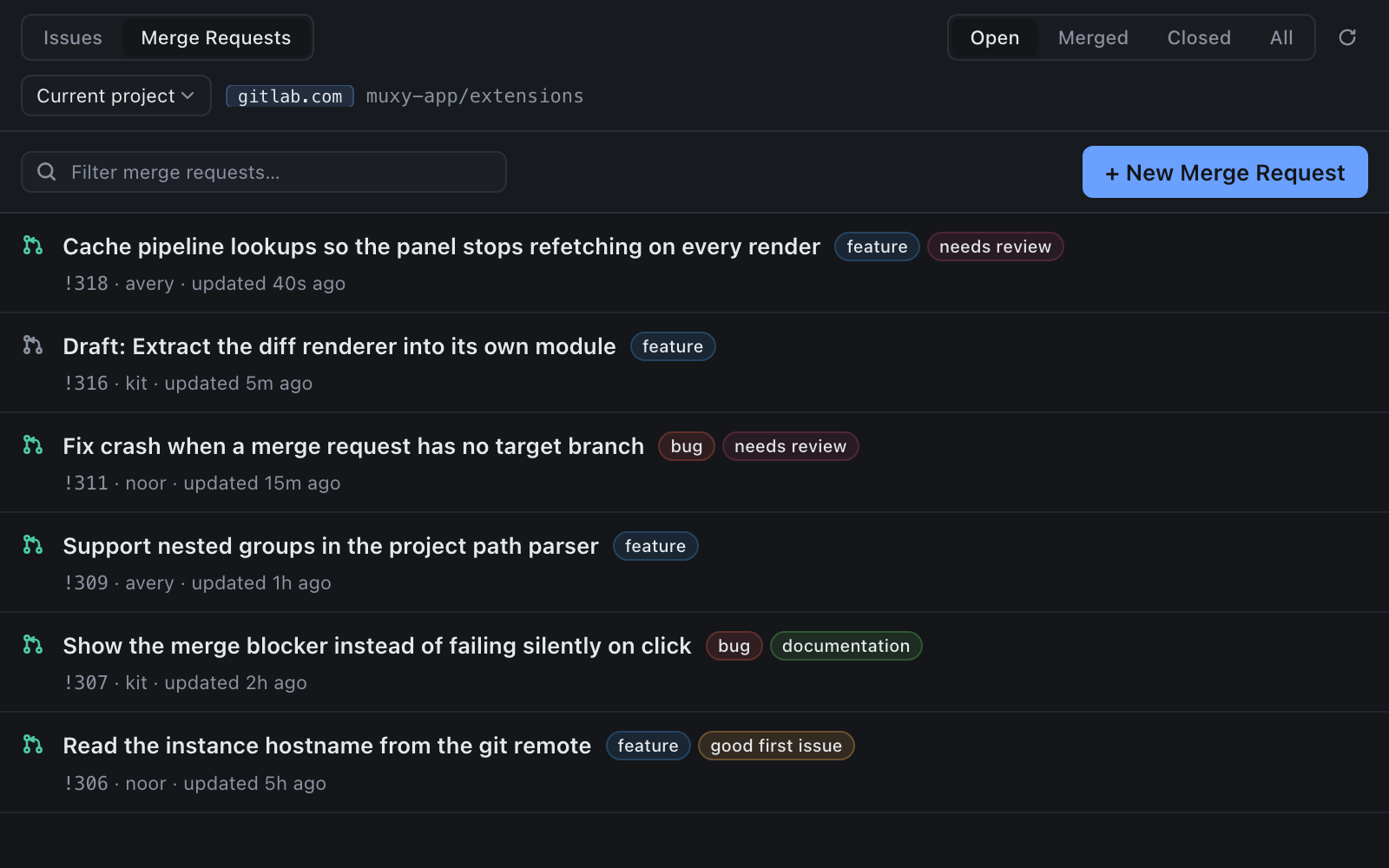
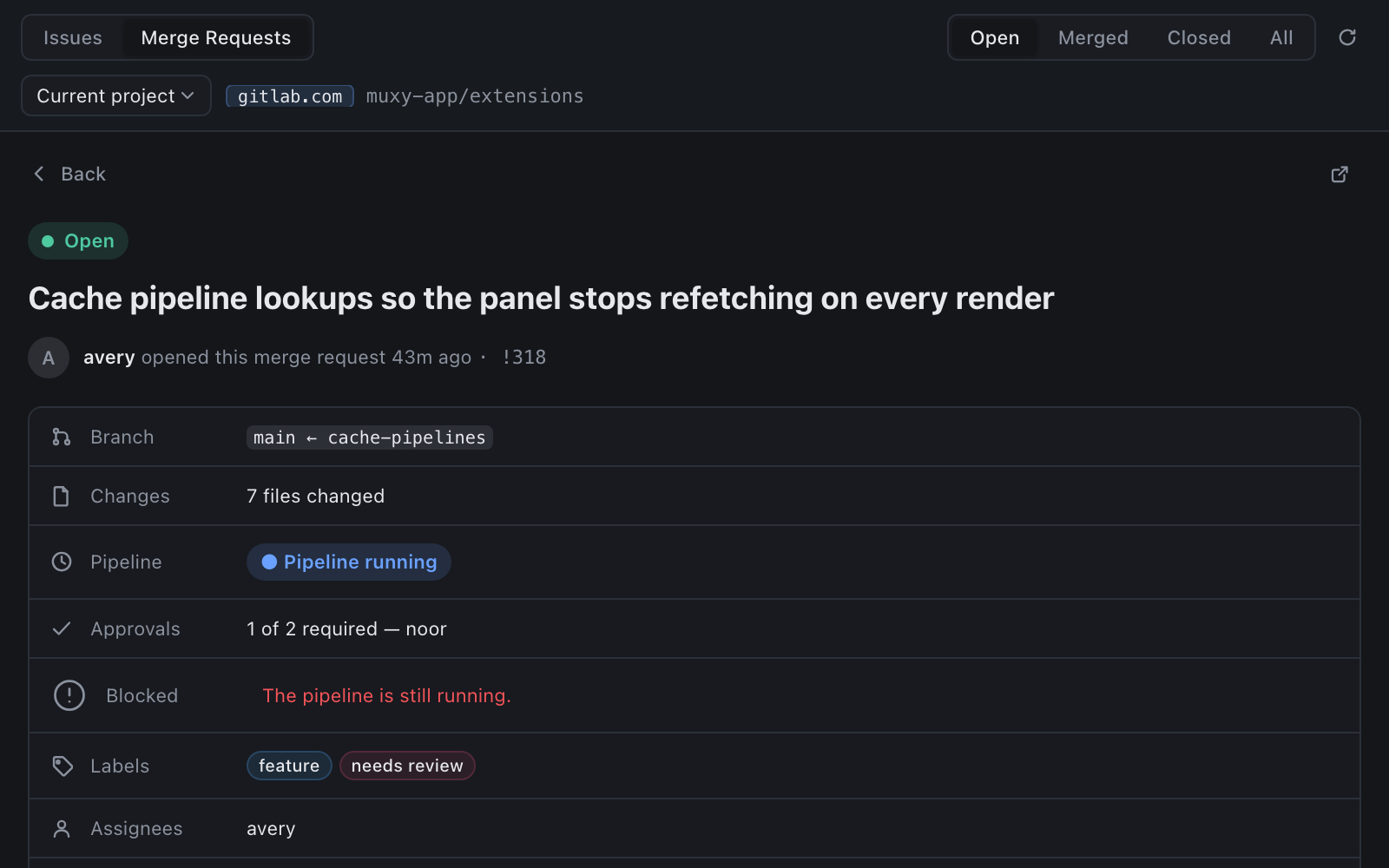
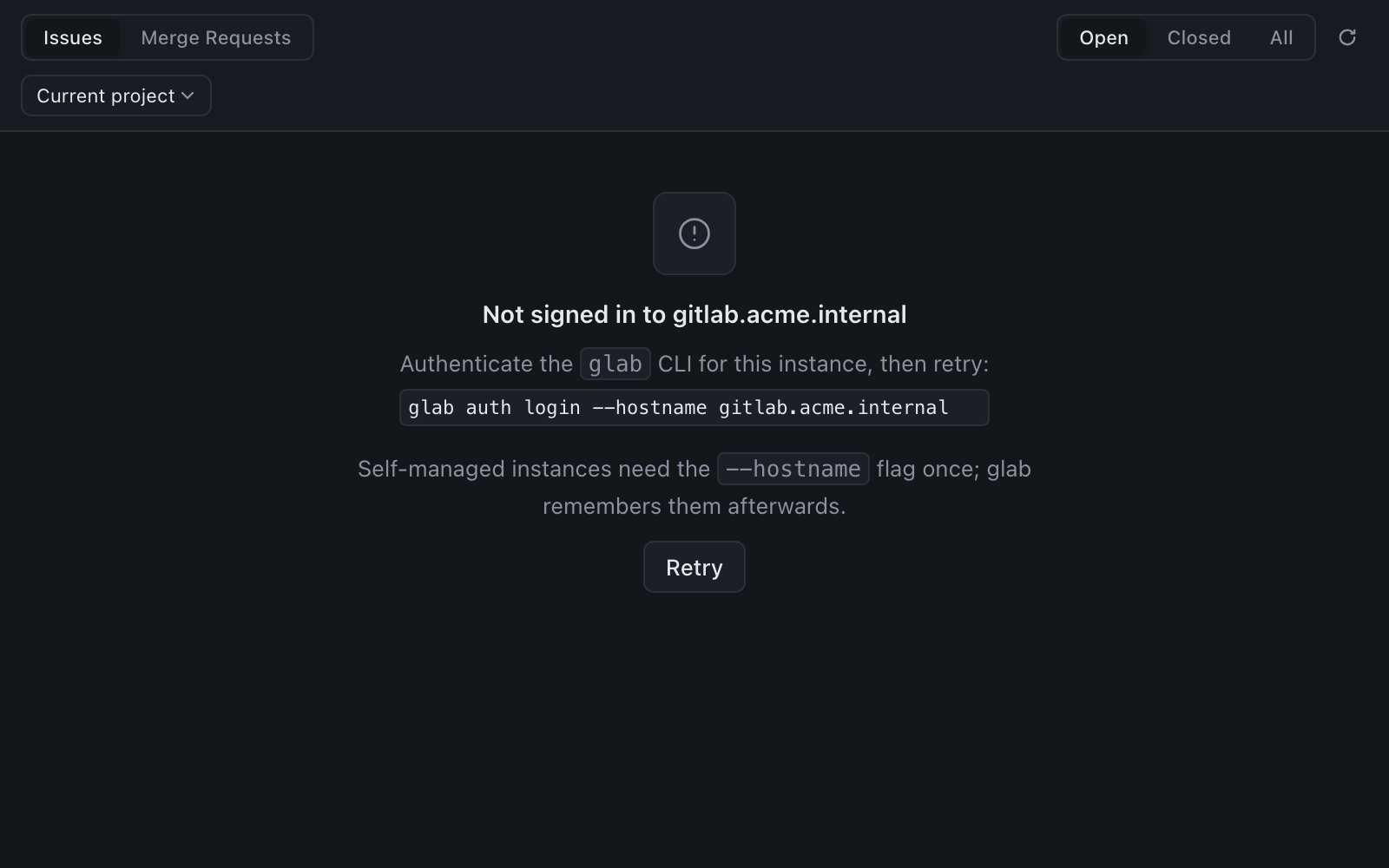
gitlab 0.1.0 — Browse and manage GitLab issues and merge requests for the current project — on gitlab.com or a self-managed instance.
Built from the gitlab branch of https://github.com/phimage/extensions.
Install into Muxy
- Download
gitlab-0.1.0.zip(asset below). - Unpack it into Muxy's extensions directory:
mkdir -p ~/.config/muxy/extensions
unzip -o gitlab-0.1.0.zip -d ~/.config/muxy/extensions/
This creates ~/.config/muxy/extensions/gitlab/ with the manifest (package.json) and the prebuilt files — the exact layout Muxy's extension store expects.
3. Quit Muxy (⌘Q) and relaunch — the store scans ~/.config/muxy/extensions/*/package.json at startup.
Commands
- GitLab: Toggle Sidebar
Screenshots
Uninstall
rm -rf ~/.config/muxy/extensions/gitlabthen relaunch Muxy.
Locally built, unsigned dist/ of the branch, produced with the repo's own scripts/build.mjs + scripts/pack.mjs. Install only on machines you trust.
gitlab-0.1.0.zip sha256: 0265246f7ae7be6af9669a1e20208676001a22ad105eec41ec7d07f3cdf0e88e
ci-dashboard-0.1.0
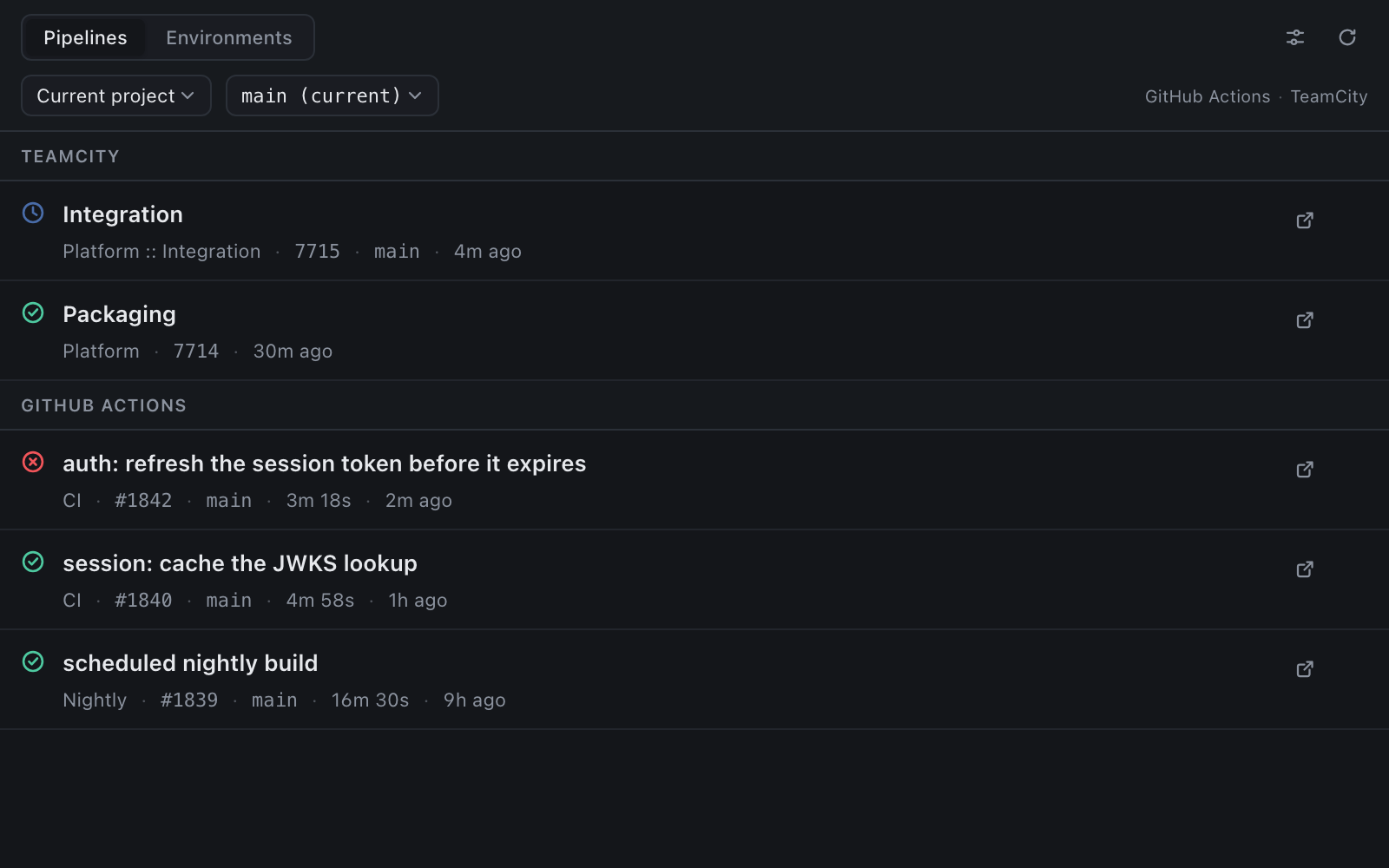
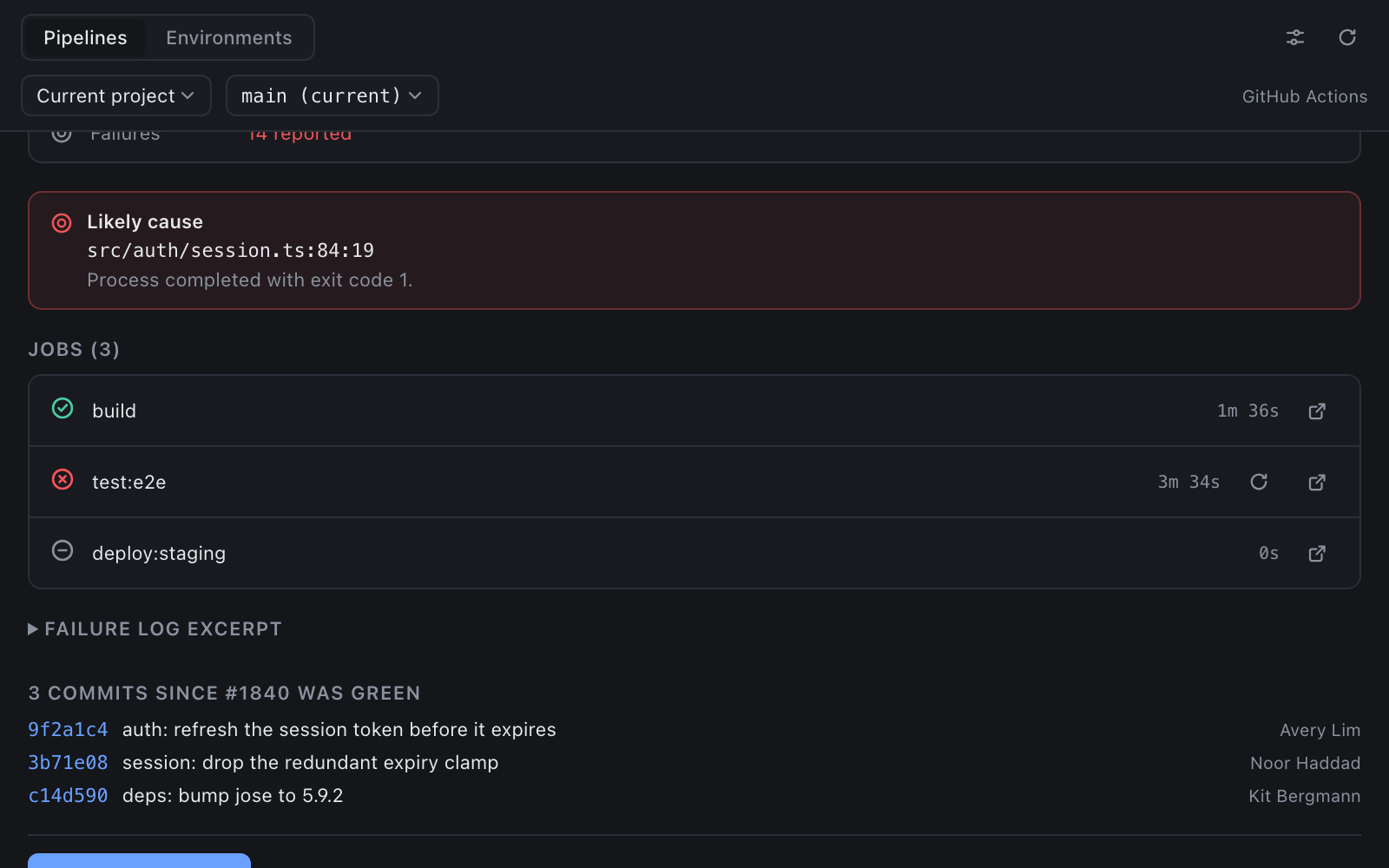
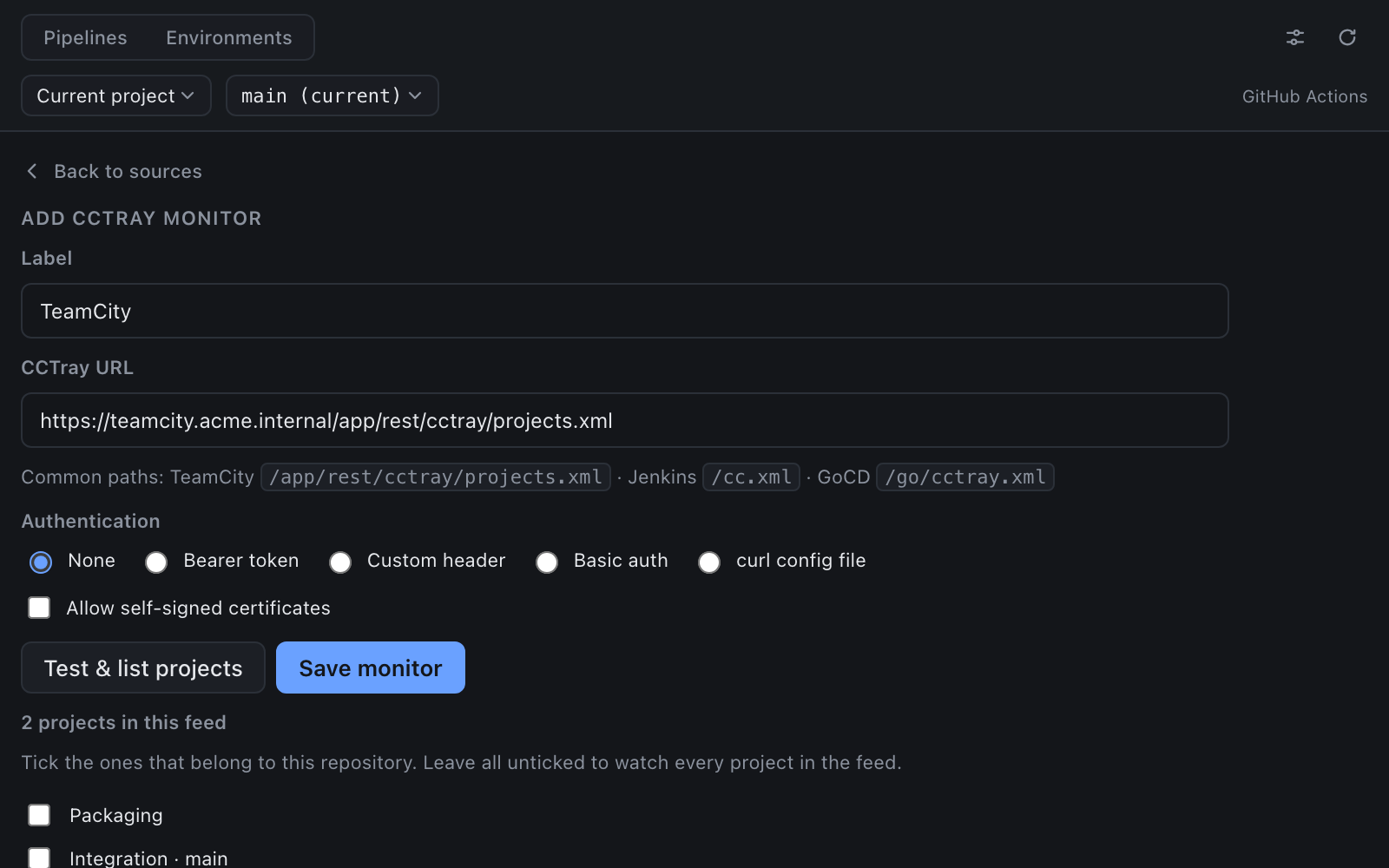
ci-dashboard 0.1.0 — A unified CI/CD dashboard for the current project — pipelines, jobs, failure excerpts, environments, from GitHub Actions, GitLab CI, or any CCTray build server.
Built from the ci-dashboard branch of https://github.com/phimage/extensions.
Install into Muxy
- Download
ci-dashboard-0.1.0.zip(asset below). - Unpack it into Muxy's extensions directory:
mkdir -p ~/.config/muxy/extensions
unzip -o ci-dashboard-0.1.0.zip -d ~/.config/muxy/extensions/
This creates ~/.config/muxy/extensions/ci-dashboard/ with the manifest (package.json) and the prebuilt files — the exact layout Muxy's extension store expects.
3. Quit Muxy (⌘Q) and relaunch — the store scans ~/.config/muxy/extensions/*/package.json at startup.
Commands
- CI/CD: Toggle Dashboard
- CI/CD: Refresh
- CI/CD: Configure Sources
Screenshots
Uninstall
rm -rf ~/.config/muxy/extensions/ci-dashboardthen relaunch Muxy.
Locally built, unsigned dist/ of the branch, produced with the repo's own scripts/build.mjs + scripts/pack.mjs. Install only on machines you trust.
ci-dashboard-0.1.0.zip sha256: 09879df9bef41da8b862d0597510171a60368477781af6f3183f208dbe6330f5