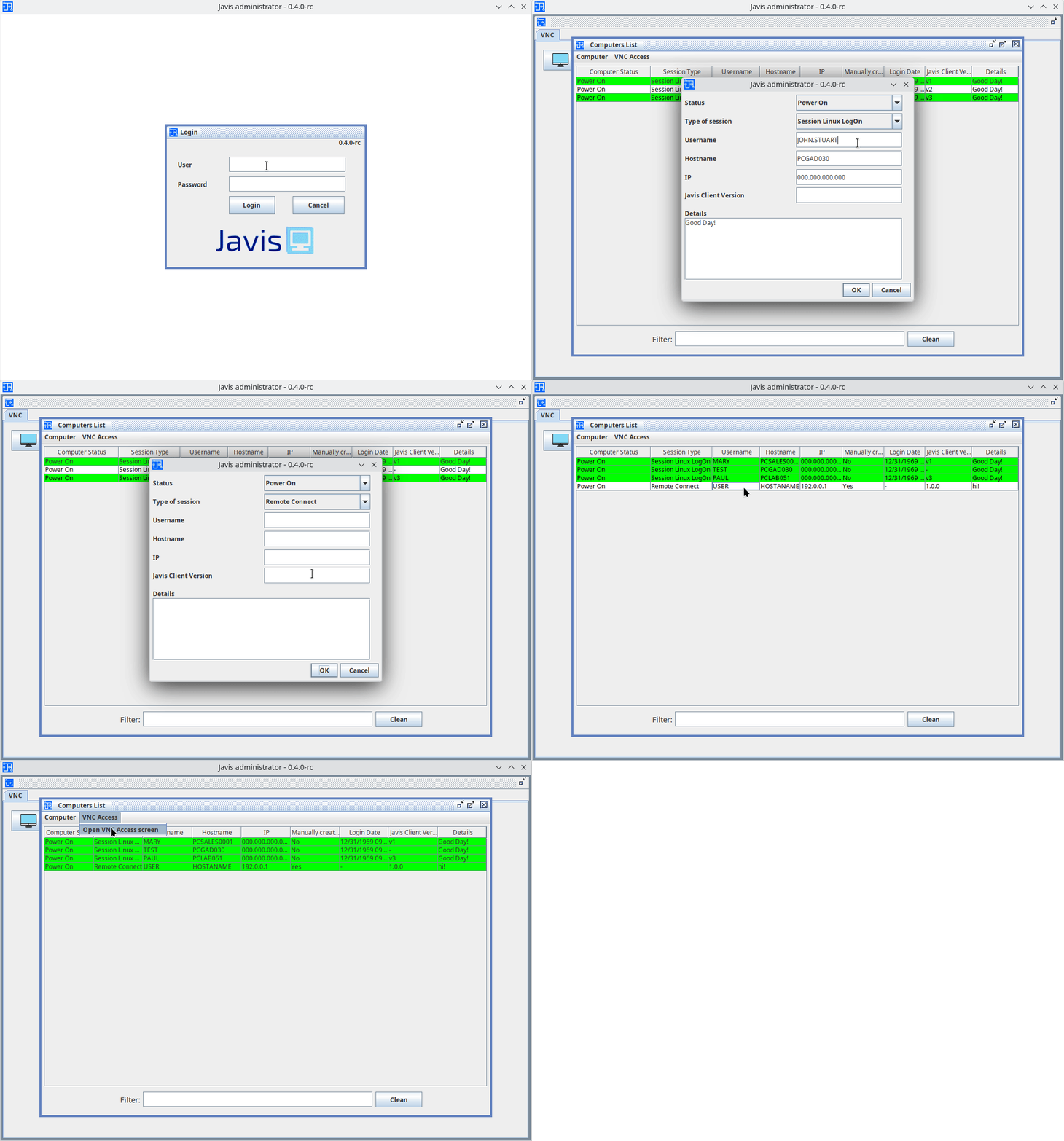
Javis administrator is one of the programs of the Jarvis project. It is responsible for displaying the list of computers to access VNC. This program is a GUI that runs on the Desktop, it uses Java swing to render its components.
- Java 21.0.4 2024-07-16 LTS
- Apache Maven 3.8.4
-
Clone this repository
-
After that, within the directory (where the pom.xml file is located), simply run the Maven commands to test and/or compile the project. This project has three types of teste:
unit,guiandintegration -
List of some quick commands
mvn test -Punit will run the unit tests
mvn test -Pgui will run the graphic tests
mvn clean package -DskipTests while compile the project without run the tests. After that, in the output/bin/${VERSION}/ folder, a .jar file will be generated along with the files necessary to run the program. To run the program, run: java -jar administrator.jar or just double-click on the file (Windows PCs).
| File / Directory | Description |
|---|---|
| docs/ | Directory containing documents about the project, such as version history. |
| src/ | The project source code and test files. |
| output/ | Directory to storage compiled things. |
| output/bin | Directory to store the compiled project. Within this directory there will be another directory with the program version, and within the program version directory there will be all the files and folders necessary to run the program. |
| pom.xml | The maven control file. |
| README.md | This file. |