
Pi Stats v0.4.0 — native menu-bar usage dashboard for the Pi agent.
What's New
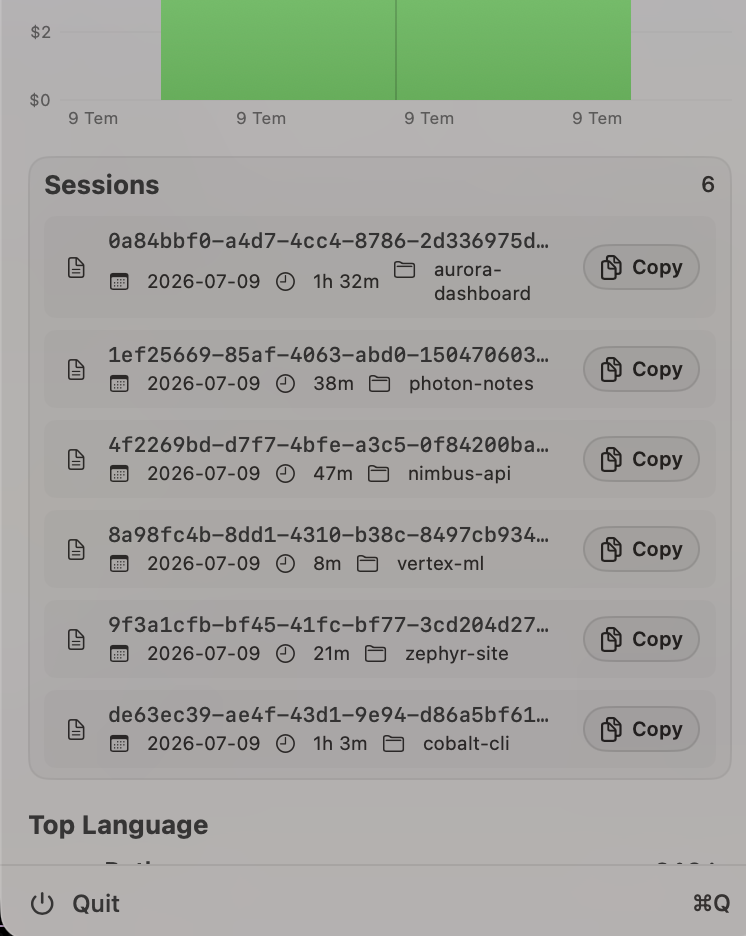
- Session list in Overview — every session is now listed with its UUID, duration and project folder. Click a row to reveal the session
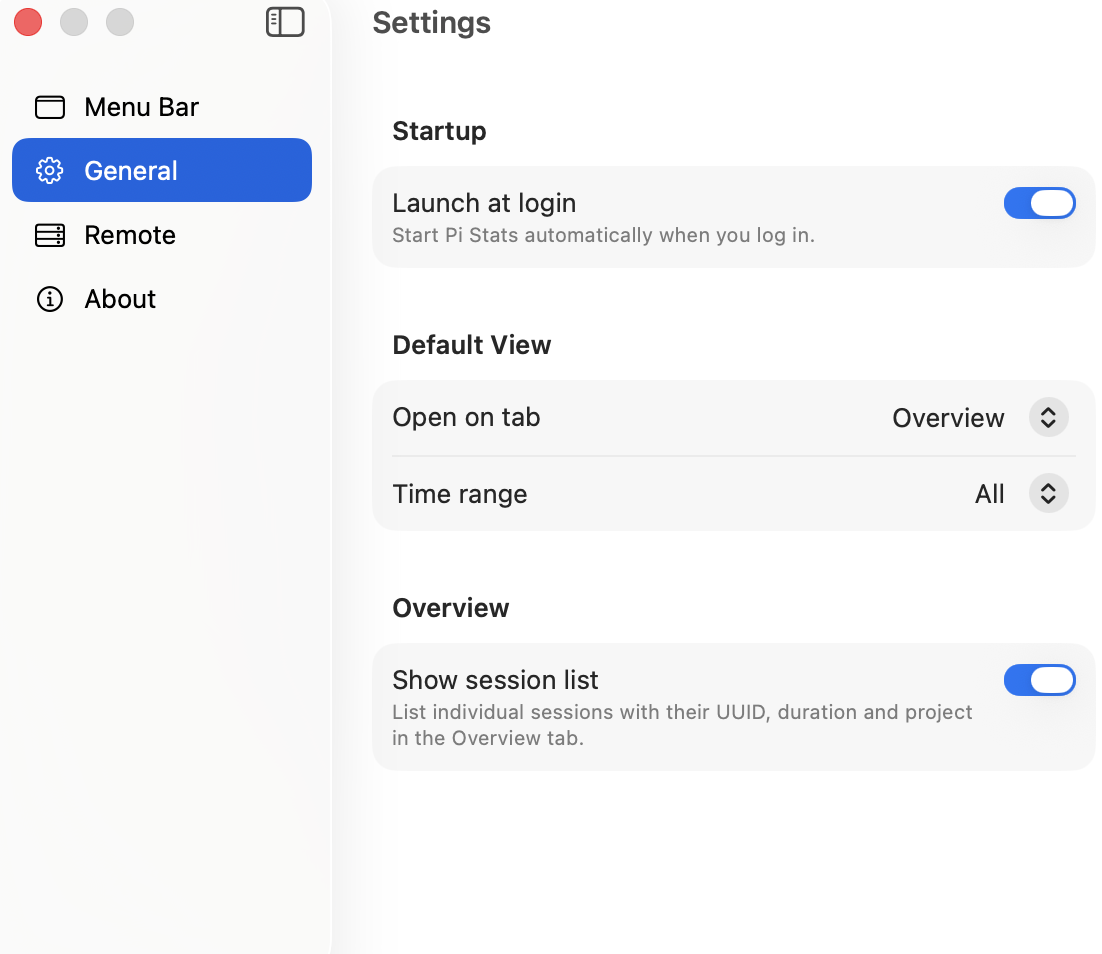
.jsonlin Finder, or hit Copy to grab its UUID. - Show session list toggle — new Settings → General → Show session list switch to hide the per-session list and keep just the summary.
Big thanks to @chrisqianz for #7, which kicked off the session list in the Overview tab.
Install (macOS)
Open the DMG and drag Pi Stats into Applications. The app is unsigned, so clear Gatekeeper once — one-line install:
curl -L https://github.com/phun333/pi-infobar/releases/download/v0.4.0/Pi-Stats.zip -o /tmp/PiStats.zip && \
  ditto -xk /tmp/PiStats.zip /Applications && \
  xattr -dr com.apple.quarantine "/Applications/Pi Stats.app" && \
  open "/Applications/Pi Stats.app"
Universal binary (Apple Silicon + Intel).