Releases: pkellyuk/VRX
Release list
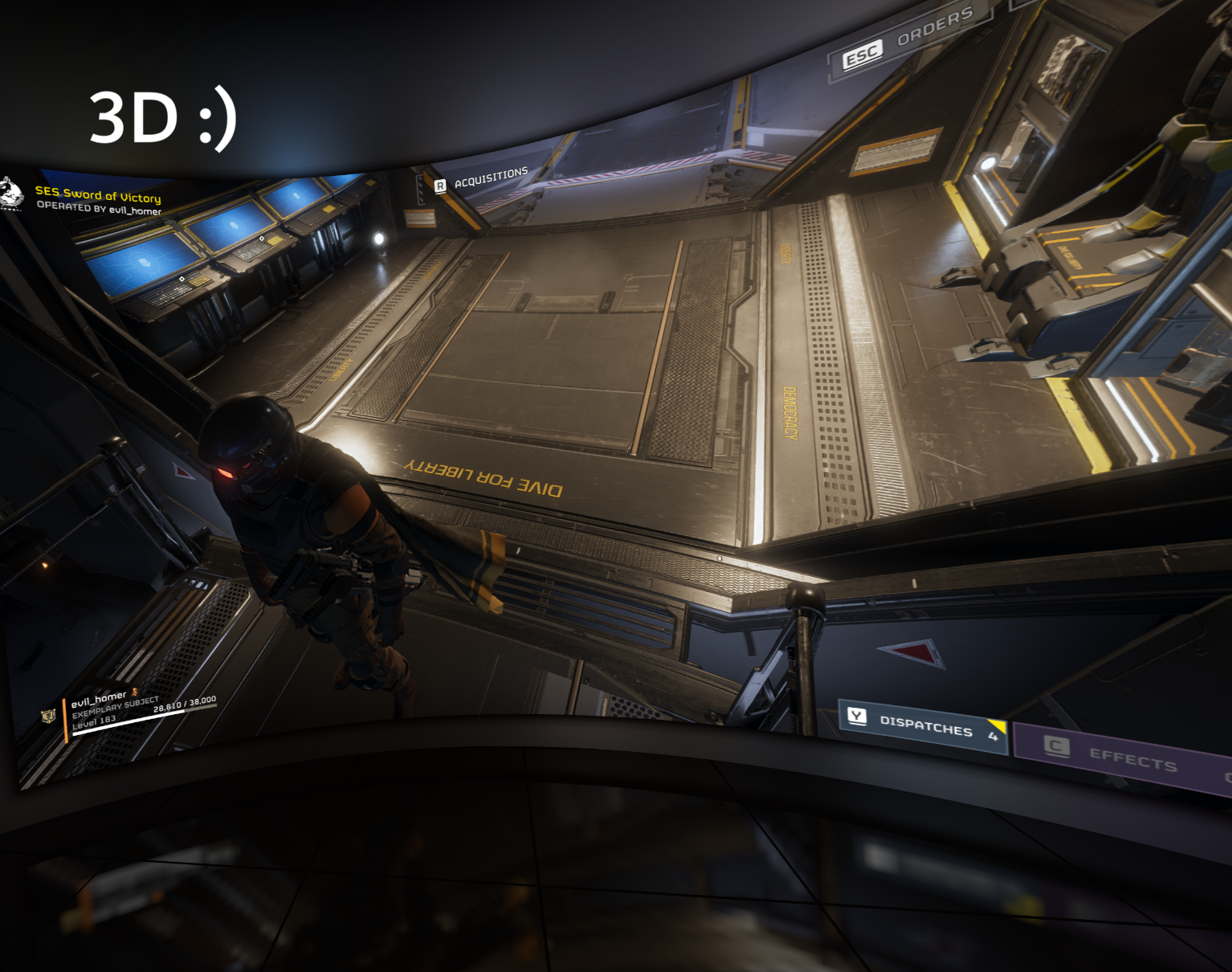
VRX v1.7.9

VRX v1.7.9 stops a still desktop from twitching.
Download VRX-Setup-1.7.9.exe for the installer, or extract the complete
VRX-1.7.9-win-x64.zip for a portable copy. Installing over an earlier version keeps your
per-game settings.
What's new:
- A still picture keeps its depth. On a still desktop (Whole screen, or after leaving a
game with Ctrl+Esc) the screen twitched every few seconds. Windows only sends a new frame
when something changes - a blinking text cursor, the mouse, a clock - and VRX worked out
the depth again for each one. A fresh estimate of an almost identical picture is never
exactly the same, and with frames that far apart the smoothing could not hide it.
VRX now asks Windows which parts of each frame changed. While less than 0.5% of the
picture has changed since the last depth estimate, it keeps that depth for the new frame.
Scrolling, video and games still get fresh depth for every frame. - This uses the changed-region reports in Windows 11 24H2 and later. On older Windows,
nothing changes.
Tested games/hardware: Helldivers 1 and 2, System Shock, Cyberpunk 2077, X4: Foundations,
Elite Dangerous, Skyrim and Dota 2, RTX 3090 (+ RTX 3060 for depth) and PSVR2 with
SteamVR/OpenXR. Requires Windows 10 2004+ or Windows 11, a DirectX 12 GPU and an installed
active OpenXR runtime. VRX is not code-signed yet: see https://vrx3d.uk/smartscreen.html.
VRX v1.7.8
VRX v1.7.8 shows your desktop in VR when you leave the game, and carries on with it when the game closes.
Download VRX-Setup-1.7.8.exe for the installer, or extract the complete
VRX-1.7.8-win-x64.zip for a portable copy. Installing over an earlier version keeps your
per-game settings.
What's new:
- Show the desktop when you leave the game (per game, on by default, in Expert's
SteamVR & shortcuts section; applies at Attach / Play). While you play, press Ctrl+Esc,
the Windows key or Alt+Tab, and VR shows the display the game is on: the Start menu, your
desktop, Discord, whatever you opened. Go back into the game and VR shows the game again.
The session carries on throughout: nothing is minimised or restarted, and the screen, room
and settings stay put. The game card says Desktop while it is showing. - Closing the game carries on with the desktop. With that setting on, closing the game
no longer ends VR: it keeps showing the desktop until you press Stop VR. With the setting
off, closing the game ends the session as before. - Switching is steady: SteamVR's own windows and the Steam overlay do not trigger it, a
change must last a moment (0.3 s to the desktop, 0.1 s back to the game), the game's own
launcher and dialogs count as the game, a desktop of a different shape is shown with black
bars, and depth starts afresh on each switch.
Tested games/hardware: Helldivers 1 and 2, System Shock, Cyberpunk 2077, X4: Foundations,
Elite Dangerous, Skyrim and Dota 2, RTX 3090 (+ RTX 3060 for depth) and PSVR2 with
SteamVR/OpenXR. Requires Windows 10 2004+ or Windows 11, a DirectX 12 GPU and an installed
active OpenXR runtime. VRX is not code-signed yet: see https://vrx3d.uk/smartscreen.html.
VRX v1.7.7
VRX v1.7.7 lets you choose what to play from live pictures, including your whole screen.
Download VRX-Setup-1.7.7.exe for the installer, or extract the complete
VRX-1.7.7-win-x64.zip for a portable copy. Installing over an earlier version keeps your
per-game settings.
What's new:
- Choose… A new button on the game card, in Easy and Expert. It shows every window you
could play as a tile with a live picture, most recently used first (like Alt+Tab; a
minimised window shows its icon), plus a tile for each display. Click a tile and it plays
straight away, exactly as picking it in the lists and pressing Attach / Play. The chooser
can be resized and maximised, and remembers its size. - Whole screen. Play everything shown on a display in VR, such as your desktop or a video
player, until you press Stop VR. "Whole screen" is also listed last in Expert's game list,
and all displays share one set of settings. Tip: minimise SteamVR's VR View, or move it to
another display, or you will see a screen inside the screen. - Plain words when Windows blocks VRX. If Smart App Control (on in some new Windows 11
installs), a work PC's app policy or an antivirus stops the 3D engine from starting, VRX
now explains what happened and what to do, instead of showing Windows' own error. VRX is
not code-signed yet; see https://vrx3d.uk/smartscreen.html. - Built in the open. This release was built by GitHub Actions from the public source
(the run is named in BUILD.txt), with every input pinned: the native packages, the same OpenXR
loader and shader compiler as v1.7.6, and both depth models, rebuilt
from their upstream sources and checked byte for byte against the released ones. This is
the groundwork for free code signing through the SignPath Foundation.
Tested games/hardware: Helldivers 1 and 2, System Shock, Cyberpunk 2077, X4: Foundations,
Elite Dangerous, Skyrim and Dota 2, RTX 3090 (+ RTX 3060 for depth) and PSVR2 with
SteamVR/OpenXR. Requires Windows 10 2004+ or Windows 11, a DirectX 12 GPU and an installed
active OpenXR runtime.
VRX 1.0.0 Linux (Experimental)
Experimental. The first Linux release of VRX: play a window or your whole screen in 3D in a VR headset through SteamVR, with depth estimated on your NVIDIA GPU. It is new and has been tested on one PC so far, so expect rough edges and please report problems.
Which download?
- vrx-linux-1.0.0-cuda-x86_64.tar.gz (1.9 GB): complete. Includes NVIDIA's CUDA 12 and cuDNN 9 libraries, so nothing else is needed beyond the NVIDIA driver. Choose this one if unsure.
- vrx-linux-1.0.0-x86_64.tar.gz (300 MB): the same without CUDA and cuDNN, for PCs that already have CUDA 12 and cuDNN 9 installed.
Both are portable: extract anywhere and run ./vrx. ./vrx --check says what the PC is missing and how to install it; ./vrx --install-desktop adds VRX, with its icon, to your application menu. Nothing is installed outside the folder. The desktop app carries its own .NET runtime.
Requirements
- An NVIDIA GPU with the proprietary driver. Depth runs on CUDA, so this release is NVIDIA-only for 3D; on other GPUs it can only show the picture flat.
- SteamVR, set as the OpenXR runtime, with your headset connected.
- A desktop with PipeWire and xdg-desktop-portal screen sharing (KDE Plasma and GNOME, Wayland or X11).
- x86_64 Linux.
What works
The same renderer as the Windows version, ported to Vulkan: ZipDepth depth, the stereo warp, screen size, distance and position, the room lit by the screen (glass, reflections, room light), the curved screen, the ambilight and world colour, Screen follows my head, Recenter, steady depth and game frame timing (Delayed to depth by default). The desktop app has the same Easy and Expert modes and sections as on Windows, with named profiles. Capture uses GPU buffers (DMA-BUF) where the desktop offers them.
Differences from Windows
- Wayland does not let apps list other windows: press Attach / Play and choose the window or screen in your desktop's sharing dialog. There is no auto-attach.
- Settings are saved in named profiles, not per game.
- Steady depth finds its motion on the CPU (Windows uses the GPU's video encoder).
- Not yet available: fusing a second depth model, Depth Anything, and the SteamVR menu options.
Tested on Ubuntu 26.04 (KDE Plasma, Wayland) with an RTX 5060 Ti and a PICO 4 over Steam Link, SteamVR 2.17.
Licences and third-party notices are inside each package (THIRD-PARTY-NOTICES.txt, licenses/); BUILD.txt records how it was built. Checksums are in SHA256SUMS-linux.txt.
VRX v1.7.6
VRX v1.7.6 gives the desktop app its own look: a compact Easy window and VRX's own title bar.
Download VRX-Setup-1.7.6.exe for the installer, or extract the complete
VRX-1.7.6-win-x64.zip for a portable copy. Installing over an earlier version keeps your
per-game settings.
What's new:
- A compact Easy window. In Easy mode the window shrinks to fit what it shows - the
switch, the game card and the hints - with no empty space (about 700 × 380 at 100%
scaling). It grows if the text needs more room. - Expert remembers its own size. Switching back to Expert restores the size and position
you had there, maximised or not. Both are remembered between runs, and a window that was on
a monitor that is no longer there comes back onto one that is. - VRX's own title bar, in the app's navy, teal and white: the VRX logo and version, and
minimise, maximise (Expert) and close buttons. Dragging, snapping, the window menu
(Alt+Space, or click the logo), the shadow and Windows 11's rounded corners all work as
before. - Dark drop-downs and text boxes in Expert, matching the rest of the window instead of
Windows' white default style.
Nothing changed in the VR side of VRX; the engine is the same as in v1.7.5.
Tested games/hardware: Helldivers 1 and 2, System Shock, Cyberpunk 2077, X4: Foundations,
Elite Dangerous, Skyrim and Dota 2, RTX 3090 (+ RTX 3060 for depth) and PSVR2 with
SteamVR/OpenXR. Requires Windows 10 2004+ or Windows 11, a DirectX 12 GPU and an installed
active OpenXR runtime.
VRX v1.7.5
VRX v1.7.5 makes VRX much easier to pick up: an Easy mode that attaches to your game by
itself, and an Expert mode with every setting grouped into sections you can fold away.
Download VRX-Setup-1.7.5.exe for the installer, or extract the complete
VRX-1.7.5-win-x64.zip for a portable copy. Installing over an earlier version keeps your
per-game settings.
What's new:
- Easy | Expert switch at the top of the window.
- Easy: start your game and bring it to the front; VRX counts down and attaches by
itself. You see only the game, Attach / Play, Stop VR and Recenter. Easy never changes
settings: each game uses its saved settings, or your base settings for a new game. - Expert: all the settings, grouped into sections you can open and close - Game &
window, Screen, Around the screen, Room, 3D & depth, SteamVR & shortcuts, Profile and
Session details. VRX remembers which ones you leave open. - A new install opens in Easy. If you have used VRX before, it opens in Expert, so nothing
disappears on you.
- Easy: start your game and bring it to the front; VRX counts down and attaches by
- Auto-attach to the game in front (Game & window section; always on in Easy). When a
full-screen or borderless game - or a game you have set up before - comes to the front,
a small banner counts down (5 seconds unless you change it, 3-30) and VRX attaches, just
as if you had pressed Attach / Play. Switch to another window to cancel. Web browsers
only count when full screen; Steam, SteamVR, Windows itself and VRX never count. After you
stop VR, VRX leaves that game alone until you switch away from it and back. - A new install starts with the room set up: Room 20%, Glass walls 14%, Reflections 15%
and Room light 15% (warm white). Games you had already set up keep their own settings. - Ready for translation. All of the app's text now lives in one resource file, and
numbers show in your Windows format. English only for now. - Smaller fixes: settings files retry if another program briefly holds them, and clicking
through the game list no longer saves a profile for every game you click past.
Also in this release, from v1.7.1: fast start-up with shaders shipped ready-compiled, VRX
closing SteamVR's menu when it hides a new session, a session ending cleanly when the game
closes, and the tip for Steam games: turn off Desktop Game Theatre (right-click the game
in Steam → Properties → General).
Tested games/hardware: Helldivers 1 and 2, System Shock, RTX 3090 (+ RTX 3060 for depth) and
PSVR2 with SteamVR/OpenXR. Requires Windows 10 2004+ or Windows 11, a DirectX 12 GPU and an
installed active OpenXR runtime.
Known limitations:
- The countdown banner may not show over games in exclusive full-screen mode; the countdown
still runs. - Drop-down lists and the colour box still use Windows' light default style.
- Earlier limitations still apply; see the v1.7.0 notes.
VRX v1.7.1
VRX v1.7.1 fixes a slow start in v1.7.0 that could leave you behind SteamVR's menu.
Download VRX-Setup-1.7.1.exe for the installer, or extract the complete
VRX-1.7.1-win-x64.zip for a portable copy. Installing over v1.7.0 keeps your per-game
settings.
Fixed:
- Fast start. v1.7.0 compiled all of its shaders every time it started, and the
room's glass-and-reflections shader alone took 10 seconds on an idle PC and 30–60
seconds with a game running. Meanwhile SteamVR saw an app that had connected but showed
nothing, so it put up its menu with Resume Game and kept VRX hidden behind it.
v1.7.1 ships its shaders already compiled, with Microsoft's shader compiler alongside
them so they match on every PC, and keeps a cache in%LOCALAPPDATA%\VRX\shader-cache
for anything it has to compile. Shaders are now ready before VRX connects to SteamVR.
Measured: the engine's start-up checks went from over 12 s to 2.6 s, with every shader
loaded from the shipped cache. - The SteamVR menu at start. If SteamVR still keeps a new session hidden behind its
menu, VRX now asks it to close the menu a few times in the first seconds, instead of
only once it has been shown. - A game that exits. When the game you are playing closes, VRX now ends the session
within half a second instead of showing its last frame.
New tip:
- Steam games: turn off Desktop Game Theatre. If you start a normal Steam game while
SteamVR is running, SteamVR also shows it on its own flat screen in front of VRX's. In
Steam, right-click the game → Properties → General and untick Use Desktop Game
Theatre while SteamVR is active.
Uninstalling now removes the compiled shader cache; your profiles and logs are kept as
before.
Everything else is as in v1.7.0:
the room with glass walls, reflections and a room light.
VRX v1.7.0
VRX v1.7.0 puts a room around the screen. Its walls, floor and ceiling are lit by the
picture and the glow, so the screen reads as a real cinema screen on a real wall. The
walls can turn to glass, the screen can reflect in them and in the floor, and a soft
room light means you are never stuck in the black.
Download VRX-Setup-1.7.0.exe for the installer, or extract the complete
VRX-1.7.0-win-x64.zip for a portable copy. Installing over an earlier version
keeps your per-game settings. Start SteamVR and your game, open VRX, choose the game
window and click Attach / Play.
What's new:
- Room — walls lit by the screen (per game, off by default, applies live) puts you
in a room whose walls, floor and ceiling are lit by the picture and the ambilight, like
a television or a cinema screen in a dark room. The picture and the glow act as real
area lights, so a red edge on screen tints the nearby wall red, and the light is
smoothed so the walls do not strobe with every cut. The slider sets how pale the walls
are; 30–60% looks like a cinema. The world colour becomes the room's house lights. The
floor follows SteamVR's floor when it can, and the screen is kept level while the room
is on. For the default screen (5.7 m wide at 3 m) the room is about 9.4 x 4.7 x 4.5 m. - Under the Room slider:
- Glass walls (0 solid … 100 clear) turns the side walls, the back wall and the
ceiling into glass in slim frames. Outside you see a ground running to a soft horizon
with a faint 1 m grid, tinted by the world colour. The wall with the screen and the
floor stay solid. - Reflections (0 … 100) mirrors the screen, its glow and the room light in the
glass and a polished floor, more strongly at a glancing angle. Each eye traces its own
reflection, so the mirrored screen sits at the right depth. - Room light (0 … 100) is a soft panel in the ceiling just above and behind you, with
a Light colour from Warm (2700 K) to Daylight (6500 K). - With Glass or Reflections above 0 the floor shows subtle 1 m tiles, so you can count
the screen's size: the default screen is 5.7 tiles wide and 3 tiles away.
- Glass walls (0 solid … 100 clear) turns the side walls, the back wall and the
- Two new world colour presets that suit glass: Dusk and Overcast.
- A faster curved room. The room's per-pixel work was reorganised: offline at the
headset's full resolution, the curved room with the room on went from 1.14–1.68 ms to
0.82–0.88 ms, and it no longer costs more when you look away from the screen.
Measured in the headset (RTX 3090, PSVR2, 120 Hz): a flat screen with the room costs
about 0.3 ms per frame. System Shock with a 100% curved screen, the room, glass and
reflections held 120 fps, with the room and screen passes at 2.4 ms p50 (spikes of
5–8 ms p95 while the game and VRX share the GPU).
How it was designed, built and tested: XROOM.md.
Every start checks each room shader against a CPU reference: the light on the walls agrees
to half-float precision and the eye pictures to within two bits.
Tested games/hardware: Helldivers 2 and System Shock, RTX 3090 (+ RTX 3060 for depth) and
PSVR2 with SteamVR/OpenXR. Requires Windows 10 2004+ or Windows 11, a DirectX 12 GPU and
an installed active OpenXR runtime. Other games and hardware have not been broadly
validated.
Note: the project's commit history was rewritten to change the author email; the source
of every earlier release is unchanged and still at its tag (v1.0.0 … v1.6.0), but the
commit IDs printed in those releases' BUILD.txt no longer exist. Use the tags.
Known limitations:
- The room needs the fixed screen; it rests while "Screen follows my head" is ticked.
- The default screen reaches about 1.6 m below eye level and the room's floor must be
below it, so seated players see the floor lower than their real floor. A raised seating
platform is planned. - Reflections show the flat source picture (no depth of their own), and reflected rays do
not show the frames, tiles or further reflections. - No light spills onto the ground outside the glass.
- A curved screen with the room is drawn at the headset's full resolution; on a heavy
game the extra GPU time is shared with the game. - Earlier limitations still apply: the glow ignores the stereo shift at the very edge;
the sub-pixel warp is very slightly softer; steady depth and fusion add CPU work;
delayed and matched frame timing delay the game image; Windows 11 rounds window corners.
VRX v1.6.0
VRX v1.6.0 makes the screen feel like a place to sit in front of: the screen can curve
round you, an ambilight glow can spill the picture's colours into the darkness around
it, and the world around the screen no longer has to be black.
Download VRX-Setup-1.6.0.exe for the installer, or extract the complete
VRX-1.6.0-win-x64.zip for a portable copy. Installing over an earlier version
keeps your per-game settings. Start SteamVR and your game, open VRX, choose the game
window and click Attach / Play.
What's new:
-
Screen curve (per game, 0% by default, applies live) wraps the screen around you
like a curved television. SteamVR offers apps no curved layer, so VRX draws a real
cylinder for each eye from its tracked position. The outline, the perspective and the
parallax when you move your head all come from the actual shape. The top view in the
desktop app draws the arc as you drag the slider. At the default screen (5.7 m wide
at 3 m):Curve Wrap Edges come nearer Edges seen at 0% (flat) – – 43.5° 50% 35° 0.43 m 47.5° 100% 70° 0.84 m 51.1° A curved monitor is about 40°, so 100% is further than any real screen. A wide
screen very close by is wrapped less, so its edges never come past your head. -
Ambilight — glow around the screen (per game, off by default, applies live)
spreads the colours at the edge of the picture softly into the darkness around the
screen, like the bias lighting behind a television. Each point of the glow blends the
whole border, the nearest part most, so it follows the local colour close in and
softens further out. It rises from a thin dark bezel next to the screen, fades out
over 22% of the screen's width, wraps round a curved screen, and drifts with the
scene rather than flickering. Ambilight strength (0–100%, default 85%) sets how
bright it is. -
World colour (per game, black by default, applies live) colours the space
around the screen: presets such as Charcoal, Slate or Midnight blue, or any
#RRGGBB. The ambilight glows over it. -
Apply to all (next to Make base settings) copies the settings shown to every
game you have already set up, after an OK/Cancel warning. Each game keeps its own
path and window; games you have not set up yet still start from the base settings.
How it was built, measured and reviewed, including the first attempt at the curve that
did not work: XCURVE.md. Every
start still checks each new shader against a CPU reference: the curved screen and the
glow agree to within one bit.
Tested game/hardware: Helldivers 2, RTX 3090 (+ RTX 3060 for depth) and PSVR2 with
SteamVR/OpenXR. Requires Windows 10 2004+ or Windows 11, a DirectX 12 GPU and an
installed active OpenXR runtime. Other games and hardware have not been broadly
validated.
Known limitations:
- A curved screen is drawn by VRX at the headset's recommended eye resolution (2804 x
2860 per eye on PSVR2 at SteamVR's default), one extra GPU pass per frame. Its cost
in a demanding game has not been measured yet; a flat screen costs nothing extra. - A curved screen is resampled once more than a flat one, from the 3D picture into the
eye view; at the default size the two are about the same resolution. - The glow is built from the captured frame rather than the 3D picture, so at the very
edge it ignores the stereo shift (a pixel or two). - The sub-pixel warp (v1.5) blends two neighbouring pixels, so the picture is very
slightly softer; untick "Smooth depth steps" per game to compare. - Steady depth and fusion (v1.3) add CPU work to each depth pass; the session log
reports it. GPUs without a hardware motion estimator play without them. - Delayed and matched game frame timing (v1.4) delay the game image; both stay off by
default. - With a second GPU, extra foreground passes still prepare their crops on the game's
GPU. - Windows 11 rounds window corners, so a windowed game can show a few darker pixels
in its bottom corners. Borderless or full-screen play avoids this.
VRX v1.5.0
VRX v1.5.0 fixes depth banding: smoothly receding surfaces such as grass, roads and
walls no longer show ridges like a ploughed field. It also adds base settings for new
games.
Download VRX-Setup-1.5.0.exe for the installer, or extract the complete
VRX-1.5.0-win-x64.zip for a portable copy. Installing over an earlier version
keeps your per-game settings. Start SteamVR and your game, open VRX, choose the game
window and click Attach / Play.
What's new:
-
Smooth depth steps — sub-pixel warp (per game, on by default, applies live).
Until now VRX moved each pixel by a whole number of pixels per eye, which gave the
entire scene only about 25 distinct depths at 1920 px wide. A surface receding
smoothly into the distance was therefore drawn as flat stripes with a one-pixel step
between them, and on even texture such as grass those steps read as evenly spaced
ridges, strongest in the middle distance. The warp now keeps the fractional part of
each shift and samples the picture there.Measured on a test field, the shift each row of the ground receives:
Distinct values Biggest jump Rows with no change Before 25 1.00 px 94% Now 330 0.08 px 15% Blending two pixels softens the picture very slightly, so the setting can be turned
off per game to get the previous warp back. How it was found and fixed:
XBANDS.md. -
Make base settings (next to Reset this profile) saves the settings shown as the
starting point for games you have not set up yet. Screen placement, 3D strength, the
depth options, the depth GPU and the shortcut keys are all included; the game's own
path and window are not. Games you have already set up keep their own settings, and
Reset this profile now returns a game to those base settings (or to VRX's
defaults when none are saved). -
The settings panel no longer runs up against its scrollbar.
Tested game/hardware: Helldivers 2, RTX 3090 (+ RTX 3060 for depth) and PSVR2 with
SteamVR/OpenXR. Requires Windows 10 2004+ or Windows 11, a DirectX 12 GPU and an
installed active OpenXR runtime. Other games and hardware have not been broadly
validated.
Known limitations:
- The sub-pixel warp blends two neighbouring pixels, so the picture is very slightly
softer than before. Untick "Smooth depth steps" per game to compare. - Disoccluded pixels (the strip a near object uncovers) are still filled whole-pixel.
- Steady depth and fusion (v1.3) add CPU work to each depth pass; the session log
reports it. GPUs without a hardware motion estimator play without them. - Delayed and matched game frame timing (v1.4) delay the game image; both stay off by
default. - With a second GPU, extra foreground passes still prepare their crops on the game's
GPU. - Windows 11 rounds window corners, so a windowed game can show a few darker pixels
in its bottom corners. Borderless or full-screen play avoids this. - Extra foreground passes remain experimental.
- SteamVR menu dismissal is best-effort.
- The installer is unsigned, so Windows may show an unknown-publisher warning.
SHA-256 checksums are provided in SHA256SUMS.txt. Third-party licenses,
component provenance and setup instructions are bundled. Profiles and session
logs stay under %LOCALAPPDATA%\VRX and are preserved when uninstalling.