Flatpak
Here the list of needed permissions to fully use SysD Manager
| Description | Rationale | Flatpack Permission |
|---|---|---|
| User Unit Path | To be able to read file content
Any path can be added path as needed |
--filesystem=~/.config/systemd --filesystem=/run/user --filesystem=/run/systemd |
| Runs COMMAND outside the sandbox | Needed to save file or create directory with privilege elevation | --talk-name=org.freedesktop.Flatpak |
To fully enjoy SysD Manager packaged Flatpak, you can add the need permissions the following ways:
- Command line
- Flatseal
Note: After adding permissions you need to restart the application.
If the application is installed for the user (not system-wide), use the --user flag to avoid requiring sudo:
flatpak override --user --talk-name=org.freedesktop.Flatpak \
--filesystem=~/.config/systemd \
--filesystem=/run/user \
--filesystem=/run/systemd \
--filesystem=/var/log:ro \
io.github.plrigaux.sysd-manager
You can use Flatseal to add the needed Flatpak permissions.
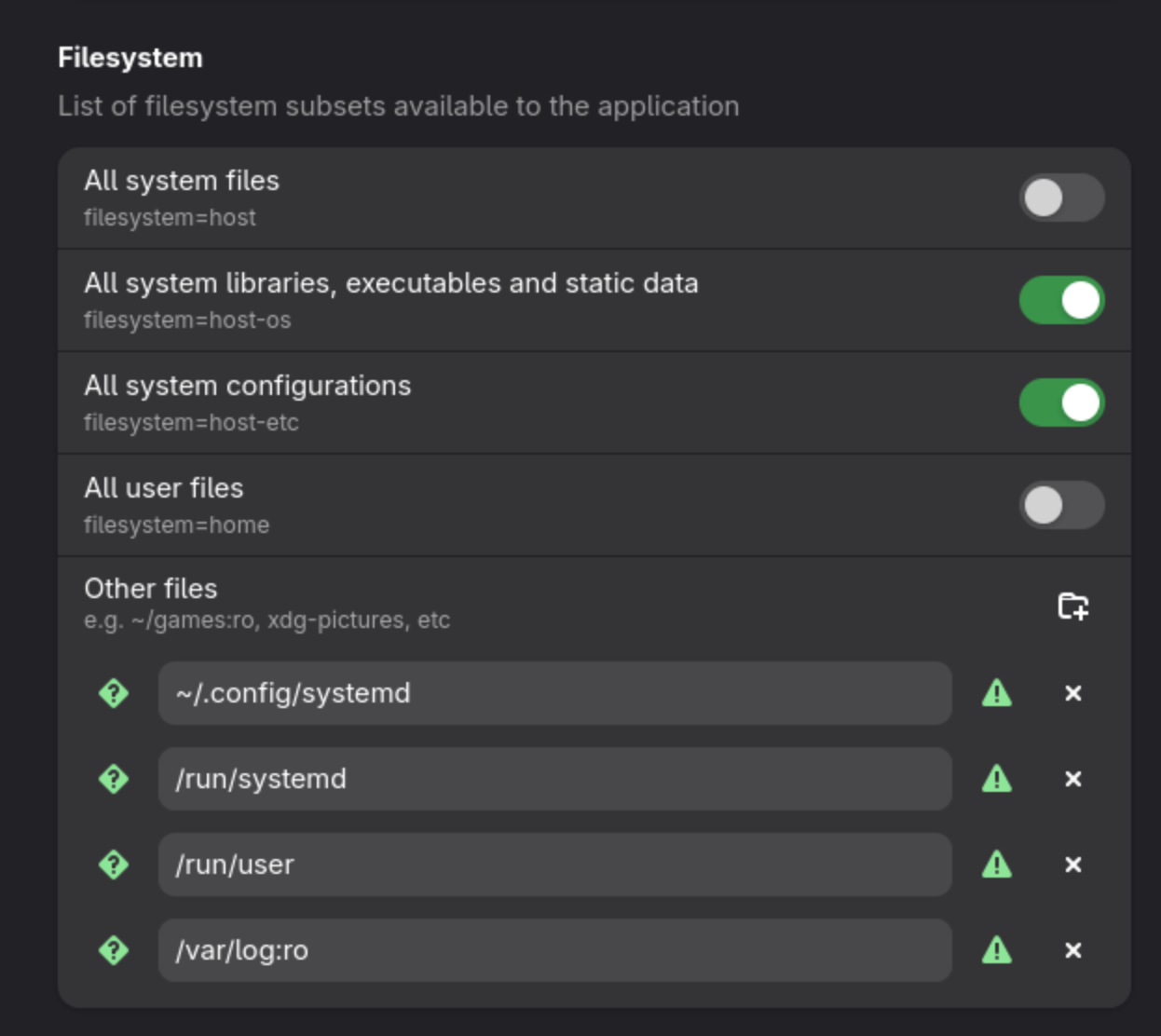
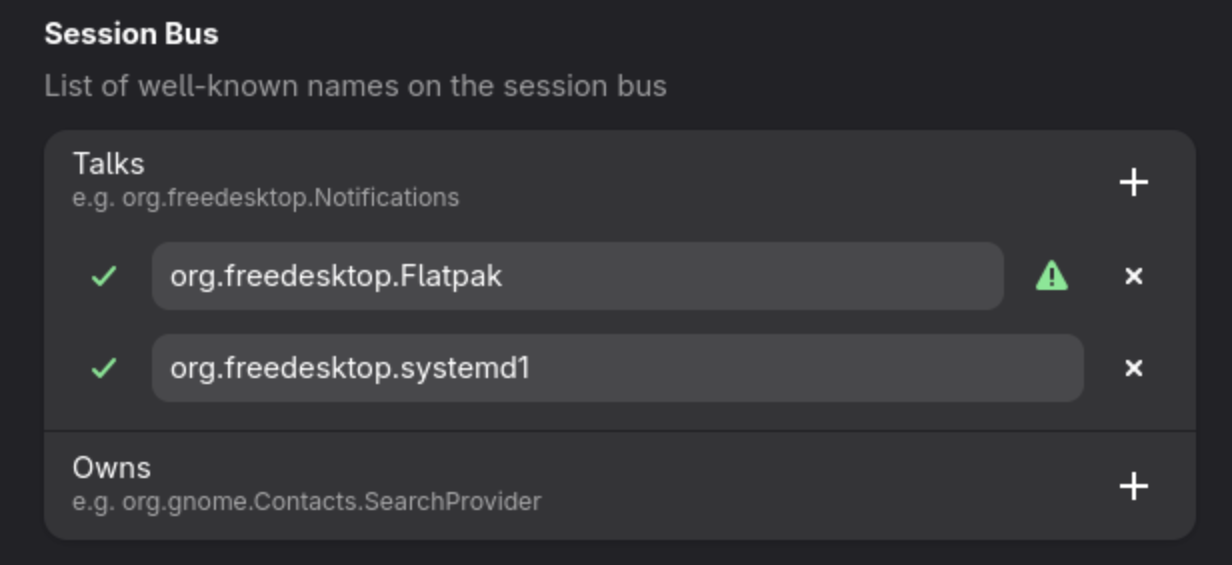
If you don't want that the permissions persist, you can start SysD Manager with the permissions as arguments
flatpak run --talk-name=org.freedesktop.Flatpak \
--filesystem=~/.config/systemd \
--filesystem=/run/user \
--filesystem=/run/systemd \
--filesystem=/var/log:ro io.github.plrigaux.sysd-manager
You may want to create a shell alias:
alias sysd-manager ="flatpak run --talk-name=org.freedesktop.Flatpak \
--filesystem=~/.config/systemd \
--filesystem=/run/user \
--filesystem=/run/systemd
--filesystem=/var/log:ro io.github.plrigaux.sysd-manager"
To view the current permissions SysD Manager
flatpak info --show-permissions io.github.plrigaux.sysd-manager
To reset all SysD Manager permissions
flatpak override --reset io.github.plrigaux.sysd-manager