Repository navigation

PXA v3.1
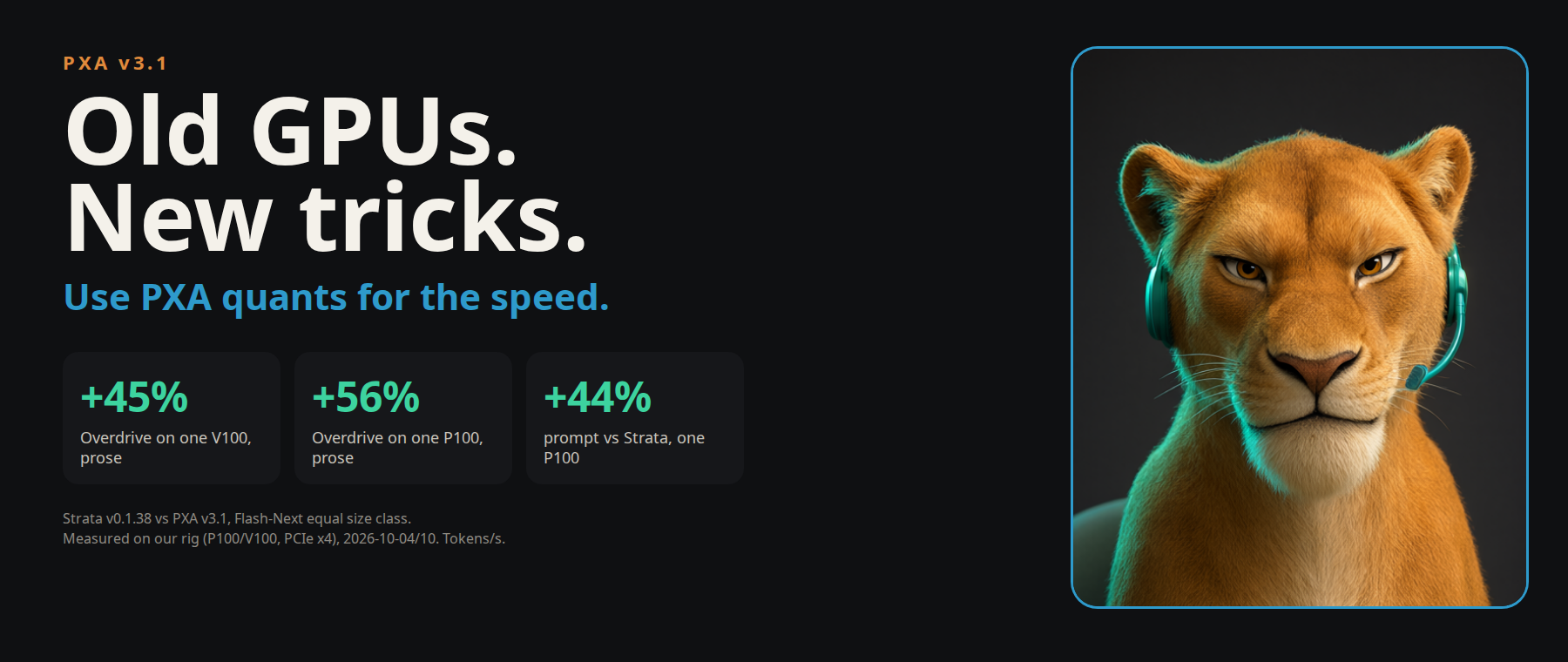
v3.1 uses the same model files as v3. Upgrade if you run a Flash-Next model on one card, use PXA Control, want Home Assistant numbers, or want the updater.
Use PXA quants for the speed. The engine is tuned for our PXQN/PXQ quants. Standard GGUF quants (Q4_K_M, Q8_0 and the rest) load and run, but the speed work targets PXA quants, so get the PXA version of your model. See Use PXA quants.
New
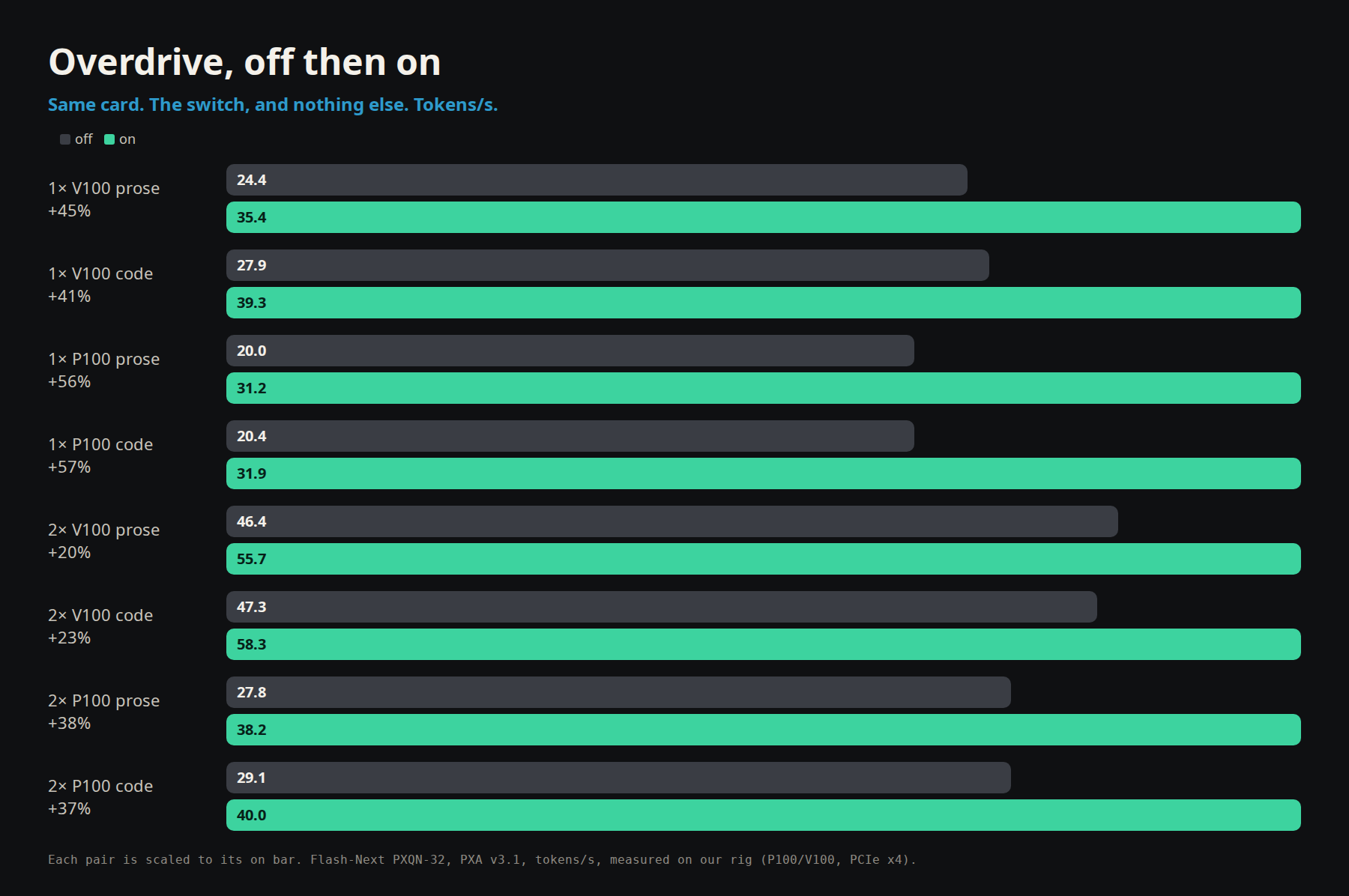
Overdrive preset
- A ready-made speed setting for Flash-Next, tuned on a Tesla P100 and also faster on V100 and on two-card setups. Load the preset file that ships in the package; the cookbook has the full server line.
- It needs the PXQN library that ships in the package.
Expert map for mixture-of-experts models
- Flash-Next and other MoE models ship with a routing map. The encoder writes one for new MoE models.
- The server can learn a second map from your own use. It is saved after a session and used only when it measures faster than the shipped map. It survives restarts.
- Docker users should add a named volume for the cache folder so the learned map survives container removal (see the cookbook).
PXA Control
- Built-in web search works with no setup, no account and no key. In the chat's search settings you can switch to SearXNG, Brave Search or Tavily. Brave and Tavily need your own key.
- Model hot swap. Register a second model on the same server and the model name in each request picks which one runs. Supported for Qwen-family models on V100 and newer; Pascal cards, and models with sliding-window attention (Gemma), are not covered yet.
- Gemma 4 drafter. The Launch page offers the drafter file when it sits next to the model.
- Sleep when idle. A server can free its cards after a set number of quiet seconds. The next request loads the model back.
- Thinking controls. A per-model Thinking switch, a thinking effort selector, and a suggested thinking budget. Thinking is off by default.
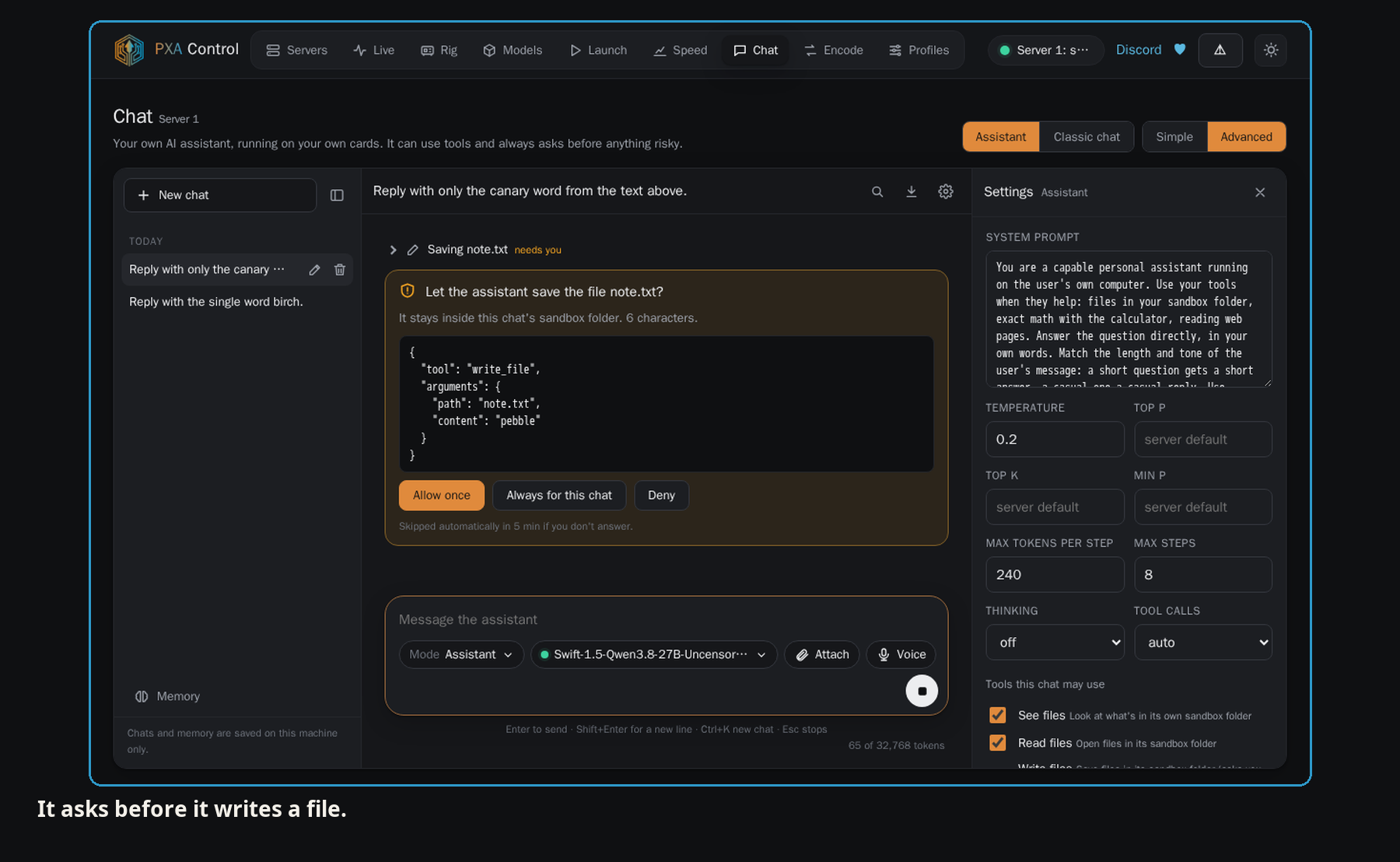
- Host access for the chat assistant. Off by default. When you turn it on, the assistant can use only the items on an allowlist you set, for that session only, and every action is logged.
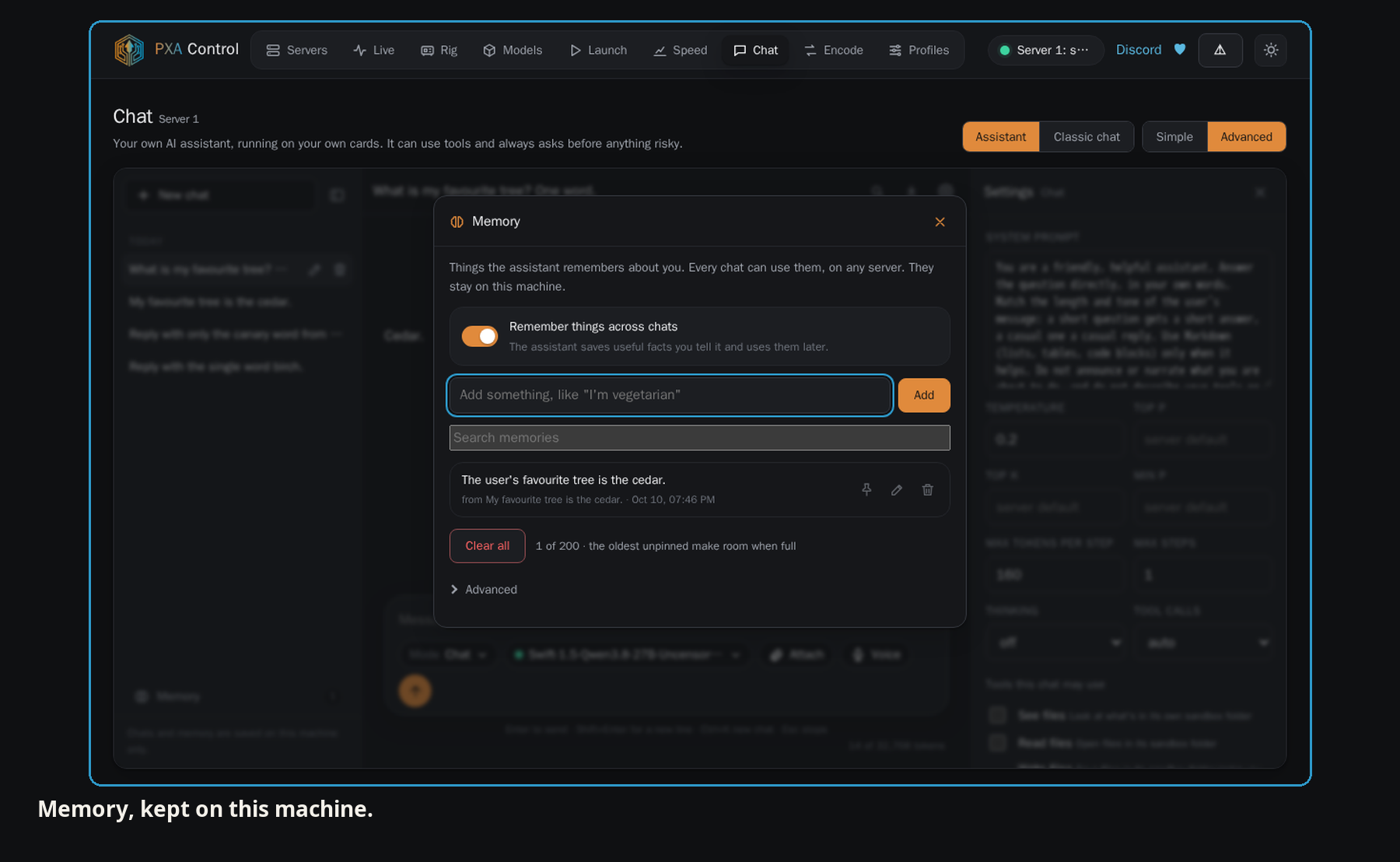
- Chat memory across chats. You can view, edit and forget what the assistant has saved.
- GPU profiles. Simple and Advanced views, and a quick per-card power limit.
- Supporter library updates. Supporters can check for, apply and roll back the licensed library from PXA Control.
- Headless hint. When the launcher runs on a machine without a screen, it explains how to reach PXA Control over SSH or the local network.
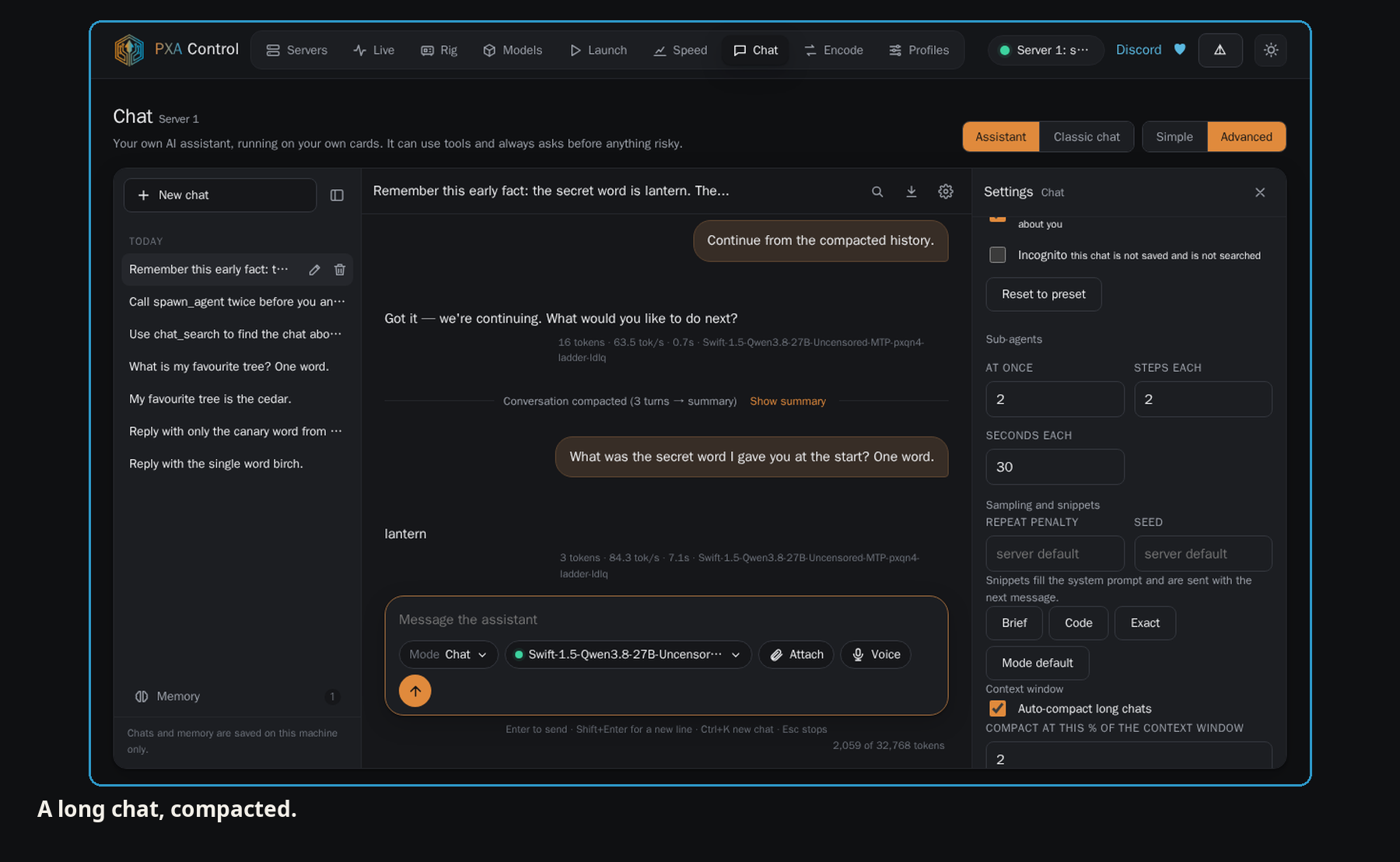
- Redesigned chat. A new assistant layout, with replies that use the page you are on.
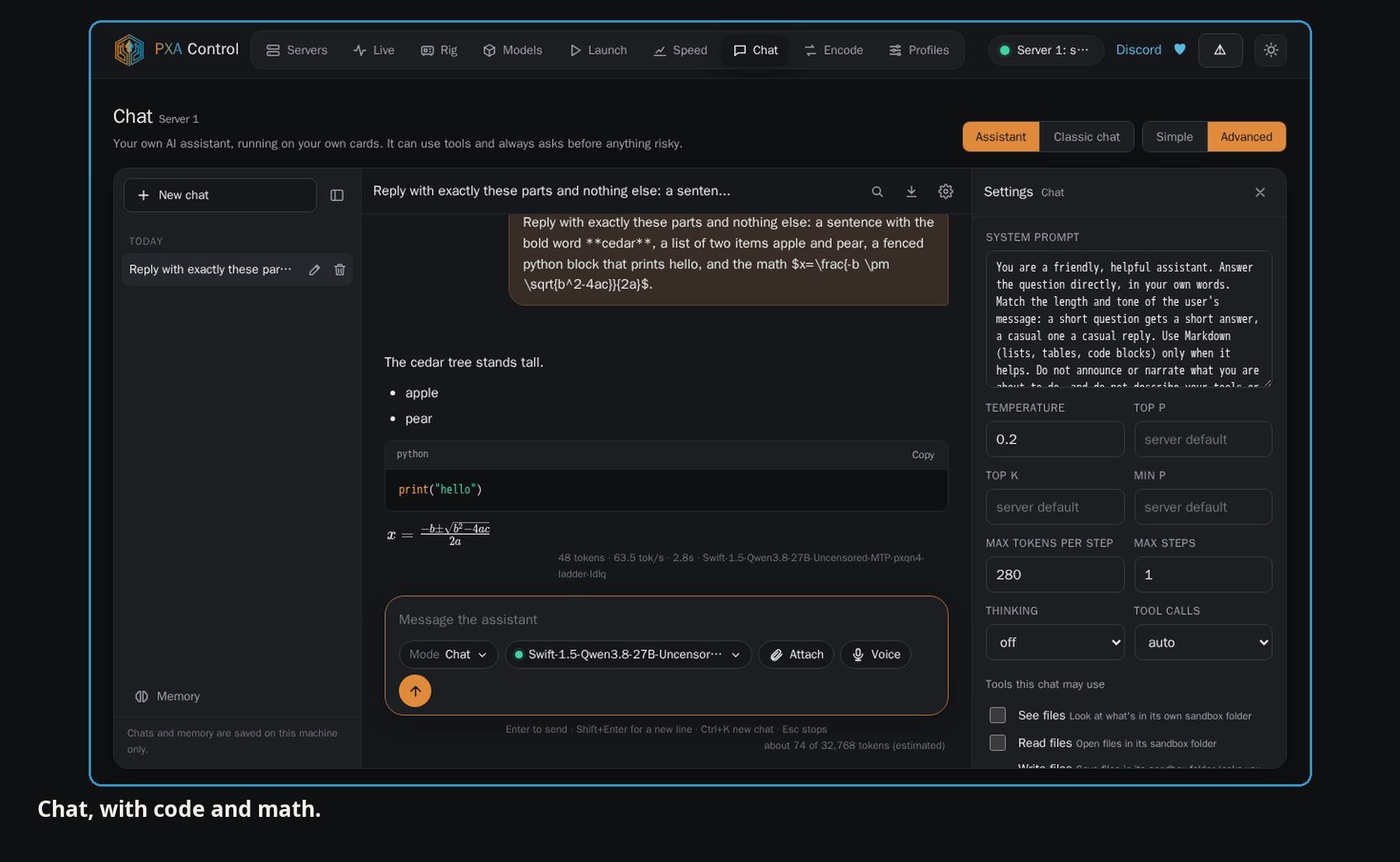
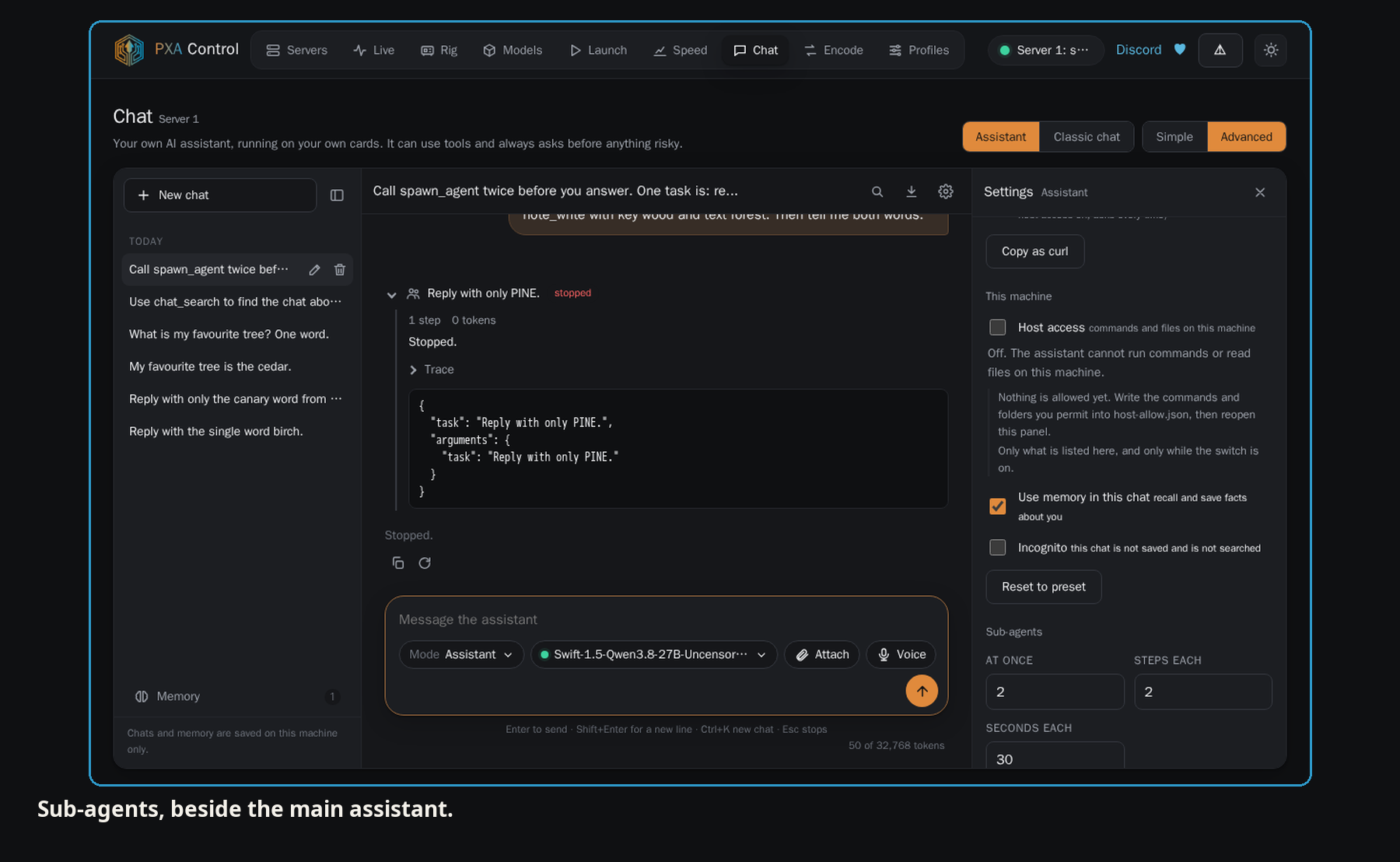
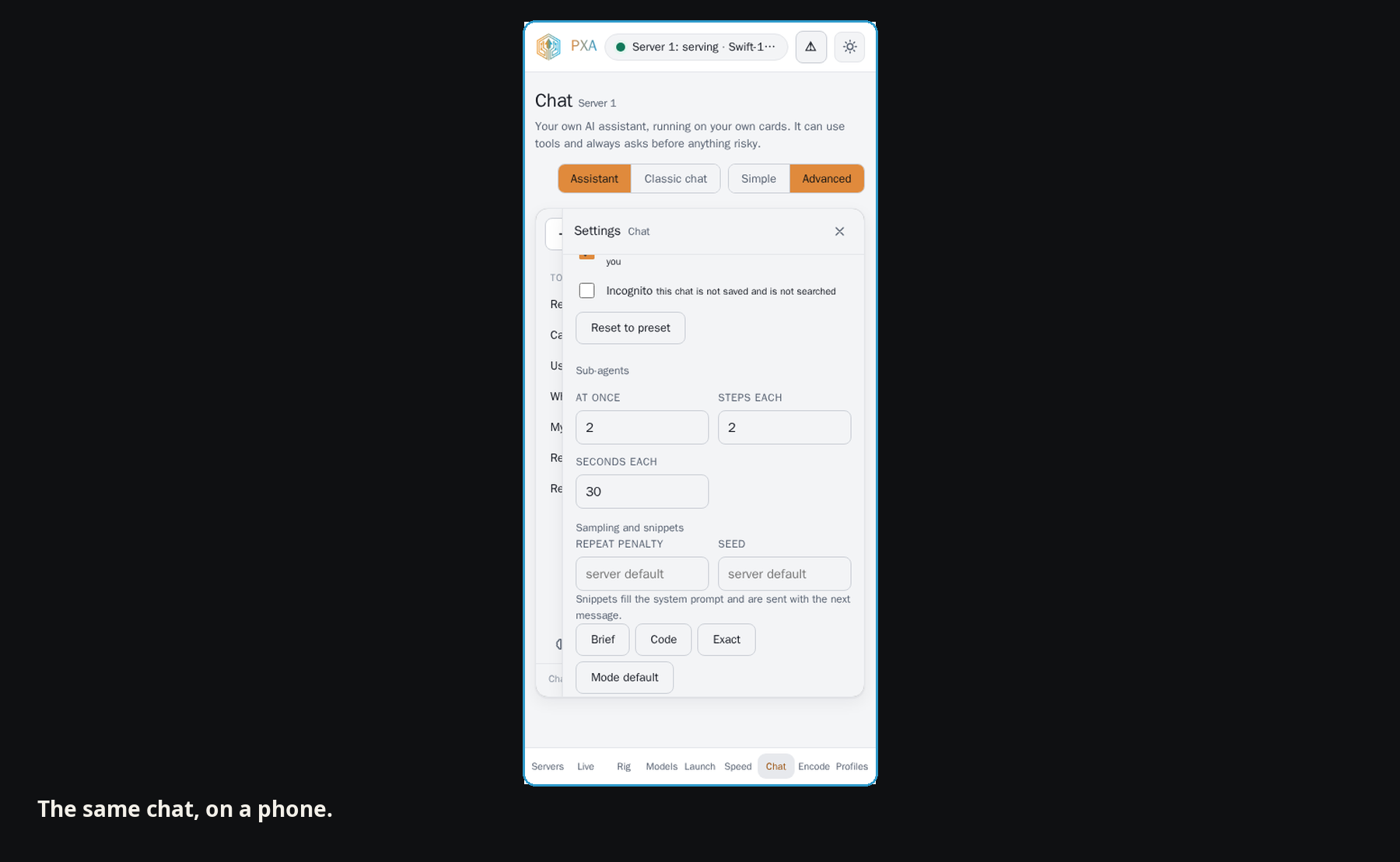
- The chat itself, rebuilt. Long chats compact themselves before they overflow the context, memory carries across chats with an incognito off switch, the assistant can search its own memory and read your past chats, @ references an old chat from the composer, a task can be handed to a sub-agent, and the chat has KaTeX maths, message branches, voice input, file attachments and install-as-an-app.
Grafana
- The package ships a ready-made Grafana dashboard for card temperature, memory, utilisation and speed.
Updater
pxa-update check,pxa-update applyandpxa-update rollback. Downloads are checked against their checksum and staged in the install folder before the switch. Your models, settings and expert maps are not touched.
Home Assistant
- A new guide in the docs, with two ways to see your server in Home Assistant. Both stay on your local network. Nothing is sent to a cloud service.
- REST sensors need nothing but Home Assistant. They read the server's own status, slot, model, speed and cache endpoints.
- MQTT, opt-in. With PXA Control and an MQTT broker, the server publishes per-GPU temperature, memory and utilisation, the speed figures and the expert map. Home Assistant discovery creates the entities with no YAML. Discovery can be turned off if you prefer to write the sensors yourself.
Faster
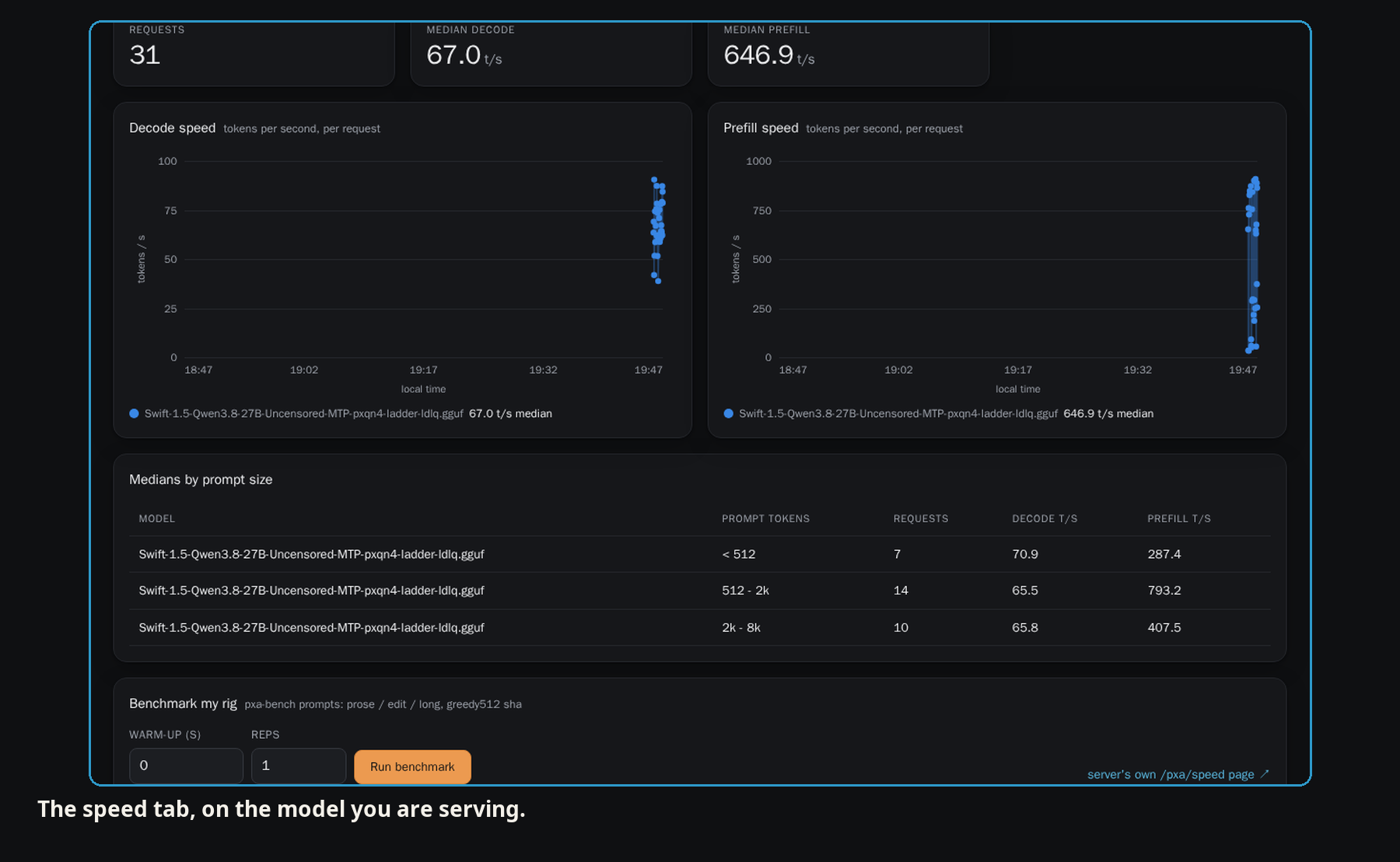
All figures below come from the v3.1 release build, decode measured at the same point in a session.
- Learned expert map. The map the server learns from your own use beats the shipped map by about 12% on prose decode and 18% on code decode, measured interleaved in one window.
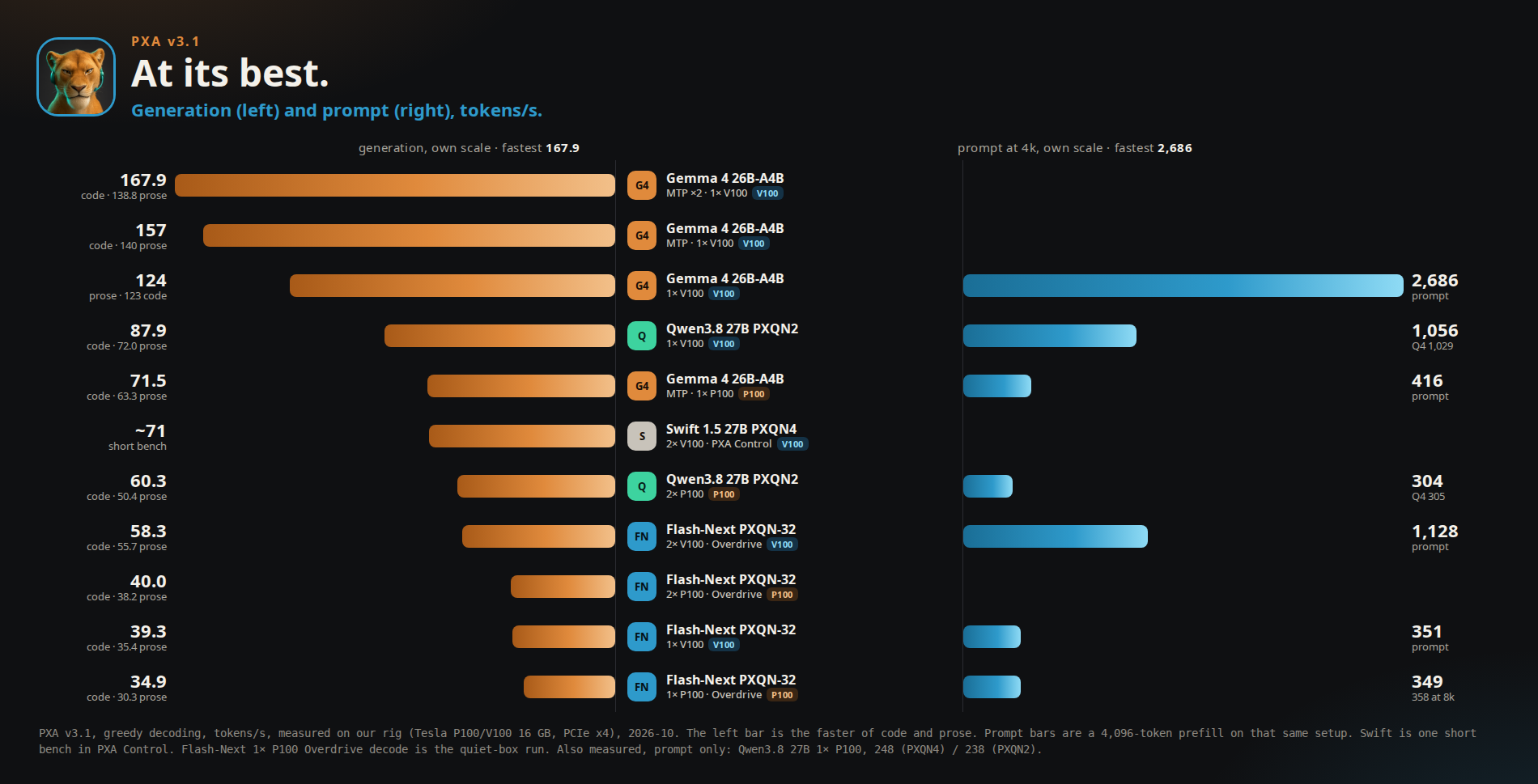
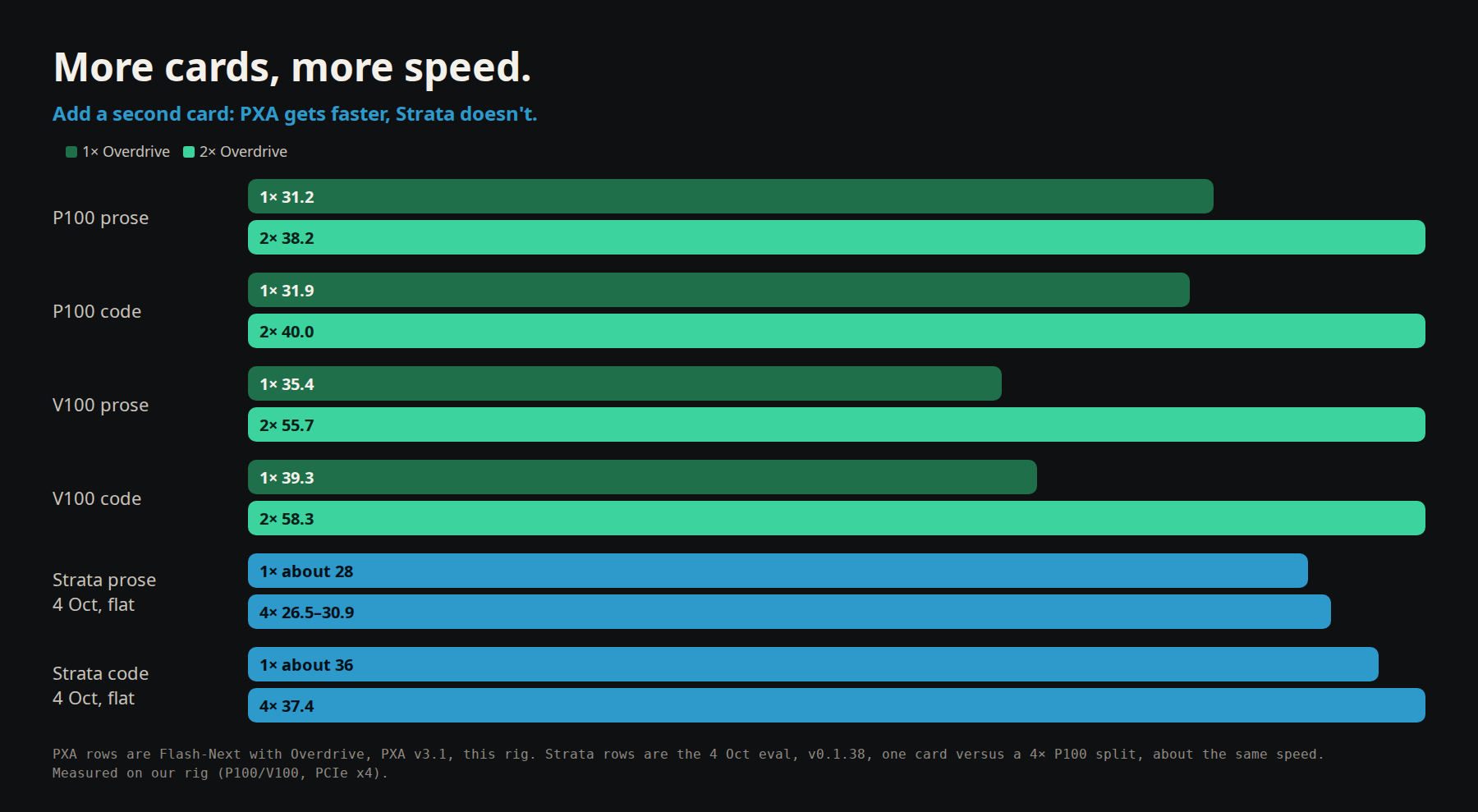
- Overdrive on P100. With the preset on, a Flash-Next model on one P100 decodes at about 30.3 tokens/s prose and 34.9 on code; two P100s reach about 38 prose and 40 code.
- Overdrive on Volta (V100). The same tuning for V100 cards. One V100 decodes at about 35.4 tokens/s prose and 39.3 code; two V100s at about 55.7 and 58.3. Long-prompt prefill runs about 351 tokens/s on one card and about 1128 on two.
- Mixture-of-experts models that do not fit on the cards keep their most-used experts on the card and move only the rest.
- Long-prompt prefill is faster on Flash-Next.
- Volta decode for 8B-class models is faster by default.
Fixed
- Stop, then Start on the same port works again. Control no longer reports "in use by another program" for a port the server just released.
- A rare hang in the expert cache's CPU worker pool under load. A decode could stall waiting on a job that never started.
- Hot swap keeps its place: after the server swaps which model is on the cards, the next turn reuses the parked conversation instead of re-processing the whole prompt. A follow-up turn that used to send 1067 prompt tokens now sends 14.
- The cache folder works on a fresh Docker volume. A newly created named volume was owned by root, so the learned map could never be written; the entrypoint now fixes the ownership before dropping to the unprivileged user, and only touches a volume that is empty and root-owned.
- The learned expert map is saved without touching the shipped map file.
- A server started by the launcher shows as attached, not stopped, in Control's speed and chat pickers.
- Quantized value cache no longer aborts a run on CPU.
- Bug reports always name the engine build.
Changed
- Encode checks a mixture-of-experts file before the download starts, and refuses it if the encoder cannot handle it.
- A bad licence key says what is wrong: expired, suspended, disabled and revoked each have their own message and next step.
- The quantizer refusal says what to change, and when the tables are the reason.
- Encode hints point to Advanced on step 2, with a jump button.
- Live graphs keep up to 90 days of history.
- The load banner shows the quantizer licensee's name only. Full values stay in Control.
- Deleting a chat in PXA Control also deletes that chat's files. Each chat folder is private to your user.
- The API paths
/v1/responsesand/v1/messagesare covered by live checks on every release.
Upgrading
- Unpack into a new folder. The installer does this for you. Your model files and settings carry over.
- If an old post told you to set an environment variable to get speed, unset it. A value you set wins over the default, even a slower one.
- Containers running Flash-Next with the expert cache on a machine with more than one CPU socket need the SYS_NICE capability (
--cap-add SYS_NICE). - Docker users: mount the cache folder as a named volume (
-v pxa-cache:/work/.cache/pxa) so a learned expert map survives removing the container. The image now fixes the volume's ownership on first use; without a named volume the map goes when the container does. - Docker image:
ghcr.io/poisonxa16/pxa:v3.1. - Older clients stop at load with an error on a locked Pro file. Locked files load in v3 or newer.
Speed, in pictures
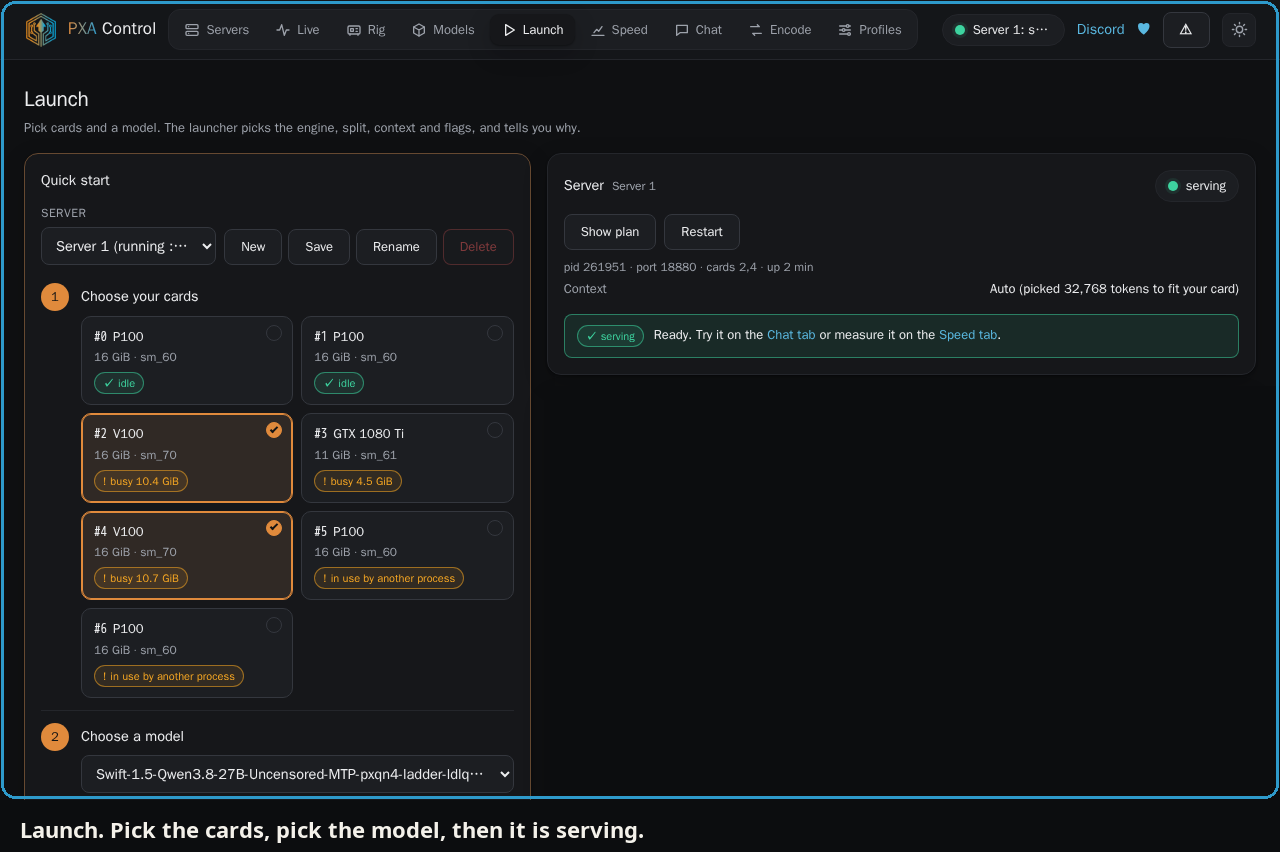
PXA Control, on a real model
 |
 |
 |
 |
 |
 |
 |
 |
Known issues
- The built-in web search is best-effort. Niche queries can come back thin. Use one of the providers for better results.
- Chat memory can store a fact twice if it is repeated in nearly the same words.
- The v3 known issues still apply where this note does not replace them. See the known-issues list in the docs.
Credits
Thanks to mistrjirka, quenthalion and thisistimow, and to everyone who tests and reports on the Discord. TucsonJohn reported the Stop-then-Start bug.
Discord: https://discord.pxanetwork.com
Ko-fi: https://ko-fi.com/shatteredrealms1