Repository navigation

Thank you for using Positron!
Downloads
Please review Positron's license agreement and privacy policy. Your acceptance of this license agreement and privacy policy is required as a condition to proceeding with your download or use of the software.
| Platform | Download |
|---|---|
| Windows 10, 11 x64 (system level install) | Positron-2026.10.1-2-Setup-x64.exe |
| Windows 10, 11 x64 (user level install) | Positron-2026.10.1-2-UserSetup-x64.exe |
| Windows 10, 11 arm64 (system level install) | Positron-2026.10.1-2-Setup-arm64.exe |
| Windows 10, 11 arm64 (user level install) | Positron-2026.10.1-2-UserSetup-arm64.exe |
| MacOS 11.0+ (arm64/Apple Silicon) | Positron-2026.10.1-2-arm64.dmg |
| MacOS 11.0+ (x64/Intel) | Positron-2026.10.1-2-x64.dmg |
| Debian-based Linux x64 (Ubuntu 22+) | Positron-2026.10.1-2-x64.deb |
| Debian-based Linux arm64 (Ubuntu 24+) | Positron-2026.10.1-2-arm64.deb |
| Red Hat-based Linux x64 (RHEL9) | Positron-2026.10.1-2-x64.rpm |
| Red Hat-based Linux arm64 (RHEL9) | Positron-2026.10.1-2-arm64.rpm |
| REH Linux x64 | positron-reh-linux-x64-2026.10.1-2.tar.gz |
| REH Linux arm64 | positron-reh-linux-arm64-2026.10.1-2.tar.gz |
| Installer Checksums | positron-2026.10.1-2-checksums.json |
Patch notes
The 2026.10.1 patch release (2026-10-19) fixes a problem with Snowflake Data Connections that use managed credentials on Posit Workbench.
Release highlights
Check out all the changes for this release.
Posit Assistant can drive Positron
Posit Assistant can now operate Positron itself, not just the R or Python session inside it. Ask it to run a Shiny app, open a Parquet file in the Data Explorer, set up a Python environment, browse your data connections, or deploy to Posit Connect. It uses the same source of truth as the Positron UI, so it sees your real interpreters, packages, and connections.
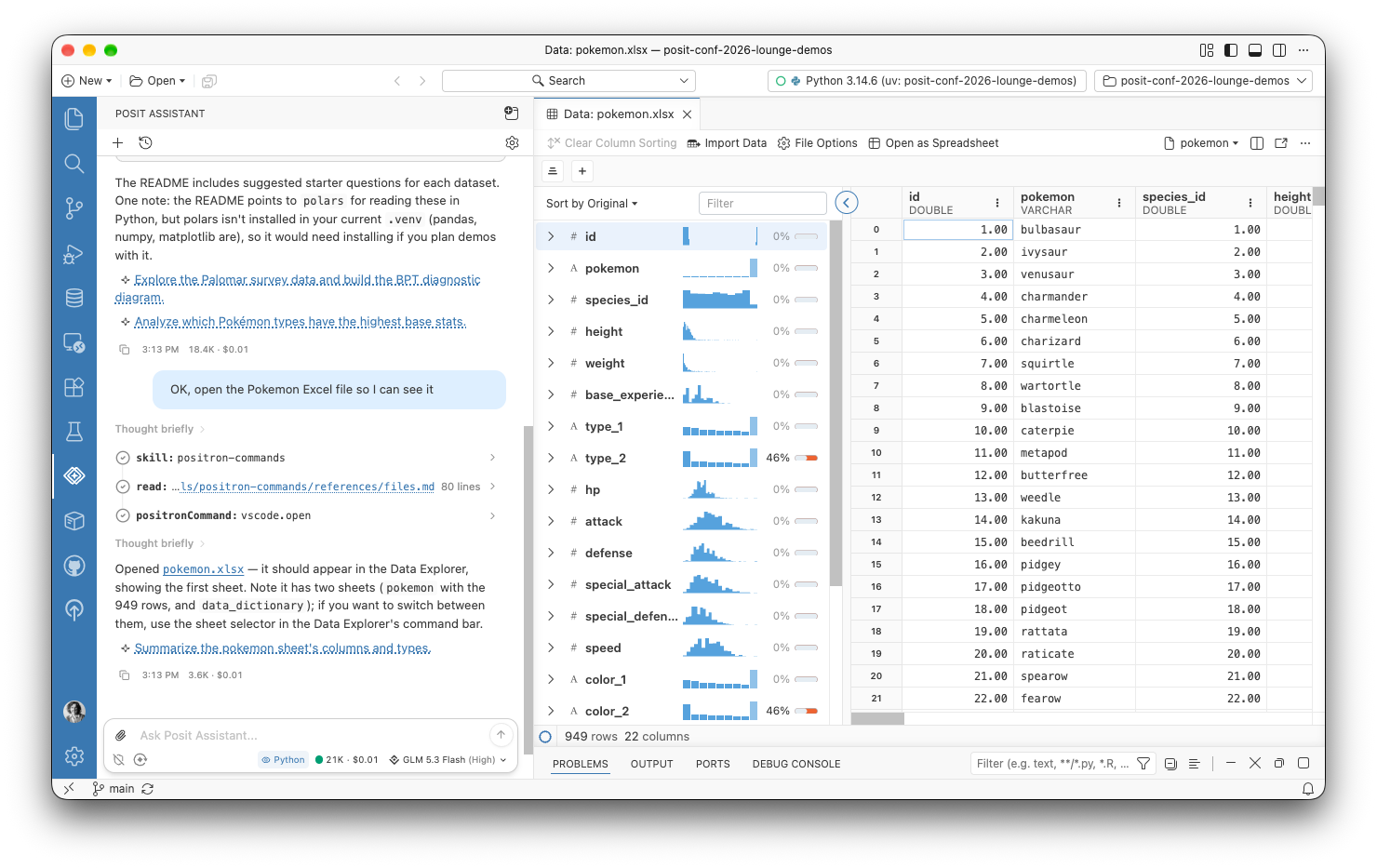
To try this preview feature, enable the assistant.previewFeatures setting, and tell us what you think in the GitHub discussion.
Bring your own coding agent
A new built-in Model Context Protocol (MCP) server lets coding agents such as Claude Code, Codex, and Gemini CLI work in your live Python and R sessions. Agents can run code, look at plots, and run Positron commands, and the Console labels the code that an agent runs. To try this experimental feature, enable the ai.mcp.enabled setting. Positron configures Claude Code for you, and Positron MCP: Add to Coding Agent sets up the Codex and Gemini CLIs.
Data Connections on by default
Data Connections is now the default way to work with databases and data warehouses, and it supersedes the Catalog Explorer and Connections pane. Amazon Redshift connections can sign in with AWS Identity and Access Management (IAM), and Snowflake and Databricks connections on Posit Workbench can use managed credentials. Snowflake semantic views show in the tree, and Connect With can generate ggsql code. To use the older Connections pane, set dataConnections.enabled to false.
Faster language features for Quarto
Positron now provides completions, hover, diagnostics, and other language features natively for R and Python cells in Quarto and R Markdown documents. Before, the Quarto extension wrote temporary virtual documents to disk for these features. Positron now uses a virtual notebook in memory instead, which is faster and solves a whole category of bugs. It also lets Go to Definition and Find References work across R cells. If you run into problems and need to go back to the old behavior, use the quarto.embeddedLanguageFeatures.native setting.
Python project setup
Positron is better at setting up the right Python environment for your project. When a workspace has a uv.lock or pixi.lock file but no environment, Positron offers to create it. If uv is missing, the New Folder flow can install it for you. Interpreter path settings for Python and R now support ${workspaceFolder}, so a project can point to an interpreter inside it.