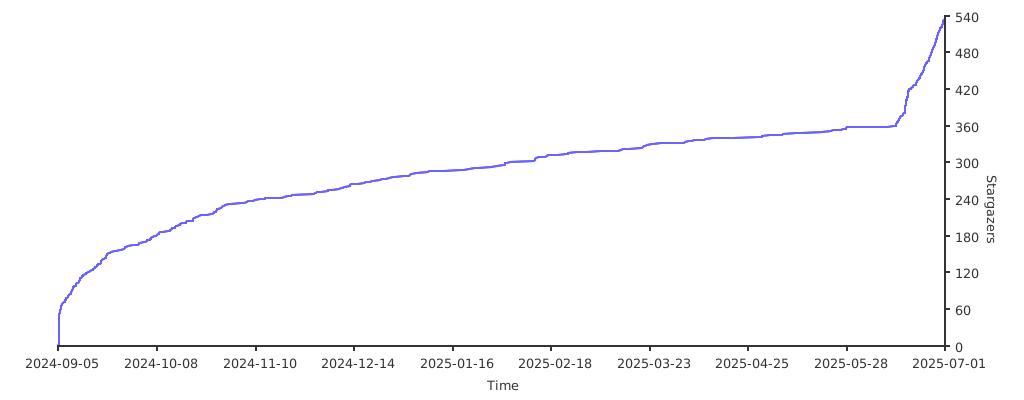
Official project page: matinshahabadi.ir/projects/backhaul/
Welcome to the Backhaul project! This project provides a high-performance reverse tunneling solution optimized for handling massive concurrent connections through NAT and firewalls. This README will guide you through setting up and configuring both server and client components, including details on different transport protocols.
- Introduction
- v0.8.0 production hardening
- Features
- Installation
- Usage
- Generating a Self-Signed TLS Certificate with OpenSSL
- Running backhaul as a service
- FAQ
- Benchmark
- License
- Donation
This project offers a robust reverse tunneling solution to overcome NAT and firewall restrictions, supporting various transport protocols. It’s engineered for high efficiency and concurrency.
This fork is based on upstream v0.7.2 commit
df7966f8f725837a680ea7b90bd37ea52666c277. The v0.8.0 work keeps the
existing transports and wire framing while focusing on failure behavior:
- UDP and
accept_udpflow queues are bounded per flow and across the transport. New defaults areudp_queue_size = 64,udp_queue_limit = 4096, andudp_max_flows = 2048. - A full local TCP queue now applies up to 250 ms of bounded backpressure before rejecting the connection. Rejections are counted and warning logs are rate limited.
- Transport reconnects use fresh lifecycle generations instead of reusing canceled contexts/channels, and retry waits are cancellation-aware with bounded jittered backoff.
- Adaptive client pool growth is bounded by
max_pool_size. If omitted, the default is the larger ofconnection_pool * 4andconnection_pool + 16. - Configuration is validated before startup and before hot-reload replaces a healthy generation. An invalid edited file is logged and the running generation is kept.
- The web monitor binds to
127.0.0.1by default and can use HTTP Basic authentication. pprof, when enabled, is loopback-only. /statsincludes active connections, pool utilization, reconnects, rejected/dropped work, uptime, goroutine count, and Go live heap.
See PERFORMANCE.md for the issue-by-issue audit, reproduction methodology, stress/soak results, and baseline comparison.
- High Performance: Optimized for handling massive concurrent connections efficiently.
- Protocol Flexibility: Supports TCP, WebSocket (WS), and Secure WebSocket (WSS) transports.
- UDP over TCP: Implements UDP traffic encapsulation and forwarding over a TCP connection for reliable delivery with built-in congestion control.
- Multiplexing: Enables multiple connections over a single transport with SMUX.
- NAT & Firewall Bypass: Overcomes restrictions with reverse tunneling.
- Traffic Sniffing: Optional network traffic monitoring with logging support.
- Configurable Keepalive: Adjustable keep-alive and heartbeat intervals for stable connections.
- TLS Encryption: Secure connections via WSS with support for custom TLS certificates.
- Web Interface: Real-time monitoring through a lightweight web interface.
- Hot Reload Configuration: Supports dynamic configuration reloading without server restarts.
-
Download the latest release from the fork releases page.
-
Extract the archive (adjust the
filenameif needed):tar -xzf backhaul_linux_amd64.tar.gz
-
Run the executable:
./backhaul
-
You can also build from source if preferred:
git clone https://github.com/power0matin/Backhaul.git
cd Backhaul
go build
./backhaul
The main executable for this project is backhaul. It requires a TOML configuration file for both the server and client components.
To start using the solution, you'll need to configure both server and client components. Here’s how to set up basic configurations:
-
Server Configuration
Create a configuration file named
config.toml:[server]# Local, IRAN bind_addr = "0.0.0.0:3080" # Address and port for the server to listen on (mandatory). transport = "tcp" # Protocol to use ("tcp", "tcpmux", "ws", "wss", "wsmux", "wssmux". mandatory). accept_udp = false # Enable transferring UDP connections over TCP transport. (optional, default: false) token = "your_token" # Authentication token for secure communication (optional). keepalive_period = 75 # Interval in seconds to send keep-alive packets.(optional, default: 75s) nodelay = false # Enable TCP_NODELAY (optional, default: false). channel_size = 2048 # Bounded tunnel/local queue size. Brief saturation gets bounded backpressure; persistent overload is rejected. (optional, default: 2048). heartbeat = 40 # In seconds. Ping interval for tunnel stability. Min: 1s. (Optional, default: 40s) mux_con = 8 # Mux concurrency. Number of connections that can be multiplexed into a single stream (optional, default: 8). mux_version = 1 # SMUX protocol version (1 or 2). Version 2 may have extra features. (optional) mux_framesize = 32768 # 32 KB. The maximum size of a frame that can be sent over a connection. (optional) mux_recievebuffer = 4194304 # 4 MB. The maximum buffer size for incoming data per connection. (optional) mux_streambuffer = 65536 # 64 KB. The maximum buffer size per individual stream within a connection. (optional) sniffer = false # Enable or disable network sniffing for monitoring data. (optional, default false) web_port = 2060 # Port number for the web interface or monitoring interface. (optional, set to 0 to disable). web_bind_addr = "127.0.0.1" # Monitor bind address. Defaults to loopback in v0.8.0. web_username = "operator" # Optional HTTP Basic username; set username and password together. web_password = "change-me" # Optional HTTP Basic password. sniffer_log ="/root/log.json" # Filename used to store network traffic and usage data logs. (optional, default backhaul.json) tls_cert = "/root/server.crt" # Path to the TLS certificate file for wss/wssmux. (mandatory). tls_key = "/root/server.key" # Path to the TLS private key file for wss/wssmux. (mandatory). log_level = "info" # Log level ("panic", "fatal", "error", "warn", "info", "debug", "trace", optional, default: "info"). skip_optz = true # Skip optimizations performed by Backhaul (default: false) mss = 1360 # TCP/TCPMux: Maximum Segment Size in bytes; controls max TCP payload size to avoid fragmentation. (default: system-defined) so_rcvbuf = 4194304 # TCP/TCPMux: Socket receive buffer size (bytes); larger buffer allows higher throughput on receive side. (default: system-defined) so_sndbuf = 1048576 # TCP/TCPMux: Socket send buffer size (bytes); controls send queue size to manage outgoing data flow. (default: system-defined) udp_queue_size = 64 # UDP/accept_udp queued packets per flow. (optional, default: 64) udp_queue_limit = 4096 # UDP/accept_udp queued packets across all flows. (optional, default: 4096; max: 16384) udp_max_flows = 2048 # Maximum simultaneously tracked UDP flows. (optional, default: 2048) ports = [ "443-600", # Listen on all ports in the range 443 to 600 "443-600=5201", # Listen on all ports in the range 443 to 600 and forward traffic to 5201 "443-600=1.1.1.1:5201", # Listen on all ports in the range 443 to 600 and forward traffic to 1.1.1.1:5201 "443", # Listen on local port 443 and forward to remote port 443 (default forwarding). "4000=5000", # Listen on local port 4000 (bind to all local IPs) and forward to remote port 5000. "127.0.0.2:443=5201", # Bind to specific local IP (127.0.0.2), listen on port 443, and forward to remote port 5201. "443=1.1.1.1:5201", # Listen on local port 443 and forward to a specific remote IP (1.1.1.1) on port 5201. "127.0.0.2:443=1.1.1.1:5201", # Bind to specific local IP (127.0.0.2), listen on port 443, and forward to remote IP (1.1.1.1) on port 5201. ]
To start the
server:./backhaul -c config.toml
-
Client Configuration
Create a configuration file named
config.tomlfor the client:[client] # Behind NAT, firewall-blocked remote_addr = "0.0.0.0:3080" # Server address and port (mandatory). edge_ip = "188.114.96.0" # Edge IP used for CDN connection, specifically for WebSocket-based transports.(Optional, default none) transport = "tcp" # Protocol to use ("tcp", "tcpmux", "ws", "wss", "wsmux", "wssmux". mandatory). token = "your_token" # Authentication token for secure communication (optional). connection_pool = 8 # Number of pre-established connections.(optional, default: 8). max_pool_size = 32 # Upper bound for adaptive pool growth. If omitted, derived from connection_pool. aggressive_pool = false # Enables aggressive connection pool management.(optional, default: false). keepalive_period = 75 # Interval in seconds to send keep-alive packets. (optional, default: 75s) nodelay = false # Use TCP_NODELAY (optional, default: false). retry_interval = 3 # Retry interval in seconds (optional, default: 3s). dial_timeout = 10 # Sets the max wait time for establishing a network connection. (optional, default: 10s) mux_version = 1 # SMUX protocol version (1 or 2). Version 2 may have extra features. (optional) mux_framesize = 32768 # 32 KB. The maximum size of a frame that can be sent over a connection. (optional) mux_recievebuffer = 4194304 # 4 MB. The maximum buffer size for incoming data per connection. (optional) mux_streambuffer = 65536 # 256 KB. The maximum buffer size per individual stream within a connection. (optional) sniffer = false # Enable or disable network sniffing for monitoring data. (optional, default false) web_port = 2060 # Port number for the web interface or monitoring interface. (optional, set to 0 to disable). web_bind_addr = "127.0.0.1" # Monitor bind address. Defaults to loopback in v0.8.0. web_username = "operator" # Optional HTTP Basic username; set both credentials together. web_password = "change-me" # Optional HTTP Basic password. sniffer_log ="/root/log.json" # Filename used to store network traffic and usage data logs. (optional, default backhaul.json) log_level = "info" # Log level ("panic", "fatal", "error", "warn", "info", "debug", "trace", optional, default: "info"). skip_optz = true # Skip optimizations performed by Backhaul (default: false) mss = 1360 # TCP/TCPMux: Maximum Segment Size in bytes; controls max TCP payload size to avoid fragmentation. (default: system-defined) so_rcvbuf = 1048576 # TCP/TCPMux: Socket receive buffer size (bytes); larger buffer allows higher throughput on receive side. (default: system-defined) so_sndbuf = 4194304 # TCP/TCPMux: Socket send buffer size (bytes); controls send queue size to manage outgoing data flow. (default: system-defined) tls_verify = false # WSS/WSSMUX only. Set true for normal CA/hostname verification; false preserves v0.7.2 self-signed behavior.
To start the
client:./backhaul -c config.toml
-
Server:
[server]
bind_addr = "0.0.0.0:3080"
transport = "tcp"
accept_udp = false
token = "your_token"
keepalive_period = 75
nodelay = true
heartbeat = 40
channel_size = 2048
sniffer = false
web_port = 2060
sniffer_log = "/root/backhaul.json"
log_level = "info"
ports = []
-
Client:
[client]
remote_addr = "0.0.0.0:3080"
transport = "tcp"
token = "your_token"
connection_pool = 8
aggressive_pool = false
keepalive_period = 75
dial_timeout = 10
nodelay = true
retry_interval = 3
sniffer = false
web_port = 2060
sniffer_log = "/root/backhaul.json"
log_level = "info"
-
Details:
remote_addr: The IPv4, IPv6, or domain address of the server to which the client connects.token: An authentication token used to securely validate and authenticate the connection between the client and server within the tunnel.channel_size: The queue size for forwarding packets from server to the client. If the limit is exceeded, packets will be dropped.connection_pool: Set the number of pre-established connections for better latency.max_pool_size: Hard ceiling for adaptive pool growth. This prevents long-running load from increasing the pool without a bound.nodelay: Refers to a TCP socket option (TCP_NODELAY) that improve the latency but decrease the bandwidth
When web_port is enabled, v0.8.0 listens on 127.0.0.1 by default.
Existing installations that intentionally need remote access can set
web_bind_addr = "0.0.0.0" (or another explicit interface). If the monitor
is reachable from an untrusted network, set both web_username and
web_password and put the HTTP monitor behind a TLS reverse proxy or access
it through an SSH tunnel. Basic authentication by itself does not encrypt the
credentials.
pprof = true exposes the Go profiler only on 127.0.0.1:6060 (server) or
127.0.0.1:6061 (client). Configuration files contain the tunnel token and
possibly monitor credentials; use restrictive permissions such as
chmod 600 config.toml.
For wss and wssmux, tls_verify = false remains the default so
v0.7.2 deployments using self-signed certificates keep working. Prefer
tls_verify = true when the server certificate chains to a CA trusted by the
client and its hostname matches remote_addr.
All v0.7.2 configuration field names and transport names are retained. TCP, TCPMUX, UDP, WS, WSS, WSMUX, and WSSMUX use the existing protocol framing. There are two intentional operational changes:
- An enabled web monitor without
web_bind_addris now loopback-only. Setweb_bind_addr = "0.0.0.0"to restore the old all-interface binding. - Invalid values and malformed port mappings now fail configuration validation
instead of being accepted and failing later in a worker. Range forwarding
uses
"443-600=5201"; the old README example"443-600:5201"was not a format the implementation supported.
-
Server:
[server]
bind_addr = "0.0.0.0:3080"
transport = "tcpmux"
token = "your_token"
keepalive_period = 75
nodelay = true
heartbeat = 40
channel_size = 2048
mux_con = 8
mux_version = 1
mux_framesize = 32768
mux_recievebuffer = 4194304
mux_streambuffer = 65536
sniffer = false
web_port = 2060
sniffer_log = "/root/backhaul.json"
log_level = "info"
ports = []
-
Client:
[client]
remote_addr = "0.0.0.0:3080"
transport = "tcpmux"
token = "your_token"
connection_pool = 8
aggressive_pool = false
keepalive_period = 75
dial_timeout = 10
retry_interval = 3
nodelay = true
mux_version = 1
mux_framesize = 32768
mux_recievebuffer = 4194304
mux_streambuffer = 65536
sniffer = false
web_port = 2060
sniffer_log = "/root/backhaul.json"
log_level = "info"
-
Details:
mux_session: Number of multiplexed sessions. Increase this if you need to handle more simultaneous sessions over a single connection.- Refer to TCP configuration for more information.
-
Server:
[server]
bind_addr = "0.0.0.0:3080"
transport = "udp"
token = "your_token"
heartbeat = 20
channel_size = 2048
sniffer = false
web_port = 2060
sniffer_log = "/root/backhaul.json"
log_level = "info"
ports = []
-
Client:
[client]
remote_addr = "0.0.0.0:3080"
transport = "udp"
token = "your_token"
connection_pool = 8
aggressive_pool = false
retry_interval = 3
sniffer = false
web_port = 2060
sniffer_log = "/root/backhaul.json"
log_level = "info"
-
Server:
[server]
bind_addr = "0.0.0.0:8080"
transport = "ws"
token = "your_token"
channel_size = 2048
keepalive_period = 75
heartbeat = 40
nodelay = true
sniffer = false
web_port = 2060
sniffer_log = "/root/backhaul.json"
log_level = "info"
ports = []
-
Client:
[client]
remote_addr = "0.0.0.0:8080"
edge_ip = ""
transport = "ws"
token = "your_token"
connection_pool = 8
aggressive_pool = false
keepalive_period = 75
dial_timeout = 10
retry_interval = 3
nodelay = true
sniffer = false
web_port = 2060
sniffer_log = "/root/backhaul.json"
log_level = "info"
-
Details:
- Refer to TCP configuration for more information.
-
Server:
[server]
bind_addr = "0.0.0.0:8443"
transport = "wss"
token = "your_token"
channel_size = 2048
keepalive_period = 75
nodelay = true
tls_cert = "/root/server.crt"
tls_key = "/root/server.key"
sniffer = false
web_port = 2060
sniffer_log = "/root/backhaul.json"
log_level = "info"
ports = []
-
Client:
[client]
remote_addr = "0.0.0.0:8443"
edge_ip = ""
transport = "wss"
token = "your_token"
connection_pool = 8
aggressive_pool = false
keepalive_period = 75
dial_timeout = 10
retry_interval = 3
nodelay = true
sniffer = false
web_port = 2060
sniffer_log = "/root/backhaul.json"
log_level = "info"
-
Details:
- Refer to the next section for instructions on generating
tls_certandtls_key.
- Refer to the next section for instructions on generating
-
Server:
[server]
bind_addr = "0.0.0.0:3080"
transport = "wsmux"
token = "your_token"
keepalive_period = 75
nodelay = true
heartbeat = 40
channel_size = 2048
mux_con = 8
mux_version = 1
mux_framesize = 32768
mux_recievebuffer = 4194304
mux_streambuffer = 65536
sniffer = false
web_port = 2060
sniffer_log = "/root/backhaul.json"
log_level = "info"
ports = []
-
Client:
[client]
remote_addr = "0.0.0.0:3080"
edge_ip = ""
transport = "wsmux"
token = "your_token"
connection_pool = 8
aggressive_pool = false
keepalive_period = 75
dial_timeout = 10
nodelay = true
retry_interval = 3
mux_version = 1
mux_framesize = 32768
mux_recievebuffer = 4194304
mux_streambuffer = 65536
sniffer = false
web_port = 2060
sniffer_log = "/root/backhaul.json"
log_level = "info"
-
Server:
[server]
bind_addr = "0.0.0.0:443"
transport = "wssmux"
token = "your_token"
keepalive_period = 75
nodelay = true
heartbeat = 40
channel_size = 2048
mux_con = 8
mux_version = 1
mux_framesize = 32768
mux_recievebuffer = 4194304
mux_streambuffer = 65536
tls_cert = "/root/server.crt"
tls_key = "/root/server.key"
sniffer = false
web_port = 2060
sniffer_log = "/root/backhaul.json"
log_level = "info"
ports = []
-
Client:
[client]
remote_addr = "0.0.0.0:443"
edge_ip = ""
transport = "wssmux"
token = "your_token"
keepalive_period = 75
dial_timeout = 10
nodelay = true
retry_interval = 3
connection_pool = 8
aggressive_pool = false
mux_version = 1
mux_framesize = 32768
mux_recievebuffer = 4194304
mux_streambuffer = 65536
sniffer = false
web_port = 2060
sniffer_log = "/root/backhaul.json"
log_level = "info"
To generate a TLS certificate and key, you can use tools like OpenSSL. Here’s a step-by-step guide on how to create a self-signed certificate and key using OpenSSL:
If you don't already have OpenSSL installed, you can install it using your system's package manager.
- On Ubuntu/Debian:
sudo apt-get install openssl
To generate a 2048-bit RSA private key, run the following command:
openssl genpkey -algorithm RSA -out server.key -pkeyopt rsa_keygen_bits:2048This will create a file named server.key, which is your private key.
Create a Certificate Signing Request (CSR) using the private key. This CSR is used to generate the SSL certificate:
openssl req -new -key server.key -out server.csrYou will be prompted to enter information for the CSR. For the common name (CN), use the domain name or IP address where your server will be hosted. Example:
Country Name (2 letter code) [AU]:US
State or Province Name (full name) [Some-State]:California
Locality Name (eg, city) []:San Francisco
Organization Name (eg, company) [Internet Widgits Pty Ltd]:Your Company Name
Organizational Unit Name (eg, section) []:
Common Name (e.g. server FQDN or YOUR name) []:example.com
Email Address []:
Use the CSR and private key to generate a self-signed certificate. Specify the validity period (in days):
openssl x509 -req -in server.csr -signkey server.key -out server.crt -days 365This will generate a certificate named server.crt, valid for 365 days.
server.key: Your private key.server.csr: The certificate signing request (used to generate the certificate).server.crt: Your self-signed TLS certificate.
To create a service file for your backhaul project that ensures the service restarts automatically, you can use the following template for a systemd service file. Assuming your project runs a reverse tunnel and the main executable file is located in a certain path, here's a basic example:
- Create the service file
/etc/systemd/system/backhaul.service:
[Unit]
Description=Backhaul Reverse Tunnel Service
After=network.target

[Service]
Type=simple
ExecStart=/root/backhaul -c /root/config.toml
Restart=always
RestartSec=3
LimitNOFILE=1048576

[Install]
WantedBy=multi-user.target- After creating the service file, enable and start the service:
sudo systemctl daemon-reload
sudo systemctl enable backhaul.service
sudo systemctl start backhaul.service- To verify if the service is running:
sudo systemctl status backhaul.service- View the most recent log entries for the backhaul.service unit:
journalctl -u backhaul.service -e -fQ: How do I decide which transport protocol to use?
tcp: Use if you need straightforward TCP connections.tcpmux: Use if you need to handle multiple sessions over a single connection.ws: Use if you need to traverse HTTP-based firewalls or proxies.wss: Use this for secure WebSocket connections that need to traverse HTTP-based firewalls or proxies. It encrypts data for added security, similar to WS but with encryption.
The reproducible v0.7.2 vs v0.8.0 methodology and results are in PERFORMANCE.md. The files under benchmark also contain the executable Go benchmark harness and legacy upstream results.
This project is licensed under the AGPL-3.0 license. See the LICENSE file for details.
Donate TRX (TRC-20) to support our project:
TMVBGzX4qpt12R1qWsJMpT1ttoKH1kus1H
Thanks for your support!