The smartest way to expand your Mac's storage.
Don't pay $200 for 256GB. Get 2TB for $100 and integrate it seamlessly.
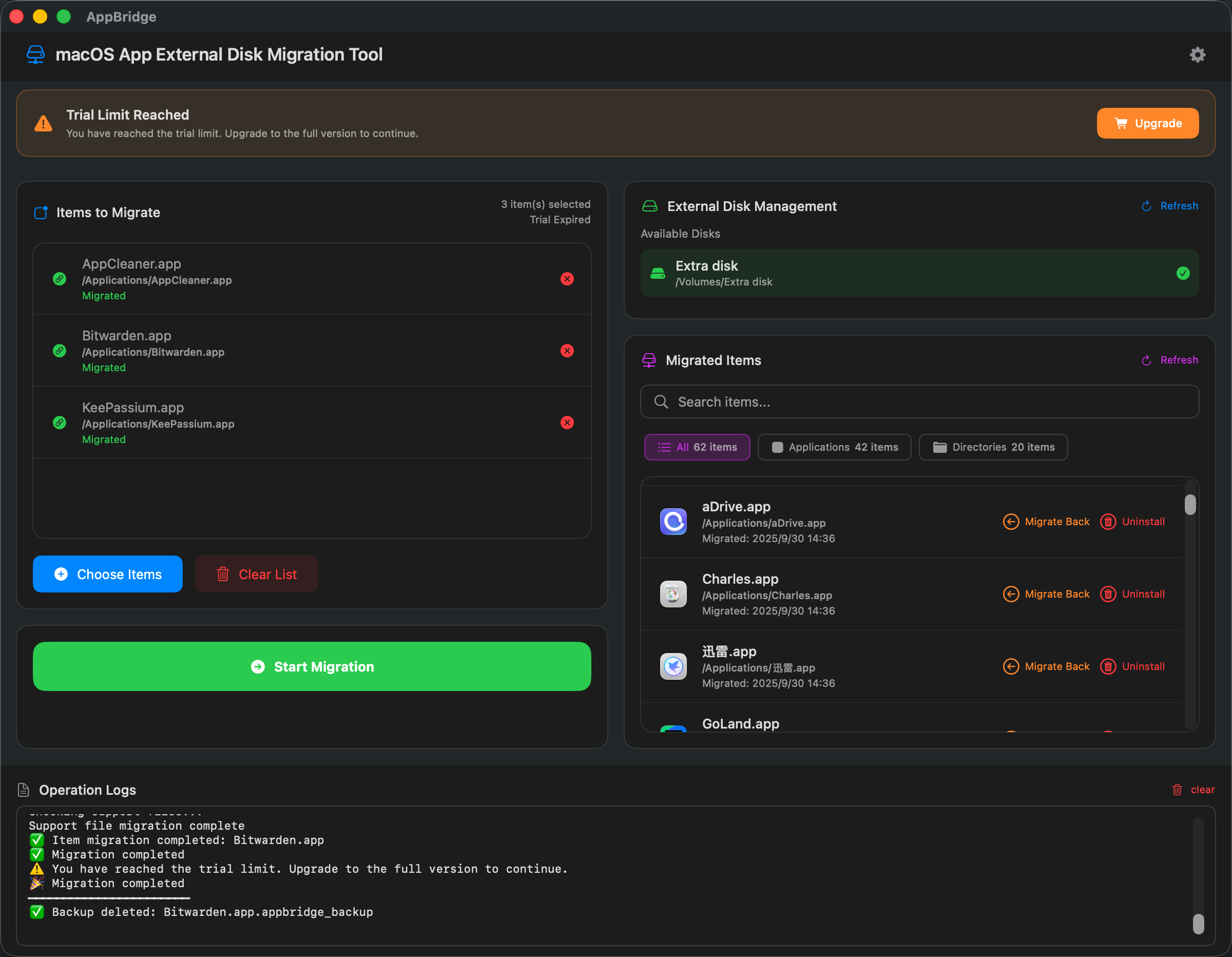
We all love our Macs, but we hate the storage pricing. Apple charges a premium for every gigabyte of internal SSD space.
Let's look at the math:
| Storage Option | Capacity Added | Approx. Cost | Cost per GB |
|---|---|---|---|
| Apple Official Upgrade | + 256 GB | $200 | $0.78 / GB |
| External NVMe SSD | + 2,000 GB (2TB) | $110 | $0.05 / GB |
The Problem: External drives are usually inconvenient. You can't just drag your Applications folder there—links break, updates fail, and the OS gets confused.
The Solution: ExtBridge. It enables you to use that affordable, high-speed external drive as if it were native internal storage.
ExtBridge isn't just for moving photos. It's designed for heavy workflows where storage matters most.
-
For Developers:
- Move Xcode (40GB+), Android Studio, or Unity Editors to your external drive.
- Support modern AI coding tools like Cursor and Antigravity.
- Offload massive Docker Images and container data.
- Store local LLM Models (Llama, Stable Diffusion weights) without clogging your system drive.
-
For Creatives:
- Move Final Cut Pro, DaVinci Resolve, Logic Pro, and Sponge to external drives.
- Migrate massive Unity / Unreal Engine projects and Assets.
- Store Blender assets and texture libraries externally.
- Keep your active project caches on a fast external NVMe SSD.
-
For Everyone:
- Move Parallels Desktop Virtual Machines (Windows/Linux images often 60GB+).
- Offload iPhone/iPad Backups (~/Library/Application Support/MobileSync) to save 100GB+ of space.
We prioritize data integrity above all else. ExtBridge employs enterprise-grade safeguards to ensure your data is never at risk.
- System-Level Cloning: Uses native
dittoto preserve 100% of metadata, permissions, and attributes. - Verification-First: Strict audit of file count & size. Migration aborts instantly if any byte is missing.
- Atomic Operations: Files are either fully at source or fully at destination. No broken intermediate states.
- Automated Rollback: Built-in "undo". Millisecond-level rollback restores everything if any error occurs.
- System-Level Symlinks: We don't use hacks. We use standard macOS symbolic links to map your external apps to
/Applications. The OS validates them as native. - Zero Performance Loss: When using a Thunderbolt or USB-C (10Gbps) SSD, apps launch and run instantly.
- Auto-Mount Awareness: ExtBridge knows when your drive is plugged in. Plug it in, and your apps appear. Unplug it, and they safely hide.
- 100% Reversible: No lock-in. One click restores everything to its original state.
Stop deleting files to make room for updates. Expand your Mac's potential today.