Download from official Docker desktop and Install like your fav game :0
- Base image:
ubuntu:24.04 - Downloads the latest Nexus CLI binary
- Runs
datagram-cliin a minimal container - Clean and customizable
1. Sign-up Here
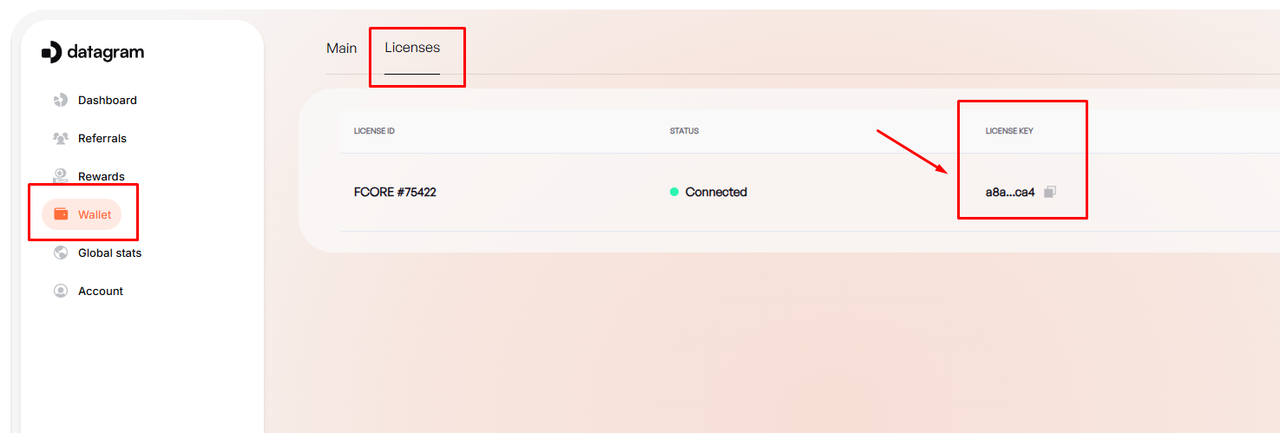
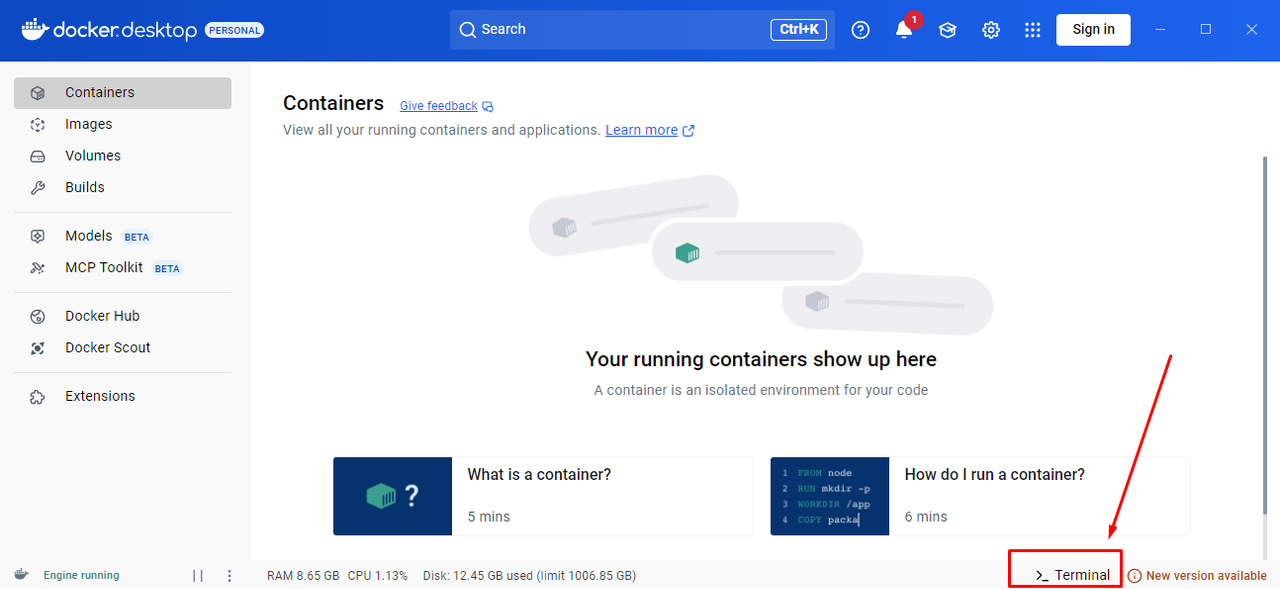
mkdir datagram; cd datagram; wget https://raw.githubusercontent.com/prolinkmoon/Datagram-node/main/Dockerfile -OutFile DockerfileBuild the docker image.
docker build -t datagram-cli .docker run --rm datagram-cli run -- -key <your-license-key>if you wanna set max cpu & memory usage:
docker run --rm --cpus="2" --memory="4g" datagram-cli run -- -key <your-license-key>This example for max cpu 2 core and 4 gb memory usage.
docker rm datagram-cli
docker rmi datagram-cli
Don't forget to delete your datagram folder.
mkdir datagram; cd datagram; wget https://raw.githubusercontent.com/prolinkmoon/Datagram-node/main/Dockerfile -OutFile DockerfileBuild the docker image.
docker build -t datagram-cli .docker run --rm datagram-cli run -- -key <your-license-key>Happy testing ..
Follow updates and Community discussions on Twitter/X: https://twitter.com/prolinkmoon