A user can login or signup to the page where they can book ticket,see ticket,see information regarding running movies etc...
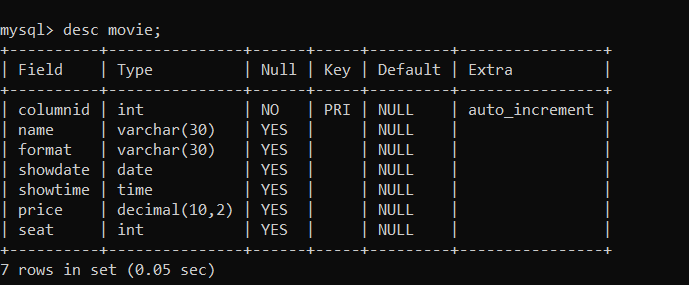
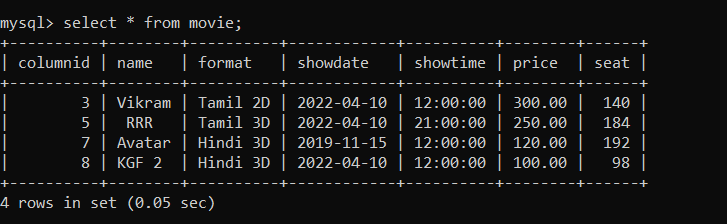
The table stores information about movies. It has columns for column id,movie name, format, show date, show time, price, and seat count where column id is the primary key. The 'columnid' column is the primary key for this table and is set to auto-increment.
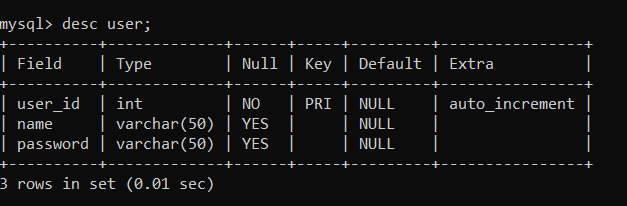
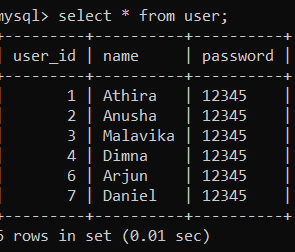
The user table stores information about the user. It has columns for user_id,name and password.Here the user_id is set as the primary key which is unique for each user.
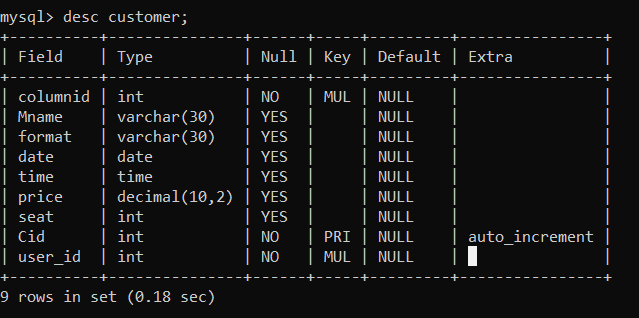
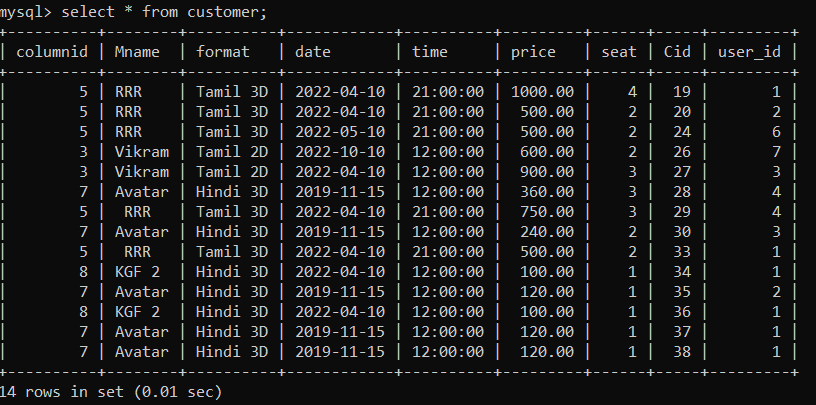
The table stores information about customers who have reserved tickets for a movie. It has columns for movie 'columnid', movie name, format, show date, show time, price, seat count, customer ID, and user ID. The 'Cid' column is the primary key for this table and is set to auto-increment. The 'columnid' column in this table is a foreign key that references the 'columnid' column in the 'movie' table, and is set to cascade delete and update. The 'user_id' column in this table is a foreign key that references the 'user_id' column in the 'user' table, and is set to cascade delete and update.
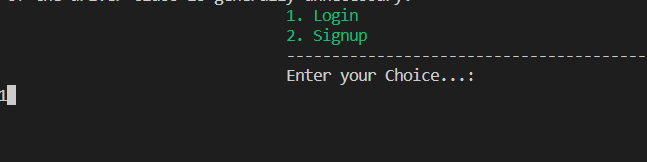
It allows a user to either log in with their existing username and password or sign up with a new username and password. First, the user is prompted to input their choice of action - login or signup. If the user chooses to log in, the program prompts the user to enter their existing username and password.
If the login is successful, the program prints a success message and proceeds with the process function. If the login fails, the program prints an error message and resets the num variable to 0 to allow the user to try again.
If the signup is successful, the program prints a success message and proceeds with the process function. If the signup fails, the program prints an error message and resets the num variable to 0 to allow the user to try again.
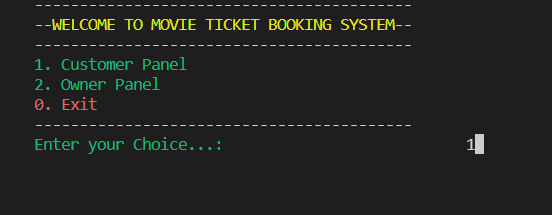
In the Customer Panal, there is a list of operations a customer can perform-
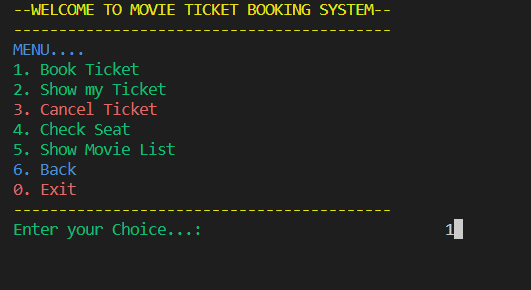
The code first calls the "ShowMovieList" method to display the list of available movies and their show timings.
The user is then prompted to enter the ID of the movie they want to watch. If the user enters 0, the method exits. If the entered ID is valid, the user is prompted to enter their name and the number of seats they want to book. The method then checks if there are enough seats available for the movie and if not, the booking is cancelled.


If there are enough seats available, the method inserts a new record into the "customer" table in the database with the movie ID, movie name, show format, date, time, price, number of seats, and customer name. It then updates the "seat" field in the "movie" table to reflect the remaining available seats. If the booking and updating are successful, the method displays a success message and shows the user their ticket details.
If any error occurs during the booking process, the method displays an error message and exits.
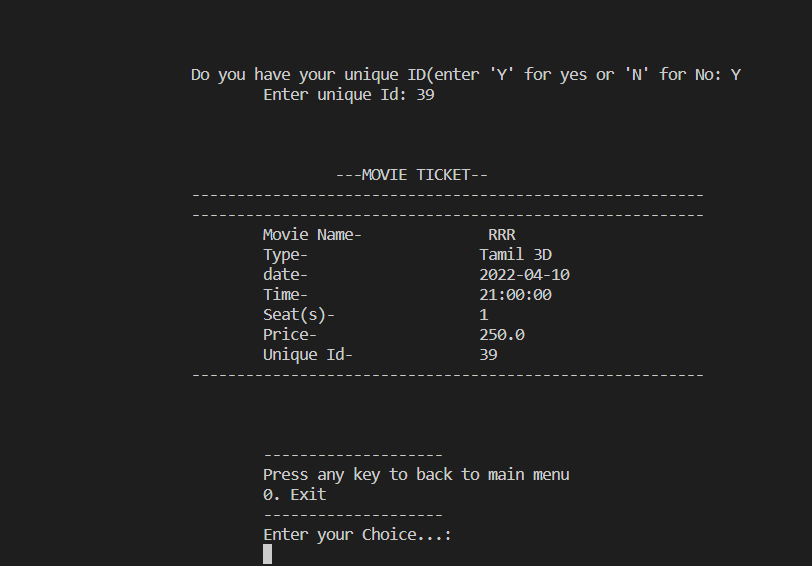
The code is a Java method that shows a movie ticket for a customer identified by their unique ID number. The method retrieves the ticket information from a SQL database table called "customer" using a prepared statement with the customer ID parameter. If the customer exists, the ticket information is printed to the console and also written to a text file with the customer's name as the file name. The ticket information includes the movie name, type, date, time, seat(s), price, and unique ID. If the customer does not exist in the database, a message is displayed indicating that no booking is available. The method handles any exceptions that might occur during the process.
This method cancels a previously booked movie ticket by taking a unique ID as input. It fetches the corresponding seat and movie details from the database, allows the user to confirm the cancellation, updates the movie seat availability, and deletes the ticket information from the customer table.

This method displays the available seats for all movies in the database. It fetches the movie details from the database and prints them in a tabular format.

This function displays a list of all the movies in the database, along with their details like ID, name, format, show date and time, price, and available seats. It returns the number of movies in the list.

The Owner Panal has a login page so that it can be accessed only by owner
Username - anamika Password - password
After successfully login, there is shown a list of operations that the Owner can perform-

This function adds a new movie to the database. It takes input from the owner for movie name, format, show date, show time, price and available seats. It then parses the input and prepares an SQL statement to insert the movie data into the database. If the insertion is successful, it prints a success message, otherwise, it prints a failure message.

This function is used to delete a movie from the movie database. It takes the movie ID as input and displays the details of the movie. The user is prompted to confirm the deletion by pressing 'd'. If the user confirms, the movie is deleted from the database, otherwise the function exits. The function uses SQL queries to select and delete the movie. If an error occurs, an exception is caught and an error message is displayed.
This function retrieves all movies from the database and displays them in a formatted table with their details such as ID, name, format, show date, show time, price, and available seats. It returns the total number of movies displayed. If any exception occurs, it will be caught and a corresponding error message will be displayed.
This function retrieves and displays all the booking details from the customer table, along with the associated movie details from the movie table. The method also returns the total number of bookings made. The output includes the customer's name, booking ID, number of seats booked, and the movie ID.
This fucntion will display nunber of booking for a perticular movie
