One of the key features in the Smarter Resources project is going to be good filtering. We want to be able to tag all our resources with stuff like difficulty and domain, and then filter by those tags in a clever way.
How will the filtering work?
Instead of having separate pages for all the different resource types, we'll just have a single page where we display all the resources. This page will allow filtering via GET parameters, so that accessing it with https://pydis.com/resources?type=book will show all the books, and accessing it with https://pydis.com/resources?type=book&price=free will show only the free books.
On this page, we'll show filtering options in a sidebar using checkboxes. Here's an ugly mockup:
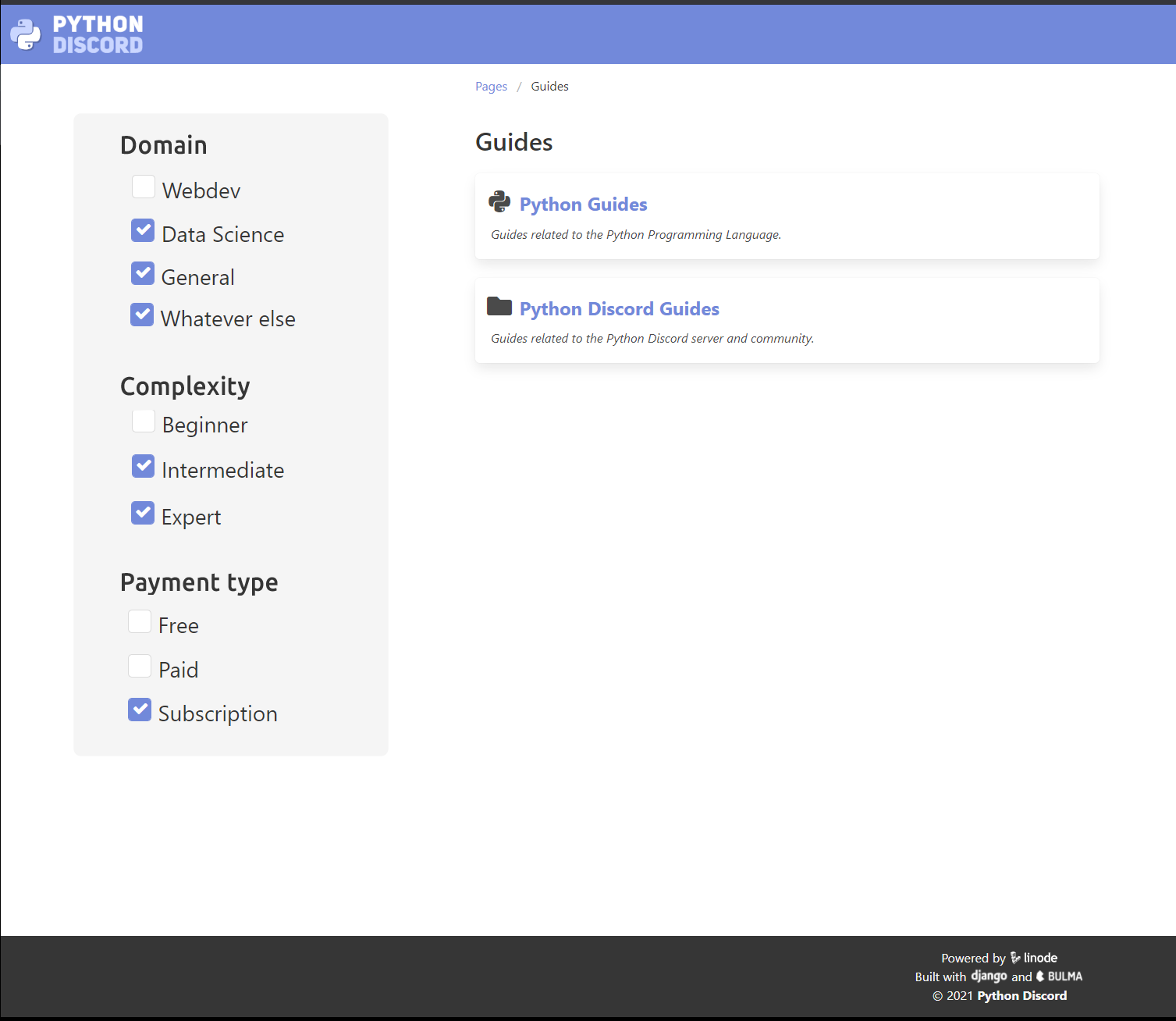
This page should be reactive, so that clicking on one of these checkboxes immediately changes the contents displayed on the page. We may need to use something like https://htmx.org/ to pull that off, but the user experience is going to be much much better, so we should make the effort.
Which tags do we need?
Initially, we'll tag our resources with one of each of the following tags. Note that part of this issue will be working through all existing resources and assigning tags to them.
Resource type
- Book
- Guide
- Course
- Interactive
- Video
- Podcast
- Tool
- Community
Difficulty
- Beginner
- Intermediate
- Expert
Price model
Domain
- Web Development
- Data Science
What about that beautiful categories page we currently have?
You mean this page?
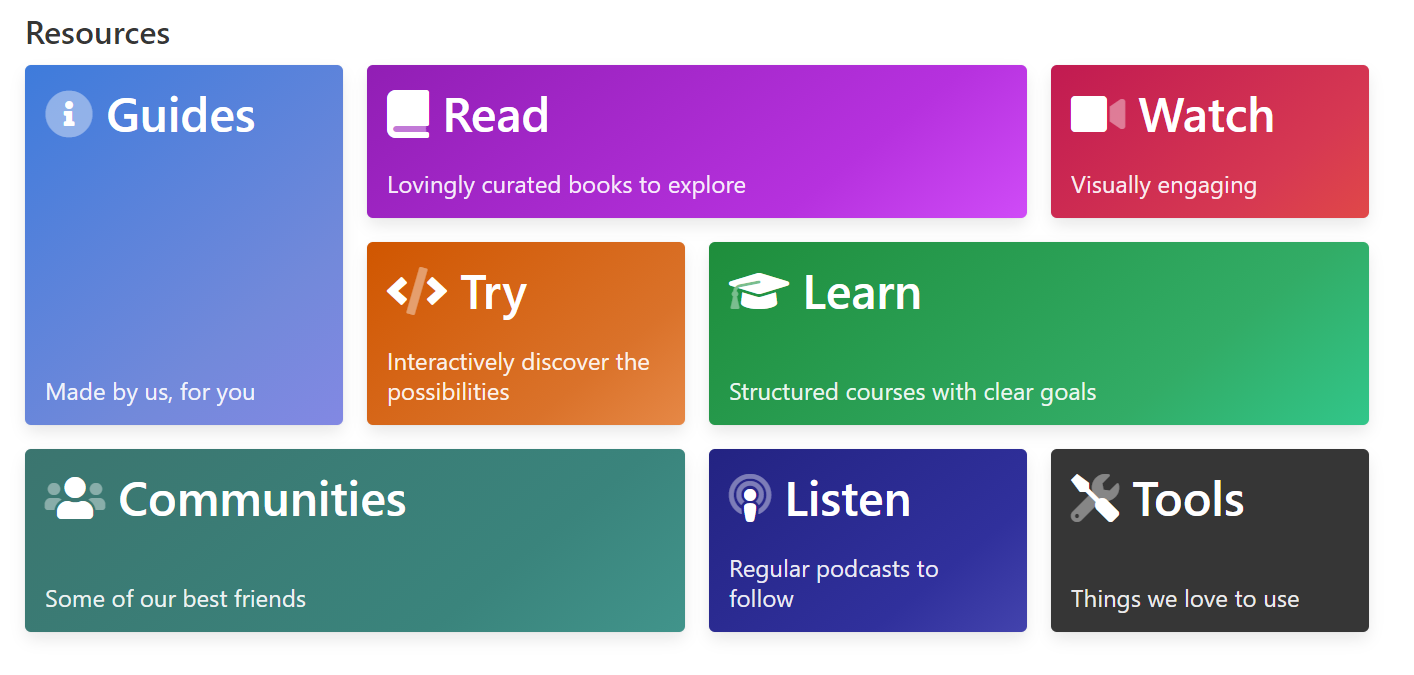
I think we should get rid of this page, save our users an additional click.
Related issues
Resolves #484
Resolves #449


One of the key features in the Smarter Resources project is going to be good filtering. We want to be able to tag all our resources with stuff like difficulty and domain, and then filter by those tags in a clever way.
How will the filtering work?
Instead of having separate pages for all the different resource types, we'll just have a single page where we display all the resources. This page will allow filtering via GET parameters, so that accessing it with https://pydis.com/resources?type=book will show all the books, and accessing it with https://pydis.com/resources?type=book&price=free will show only the free books.
On this page, we'll show filtering options in a sidebar using checkboxes. Here's an ugly mockup:

This page should be reactive, so that clicking on one of these checkboxes immediately changes the contents displayed on the page. We may need to use something like https://htmx.org/ to pull that off, but the user experience is going to be much much better, so we should make the effort.
Which tags do we need?
Initially, we'll tag our resources with one of each of the following tags. Note that part of this issue will be working through all existing resources and assigning tags to them.
Resource type
Difficulty
Price model
Domain
What about that beautiful categories page we currently have?
You mean this page?

I think we should get rid of this page, save our users an additional click.
Related issues
Resolves #484
Resolves #449