Home
Unspool is a native macOS application for finding and downloading attachments from Telegram chats while preserving the filenames Telegram supplied. It uses SwiftUI for the interface, Swift 6 strict concurrency for state isolation, and the official TDLib client library for Telegram authorization, chats, history, and file transfers.
The app is designed around three guarantees:
- The selected chat is the active data boundary. Switching chats clears active selection and activates only the attachment index for the new chat and history range.
- Telegram's filename is authoritative. Unspool does not rebuild music filenames from artist, title, caption, or tags.
- Filesystem changes are explicit and recoverable. Existing files are skipped by default. Replacement and copy naming require a user decision during preflight.
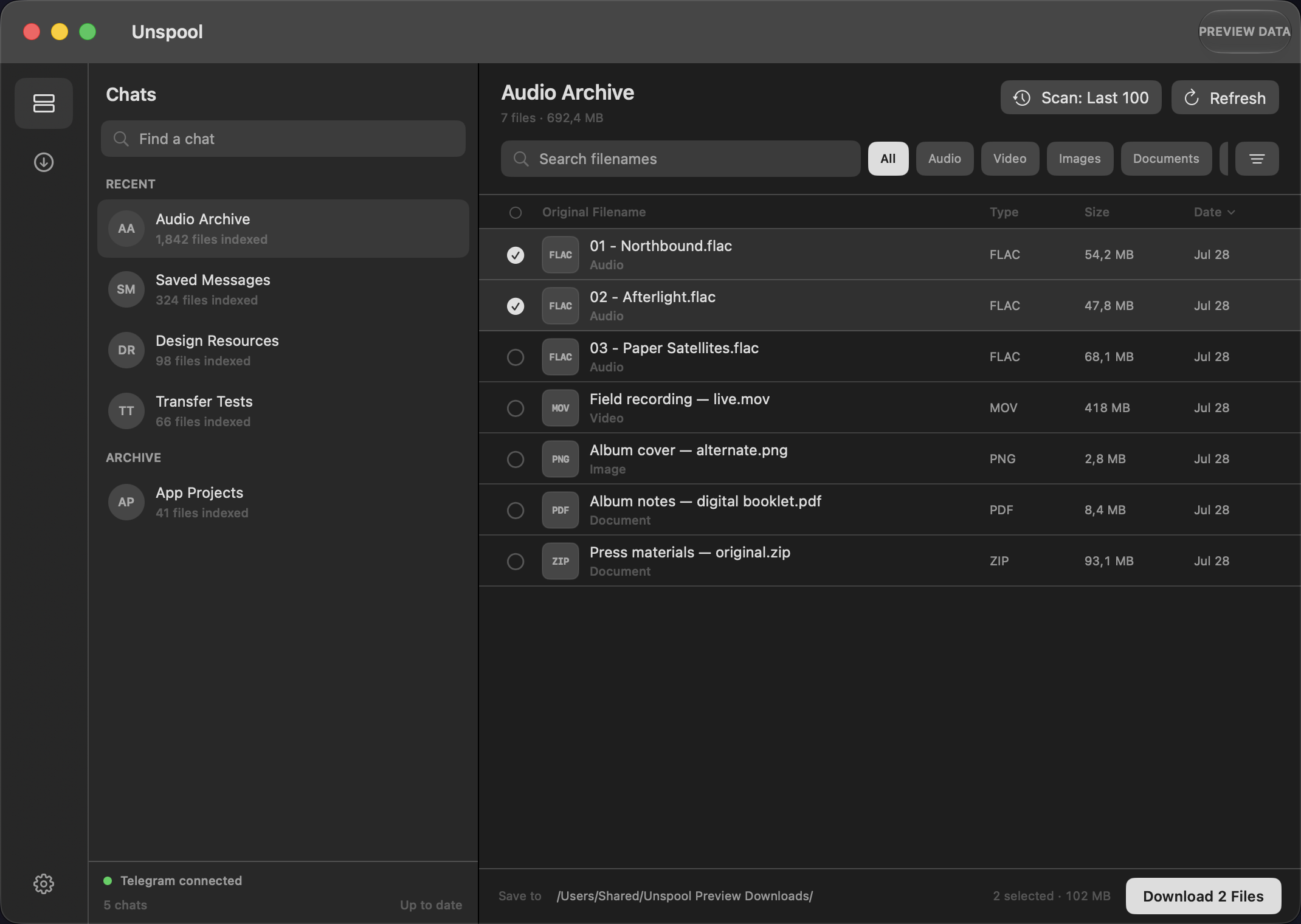
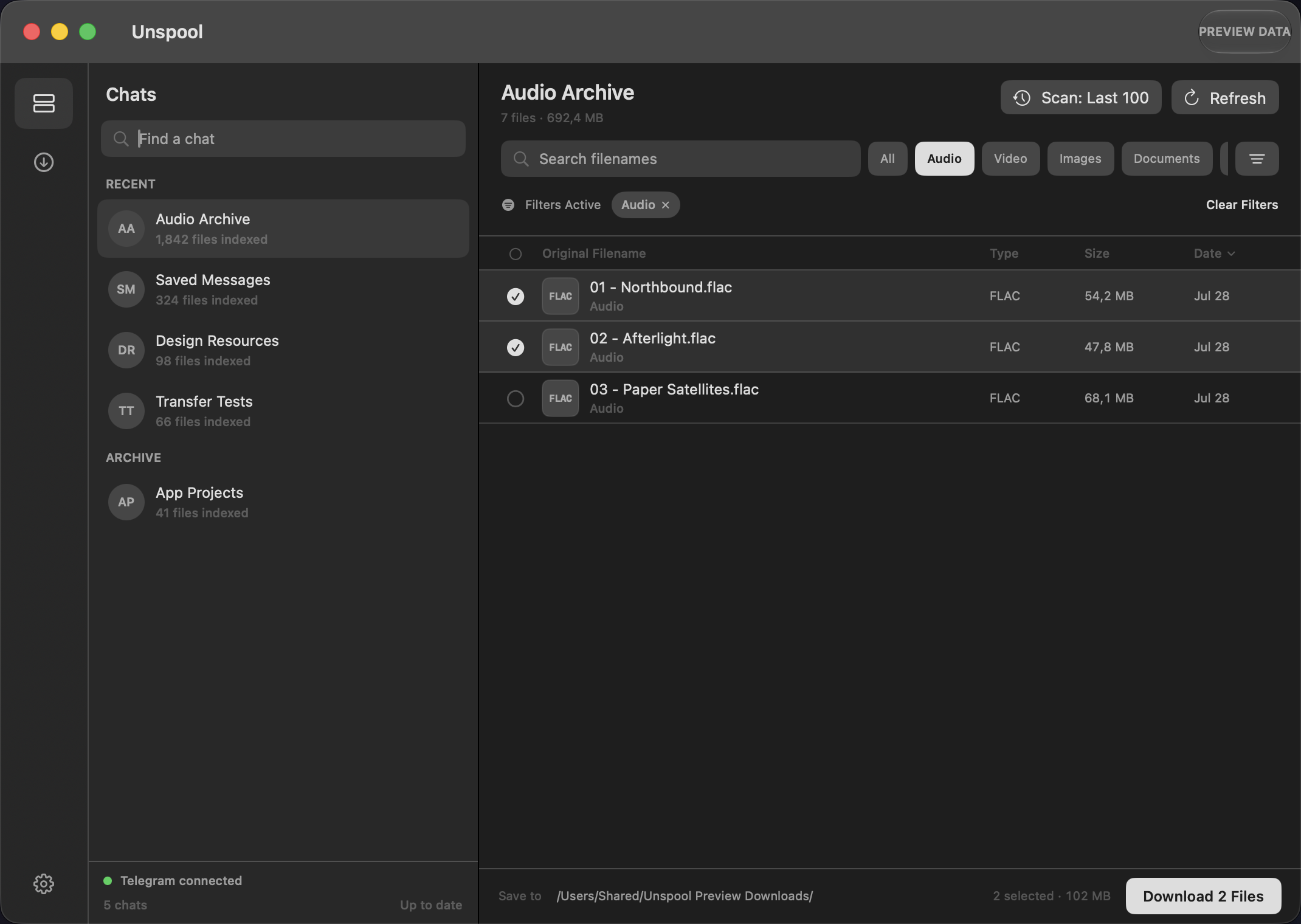
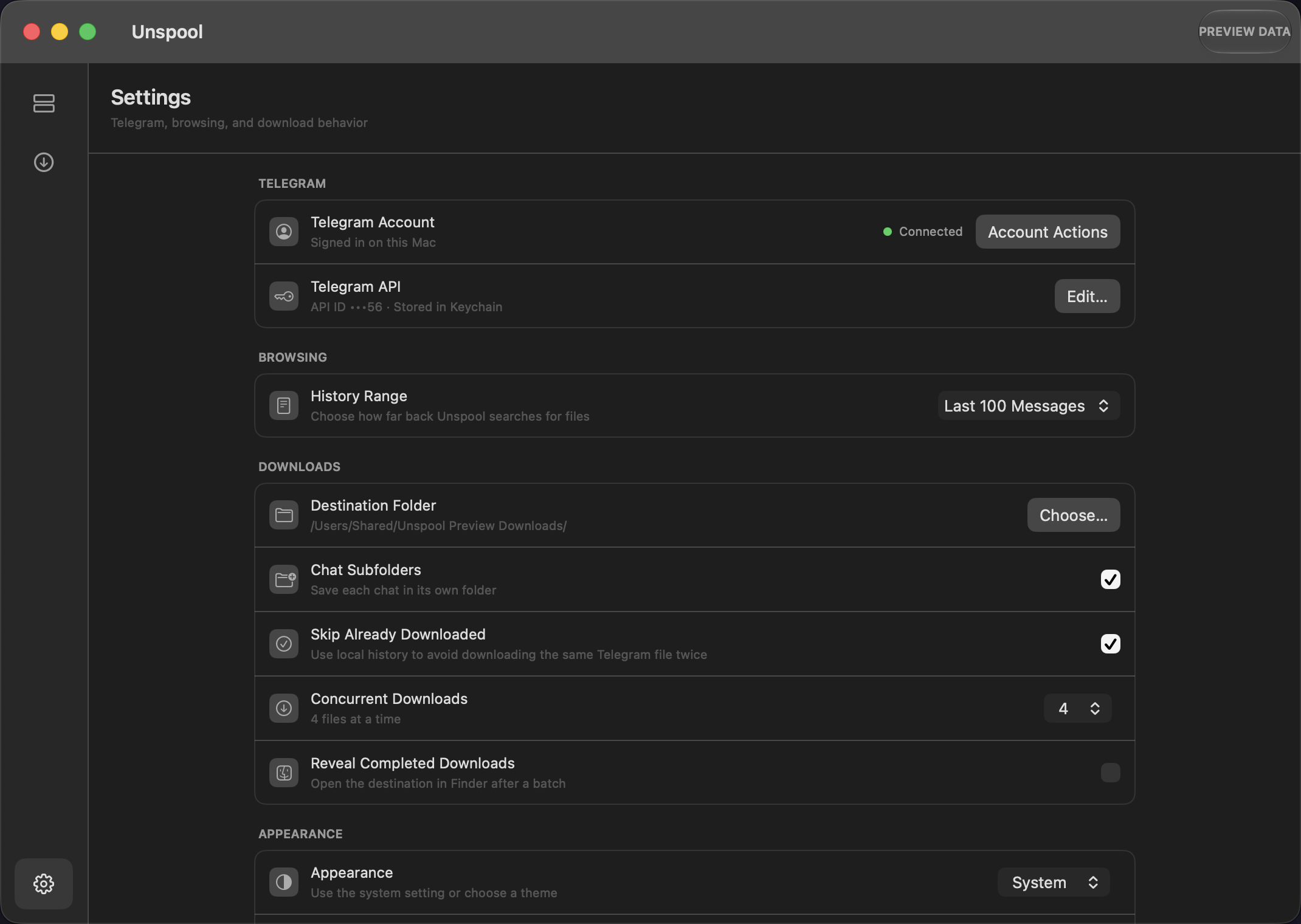
The screenshots use Unspool's isolated preview fixtures. All chats, filenames, counts, credential fragments, and destinations are synthetic; no personal Telegram session is opened during capture.
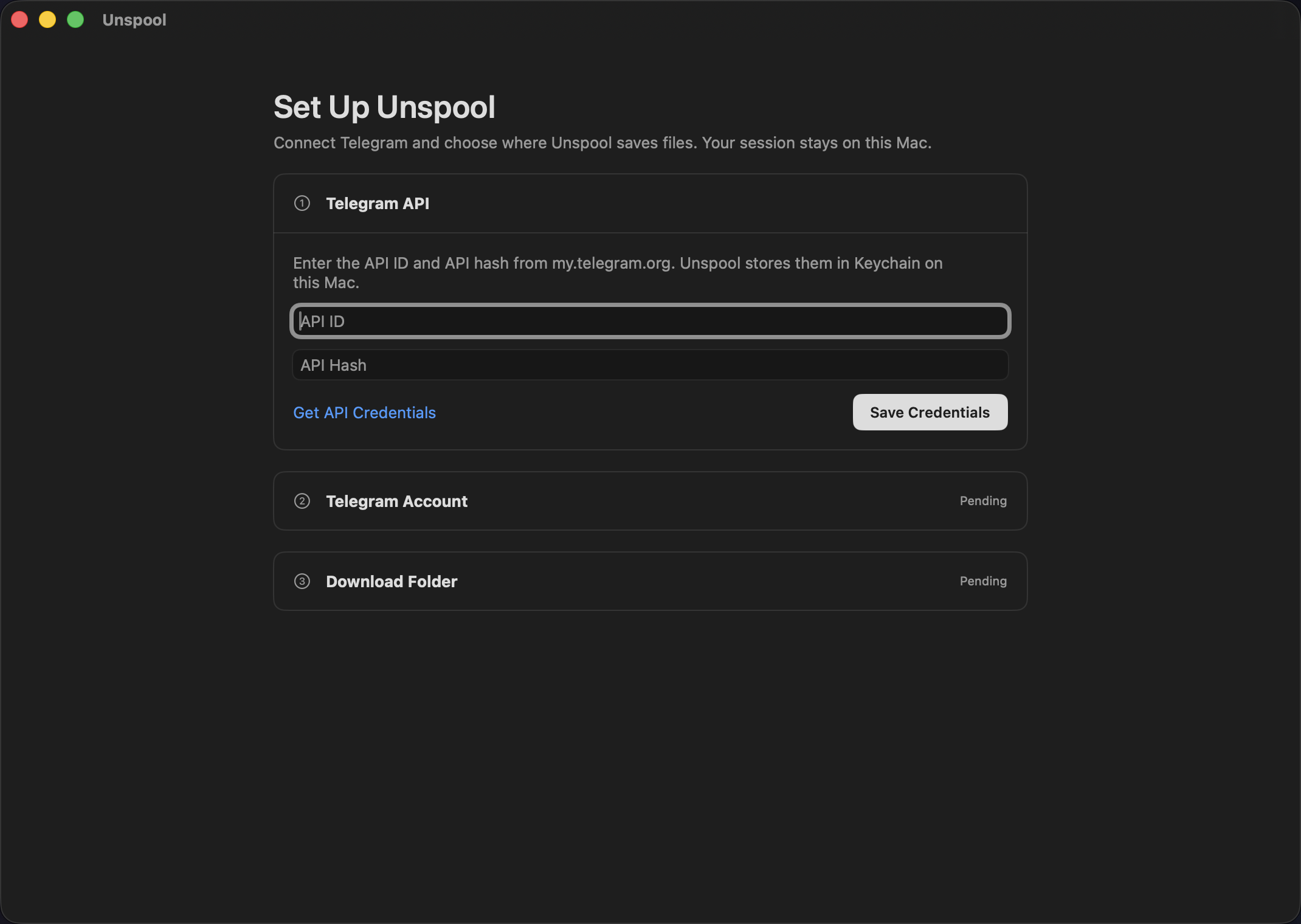
- Sign in to a Telegram account through TDLib.
- Restore cached main and archived chat summaries before network pagination completes.
- Scan the latest 25, 50, 100, 250, or 500 messages, or exhaust the available history.
- Discover every attachment representation mapped by the current TDLib layer, including documents, music, voice messages, videos, animations, images, stickers, and unfamiliar file extensions.
- Search by original filename and combine category, extension, size, date, and sort controls.
- Use standard macOS multi-selection behavior.
- Preflight file count, known size, destination capacity, previous downloads, and filename conflicts.
- Download one to six files concurrently, then pause, resume, cancel, or retry.
- Restore an interrupted batch and keep a unified local download history.
- Save to a user-selected folder, optionally grouped by chat.
Unspool is currently a source-only development build. There is no signed, notarized, or App Store distribution. The permanent application icon is intentionally deferred. The repository gate verifies formatting, linting, unit tests, and test compilation, while real Telegram and macOS accessibility scenarios remain manual release gates.
| Goal | Start here |
|---|---|
| Connect an account | Getting Started and Telegram Setup |
| Understand history ranges | Browsing Chats and Message History |
| Find a specific file | Search, Filters, Sorting, and Selection |
| Understand filename handling | Attachments, Formats, and Filenames |
| Download safely | Download Workflow |
| Resolve an existing-file warning | Conflicts, File Safety, and Recovery |
| Build the project | Building and Dependencies |
| Understand the internals | Architecture |
| Diagnose a problem | Troubleshooting and FAQ |
Unspool is independent software and is not affiliated with, maintained by, or endorsed by Telegram.