Releases: qoala/InvisibleInc-ModManager
Releases · qoala/InvisibleInc-ModManager
Release list
v0.4.0 - Mod Versions

- Mod Versions
- Double-click on target version to manually specify a specific version to be installed.
- Expand row to view all downloaded versions for that mod.
- Download Known Updates action
- In case of a crash during updating, or hypothetical future actions that separate checking for and downloading updates.
See Usage if this is your first time using the mod manager.
v0.3.0 - Alias Support
- Alias Support
- Mods can be installed with an alias, instead of their steam-workshop-derived mod ID.
- Importing installed mods will remember the current alias.
- Mods remember a default alias that they've been installed under. (Prompt to update when installing mods)
- Automatically prompts the user on the following actionable situations:
- Game installation was not found in the expected directory.
- Can import installed mods to the download cache.
- Can update II Mod Manager. (provides link, but does not automate installation)
- Clicking on the checkbox in the main mods window now cycles between uninstalled/current/latest if the currently selected version isn't the latest one.
- Add an application icon.
See Usage if this is your first time using the mod manager.
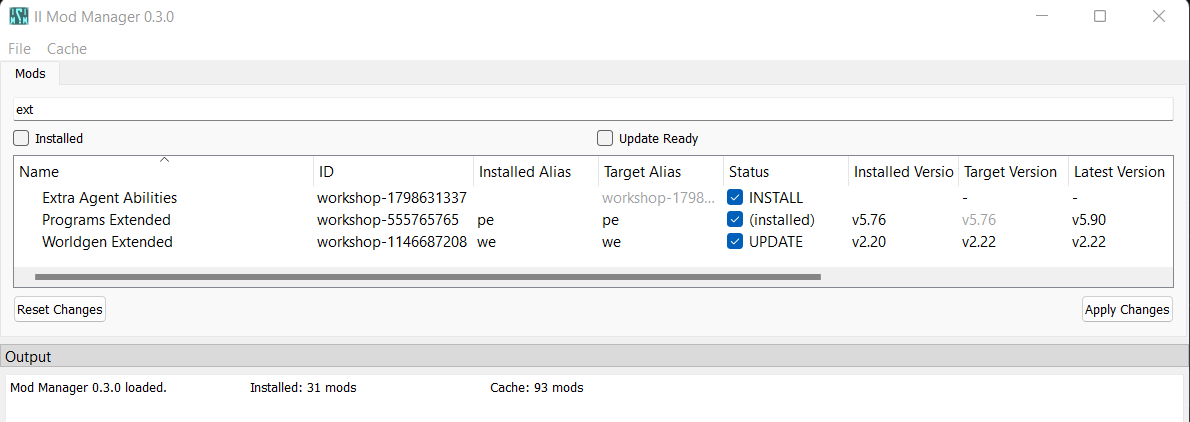
Initial release of Mod Manager GUI
Features:
- Maintains a download cache, separate from the installed mods folder, so that unused mods can be easily uninstalled to avoid interfering with the game.
- New mods can be added to the cache by
- Pasting the mod's workshop URL into the Add Workshop Mod dialog.
- Importing existing installed mods.
- Check for and download updates for workshop mods.
- Install/Remove/Update mods to the installed mods folder.
- Save and load the list of currently installed mods.
See Usage.