Reminders and Push
Second Brain is proactive: it does not just remember what you tell it, it actively communicates with you about important reminders. Give a memory a time anchor, review the due feed, and optionally let the installed PWA send a push when something becomes due.
Add an optional when value when you save or update a memory. when accepts a
plain date or a datetime. when_kind can be due, event, or wake, and
defaults to wake when omitted.
With MCP, remember accepts when and when_kind:
{
  "content": "Send the renewal proposal",
  "tags": ["task"],
  "when": "2026-09-30",
  "when_kind": "due"
}
append accepts the same two fields alongside its required id and
addition fields. The REST equivalent is POST /capture:
{
  "content": "Renew the hosting plan on September 30",
  "when": "2026-09-30T09:00:00-04:00",
  "when_kind": "due"
}
Dates without an explicit offset use the brain's TIMEZONE. A date-only value
anchors at local midnight in that IANA timezone. The same timezone handling
applies to dates extracted from content and dates written by the nightly pass.
At capture time, a no-cost regex pass looks for an unambiguous future absolute
date in the content. It recognizes ISO dates such as 2026-09-30, month names
such as Sep 30 or September 30, and slash dates with a four-digit year such
as 9/30/2026. Ambiguous slash dates such as 9/10/2026 are ignored. The
pass does not guess from phrases such as "next Friday" or "end of month".
The nightly maintenance pass then asks Workers AI to judge eligible memories for commitments and a specific due date. It is capped at 20 model calls per night and only persists a confident, near-term result. This uses the Workers AI free tier when the brain is deployed on that tier, subject to Cloudflare's current limits.
Administrators can preview the next candidates without persisting anything:
GET /extract/dry-run?limit=5
The limit parameter is optional and accepts 1 through 10, with a default of
5. The endpoint returns each candidate's verdict, proposed due_at, kind,
and confidence. It requires an admin identity.
GET /due returns overdue items and items due within the next 48 hours. Each
item includes its id, short content, label, tags, when_at, when_kind, and
when_source. The dashboard displays the same data in its due sheet.
Use these actions from an authenticated client:
POST /due/snooze     { "id": "entry-id", "until": "2026-10-01" }
POST /due/clear      { "id": "entry-id" }
Snooze requires a future until value. Clear removes the time anchor and marks
it cleared so the nightly pass does not immediately add it again.
The open-loops queue is separate from the time anchor. GET /loops lists
task-tagged memories that have no completion signal. Resolve one with:
POST /loops/resolve { "id": "entry-id", "action": "done" }
Use action: "not-task" when the task tag was incorrect. The dashboard's
open-loops panel offers the same Done and Not a task choices.
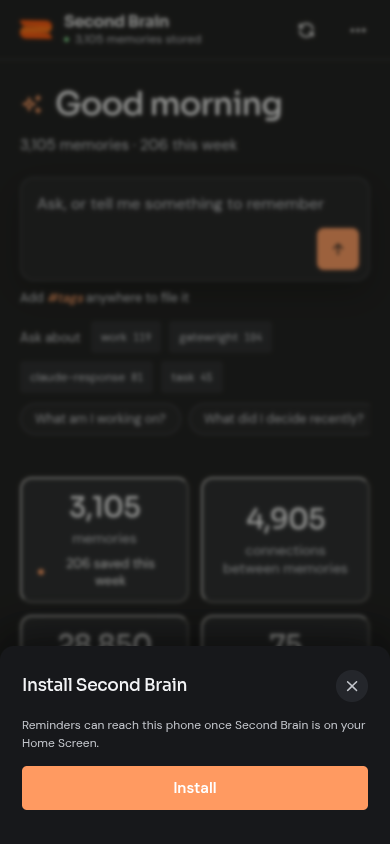
Push is per device. In the dashboard, open the in-app install guide and install the Second Brain PWA. Then choose Enable notifications in the Notifications section. The content-free toggle keeps memory text out of the notification and sends only that something is due.
The deployment generates its own VAPID keys in KV, so there are no keys to paste and no third-party notification service to configure. Each deployment is its own sender. Browser subscriptions are stored per device. The hourly sender deduplicates by entry and due timestamp, so it sends again only when the date changes, such as after a snooze. It sends at most three due items per run.
When a notification is tapped, the due sheet opens to the relevant item. This works when the iOS app is cold-started and when the installed PWA is resumed.
For a live delivery diagnostic, an administrator can call:
POST /push/test
The response includes per-device results, with an endpoint hash prefix and a
status for each subscription. POST /push/run runs the real due sender and
also returns capped per-device results.

Set these values through the configuration surface or your deployment environment:
| Key | Purpose | Default |
|---|---|---|
TIMEZONE |
IANA timezone used for date-only and offsetless time anchors | UTC |
PUSH_CONTACT |
Optional VAPID contact, either mailto:<address> or an https:// URL |
empty, the deployment origin is used |
WHEN_LLM_MODEL |
Workers AI model used by the nightly commitment-extraction pass | @cf/openai/gpt-oss-120b |
PUSH_CONTACT is optional because VAPID keys are generated automatically in
KV. WHEN_LLM_MODEL is independent from the general LLM_MODEL setting.
Safari or iOS says push is unavailable. Install the PWA to the Home Screen first. Open the in-app install guide for the exact Add to Home Screen steps for your browser and platform, then enable notifications from the installed app.
The test did not arrive. Confirm that the device is subscribed and call
POST /push/test as an administrator. Read the returned per-device results
statuses. A stale subscription is removed after the push service reports it is
gone, and repeated failures are retired after the sender's failure threshold.
A reminder is not in the due sheet. Check that its when is in the past or
within 48 hours, that it was not cleared, and that the date was unambiguous.
Use GET /extract/dry-run?limit=5 as an administrator to inspect what the
nightly pass would decide for eligible memories.
See also: API Reference · Capture from Anywhere · Web UI