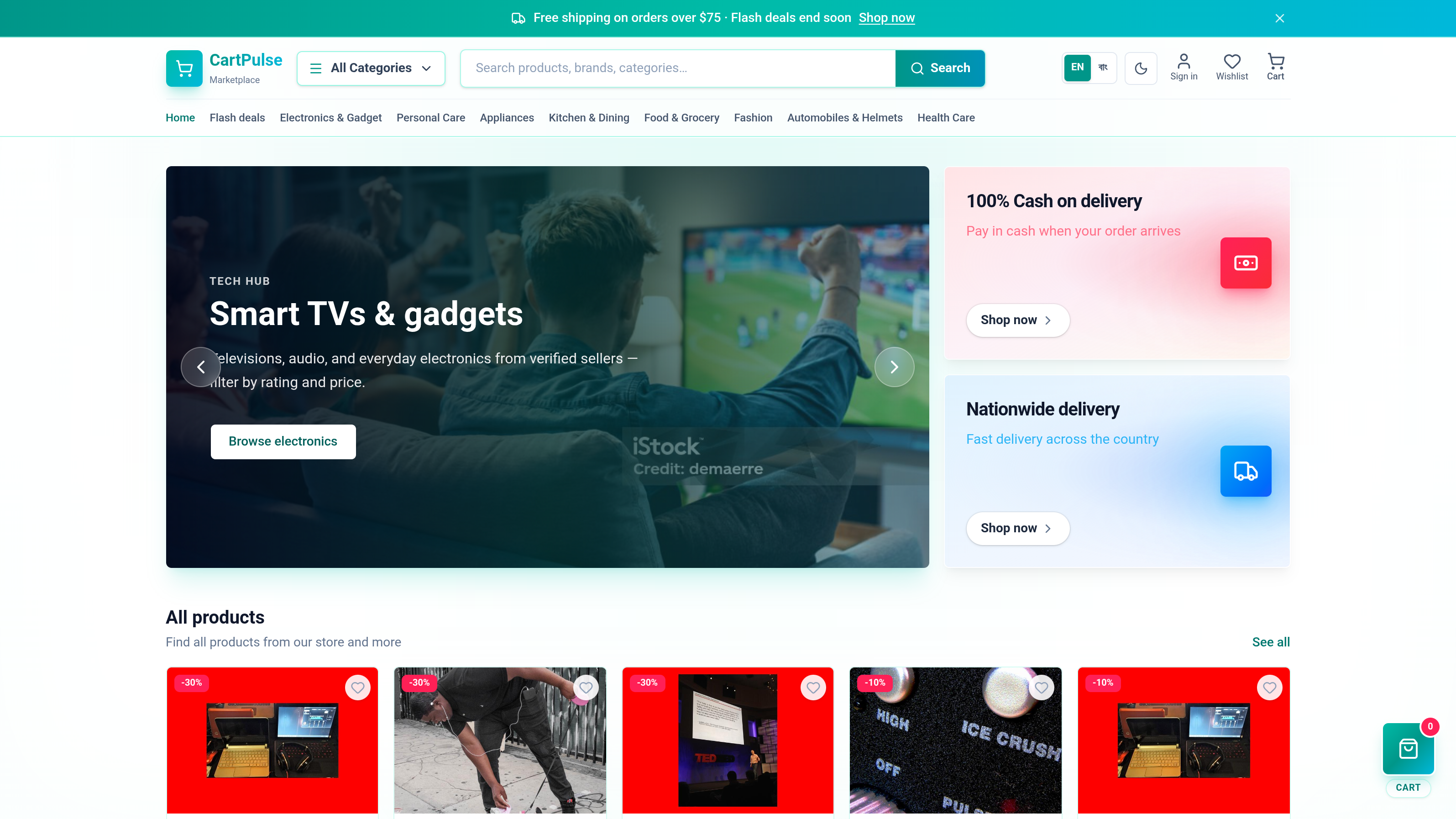
CartPulse is a full-stack multi-store e-commerce marketplace built with Next.js 16. It includes a public storefront, customer dashboard, admin panel, Prisma + PostgreSQL catalog, Redux cart, NextAuth, Stripe/COD checkout, digital library, and bilingual UI (en / bn).
Live demo: cartpulse-beta.vercel.app
For architecture, routes, roles, APIs, and design patterns — see ARCHITECTURE.MD.
For service docs, role guides, and feature checklist — see docs/.























Key dependencies: @prisma/client · @prisma/extension-accelerate · @prisma/adapter-pg · next-auth · @auth/prisma-adapter · @reduxjs/toolkit · react-redux · @tanstack/react-query · @tanstack/react-table · stripe · @stripe/stripe-js · next-intl · next-themes · lucide-react · tailwind-merge · zod · resend · cloudinary · bcryptjs · date-fns · xlsx · @lottiefiles/dotlottie-react
- Storefront — token-aware catalog search (debounced 600ms), filters, variants, flash deals, store directory, cart drawer, checkout
- Catalog pagination — cursor-based Load more (
cursor/nextCursor); never dumps the full catalog - Admin / account tables — server-side offset pagination (
page/pageSize) with debounced search - Auth — credentials + Google/GitHub OAuth, email verification, password reset, role-based access
- Customer dashboard — orders, wishlist, reviews, addresses, profile, notifications, digital library
- Admin panel — products, stores, categories, coupons, orders, analytics, activity log, export
- Commerce — server-side pricing, inventory decrement, COD + Stripe, promo codes, order emails
- Performance — homepage ISR (
revalidate = 60), CDN cache on public catalog GETs, Prisma Accelerate connection pool +cacheStrategyon hot reads - i18n — English + Bengali routing (
/bn/*)
| Requirement | Version / notes |
|---|---|
| Node.js | 24.11.0 (see package.json engines) |
| Yarn | Package manager for this repo |
| PostgreSQL | Local instance or hosted Postgres URL |
cd cartpulse
nvm use          # installs/uses Node 24.11.0
yarn installcp .env.example .envEdit .env and set at minimum:
| Variable | Required | Notes |
|---|---|---|
DATABASE_URL |
Yes | Direct postgres://… for migrate / db:push / db:reset |
DATABASE_ACCELERATE_URL |
Yes | Prisma Accelerate prisma+postgres://… — app runtime (lib/prisma.ts) |
AUTH_SECRET |
Yes | openssl rand -base64 32 |
AUTH_URL |
Yes | http://localhost:3000 for local dev |
NEXT_PUBLIC_APP_URL |
Yes | Same as AUTH_URL locally |
Optional (enable features when set):
| Variable | Enables |
|---|---|
RESEND_API_KEY + EMAIL_FROM |
Registration verification, password reset, order emails |
STRIPE_SECRET_KEY + NEXT_PUBLIC_STRIPE_PUBLISHABLE_KEY |
Card checkout |
CLOUDINARY_URL (or split keys) |
Admin product upload + profile avatar upload (credentials users) |
GITHUB_CLIENT_ID / GITHUB_CLIENT_SECRET, GOOGLE_CLIENT_ID / GOOGLE_CLIENT_SECRET |
Google & GitHub OAuth sign-in |
yarn db:push        # apply Prisma schema + generate client
yarn generate:data  # build data/products.json (200 products)
yarn db:seed        # seed stores, categories, products, coupons, demo users
postinstall runs prisma generate automatically after yarn install.
yarn devOpen http://localhost:3000. Bengali UI is available at http://localhost:3000/bn.
- Copy values from
.env.exampleinto.env - Configure redirect URIs in each provider console:
| Provider | Authorized JavaScript origin | Authorized redirect URI |
|---|---|---|
http://localhost:3000 |
http://localhost:3000/api/auth/callback/google |
|
| GitHub | http://localhost:3000 (Homepage URL) |
http://localhost:3000/api/auth/callback/github |
- Restart
yarn devafter changing.env
Account linking: One email = one user. If someone registers with email/password and later signs in with Google/GitHub using the same email, the OAuth account links automatically (no duplicate user).
Seeded by yarn db:seed:
| Role | Password | Primary panel | Personal dashboard | |
|---|---|---|---|---|
| Super Admin | superadmin@platform.com |
password123 |
/admin |
/dashboard (also works) |
| Admin | admin@platform.com |
password123 |
/admin |
/dashboard (also works) |
| Customer | customer@demo.com |
password123 |
— | /dashboard |
Admins & super admins have two areas: Admin panel (/admin) for store management and My Account (/dashboard) for personal orders, wishlist, digital library, notifications, and profile.
Digital products: Admins can mark products as digital with a download URL. After payment, items appear in the customer Library (/dashboard/library) with secure download via /api/library/[productId].
| Command | Description |
|---|---|
yarn dev |
Next.js dev server (Turbopack) |
yarn build |
Production build |
yarn start |
Run production server |
yarn lint |
ESLint |
yarn typecheck |
tsc --noEmit |
yarn db:push |
Push schema to DB + regenerate Prisma Client |
yarn db:migrate:deploy |
Apply migrations on production/hosted DB |
yarn db:generate |
Regenerate Prisma Client only |
yarn db:seed |
Seed demo data |
yarn db:studio |
Prisma Studio |
yarn db:test |
Smoke-test DB counts |
yarn generate:data |
Regenerate data/products.json |
yarn db:reset |
DROP + CREATE database → push → generate data → seed |
- Set env vars in Vercel → Settings → Environment Variables (same as
.env, with production URLs forAUTH_URLandNEXT_PUBLIC_APP_URL) - Set both
DATABASE_URL(direct TCP) andDATABASE_ACCELERATE_URL(Accelerate) - Use Node.js 24.x
- Push schema + seed against your hosted database before first deploy:
yarn db:push
yarn generate:data
yarn db:seed- Redeploy after changing env vars
If prisma/schema.prisma changed:
nvm use
yarn install
yarn db:push
yarn db:seed    # optional — only if you need fresh demo data
yarn dev
Restart the dev server after schema or .env changes.
yarn db:reset wipes PostgreSQL only. Clear browser state afterward or you may see a stale cart badge or signed-in name:
- DevTools → Application → Local Storage → remove
cartpulse*keys, or run:
Object.keys(localStorage)
  .filter((k) => k.startsWith('cartpulse'))
.forEach((k) => localStorage.removeItem(k))- Clear site cookies for
localhost(NextAuth session), or sign out - Hard refresh (
Cmd+Shift+R/Ctrl+Shift+R) - Sign in again with a demo account above
| Problem | Fix |
|---|---|
| Wrong Node version | nvm install 24.11.0 && nvm use |
Failed to fetch products / API 500 |
Check DATABASE_URL + DATABASE_ACCELERATE_URL, then yarn db:push && yarn db:seed |
Stale cart or user name after db:reset |
Clear cartpulse* localStorage + auth cookies (see above) |
| Prisma client out of date | yarn db:generate or yarn db:push |
| Accelerate / Prisma cache stays at 0% | Ensure DATABASE_ACCELERATE_URL is set and reads use accelerateArgs / cacheStrategy (lib/api/accelerate-cache.ts) |
Auth.js ClientFetchError on storefront |
Ensure dev server is running; /api/auth/session must not be blocked (see ARCHITECTURE) |
Google/GitHub AccessDenied on sign-in |
Restart dev server after auth code changes; ensure redirect URIs match table above exactly |
OAuth Configuration / server error |
Check terminal logs; ensure User.image column exists (yarn db:push) and Cloudinary is set if uploading avatars |
| Stripe checkout not redirecting | Set Stripe keys in .env, restart yarn dev, choose Card / Stripe at checkout |
| Avatar upload fails | Set CLOUDINARY_* in .env; only available when signed in with email + password |
| Notifications inbox empty after ship | Run yarn db:push (adds notifications table); change order status again — old updates are not backfilled |
| Library empty after buying digital item | Order must reach PAID; run yarn db:push (digital fields + library_items); re-seed for demo library items |
| Admin cannot find personal dashboard | Go to /dashboard or click My Account in admin header / storefront header (not auto-redirected on login) |
| Catalog / Load more feels empty or stuck | Confirm API returns meta.nextCursor / hasMore; filters reset the cursor (new first page) |
| Search “mobile” returns helmet gear | Token search is required (lib/utils/product-search.ts); redeploy if still on old contains description matching |
| Slow Vercel TTFB on catalog | Public catalog GETs should send Cache-Control with s-maxage; co-locate Vercel region + Postgres near users |
Stripe test cards and webhook setup are documented in ARCHITECTURE.MD under Storefront → Checkout.