This example illustrates how to display an intro/splash screen before the AR engine is started (and the user is asked for device permissions)
When the user clicks the "Start AR" button, 8th Wall's AR engine is started, users are prompted to allow browser permissions, and the intro/splash screen is hidden.
This project also includes an mp3 file as background music. The music plays after the "Start AR" button is clicked and the scene has loaded.
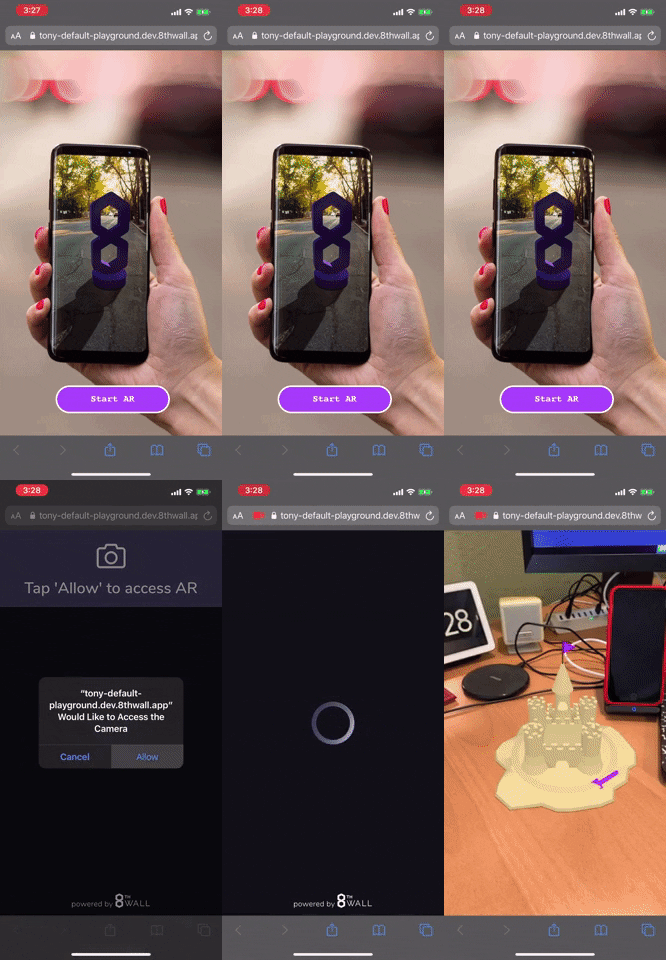
You will notice there is no xrweb component on the <a-scene>. This is because it will be programatically added once the user clicks "Start AR"
splash-image : Starts the AR engine and hides the intro/splash screen when a button is pressed.
- disableWorldTracking: If true, disable SLAM tracking. (default: 'false')
- requestGyro: If world tracking is disabled, and you want gyro's to be enabled (i.e. 3DoF mode), set this to
true. Has no effect if disableWorldTracking is false (i.e. SLAM enabled) as SLAM already requests gyro. (default: false)
Audio track from FreePD.com