
Network Slice — see who your Mac is talking to, right now
NetFluss 2.5 adds Network Slice, a dedicated live-traffic window. Open it from the menu bar icon's right-click menu.
A rolling Traffic Rate chart sits at the top; below it, three linked columns — Network Hosts, Services, and Apps — each ranked by volume with a relative usage bar. Remote hosts are reverse-resolved to hostnames and tagged with a country flag, so a row reads dns.google 🇺🇸 rather than a bare IP.
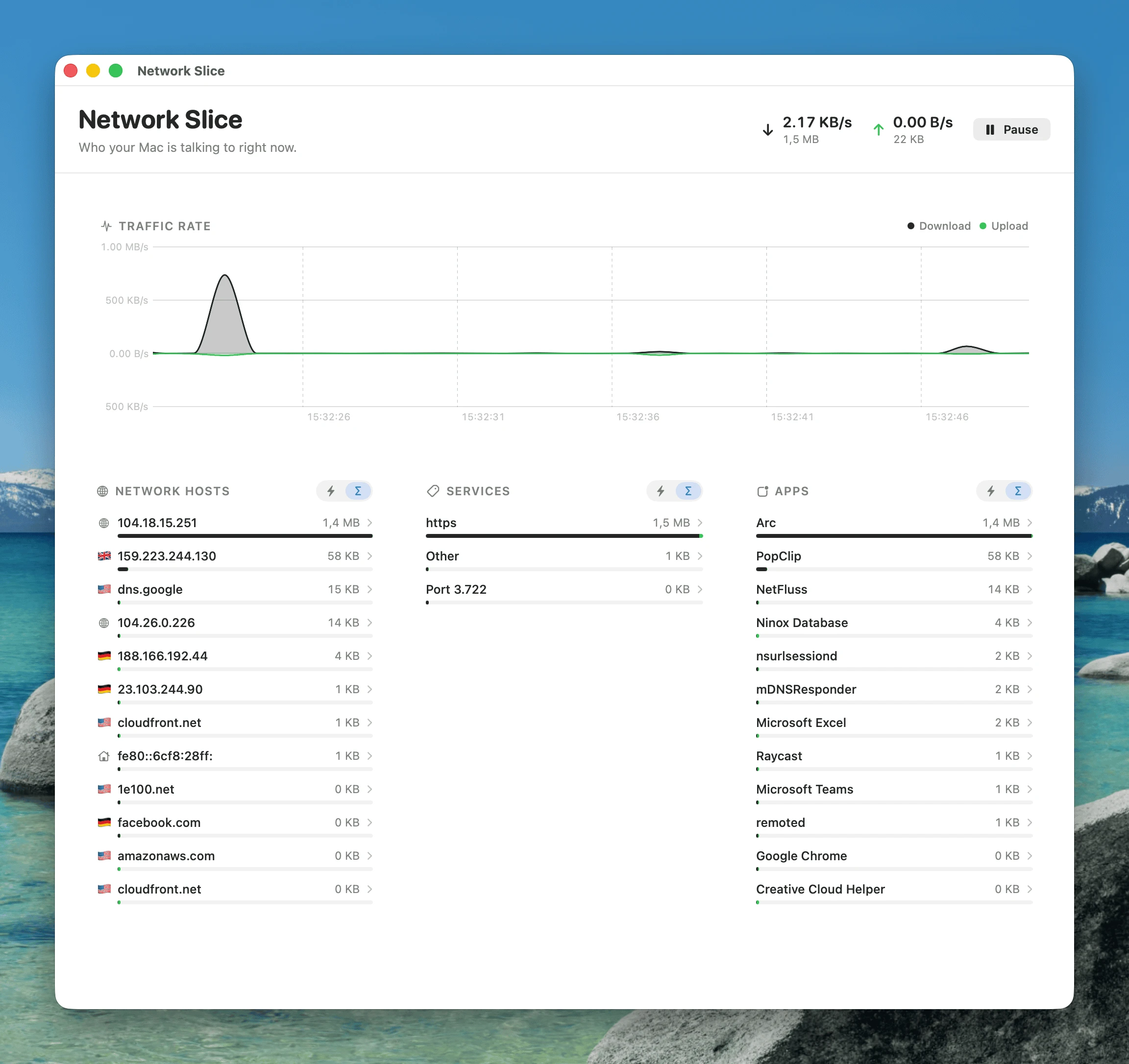
Each column carries a ⚡ live / Σ accumulated toggle: ⚡ shows only the most recent sample interval — what is moving this second — while Σ shows the running total since you opened the window. Pause freezes everything so you can read a burst without it scrolling away.
Click any row to drill in
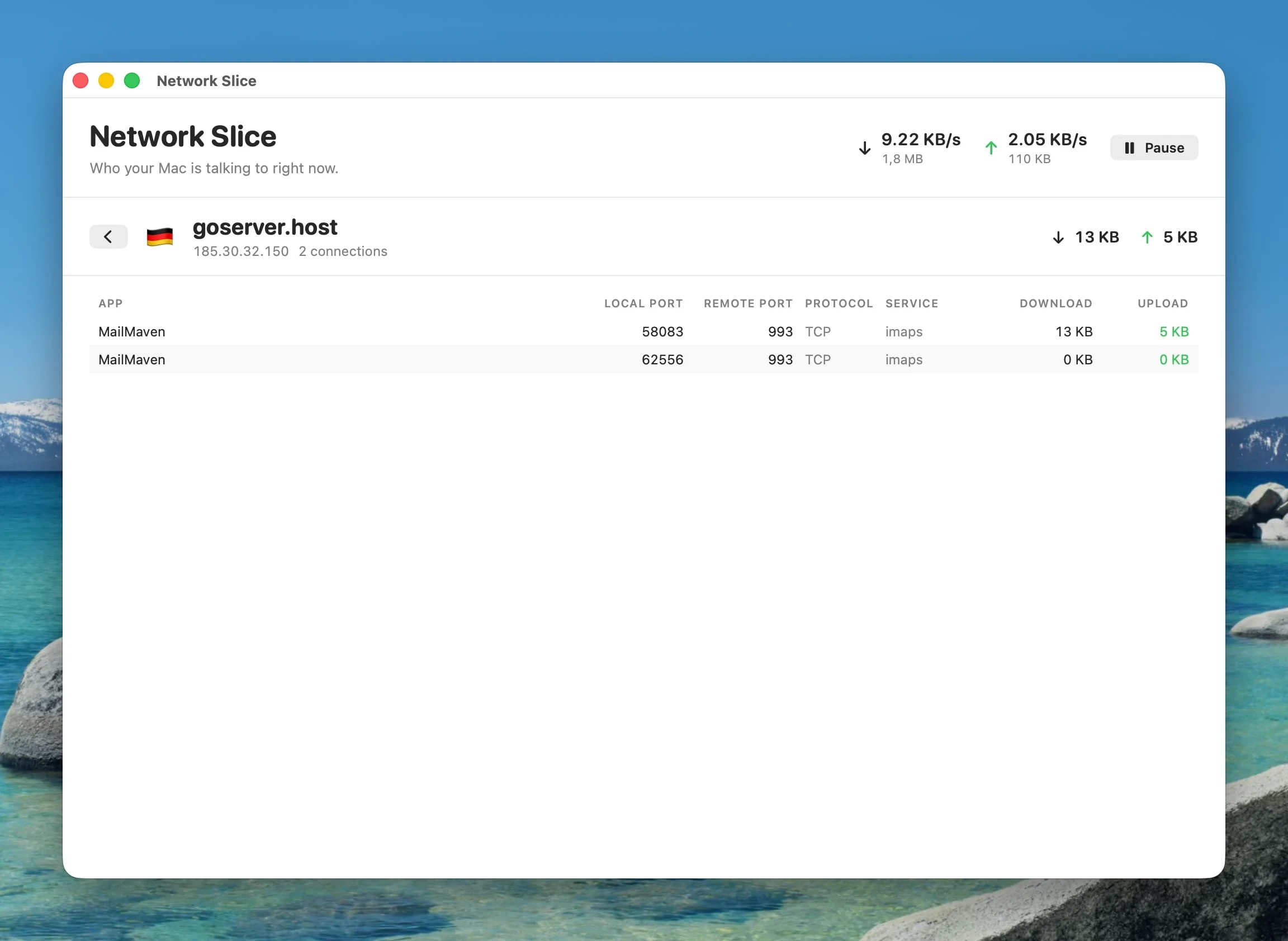
A host expands to every connection with it — which app, local and remote port, protocol, service, and per-connection download/upload.
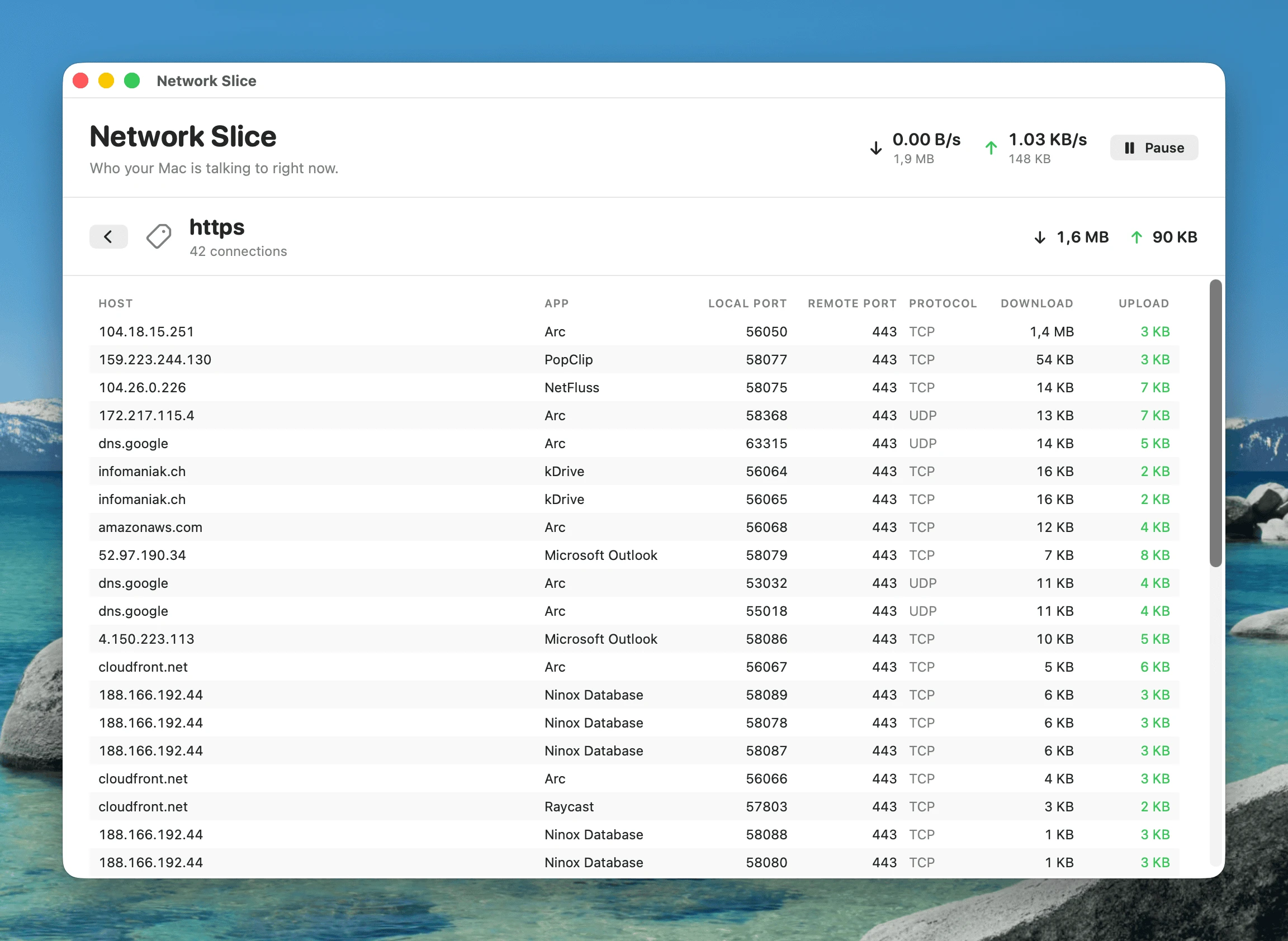
A service — https, imaps, or a bare port number — expands to every host and app using it. Useful for finally answering "what is all this HTTPS traffic?"
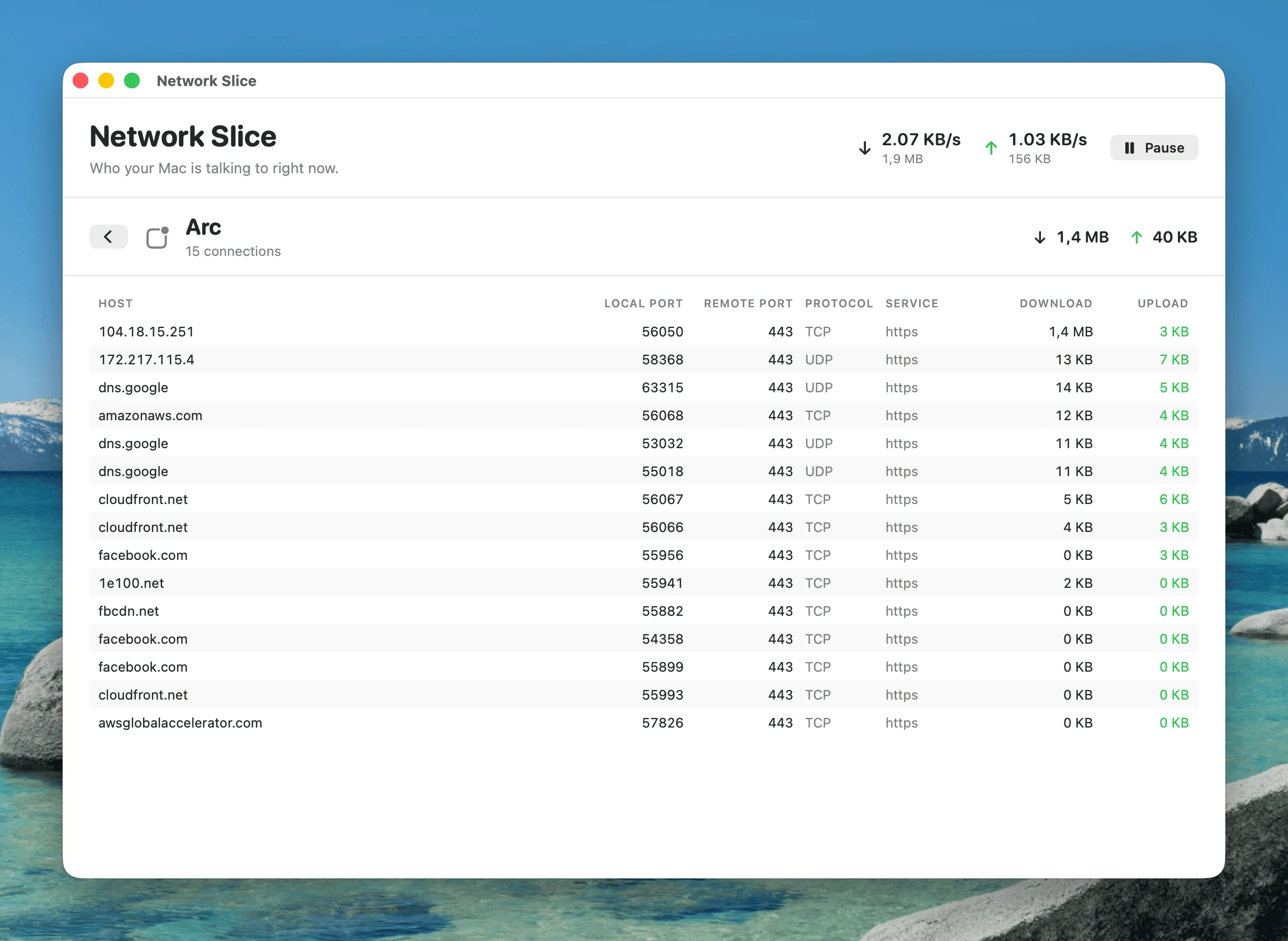
An app expands to every host it is currently connected to, with the service and port for each.
Built the light way
Network Slice runs on the same lightweight netstat diffing NetFluss already uses elsewhere — no packet capture, no nettop daemon, no extra privileges, no admin prompt. Sampling stops the moment you close the window, so it costs nothing when you are not looking at it.
Data Usage totals, right in the popover
A new Data Usage section shows how much you have actually moved — without opening a separate window. Upload, Download, and an emphasised Total row, each split across a Today and a This Month column, read from the history NetFluss already collects. It updates live while the popover is open, and a chart button in its header jumps straight to the full Bandwidth Statistics window.
Enable it under Preferences → Statistics (it needs historical statistics collection turned on). Tunnel adapters can be excluded from the figures, and loopback and AirDrop always are — so the totals reflect real internet traffic. Thanks to @truekasun for the original contribution.
VPN fixes — WireGuard and Intel Macs
A round of fixes for issues reported against the 2.4 VPN client.
- Universal (Intel) VPN binaries are back. The bundled OpenVPN and WireGuard toolchain ships arm64 and x86_64 slices again, both targeting macOS 13, so the VPN client works on Intel Macs. The release build now hard-fails if either slice is missing, so this cannot regress silently. (#48)
- WireGuard no longer corrupts your DNS.
wg-quick's orphan-prone DNS monitor is stopped, private tunnel DNS is routed through the tunnel, and NetFluss tracks the realutuninterface instead of guessing. Teardown, file permissions, and stale-config cleanup were hardened. (#48, #50) - The real OpenVPN failure reason is surfaced instead of a generic error. A new VPN Diagnostics log (Preferences → VPN) records the bundled tools, their architecture, and the connection tool's full output — copyable in one click for bug reports. (#49)
- Helper repair. "Install helper" now fixes a stale registration, and the helper re-registers itself when the app bundle moves.
Stability and energy
- Fixed a crash caused by a data race on the process-name cache behind Top Apps.
- Network diagnostics are recorded only while a capture is actually running.
- Failing router monitors back off exponentially instead of retrying in a tight loop.
- Statistics pruning is throttled, and polling suspends on screen sleep/lock.
- Main-thread stalls were taken out of the DNS, VPN, and Preferences paths; the statistics archive loads off the main thread; adapter drag-reordering no longer churns.
Security hardening
- Router monitors use TOFU certificate pinning with session reuse and never silently downgrade to HTTP.
- Keychain items are pinned to this device.
- OpenVPN configs are sanitized before use, and the IKEv2 password is kept out of
argv. - Helper logs are opened with
O_NOFOLLOW.
Also in this release
- UniFi: UDR and API-key support. UniFi Dream Router works, and you can authenticate with a Network API key instead of a local admin account — API keys work with 2FA enabled and never expire. Connection errors are more granular.
- More accurate usage totals — loopback and AirDrop are excluded, since they never carry internet traffic. (#54)
- Complete German, 简体中文 and 繁體中文 translations for everything above.
Install
Download NetFluss-2.5.zip below, unzip, and move NetFluss.app to /Applications. The app is signed with a Developer ID certificate and notarized by Apple, so Gatekeeper clears it on first launch.
Or via Homebrew:
brew install --cask rana-gmbh/netfluss/netflussRequires macOS 13 or later. Universal — Apple Silicon and Intel.