Please, before submitting a new issue verify and check:
Issue description
Ok, now I've got two issues with GetWorldToScreen() with my modified example models_rlgl_full_solar_system.c:
A. Maybe related to #901, GetWorldToScreen also doesn't support the current matrix from rlPushMatrix(). This means that we cannot put a label above a planet without replicating rlPushMatrix functionality.
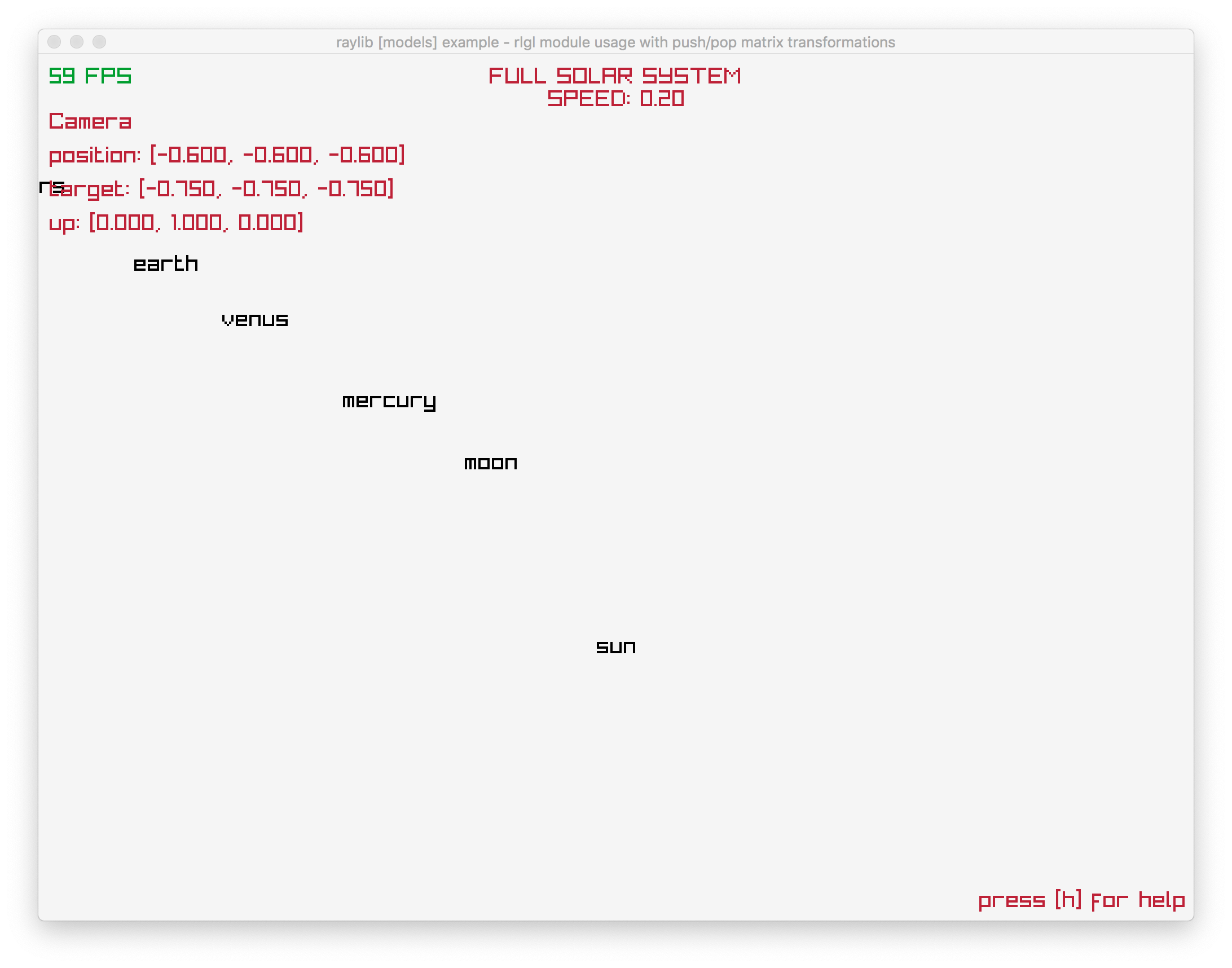
B. When zooming in, all planet labels began to disappear, but suddenly there is a point when GetWorldToScreen show planet labels AGAIN. That point is when the designated point in space is "behind us". In my opinion, that information is incorrect.
Environment
Latest macOS (Mojave 10.14.5) on a Macbook retina, tested on current raylib master branche and raylib-2.5.0 from homebrew.
Issue Screenshot
For A., just check that labels do not respect the rlPushMatrix transformation, particularly the "moon" label appears close to the sun instead to earth.

To replicate B., just zoom in with the mouse until the labels disappear and then appear again. Use ALT+MOUSE2 to confirm that planet labels appear when the designated point is behind (just look around in 360º).

Code Example
Please check PR #900, particularly:
https://github.com/aldrinmartoq/raylib/blob/solar-system-examples/examples/models/models_rlgl_full_solar_system.c
Thank you very much.

Please, before submitting a new issue verify and check:
Issue description
Ok, now I've got two issues with GetWorldToScreen() with my modified example models_rlgl_full_solar_system.c:
A. Maybe related to #901, GetWorldToScreen also doesn't support the current matrix from rlPushMatrix(). This means that we cannot put a label above a planet without replicating rlPushMatrix functionality.
B. When zooming in, all planet labels began to disappear, but suddenly there is a point when GetWorldToScreen show planet labels AGAIN. That point is when the designated point in space is "behind us". In my opinion, that information is incorrect.
Environment
Latest macOS (Mojave 10.14.5) on a Macbook retina, tested on current raylib master branche and raylib-2.5.0 from homebrew.
Issue Screenshot
For A., just check that labels do not respect the rlPushMatrix transformation, particularly the "moon" label appears close to the sun instead to earth.

To replicate B., just zoom in with the mouse until the labels disappear and then appear again. Use ALT+MOUSE2 to confirm that planet labels appear when the designated point is behind (just look around in 360º).

Code Example
Please check PR #900, particularly:
https://github.com/aldrinmartoq/raylib/blob/solar-system-examples/examples/models/models_rlgl_full_solar_system.c
Thank you very much.