Dashboards
In the Dashboards folder in the main branch you find the yaml files to create the dashboards.
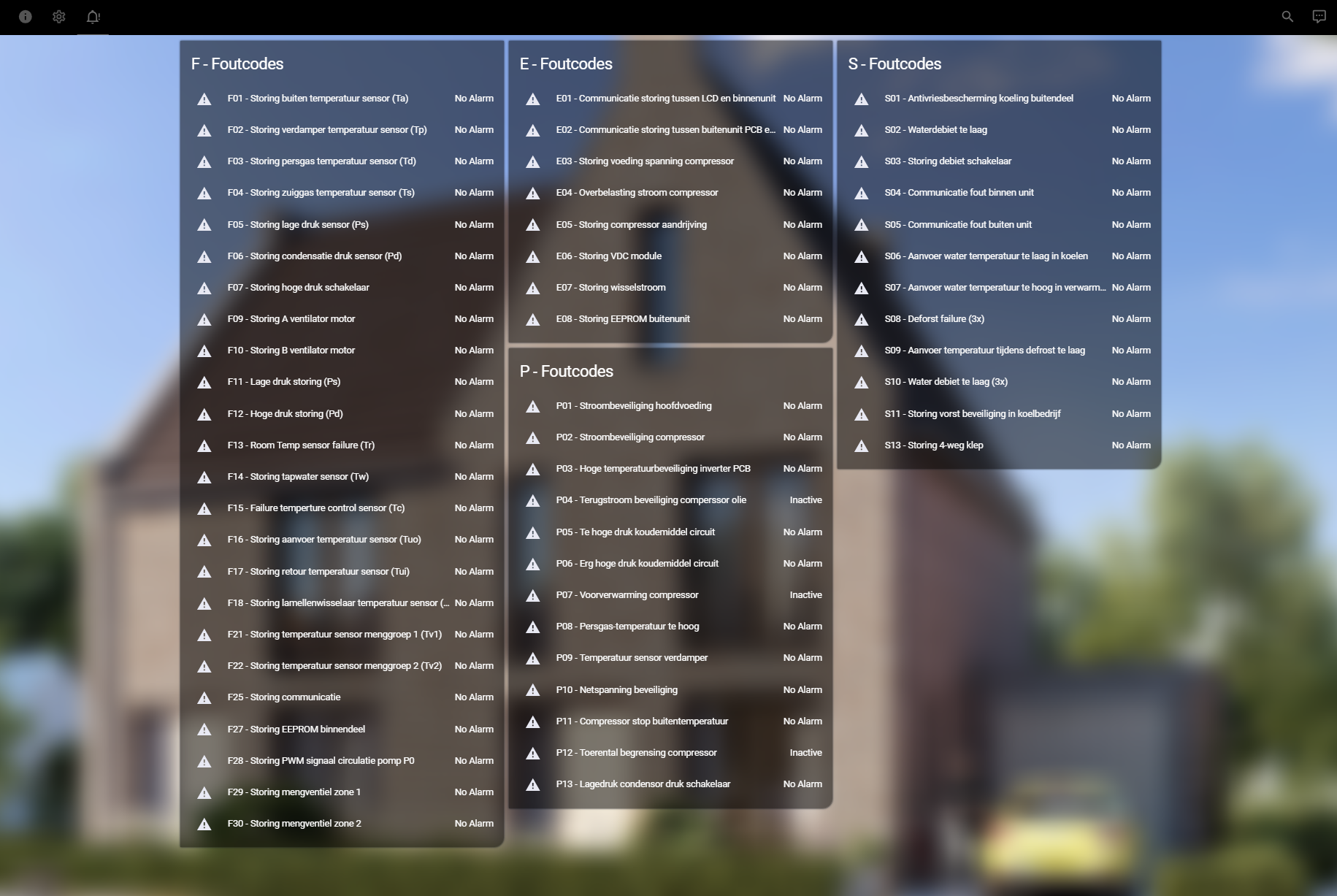
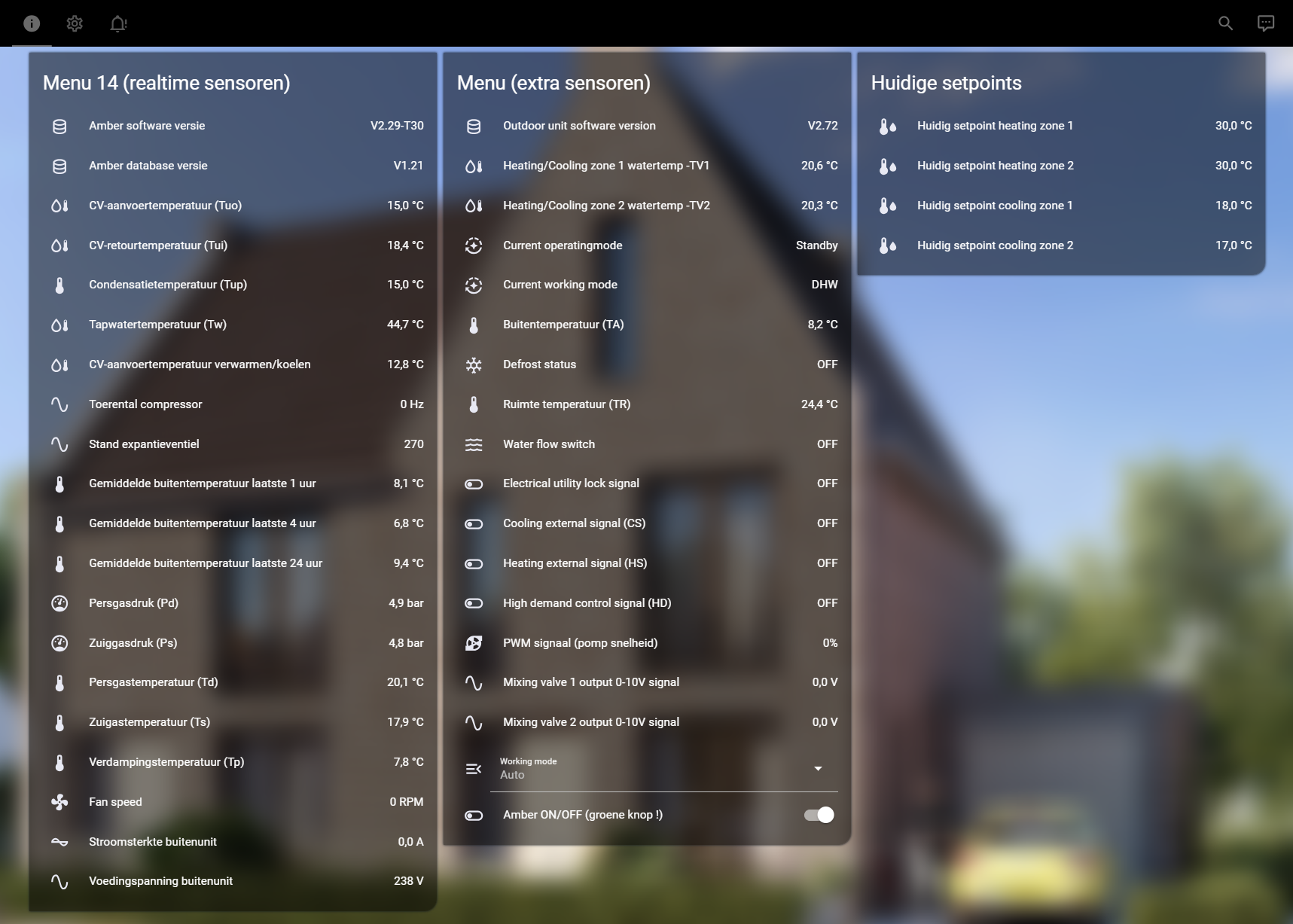
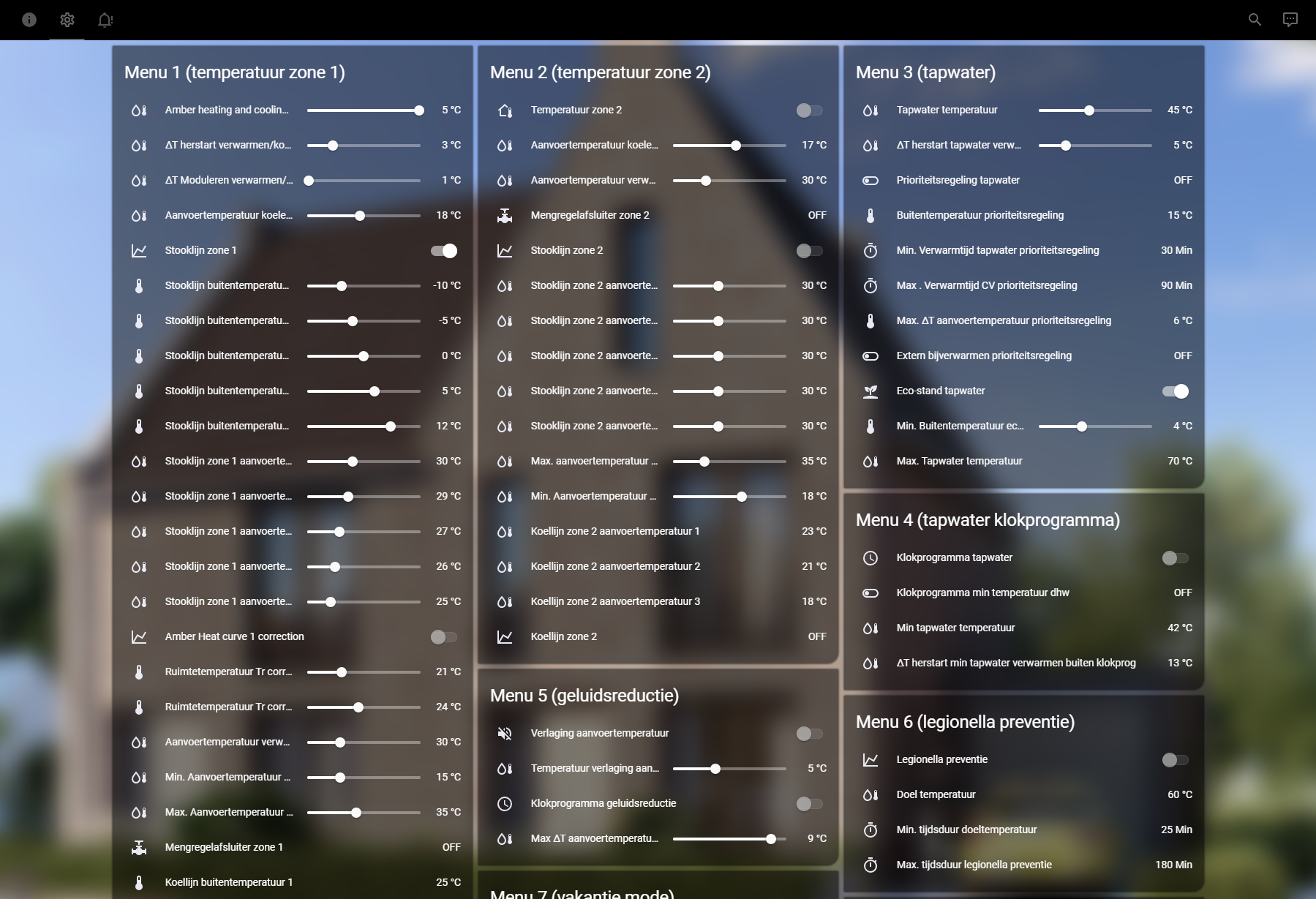
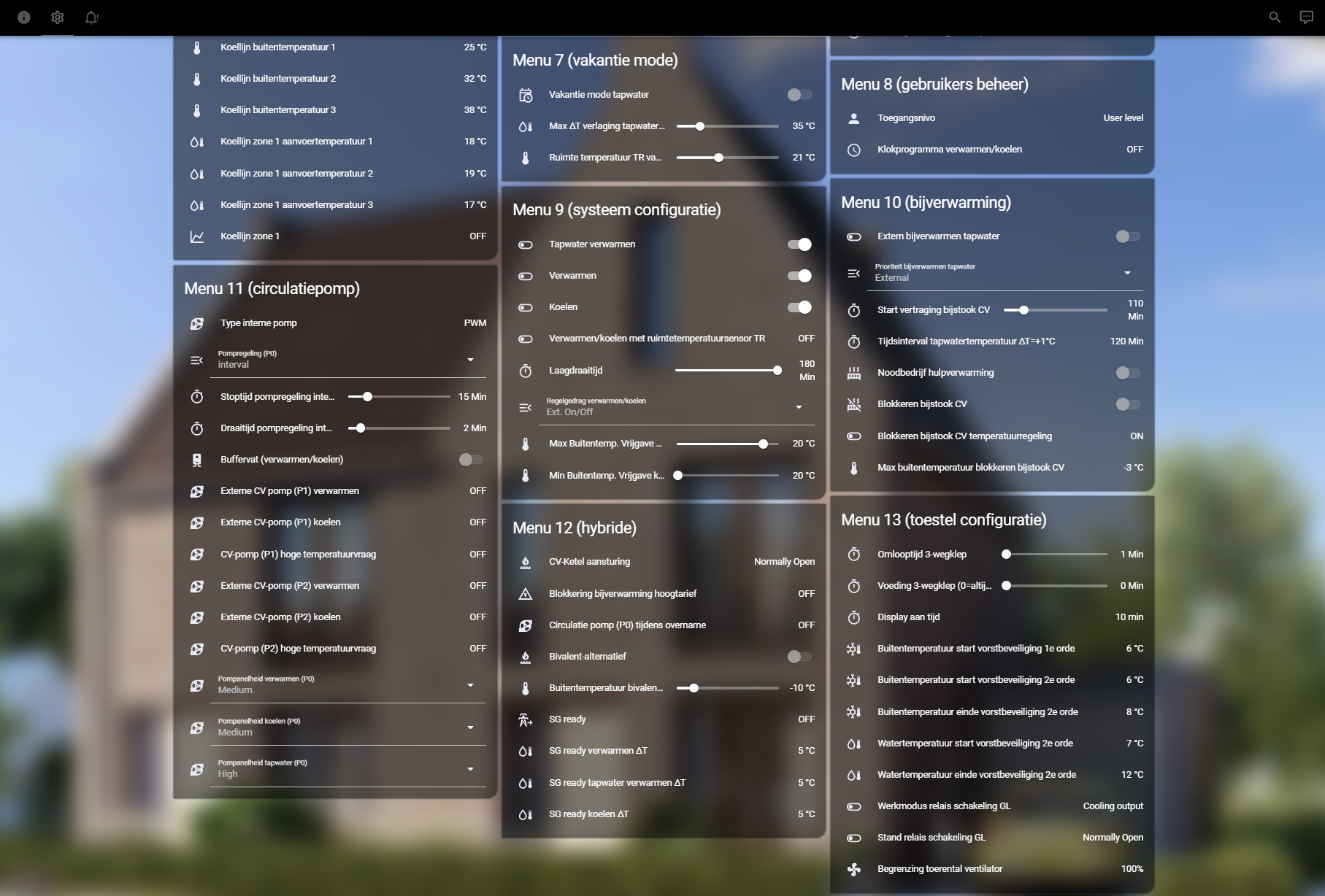
As from version v1.1.0 the dashboard contains 3 views. Realtime sensors, settings and error codes.
You can add the yaml file directly to your file structure.
Or when ussing the UI just create a new dashboard (settings => dashboards => Add dashboard)
Edit the dashboard by clicking on the pensil top-right, than open the dashboard menu by clicking the three-dots in the top right and choose "Raw configuration editor".
Replace all the code in side, with the code form one of the dashboard yaml files.
Save and click done, now you should the dashboard/views similarly to the screenshots below.
Realtime sensors
Settings
Settings
Error codes