Automate Your Job Search: Apply to 100+ LinkedIn jobs in less than 1 hour with AI-powered resume customization


- Features
- Demo
- Quick Start
- Installation
- Configuration
- Usage
- Project Structure
- AI Models Supported
- Troubleshooting
- Contributing
- License
- Support
✅ Intelligent Job Search - Automatically searches LinkedIn for jobs matching your criteria ✅ AI-Powered Resume Customization - Tailors your resume for each position using AI ✅ Form Auto-Fill - Automatically answers application questions ✅ Batch Processing - Apply to 100+ jobs per hour ✅ Multi-AI Support - Supports OpenAI ChatGPT, Google Gemini, and DeepSeek ✅ Application History - Tracks all applications with a web dashboard ✅ Skill Extraction - Automatically extracts required skills from job postings ✅ Resume Generation - Dynamically generates customized resumes ✅ Company Information - Gathers company details for context-aware applications ✅ Web Dashboard - View application history and statistics
Watch the bot in action:
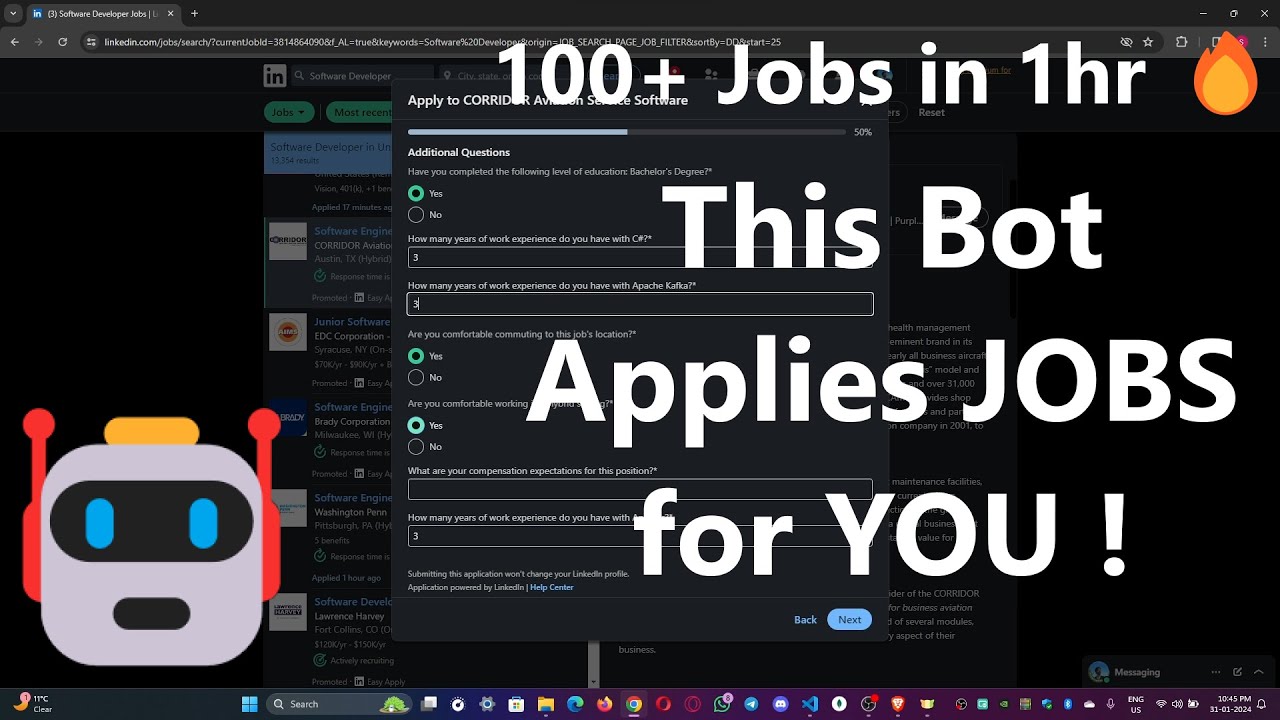
Setup Tutorial: Installation & Configuration Guide
# 1. Clone the repository
git clone https://github.com/rish0000-dot/Auto-Job-Clicker.git
cd Auto-Job-Clicker/Auto_job_applier_linkedIn-main

# 2. Install dependencies
pip install -r requirements.txt

# 3. Configure your details
# Edit config/personals.py with your information

# 4. Run the bot
python app.py- Python 3.10+ - Download Here
- Google Chrome - Download Here
- Internet Connection
# Verify Python installation
python --version
# Output should be: Python 3.10.x or higherpip install -r requirements.txtRequired packages:
undetected-chromedriver- Prevent LinkedIn detectionpyautogui- GUI automationopenai- ChatGPT integrationflask&flask-cors- Web server for dashboardsetuptools- Build tools
For Windows:
# Run the automatic setup script
cd setup
windows-setup.bat
For macOS/Linux:
bash setup.shManual Installation:
- Download Chrome Driver matching your Chrome version
- Place it in your Chrome installation directory
git clone https://github.com/rish0000-dot/Auto-Job-Clicker.git
cd Auto-Job-Clicker/Auto_job_applier_linkedIn-main# Enter your details
FIRST_NAME = "Your Name"
LAST_NAME = "Your Last Name"
EMAIL = "your.email@example.com"
PHONE = "+1 (555) 000-0000"
ADDRESS = "City, State"
COUNTRY = "United States"# Customize your job search
KEYWORDS = ["Python Developer", "Data Scientist", "Full Stack Engineer"]
LOCATION = "United States"
EXPERIENCE_LEVEL = ["Entry level", "Mid-Senior"]
DISTANCE = "50 miles" # or "anywhere"
JOB_TYPES = ["Full-time", "Contract"]# Pre-answer common questions
ANSWERS = {
"Are you legally authorized to work?": "Yes",
"Willing to relocate?": "No",
# Add your custom answers
}# Your base resume data
BASE_RESUME = """
Your resume content in plain text format
"""# Choose your AI provider
AI_PROVIDER = "openai" # Options: "openai", "gemini", "deepseek"
STEALTH_MODE = True # Avoid LinkedIn detection
MAX_APPLICATIONS = 100
APPLICATION_DELAY = 2 # Seconds between applications# Add your API credentials (DO NOT COMMIT THIS FILE)
OPENAI_API_KEY = "sk-xxxxxxxxxxxxxxx"
GEMINI_API_KEY = "xxxxxxxxxxxxxxx"
DEEPSEEK_API_KEY = "xxxxxxxxxxxxxxx"
# LinkedIn credentials
LINKEDIN_EMAIL = "your.email@example.com"
LINKEDIN_PASSWORD = "your_password"secrets.py to version control. Add it to .gitignore.
# Navigate to project directory
cd Auto_job_applier_linkedIn-main

# Run the main application
python app.pyOpen your browser and go to:
http://localhost:5000
View your application history, success rate, and statistics.
# Start bot in the background (applies jobs continuously)
python runAiBot.pyAuto-Job-Clicker/
├── Auto_job_applier_linkedIn-main/
│ ├── app.py # Flask web server
│ ├── runAiBot.py # Main automation script
│ ├── config/ # Configuration files
│ │ ├── personals.py # Personal information
│ │ ├── search.py # Job search parameters
│ │ ├── questions.py # Application answers
│ │ ├── resume.py # Resume data
│ │ ├── settings.py # Bot settings
│ │ └── secrets.py # API keys (not in repo)
│ ├── modules/ # Core functionality
│ │ ├── clickers_and_finders.py # Browser automation
│ │ ├── helpers.py # Utility functions
│ │ ├── open_chrome.py # Chrome driver setup
│ │ ├── validator.py # Input validation
│ │ ├── ai/ # AI integrations
│ │ │ ├── openaiConnections.py
│ │ │ ├── geminiConnections.py
│ │ │ ├── deepseekConnections.py
│ │ │ └── prompts.py # AI prompts
│ │ ├── resumes/ # Resume handling
│ │ │ ├── extractor.py # Extract job requirements
│ │ │ └── generator.py # Generate customized resumes
│ │ └── images/ # UI images and icons
│ ├── templates/ # Web dashboard HTML
│ ├── setup/ # Installation scripts
│ │ ├── windows-setup.bat
│ │ ├── windows-setup.ps1
│ │ └── setup.sh
│ └── README.md
├── LICENSE
└── .gitignore
AI_PROVIDER = "openai"
# Requires: OPENAI_API_KEY
# Models: GPT-4, GPT-3.5 TurboAI_PROVIDER = "gemini"
# Requires: GEMINI_API_KEY
# Models: Gemini Pro, Gemini UltraAI_PROVIDER = "deepseek"
# Requires: DEEPSEEK_API_KEY
# Models: DeepSeek-V2, DeepSeek-ChatRecommendation: OpenAI (GPT-4) provides the best resume customization results.
# Solution 1: Run setup script
cd setup
windows-setup.bat  # Windows

# Solution 2: Manual installation
# Download from: https://googlechromelabs.github.io/chrome-for-testing/# Enable stealth mode in config/settings.py
STEALTH_MODE = True
# Increase delay between applications
APPLICATION_DELAY = 3 # seconds# Check your secrets.py file
# Verify API keys are correct and have active billing
# Use quotes around keys: "sk-xxxxxxx"# Edit app.py to use different port
app.run(port=5001)# Check your search.py settings
# Verify keywords are correct
# Check LinkedIn job search criteria manually# Add to settings.py
DEBUG = True
LOG_LEVEL = "DEBUG"The bot analyzes job postings and:
- Extracts required skills
- Identifies key responsibilities
- Analyzes company information
- Customizes your resume to match requirements
- Maintains ATS (Applicant Tracking System) compatibility
Track all applications with:
- Job title and company
- Application timestamp
- HR contact information
- Company profile links
- Application success status
- Filter by location, experience level, job type
- Keyword-based matching
- Salary range filtering
- Company exclusion list support
-
Increase Application Speed
APPLICATION_DELAY = 1 # Reduce delay (minutes)
-
Use CloudFlare DNS
- Speeds up LinkedIn connection
-
Schedule Batch Applications
# Run during off-peak hours for better success
Python app.py &  # Background process
-
Monitor Resource Usage
- Chrome can use 200-300MB per instance
- Limit to 1 browser instance
- Never hardcode credentials - Use environment variables
- Rotate API keys regularly - Update secrets.py weekly
- Keep dependencies updated - Run
pip install --upgrade -r requirements.txt - Use strong passwords - LinkedIn account security is crucial
- Enable 2FA - On your LinkedIn account
- Monitor logs - Check for unusual activity
This project is licensed under the MIT License - see the LICENSE file for details.
MIT License

Permission is hereby granted, free of charge, to any person obtaining a copy
of this software and associated documentation files (the "Software"), to deal
in the Software without restriction, including without limitation the rights
to use, copy, modify, merge, publish, distribute, sublicense, and/or sell
copies of the Software...
We welcome contributions! Please follow these steps:
-
Fork the Repository
git clone https://github.com/rish0000-dot/Auto-Job-Clicker.git
-
Create Feature Branch
git checkout -b feature/your-feature-name
-
Commit Changes
git commit -m "Add: Brief description of changes" -
Push to Branch
git push origin feature/your-feature-name
-
Open Pull Request
- Describe your changes clearly
- Reference any related issues
- Follow PEP 8 for Python code
- Add tests for new features
- Update README for significant changes
- Keep commits atomic and descriptive
- GitHub Issues - Report bugs and feature requests
- Discord Community - Join our Discord
- Email Support - Open an issue and we'll respond
- FAQ - Check Wiki
Q: Is this against LinkedIn's terms? A: This tool respects LinkedIn's rate limits and uses official APIs where available. Use responsibly.
Q: How many jobs can I apply to per day? A: Typically 50-100+ depending on your system and the complexity of applications.
Q: What's the success rate? A: Success depends on many factors - your profile, resume match, and application quality.
Q: Can I use this with LinkedIn Premium? A: Yes, LinkedIn Premium may increase visibility in our targeting options.
- Browser extension for easy activation
- Machine learning for better job matching
- Email notification system
- Multi-account support
- Advanced analytics dashboard
- Mobile app
This project is provided as-is for educational purposes. Users are responsible for:
- Ensuring compliance with LinkedIn's Terms of Service
- Using the bot ethically and responsibly
- Maintaining accurate and truthful information in applications
- Respecting LinkedIn's rate limits and policies
The authors are not responsible for:
- LinkedIn account suspension or bans
- Inaccurate resume information
- Unauthorized use of this tool
- Any damages or losses incurred
- Built with ❤️ by the community
- Thanks to all contributors
- Special thanks to AI providers: OpenAI, Google Gemini, DeepSeek
- GitHub - rish0000-dot/Auto-Job-Clicker
- Discord - Community Server
- Issues - Report or Request
Made with ❤️ for job seekers everywhere
⭐ Star this repo if it helped you! ⭐