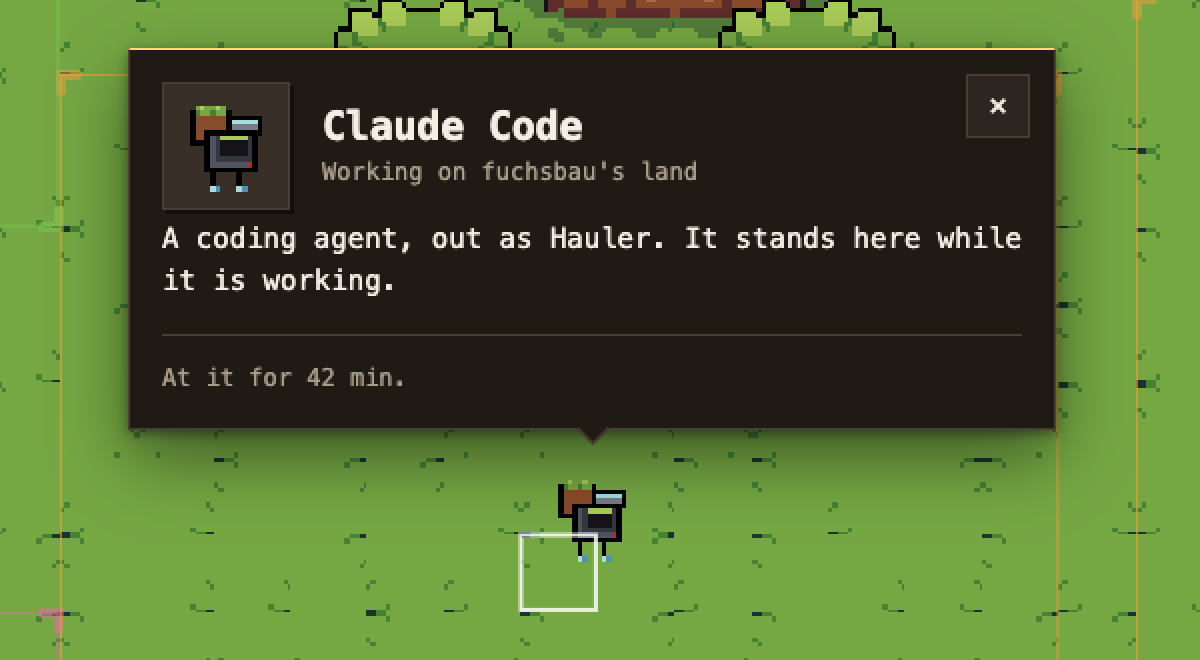
Your coding agent, at work on your land.
pixelhof.com · npmjs.com/package/pixelhof · MIT



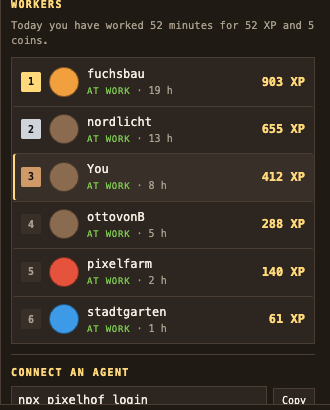
Pixelhof is a map with land on it. Connect a coding agent and, while it works, a worker stands on your plot. Minutes of presence earn XP, XP fills a work board, and a capped trickle of coins lands in your wallet.
The worker is one of five robots, rolled from your account and your agent: your Claude Code is the same machine every day, and your Codex is a different one.
This is the part that runs on your machine: a hook that tells the site your agent is at it, and a handful of commands to set it up and check on it.
npm i -g pixelhof
pixelhof login
pixelhof install
login opens your browser and shows a short code to confirm. install adds a
hook to every coding agent it can find a config for. Then work as you normally
would.
npx pixelhof login && npx pixelhof install works too, but install it properly
if you can. See what the hook runs for why.
pixelhof status
Robin Faraj
1,240 XP, 18 h, 3rd on the board
Today: 34 min, 34 XP, 5 coins
Every beat is four things:
| session id | the id your agent already gives its own hooks, or a hash of the working directory when it gives none |
| agent name | claude-code, codex, gemini, cursor, opencode or other |
| event | start, beat or stop |
| time | when the server receives it |
Nothing else leaves your machine. Not your code, not your prompts, not your file paths, not the names of the tools your agent ran, not a token count. The payload your agent hands the hook is read for one field and discarded.
A plain beat within 45 seconds of the last one for that session is dropped
before it leaves the machine, so a busy hour is a few dozen small requests and
not a few thousand. What that costs is one small file read, inside a process
that starts and exits. A start and a stop are always sent. Every request gives
up after two seconds, and the hook exits quietly whatever happens: a site that
is slow or down is not going to cost you a keystroke.
The token login stores is a session token. It lives in
~/.pixelhof/config.json, in a directory only you can open, in a file only you
can read.
pixelhof login [--url <base>] |
sign in through your browser and store the token |
pixelhof logout |
forget the stored token |
pixelhof status |
what your agents have earned |
pixelhof install [--agent <id>] [--dry-run] |
add the hook to an agent's config |
pixelhof uninstall [--agent <id>] [--dry-run] |
take it back out |
pixelhof doctor |
where everything is, and what is set up |
pixelhof beat --agent <id> |
what the hook itself runs |
--agent takes claude-code, codex, gemini, cursor or all, and
defaults to all. --dry-run prints what would change and changes nothing.
Set PIXELHOF_URL to point every command at a different site.
| agent | file | events |
|---|---|---|
| Claude Code | ~/.claude/settings.json |
SessionStart, PostToolUse, Stop, SessionEnd |
| Codex | ~/.codex/hooks.json |
SessionStart, PostToolUse, Stop, SessionEnd |
| Gemini CLI | ~/.gemini/settings.json |
SessionStart, AfterTool, AfterAgent, SessionEnd |
| Cursor | ~/.cursor/hooks.json |
sessionStart, postToolUse, stop, sessionEnd |
Claude Code's, Codex's and Cursor's shapes were read off each vendor's own hooks reference. Gemini CLI's was not. The only reference found for it is a community-run site rather than a Google one, so treat that row as a best reading and check the file after installing. Every command that touches it says so.
Claude Code keeps a second account's settings wherever CLAUDE_CONFIG_DIR
points, and Codex does the same with CODEX_HOME. The installer honours both,
so run it once per account:
CLAUDE_CONFIG_DIR=~/.claude-work pixelhof install --agent claude-code
doctor under the same variable shows that account's file. The sign-in is per
machine, not per account, so one pixelhof login covers all of them.
The hook fires after every tool call your agent makes, so what it runs matters more than it looks like it should.
When you have really installed this package, install writes the path to the
file npm put on your disk:
"/usr/local/bin/node" "/usr/local/lib/node_modules/pixelhof/dist/index.js" beat --agent claude-code
That starts one process and exits. When you run install through npx, there
is no such file to point at tomorrow, so it writes npx -y pixelhof beat --agent claude-code and says so. That form makes npx resolve the package again
on every single tool call, which is a registry check and a few hundred
milliseconds, hundreds of times an hour. It works, and you should not leave it
that way: npm i -g pixelhof && pixelhof install rewrites the entries in place.
pixelhof doctor shows which of the two you have. uninstall removes either.
The plugin below keeps the npx form on purpose, because installing a plugin
does not install a package.
Installing twice is installing once. The installer parses the file you already have, adds its entries, and writes it back with the indentation it found; it never replaces a file wholesale and never touches an entry that is not its own. A file that is not valid JSON is refused rather than guessed at.
One honest limit: a round trip through JSON.parse cannot put back where you
chose to break your own lines. A file already laid out the way JSON.stringify
lays one out comes back byte for byte after an install and an uninstall. A
hand-formatted one comes back saying exactly what it said, in the indentation it
was found in, on lines of this tool's choosing.
/plugin marketplace add robinsadeghpour/pixelhof-cli
/plugin install pixelhof
The plugin ships the same hook and a skill that tells Claude how to read
pixelhof status and what the hook sends. You still need npx pixelhof login
once, and you do not need pixelhof install as well.
pixelhof uninstall
pixelhof logout
uninstall removes only the entries whose command names pixelhof and runs
beat --agent, which catches both forms above, and leaves everything else in
the file exactly as it was. An entry an older version put under a different
event is removed too. A file that held nothing but these entries is
deleted rather than left behind empty.
logout deletes ~/.pixelhof/config.json. To be rid of the last of it, remove
~/.pixelhof and the worker stops appearing.
pnpm install
pnpm typecheck
pnpm test
pnpm build
MIT. See LICENSE.