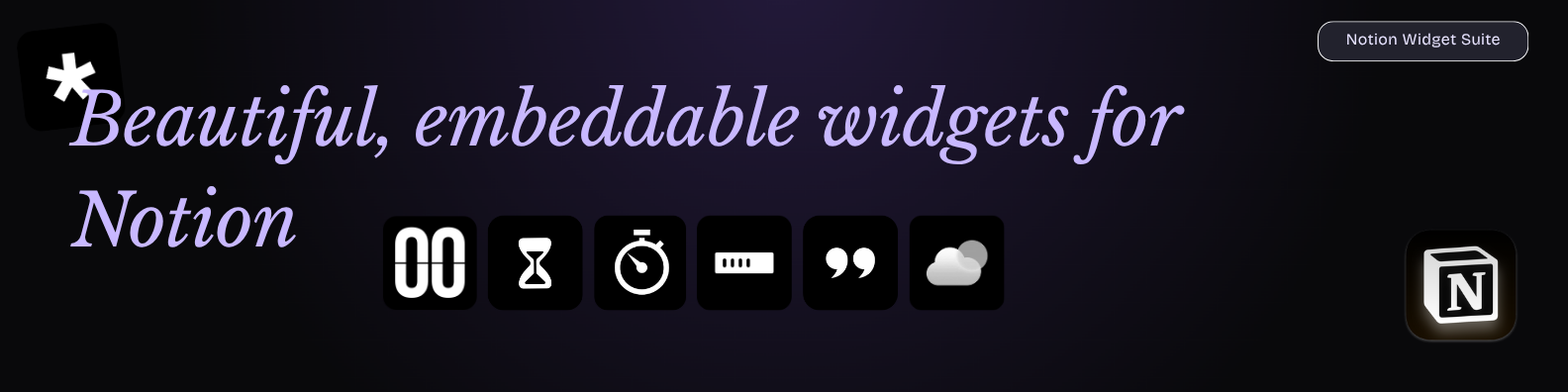
Production-ready, static Notion widgets built with Next.js App Router, TypeScript, and Tailwind CSS. Includes flick-style clock/timer/stopwatch widgets and quote cards that can sync from your Notion database.
Inspiration: Gluqlo flip clock screensaver.


- Notion Widgets Framework
- Features
- Tech Stack
- Project Structure
- Local Development
- Deployment (Vercel)
- Notion Embed
- Query Parameters
- Notion Quotes Database Sync
- Deploy Your Own (Vercel Quickstart)
- Adding a New Widget
- Notes
- Clock, Timer, Stopwatch, Quotes, D-Day, Weather, and Progress widgets (separate routes)
- Multiple themes (default, light, purple, teal, sunset, theme1–theme8)
- Static-compatible (no backend) and iframe-safe for Notion embeds
- URL query customization for layout, theme, and behavior
- Responsive, fixed-height containers with transparent-friendly backgrounds
- Next.js (App Router)
- TypeScript
- Tailwind CSS
- Vercel (free hosting)
app/
	clock/page.tsx
	timer/page.tsx
	stopwatch/page.tsx
	dday/page.tsx
	quotes/page.tsx
	weather/page.tsx
	progress/page.tsx
components/
	widgets/
		ClockWidget.tsx
		TimerWidget.tsx
		StopwatchWidget.tsx
		DdayWidget.tsx
		QuoteWidget.tsx
		WeatherWidget.tsx
		ProgressWidget.tsx
	ui/
		WidgetContainer.tsx
lib/
	quotes.ts
utils.tsnpm install
npm run sync:quotes
npm run devOpen http://localhost:3000/clock or http://localhost:3000/quotes.
- Push this repository to GitHub (or your fork).
- In Vercel, import the repo.
- Build command:
npm run build(sync script is optional; see Notion sync section). - Output: handled by Next.js.
- In Vercel project Settings → Environment Variables, add
NEXT_PUBLIC_OPENWEATHER_API_KEYwith your OpenWeather key (Production and Preview). For local dev, add it to.env.localand restart dev. - Deploy.
Widget URLs (once deployed):
https://your-app.vercel.app/clockhttps://your-app.vercel.app/timerhttps://your-app.vercel.app/stopwatchhttps://your-app.vercel.app/ddayhttps://your-app.vercel.app/quoteshttps://your-app.vercel.app/weatherhttps://your-app.vercel.app/progress
Live examples (replace host with yours):
/clock?tz=America/Toronto&format=24&theme=purple/clock?tz=Europe/London&format=12&theme=default&seconds=true/timer?t=15:00&theme=teal/stopwatch?start=1&theme=sunset/dday?date=2026-07-20&units=1&seconds=1&week=1&month=1&year=1&dayColor=green/quotes?category=focus&theme=light&source=notion&rotate=true&interval=8/weather?location=Toronto&units=metric/progress?goal=23300&progress=5000&prefix=%2A&ms=+1:8200&ms=+bundle:15000&ms=+3:20000&embed=1
If using Notion-synced quotes, run npm run sync:quotes before each deploy/build to refresh lib/quotes.notion.json.
- In Notion, type
/embed. - Paste a widget URL (with optional query parameters).
- Resize the embed block in Notion as needed.
tz: IANA timezone (default:America/Toronto)format:12or24(default:12)theme: any fromtheme.ts(default, light, purple, teal, sunset, theme1–theme8)seconds:true/false(default:false)controls:true/falseto show settings panel (default:false)size:25–120(percentage scale; default:85)
Examples:
/clock?tz=America/Toronto&format=24&theme=purple/clock?tz=Europe/London&format=12&theme=default&seconds=true
t: duration asMM:SS(default:15:00if omitted)start:true/falseauto-start (default:false)theme: any fromtheme.tssize:25–120(default:85)controls:true/falseto show settings panel (default:false)
Example: /timer?t=05:00&start=true&theme=teal
t: initial time asHH:MM:SSorMM:SS(default:00:00:00)start:true/falseauto-start (default:false)theme: any fromtheme.tssize:25–120(default:85)controls:true/falseto show settings panel (default:false)
Example: /stopwatch?start=1&t=00:10:00&theme=purple
category: e.g.,stoic|focus|growth|mindfulness(optional)theme: any fromtheme.tssource:auto|local|notion(default:auto)mode:daily(quote of the day) |random(default:daily)rotate:true/false(default:false)interval: seconds between rotations (default:10)- Colors (hex):
bg,border,text,accent
Examples:
/quotes?category=stoic&theme=light/quotes?category=focus&theme=dark&source=notion&rotate=true&interval=8/quotes?mode=daily&bg=0b0b0b&border=7c3aed&text=f5f5f5&accent=a1a1aa/quotes?mode=random&source=local&theme=purple
Use cases:
- Quote of the day on dashboards:
/quotes?mode=daily&source=notion&theme=dark - Brand-matched card colors:
/quotes?bg=111827&border=7c3aed&text=e5e7eb&accent=9ca3af - Random inspiration button:
/quotes?mode=random&rotate=false
date: target date (e.g.,2026-07-20)- Toggles (true/false):
day,week,month,year,hours,minutes,seconds,totalseconds,megaseconds - Bulk display control:
display=all|unit1,unit2,notdisplay=unit1,unit2 units: quick-enable extra units (defaults off unless set)- Color overrides (palette key or hex):
color(global),dayColor,weekColor,monthColor,yearColor,timeColor,hoursColor,minutesColor,secondsColor,totalColor,megaColor,overviewColor,titleColor - Date heading:
showdate=true/false(default true) - Modes:
mode=overviewshows a single combined badge with days/weeks/months/years/hours/minutes/seconds/microsecondsmode=countdownshows remaining (or ago) in each enabled unit, e.g.,12 days remaining,3 weeks remaining,420 seconds remaining
- Alignment:
align=left|center|right - Background:
bg/background(palette or hex). Use%23to encode#in URLs (e.g.,%232F0601). - Custom note:
note=Your%20textrenders just below the date heading.
Examples:
/dday?date=2026-12-31&units=1&seconds=1&week=1&month=1&year=1&dayColor=green/dday?date=2027-05-10&day=1&week=0&hours=1&minutes=1&seconds=1&timeColor=0d9488/dday?display=all¬display=hours,minutes&color=blue&titleColor=gold&showdate=1/dday?mode=overview&date=2026-03-11&overviewColor=purple&align=center/dday?mode=countdown&date=2026-09-01&display=day,week,seconds&timeColor=purple/dday?day=1&hours=1&minutes=1&seconds=1&timeColor=0d9488&totalseconds=1&megaseconds=1&units=1&weeks=1&months=1&years=1&bg=%232F0601&titleColor=gold¬e=Started%20Dec%208%2C%202025
- Location:
location/q(city), orlat+lon - Units:
units=metric|imperial(default metric) - Mode:
mode=minimal|detail(default minimal). Minimal shows location, icon, temp, and condition. - Details toggle:
details=true/false(default true in detail mode, false in minimal unless enabled) - Colors/themes: presets via
theme=mint|sand|dusk|sky; overrides withbg,text,accent - Alignment:
align=left|center|right(default center) - Page background:
pagebg=true|1to match the entire page background to the widgetbg; omit/false keeps the page transparent (only the card colored)
Examples:
/weather?location=Toronto&units=metric/weather?location=Toronto&units=metric&mode=minimal&theme=mint/weather?lat=40.4168&lon=-3.7038&units=metric&bg=eaf1ec&accent=10b981&mode=detail/weather?location=Seattle&units=imperial&details=0&align=right&theme=dusk/weather?location=Berlin&theme=sky&pagebg=1(match page background to the sky preset)
title: heading text (defaultMy Progress)label: small label above the bar (defaultOrbs Collected)goal: total target numberprogress: current progress numberprefix/suffix: prepend/append around numbers (encode special characters, e.g.,%2Afor*)- Colors (hex):
accent(fill),track(background),text,bg - Milestones: repeat
ms=Label:Valueor provide a pipe listmilestones=+1:8200|+bundle:15000 - Marker toggle:
markers=true|false(default true) - Embed mode:
embed=1orbare=1hides the builder and shows only the bar
Examples:
/progress?goal=23300&progress=5000&prefix=%2A&ms=+1:8200&ms=+bundle:15000&ms=+3:20000&embed=1/progress?title=Sprints&label=Tickets&goal=50&progress=18&prefix=%23&suffix=%20done&accent=0ea5e9&bg=f8fafc&markers=0
- Added Suspense boundaries around pages that use
useSearchParamsso embeds/builds stay compliant:/dday,/quotes,/weather. - Weather builder now renders the live widget directly (no iframe) and only shows the text color picker in detailed layout.
- D-Day builder groups background/text overrides side by side per unit for quicker color tuning.
- Progress builder cleanup: removed unused adjust controls; copy/reset behavior unchanged.
- Duplicate
.env.exampleas.env.local. - Set:
NOTION_TOKENNOTION_DATABASE_ID
- Share your Notion database with your integration.
- Ensure your database has columns compatible with:
text(orquote,content) as title/rich_textauthoras rich_text/title (optional)categoryas select/rich_text (optional)
- Run
npm run sync:quotes.
The script writes normalized results to lib/quotes.notion.json, which keeps runtime fully static-compatible.
- Clone:
git clone https://github.com/rushhiii/notion-widgets(or fork first). - Install deps:
npm install. - Optional (Notion sync): create
.env.localwithNOTION_TOKENandNOTION_DATABASE_ID, then runnpm run sync:quoteslocally if you want fresh Notion quotes baked in. - Push to GitHub: commit and push your clone/fork.
- Import to Vercel: new project → import repo.
- Build command:
npm run build(no extra output config needed). - Deploy: Vercel will build and host for free on the hobby tier. Your widgets will be at
https://your-app.vercel.app/<widget>.
- Create route:
app/<widget-name>/page.tsx - Create component:
components/widgets/<WidgetName>.tsx - Wrap the widget UI using
WidgetContainer - Parse and validate query params via
useSearchParamsand helpers fromlib/utils.ts - Keep background transparent and container height fixed for Notion compatibility
- No backend/database is used.
- Widgets are static-compatible and optimized for Vercel.
- Design intentionally stays minimal and clean for embed use-cases.