Guides
Use these public guides when you want to move from exchange CSVs to reviewable crypto tax evidence. The website is the canonical rendered version; this wiki page keeps the same guide set discoverable from GitHub.
- Cash App Bitcoin Tax CSV Guide
- Coinbase Convert Crypto Tax Guide
- Coinbase Crypto Tax CSV Import Guide
- Coinbase Missing Cost Basis Troubleshooting
- Crypto Cost Basis Learning Path
- Crypto Form 8949 Audit Packet Guide
- Crypto Tax Reconciliation Guides
- Current Crypto Holdings Reconciliation
- Local Crypto Tax Software For Private Tax Data
- Reset Your Local Gainz Password
- Synthetic Crypto Audit Packet Sample
- What To Give Your CPA For Crypto CSV Reconciliation
- Windows SmartScreen Warning For Gainz
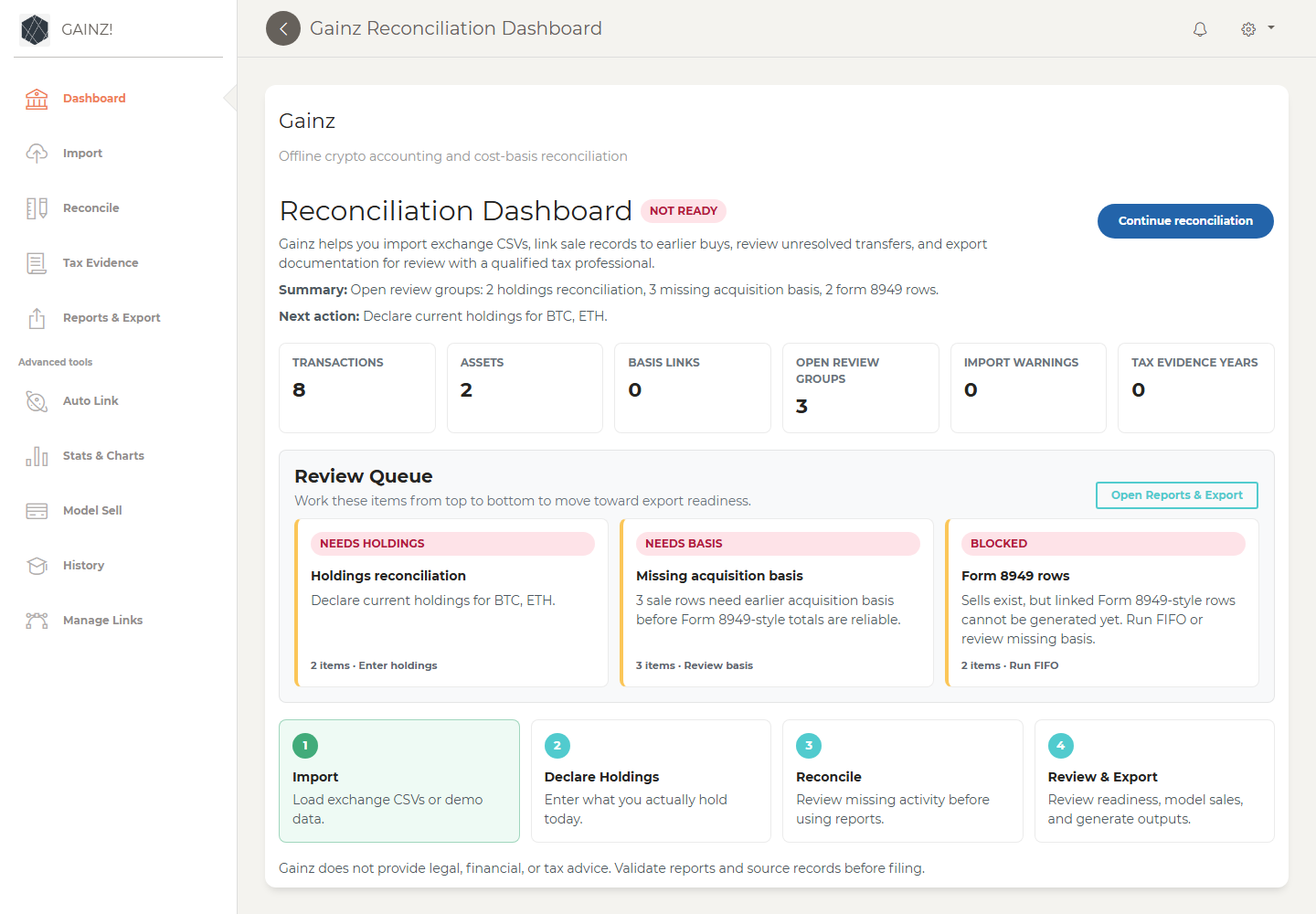
Dashboard shows the readiness summary, next action, and review queue.
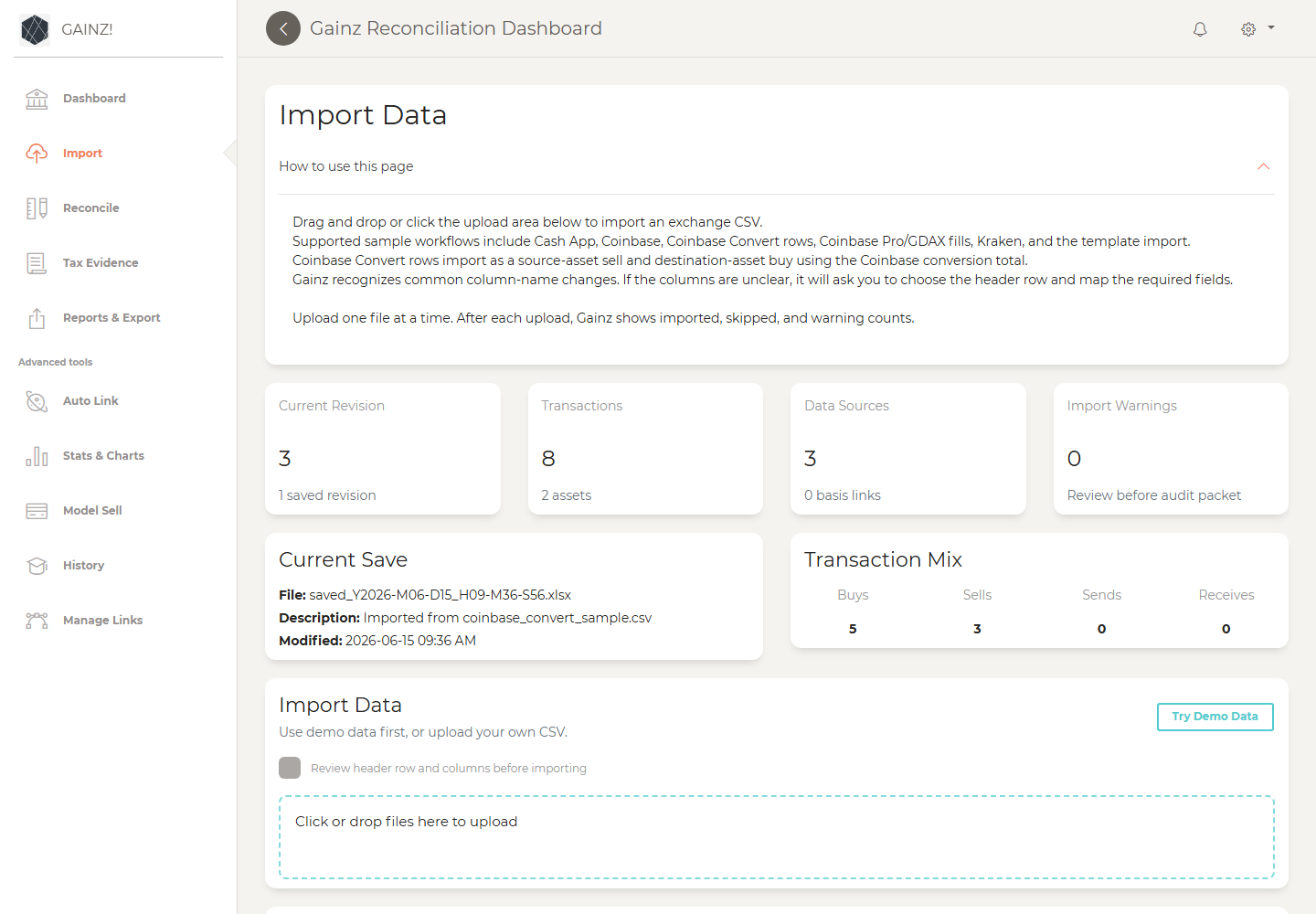
Import source CSVs, try demo data, add manual batches, review data sources, and inspect revisions.
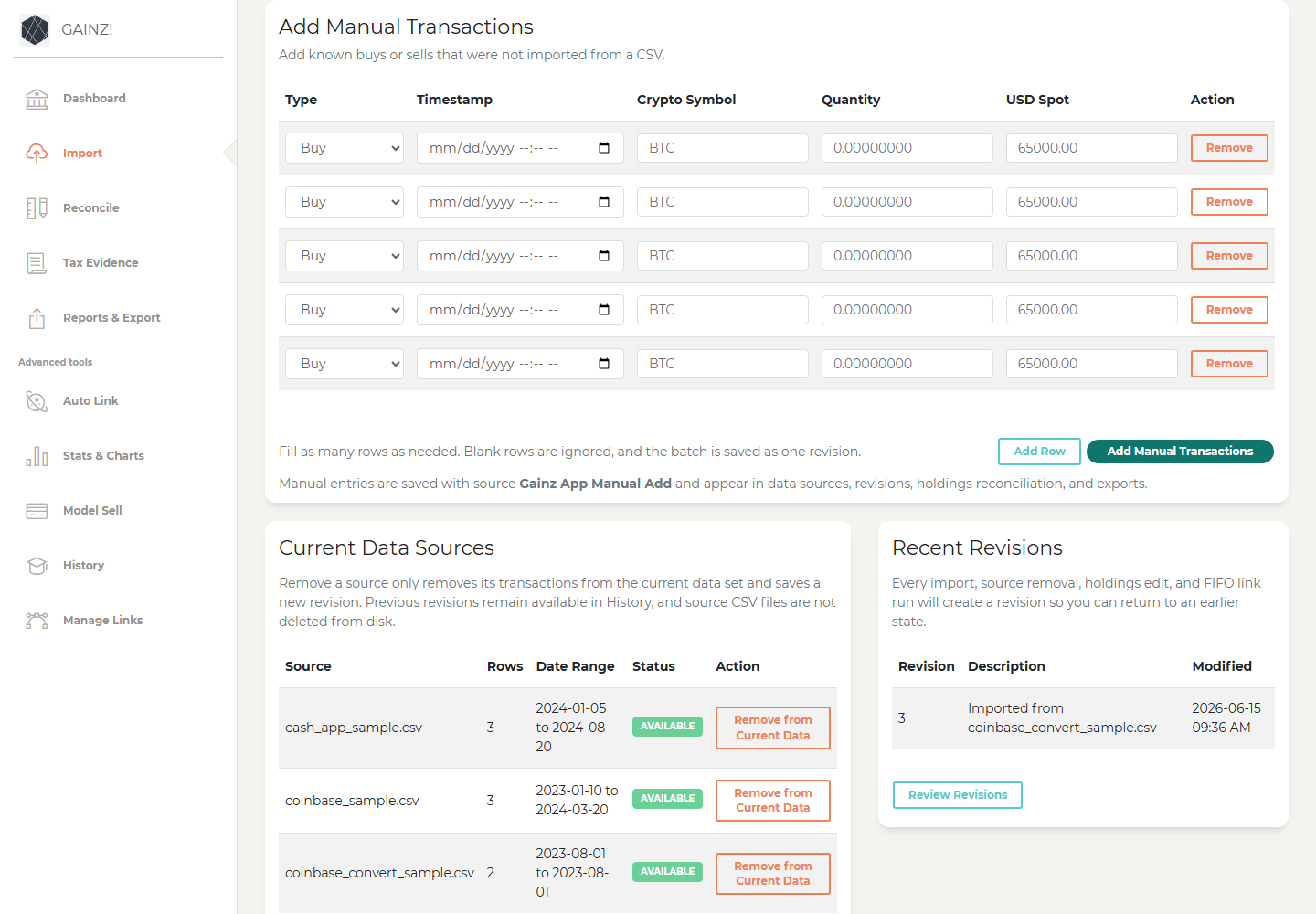
Manual rows let users enter known buys or sells that were not present in imported CSV files.
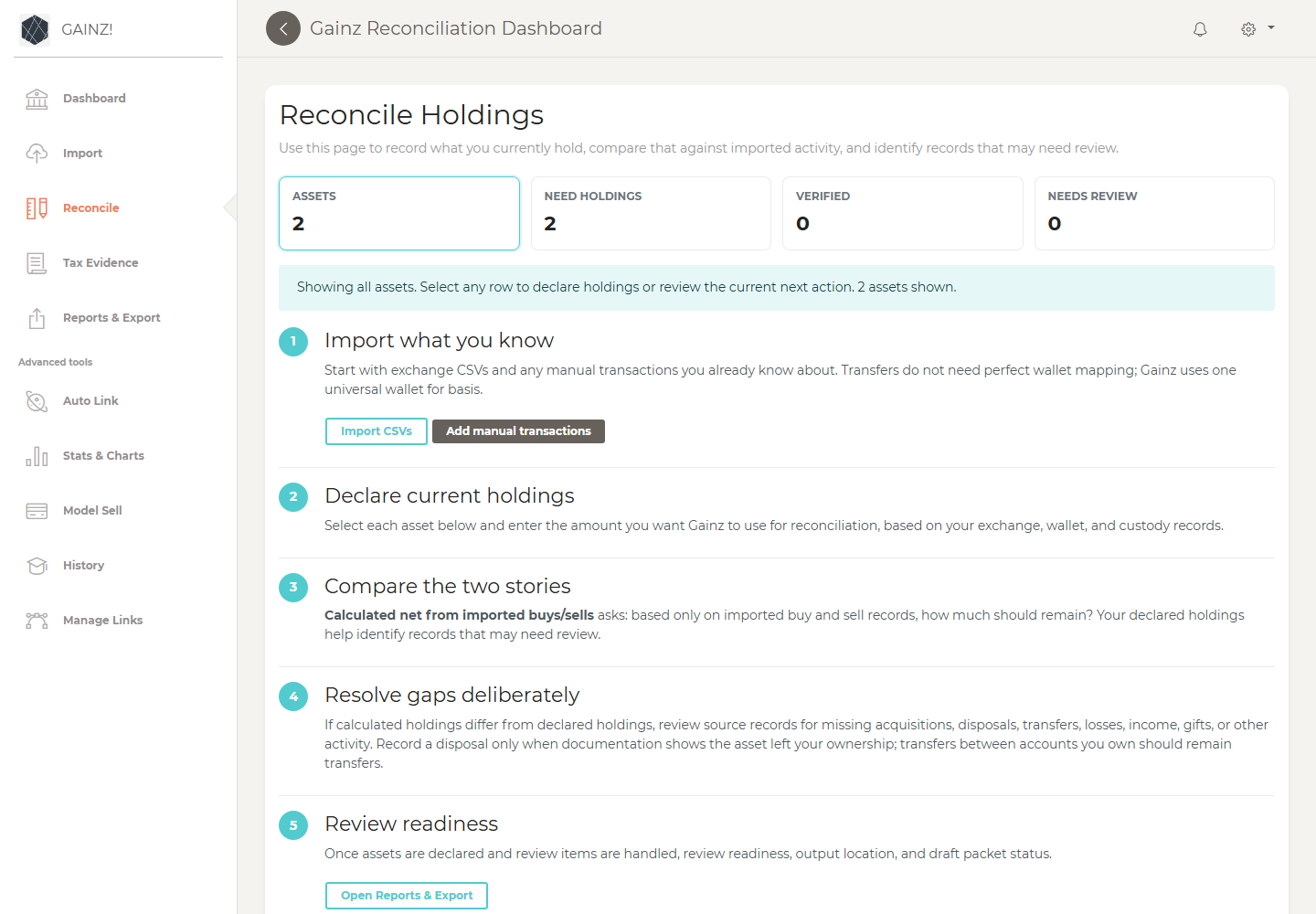
Current holdings reconciliation helps users compare declared holdings against imported activity.
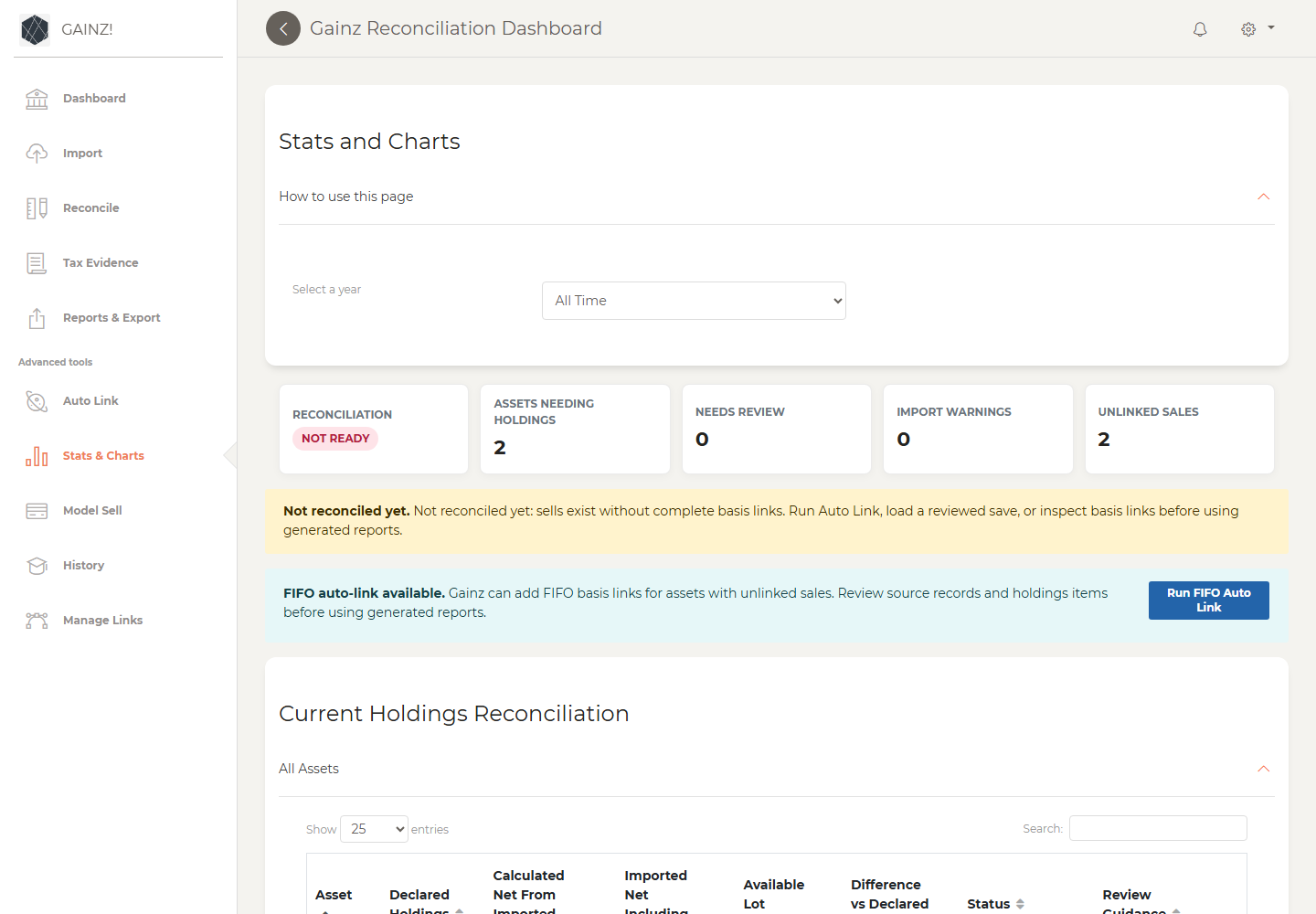
Stats and Charts remains available for deeper asset-level inspection after Dashboard identifies what to review.
Public guides, screenshots, and demo outputs must use synthetic data only. Do not publish real saves, exports, source tax files, wallet balances, logs, screenshots of private records, or audit packets from personal data.