Releases: sane-apps/SaneBooks
Release list
SaneBooks 0.1.0 — private books for shielded Zcash

SaneBooks 0.1.0
Private books for shielded Zcash. Mac-native. Local-first. Cannot spend.
CipherPay gets you paid privately. ZBooks runs team treasury. SaneBooks is the CPA layer: classify change so it is not income, then hand your accountant an expiring .sanebooks pack — not a permanent viewing key.

Download
SaneBooks-0.1.0.zip — notarized Developer ID build for macOS 14+
sha256 54b922814f0269f94609b483d948b7cb2706a6b8cdc3254756a8e1142b964fe8
Unzip → open SaneBooks.app. Gatekeeper should accept it (Notarized Developer ID). Prefer the ZIP from this release over unsigned local builds.
What you get
| You need | SaneBooks does |
|---|---|
| Books without a spend wallet | Import a UFVK / Zashi-Zodl data.db — never a seed |
| Change ≠ income | Tag Income / Expense / Change / Fee on the ledger |
| Something a CPA can open | Encrypted, expiring .sanebooks pack + built-in Reader |
| Honest limits | No iCloud vault sync; packs never embed the viewing key |
100% Transparent Code under PolyForm Shield — source-available, not casual “open source.”
Tour
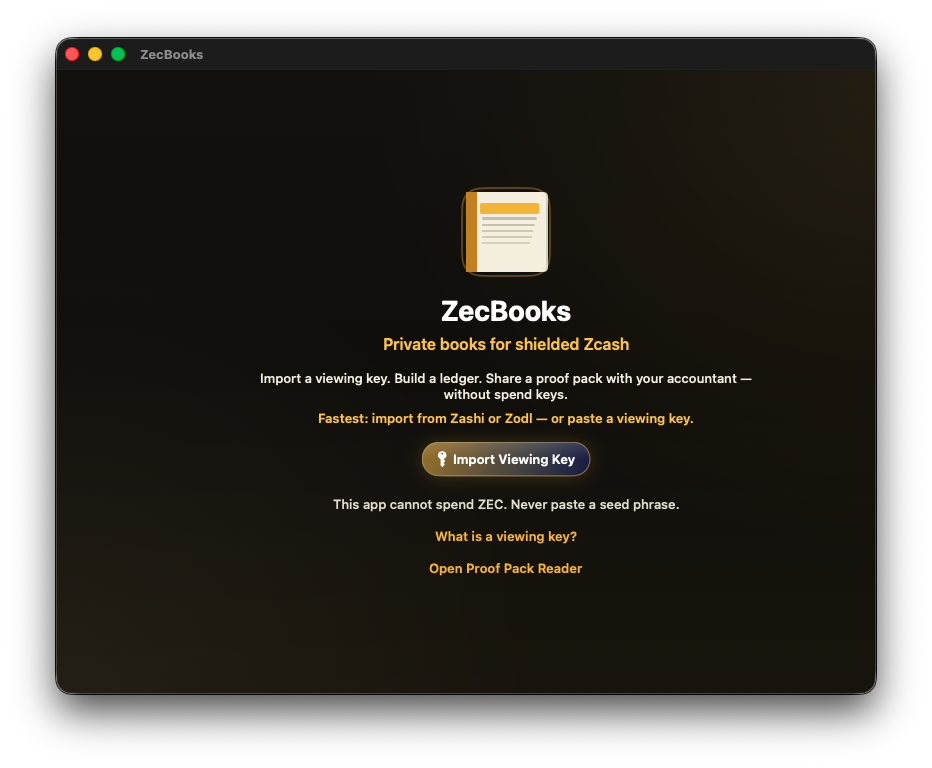
1. Start without a seed
Import a viewing key (or pull history from Zashi / Zodl). The app refuses spend keys and seed phrases.
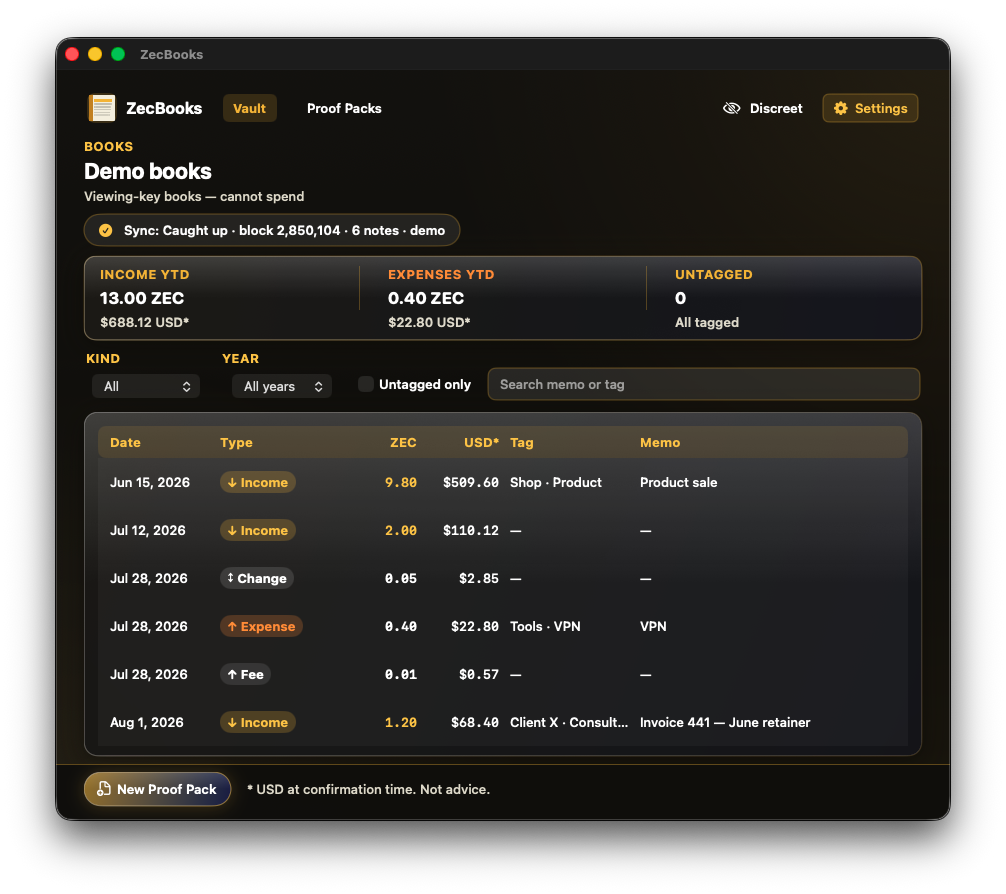
2. Classify the ledger
Income, expenses, and change as separate kinds. YTD totals stay readable; Discreet mode hides balances when you share your screen.
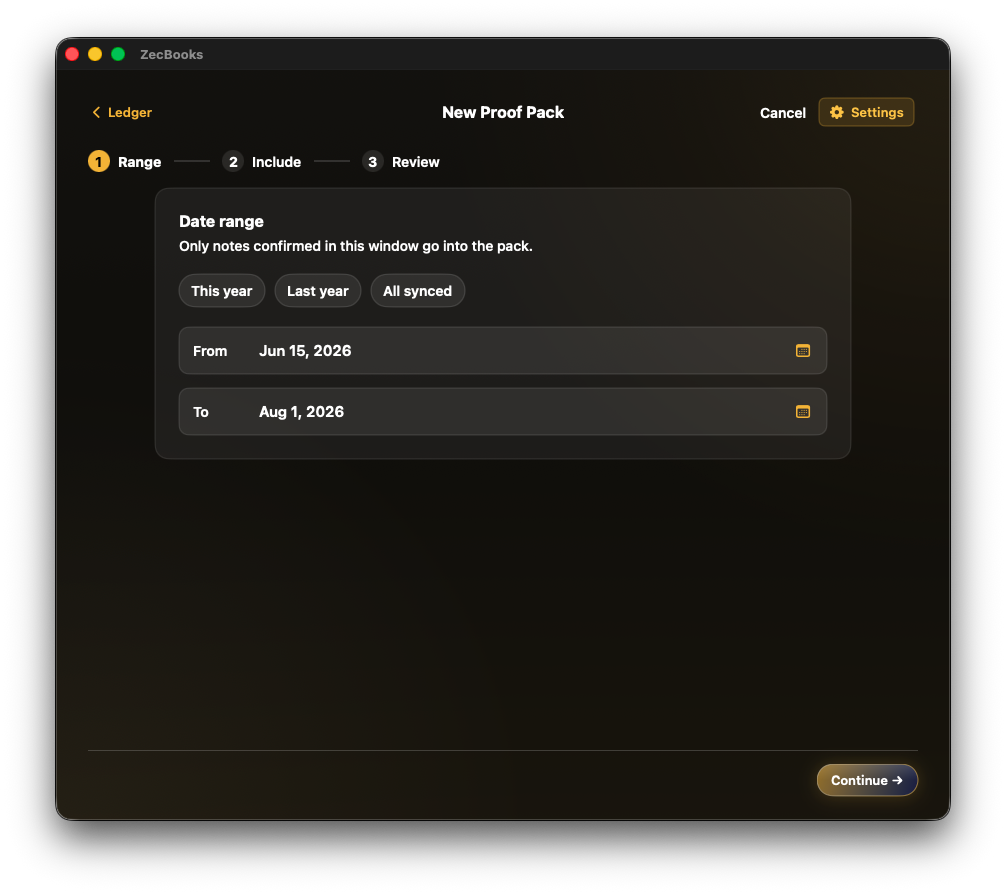
3. Scope a proof pack
Pick the date range that belongs in the handoff. Only notes confirmed in that window go into the pack.
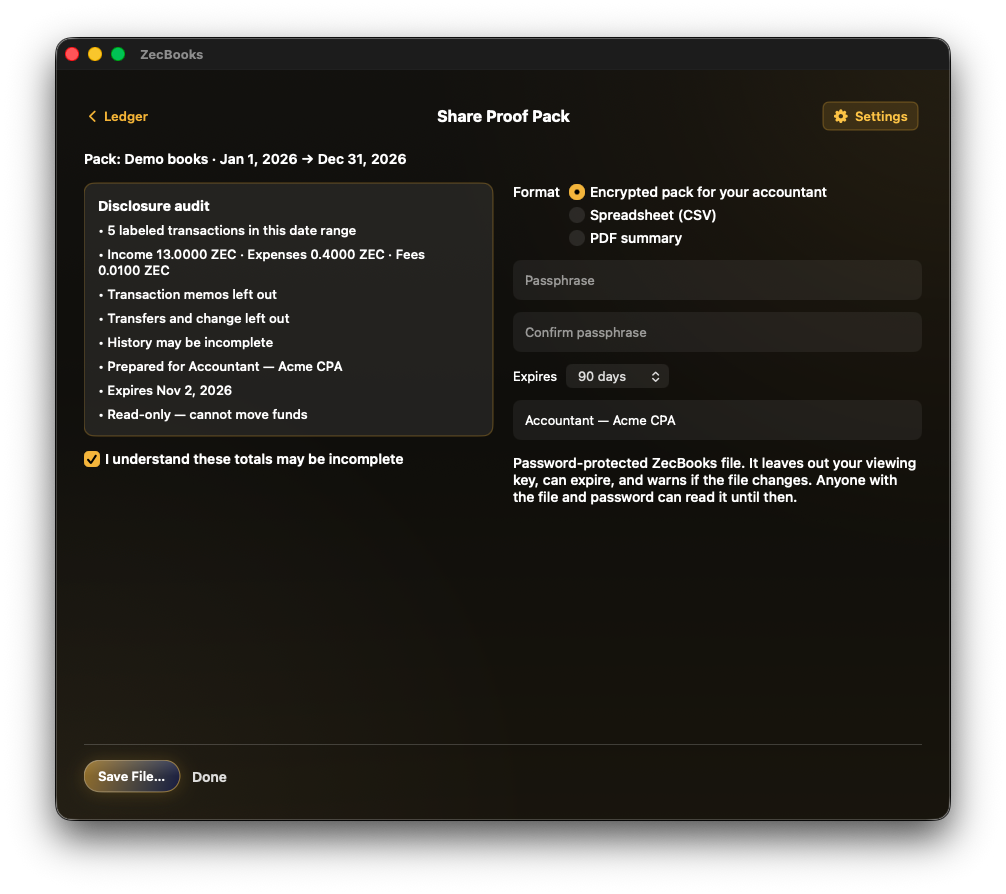
4. Disclose on purpose
Before save: what is included, what is left out, who it is for, and when it expires. Encrypted pack, CSV, or PDF — you choose how much surface area leaves the Mac.
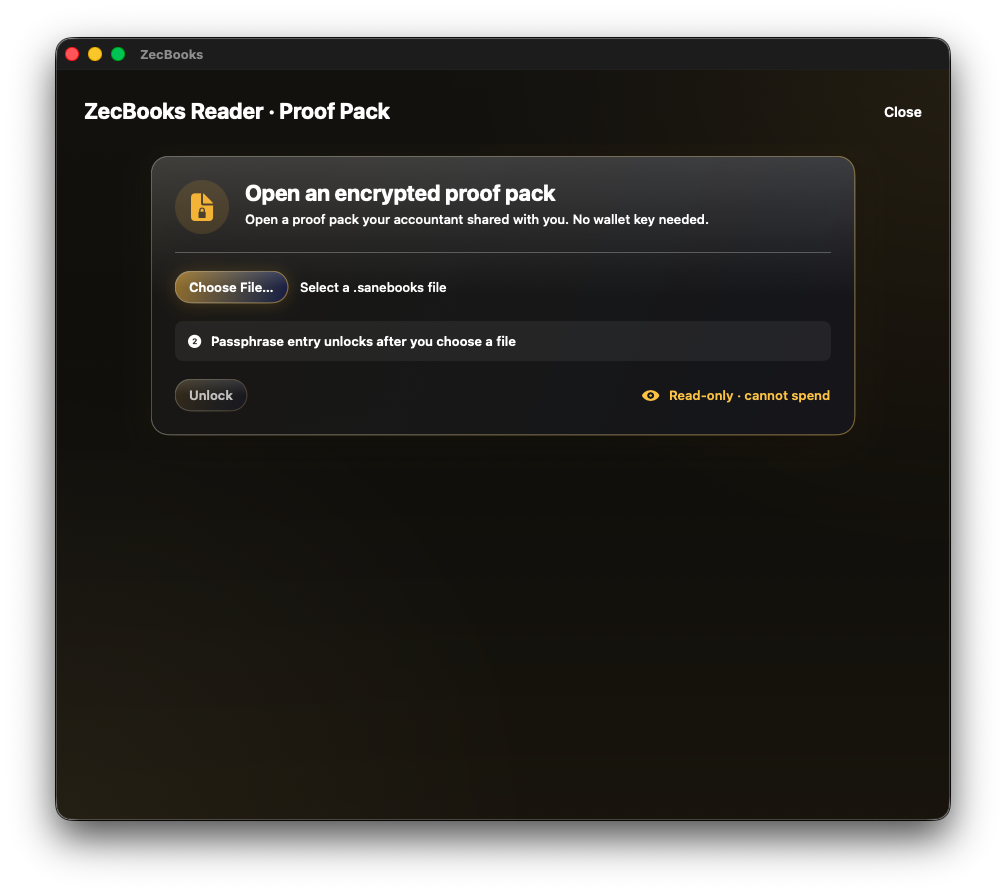
5. Accountant opens Reader
No vault key. No chain sync. Unlock the .sanebooks file with the passphrase you shared out of band.
Install in 60 seconds
- Download
SaneBooks-0.1.0.zipfrom this release - Unzip and move
SaneBooks.appsomewhere durable (Applications is fine) - Open the app → Import Viewing Key (or use the offline demo path while exploring)
- Classify → New Proof Pack → save an encrypted pack → open it in Reader
Need a viewing key walkthrough? See docs/WALLET_VIEWING_KEY_GUIDE.md.
Provenance
| Item | Value |
|---|---|
| Version | 0.1.0 |
| Git (binary) | 8583fbdc531f |
| Notary | Accepted fcd6111b-0267-48f2-9797-866fac68ac06 |
| ZIP sha256 | 54b922814f0269f94609b483d948b7cb2706a6b8cdc3254756a8e1142b964fe8 |
| Signing | Developer ID Application: Stephan Joseph (M78L6FXD48) |
Sparkle auto-update and a marketing site are off in this lane. Distribution is this GitHub Release.
Not this product
- Not a wallet — cannot send ZEC
- Not CipherPay — that is checkout; SaneBooks starts after money arrives
- Not ZBooks — that is team treasury + payouts; SaneBooks is solo owner → CPA on a local Mac
- Not tax-filing software — your CPA owns the return
Community gap this ships into: Is anyone actually using viewing keys for business accounting?
Built by SaneApps. I built SaneBooks.