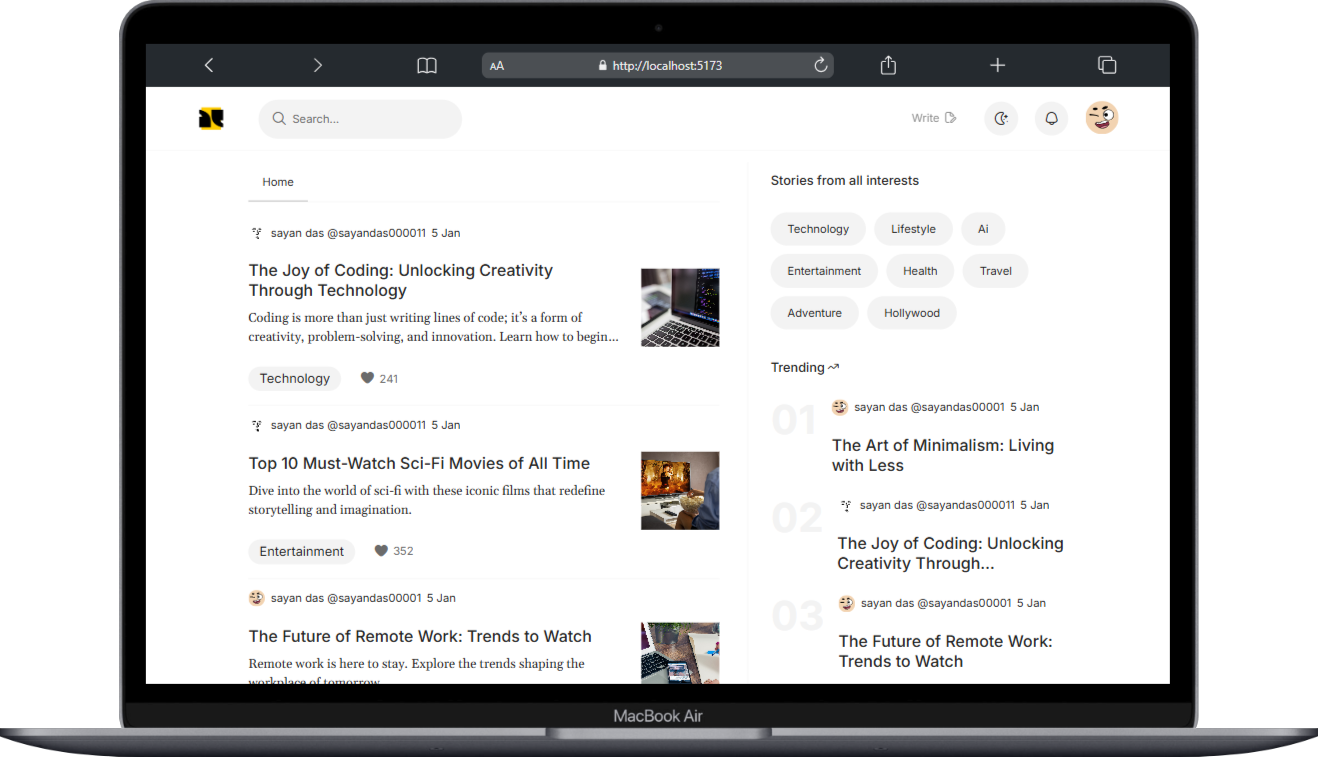
Canvas is a fully responsive MERN stack blogging platform where users can write, share, and explore blogs. It features a seamless user experience with infinite scrolling, dark mode, and real-time interactions.

- Displays the latest blogs with a trending blogs section and a category section.
- Users can click on tags to find specific blogs.
- Infinite scrolling with pagination to automatically load more blogs.
- Skeleton loader animation for a smooth content loading experience.
- Search blogs by name.
- Search by tags.
- Search for other users on the platform.
- Login/Sign Up using email and OTP verification.
- Google authentication support for quick login.
- View all published blogs and personal information on the Profile Page.
- Edit profile details as needed.
- View all published and draft blogs on the Blog Page.
- Track blog stats (views, likes, comments, etc.).
- Edit or delete blogs.
- Get notified when your blog receives a like, comment, or reply to a comment.
- Create blogs with:
- Blog banner
- Title, headings, and images
- Markdown support for formatting
- Rich text editing features
- Like and comment on blogs.
- View related blogs when reading a blog post.
- Fully responsive design for all devices.
- Supports light mode and dark mode.
# Clone the repository
git clone https://github.com/sayan-sd/canvas.git

# Navigate to the project folder
cd canvas

# Install dependencies (Frontend & Backend)
cd frontend && npm install
cd ../backend && npm install

# Start the backend server
cd backend && npm run dev

# Start the frontend
cd frontend && npm run devTo run this project, follow the .env.example in both frontend and backend folder and create your own environment variables in .env
Frontend: React, TailwindCSS
Backend: Node, Express
Database: Mongo DB
Email: sayan.career@outlook.com
LinkedIn: LinkedIn Profile