Save, manage, and reuse code snippets — synced to the cloud via GitHub Gists or Bitbucket.
Install via the CLI:
antigravity --install-extension srawad.snipifyIf not found, download the
.vsixfrom the Open VSX Registry and run:antigravity --install-extension snipify-x.x.x.vsix
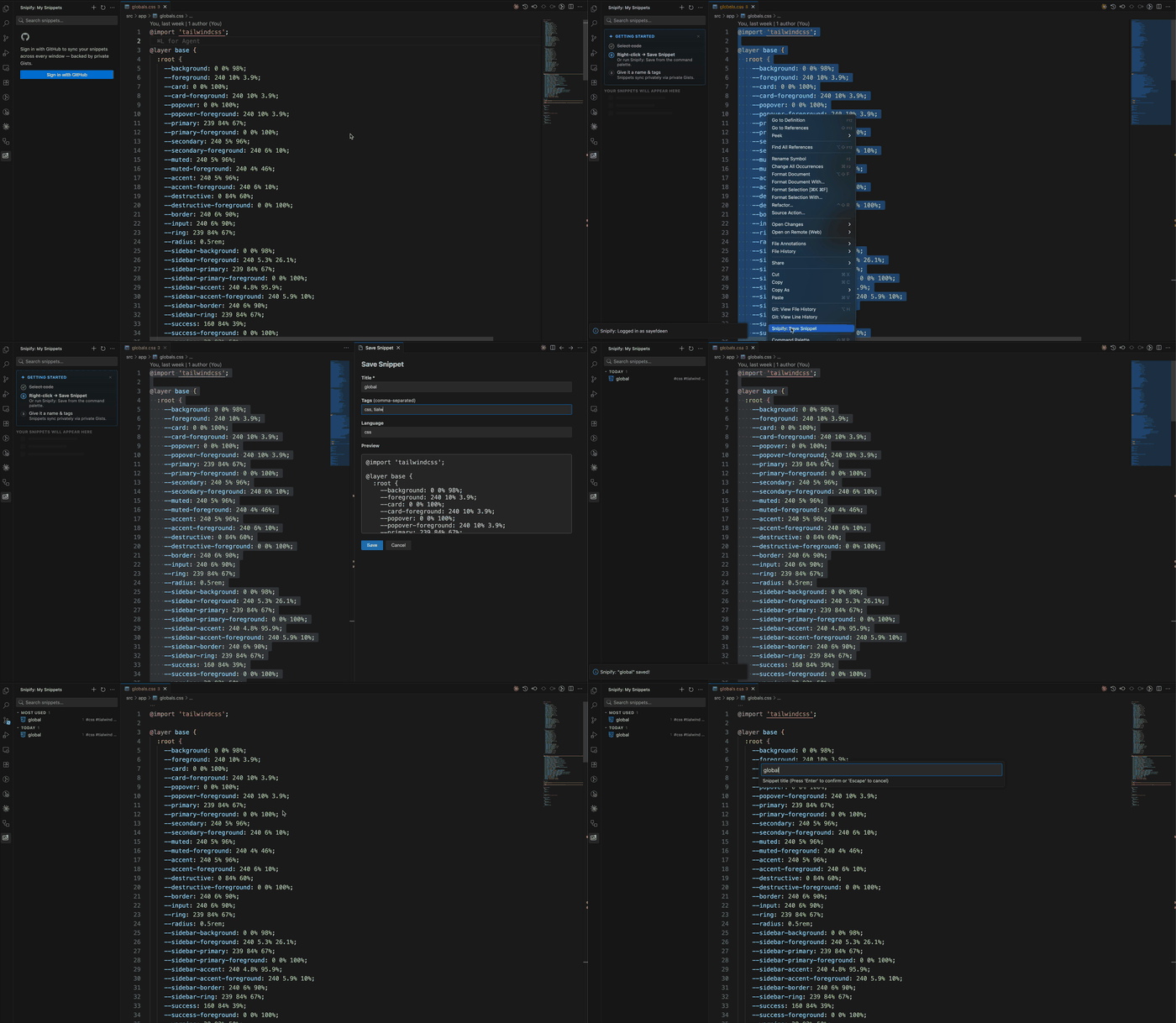
- Save snippets from any selection: right-click → Save Snippet, or use the
+button in the sidebar - Search snippets by title, language, or tag directly in the sidebar
- Insert a snippet at the cursor with a single click — supports VS Code tab stops (
$1,${1:placeholder}) - Pin frequently used snippets to the top of the list
- Time-based grouping: Pinned → Most Used → Today → This Week → This Month → Earlier
- Usage counter — insert count shown beside each snippet title; Most Used surfaces your top 5
- Language icons for TypeScript, JavaScript, Python, Go, Rust, CSS, and more
- Share link — copy a direct URL to any snippet in one click
- Export snippets to
.code-snippets(VS Code native) or JSON - Import snippets from
.code-snippetsor a Snipify JSON export - Offline support — snippets cached locally so the list stays available when the provider is unreachable
| Provider | Status | Storage |
|---|---|---|
| GitHub | ✅ | Private GitHub Gists |
| Bitbucket | ✅ | Private snipify-snippets repo in your workspace |
- Open the Snipify panel in the Activity Bar
- Click Sign in with GitHub and authorize the app
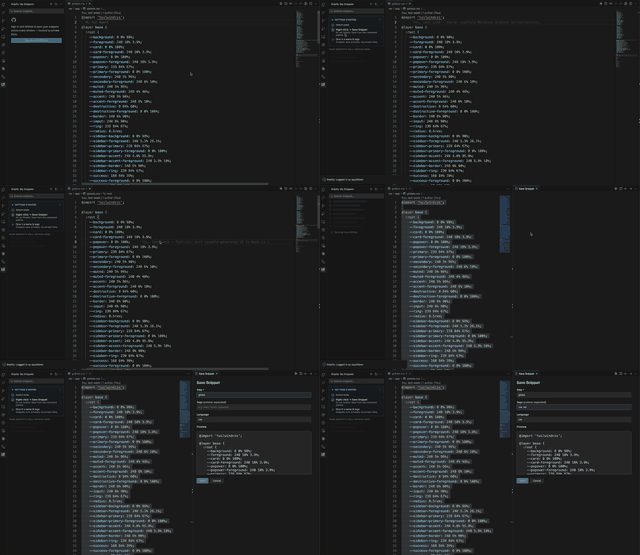
- Select code in the editor, right-click → Save Snippet — add a title, tags, and language in the form
- Click any snippet in the sidebar to insert it at the cursor, or use
Ctrl+Shift+S/Cmd+Shift+Sto search and insert via quick pick - Hover a snippet to reveal pin, edit, and delete actions
- Create a private repository named
snipify-snippetsin your Bitbucket workspace atbitbucket.org/{workspace}→ Repositories → Create repository - Create an Atlassian API token at id.atlassian.com/manage-profile/security/api-tokens with these scopes:
read:user:bitbucketread:repository:bitbucketwrite:repository:bitbucketdelete:repository:bitbucketadmin:repository:bitbucket
- In VS Code Settings, set
snipify.providertobitbucketand reload - Open the Snipify panel and click Login — enter your Atlassian email, API token, and workspace slug
- Select code, right-click → Save Snippet — add a title, tags, and language in the form
- Hover a snippet to reveal pin, edit, and delete actions
| Command | Description |
|---|---|
Snipify: Save Snippet |
Save selected code as a snippet |
Snipify: Search Snippets |
Fuzzy-search and insert via quick pick |
Snipify: New Snippet |
Open the snippet form without a selection |
Snipify: Refresh Snippets |
Reload snippets from the provider |
Snipify: Export Snippets |
Export to .code-snippets or JSON |
Snipify: Import Snippets |
Import from .code-snippets or JSON |
Snipify: Login |
Authenticate with the configured provider |
Snipify: Logout |
Sign out |
| Shortcut | Action |
|---|---|
Ctrl+Shift+S / Cmd+Shift+S |
Search snippets (quick pick) |
All shortcuts are remappable via File → Preferences → Keyboard Shortcuts (Ctrl+K Ctrl+S / Cmd+K Cmd+S).
| Button | Action |
|---|---|
+ |
New snippet |
⟳ |
Refresh |
⋯ |
Export / Import |
When the provider is unreachable or your token expires, Snipify shows a banner above the list explaining what happened. Your last-synced snippets remain visible from the local cache — you can still insert and search them. Click Dismiss to hide the banner.
| Setting | Default | Description |
|---|---|---|
snipify.provider |
github |
Storage backend: github or bitbucket |
Changing the provider setting will prompt you to export your current snippets before switching.
- VS Code 1.85+
- GitHub: a GitHub account
- Bitbucket: a Bitbucket account, an Atlassian API token with repository scopes, and a manually created private repo named
snipify-snippetsin your workspace