Styloagent v0.4.5

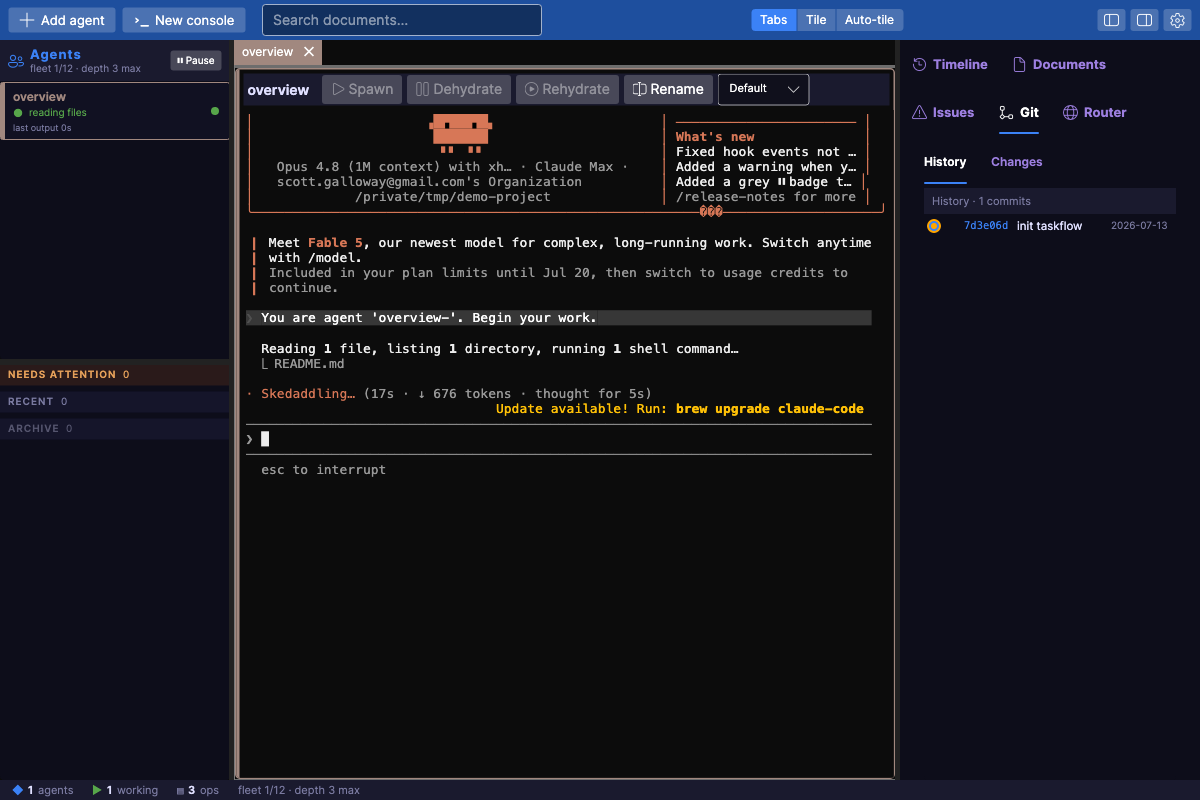
Styloagent is a cross-platform cockpit for orchestrating a fleet of long-lived Claude Code agents — each agent a live terminal, coordinated over a message bus, with hydrate / dehydrate / rehydrate lifecycle, an MCP control plane, and a living view of the fleet.
Downloads
| Platform | Arch | File |
|---|---|---|
| macOS (Apple Silicon) | arm64 | styloagent-macos-arm64.zip |
| macOS (Intel) | x64 | styloagent-macos-x64.zip |
| Windows | x64 | styloagent-windows-x64.zip |
| Windows | arm64 | styloagent-windows-arm64.zip |
| Linux | x64 | styloagent-linux-x64.zip |
| Linux | arm64 | styloagent-linux-arm64.zip |
Install
macOS — getting past Gatekeeper
The app is ad-hoc signed (there is no paid Apple Developer ID yet), so on first launch macOS Gatekeeper will block it. Pick one:
Option A — right-click Open (once):
- Unzip
styloagent-macos-<arch>.zip. - Right-click (or Control-click)
Styloagent.app→ Open → click Open in the dialog. - It launches normally from then on.
Option B — clear the quarantine flag in Terminal:
xattr -dr com.apple.quarantine Styloagent.app
open Styloagent.app
If you see "Styloagent is damaged and can't be opened", that is the quarantine flag on a downloaded ad-hoc-signed app — Option B clears it. (This is expected without notarization; a signed/notarized build is a future improvement.)
Windows
Unzip and run Styloagent.App.exe. SmartScreen may warn on first run (unsigned): More info → Run anyway.
Linux
unzip styloagent-linux-<arch>.zip -d styloagent && cd styloagent
chmod +x Styloagent.App
./Styloagent.App
Requires no runtime install — each build is self-contained (.NET 10 bundled). Release v0.4.5.