Repository navigation
XBand
- Home
- Barcode Battler II
- Barcode Boy
- Barcode Taisen Bardigun
- Nintendo Super System
- Real Time Clock
- Sunsoft Pachinko
- Super Famicom Box
- Nintendo SuperDisc
- XBand (You are here)
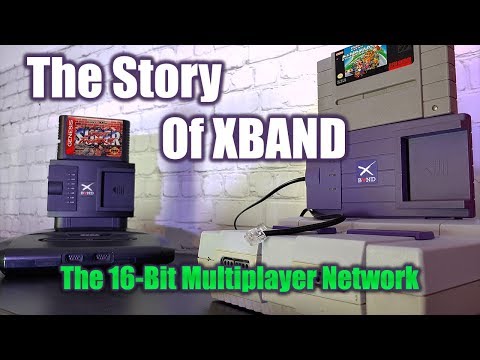
The XBAND (Catapult Entertainment, 1994-1997) was a 2400-baud modem for the SNES and the Genesis. It plugged into the cartridge slot, the game cartridge plugged into the top of it, and it dialled Catapult's servers over the phone line to find an opponent. Players got a profile, stats, rankings, X-Mail and news. The games themselves knew nothing about modems: when a match was made, the server sent the box a small patch for that game, and the box's "Fred" chip spliced it into the game cartridge on the fly, turning a local two-player mode into an online one. The service shut down on April 30, 1997, and with the servers went almost all the patches.
SuperSnes9x emulates the modem box and carries its phone line over the internet (TCP). It boots the real XBAND BIOS, connects to a modern XBAND server, and plays online the way the hardware did. Only two original SNES patches survived (Super Street Fighter II and Super Mario Kart); patches for the rest of the library were rebuilt from scratch, including DOOM, whose XBAND version was never released.
-
The XBAND BIOS:
X-Band Modem BIOS (USA).sfc, 1 MB (a copy with a 512-byte copier header, or a.zip, also works). Not supplied. - A game: one of the supported games. Other games boot through the box too, but can only be played online if a patch exists for them.
-
A server: the public one at
xbserver.retrocomputing.network(xband.retrocomputing.network), or the server built into SuperSnes9x (see Hosting a server) - This server does not support match-making for the time being!
- File → BIOS Manager, the XBAND row: point it at the BIOS. The status column says OK when it is the right file.
- Emulation → XBand → Enable. From now on games load through the box, as if plugged into its top.
- Pick a server in Emulation → XBand:
- Retrocomputing Server for the public server, or
-
Local Server... to type a host and port (default
127.0.0.1:56969) for a private server, such as a friend's built-in one.
- Emulation → XBand → Insert Prepaid Card (see below).
- File → Load Game and pick the game. The XBAND BIOS boots first; the window title names the XBAND and the game in it.
If you switch XBAND on or off with a game already running, do a hard reset (File → Reset) to plug the game into the box or take it out.
To turn XBAND off, uncheck Emulation → XBand → Enable; games then load on their own again.
- On first boot the BIOS walks you through making a player: pick a name and an icon. Up to four players share one box.
- Choose a game and Find an opponent. The box dials the server, logs in, downloads X-Mail and news, and asks the server for a match.
- While you wait, the BIOS offers a practice game (the game cart's own mode). When a match is found the box rings: the game switches to the network match, with the server's patch loaded into the box.
- After the match, results go to your stats on the next call.
Two players can be on the same PC: run two SuperSnes9x windows from the same folder. Each window claims its own box save (<box>.srm, <box> [window 2].srm, ...), so the two boxes have separate players. A new window's box starts as a copy of the first.
The real XBAND took prepaid smart cards for play credit. Insert Prepaid Card puts a card with 100 credits in the box's card slot (the same item removes it); Reset Prepaid Card refills it. The card stays inserted across games, like the real one, and is saved as XBAND Prepaid Card.bin in the save folder.
Players can send each other X-Mail from the BIOS; the built-in server stores and delivers it.
SuperSnes9x has an XBAND server built in, a C++ port of the Cinghialotto/xband server, extended with every patch on this page.
-
Emulation → XBand → Start Server... and pick a port (default
56969). The window title shows (Hosting) while it runs, and this window dials its own server at127.0.0.1. - The other players set Emulation → XBand → Local Server... to your PC's IP address and that port. Players outside your network need the port forwarded on your router.
- Emulation → XBand → Disconnect stops the server.
The server reads game patches from the xband\patches folder next to the executable, and keeps its player list, X-Mail and log (server.log) in xband\. On start it says how many patches it found. With no patches it can still match games already patched in a box, but nothing else.
The server names any SNES cartridge, not only XBAND-supported ones, so players see what their opponent is running.
Catapult sold a keyboard for typing X-Mail and chat. It plugs into controller port 2 and is emulated from Catapult's firmware and BIOS sources.
- Input → Use XBAND Keyboard plugs it in (pad 1 stays a joypad).
- While the BIOS or a game polls the keyboard, your PC keyboard types on it, key by position. The special keys are set in Input → Input Configuration, on the XBAND Keyboard row.
- The Input Configuration window shows a picture of the keyboard that lights the keys you hold, and its Num/Caps/Scroll Lock LEDs.


"Catapult patch" means an original 1990s patch survived; "Our patch" means a rebuilt one ships with SuperSnes9x.
| Game | Catapult patch | For version | Our patch | For version | Tested |
|---|---|---|---|---|---|
| DOOM | ❌ | USA | ✅ | USA | Yes |
| Ken Griffey, Jr. Presents Major League Baseball | ❌ | USA | ✅ | USA, USA Rev 1 | Yes |
| Killer Instinct | ❌ | USA | ✅ | USA, USA Rev 1 | Yes |
| Kirby's Avalanche | ❌ | USA | ✅ | USA | |
| Madden NFL '95 | ❌ | USA | ✅ | USA, Europe | |
| Madden NFL '96 | ❌ | USA | ✅ | USA | Yes |
| Mortal Kombat II | ❌ | USA | ✅ | USA, USA Rev 1 | |
| Mortal Kombat 3 | ❌ | USA | ✅ | USA | |
| NBA Jam Tournament Edition | ❌ | USA | ✅ | USA | |
| NHL '95 | ❌ | USA | ✅ | USA | |
| NHL '96 | ❌ | USA | ✅ | USA | |
| Othello World (Japan only) | ❌ | Japan | ✅ | Japan | |
| Panel de Pon (Japan only) | ❌ | Japan | ✅ | Japan | |
| Super Puyo Puyo / Puyo Puyo 2 / 2 Remix | ❌ | Japan | ✅ | Japan | |
| Super Famista 5 | ❌ | Japan | ✅ | Japan | |
| Super Fire Pro Wrestling X / X Premium | ❌ | Japan | ✅ | Japan | |
| Super Mario Kart | ✅ | USA | ✅ | Japan, Europe | |
| Super Street Fighter II | ✅ | USA | ✅ | Japan, Japan (Virtual Console), Europe, Europe (Virtual Console), USA Rev 1, USA Rev 1 (Virtual Console) | |
| WeaponLord | ❌ | USA | ✅ | USA, Europe |
Patches are matched to the exact ROM by CRC32, so use a clean, unmodified dump of the listed version.
Games with extra chips work through the box: Super Mario Kart's DSP-1 and DOOM's Super FX are carried through the modem, as are game carts with their own battery save.
DOOM's XBAND patch was written by Catapult but never shipped. SuperSnes9x reconstructs it, similar to how retrogaming.network does. Deathmatch over the network with frags, level changes and game over all working.


-
The box: its 64 KB of battery RAM (players, stats, X-Mail, the downloaded patch) is saved as the box's
.srm. Each window run from the same folder gets its own copy (see above). - The game cart: its own battery RAM is mapped through the box. It starts blank at every boot.
-
The prepaid card:
XBAND Prepaid Card.binin the save folder.
| Part | What it is |
|---|---|
| Modem | A Rockwell RC2324DP 2400-baud modem, memory-mapped into the SNES. The emulator implements its registers, dial tone, ring and answer tone, and replaces the phone line with a TCP connection. |
| Fred | Catapult's custom chip. It sits between the SNES and the game cart, maps the cart and the box's ROM and RAM, and holds patch vectors (like a Game Genie) that redirect the game's code into the patch held in box RAM. |
| SRAM | 64 KB of battery RAM holding player profiles, stats, icons, mail and the patch from the server. |
| Protocol | A modified early version of Apple's ADSP. Packets are framed with a leading null byte, a CRC and a trailing DLE ETX (10 03). The emulator passes the byte stream through to the server over TCP. |
The box can also drive the console's reset line; the emulator keeps the modem call alive across a reset the box drives, as the hardware did.

A network match in SuperSnes9x: video
-
xband.retrocomputing.network, the public XBAND revival server
-
Cinghialotto/xband, the server the built-in one is based on
-
XBand game patches.zip (in-memory patches to enable multiplayer over ADSP).
-
XBAND Keyboard Test.zip (test rom built from scratch, it is not the Catapult's keyboard tester rom)
-
Issue #291