Releases: shayansaha85/cronfrog
Releases · shayansaha85/cronfrog
Release list
CronFrog v1.0.1

🐸 CronFrog v1.0.1 - Release Notes
What's New
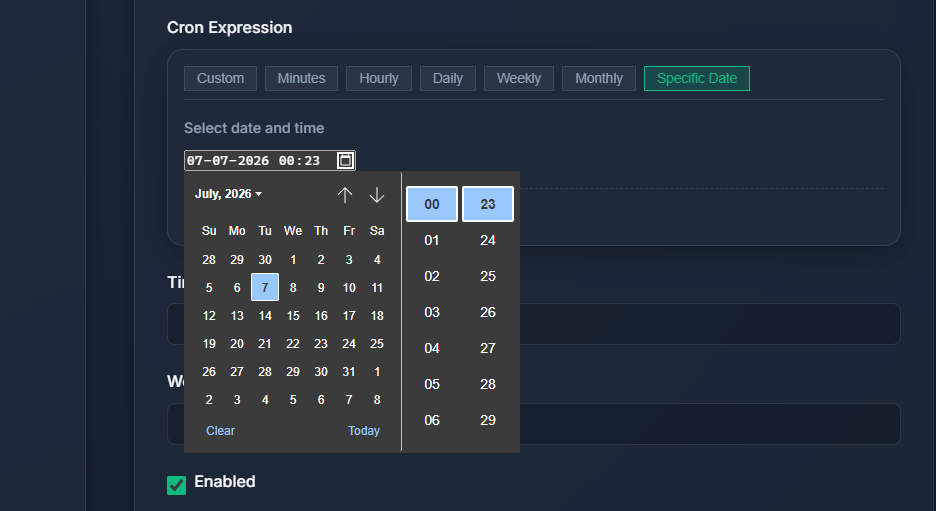
📅 Specific Date & Time Scheduling
Schedule one-off jobs at an exact date and time - no cron expression needed.
- A new "Specific Date" tab in the cron builder lets you pick from a native calendar widget.
- Powered by APScheduler's
DateTriggeron the backend. - Defaults to your current system date and time when creating a new job.
- New
schedule_typecolumn (cron|date) added to the database with auto-migration support.
🌍 Searchable Timezone Selector
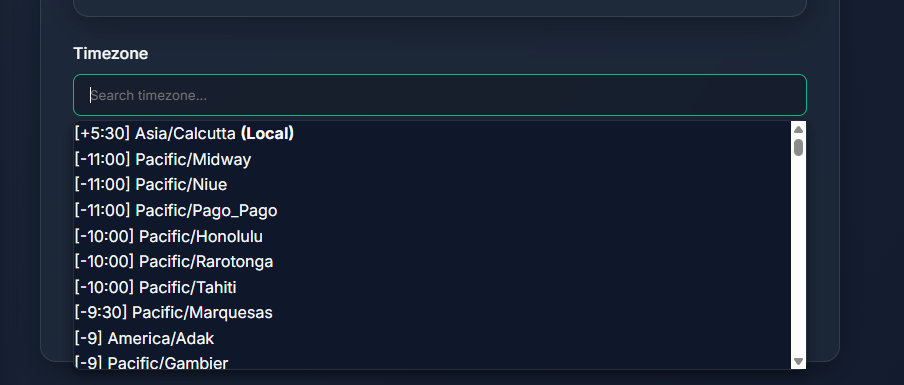
Every job can now run in a specific timezone.
- A fully searchable dropdown lists all IANA timezones with their UTC offsets (e.g.
[+05:30] Asia/Kolkata). - Your local system timezone is auto-detected, pinned at the top, and selected by default for new jobs.
- Dark-mode styled custom dropdown - no native
<select>jank. - The selected timezone is passed to APScheduler for both
CronTriggerandDateTrigger.
📜 Full Run History
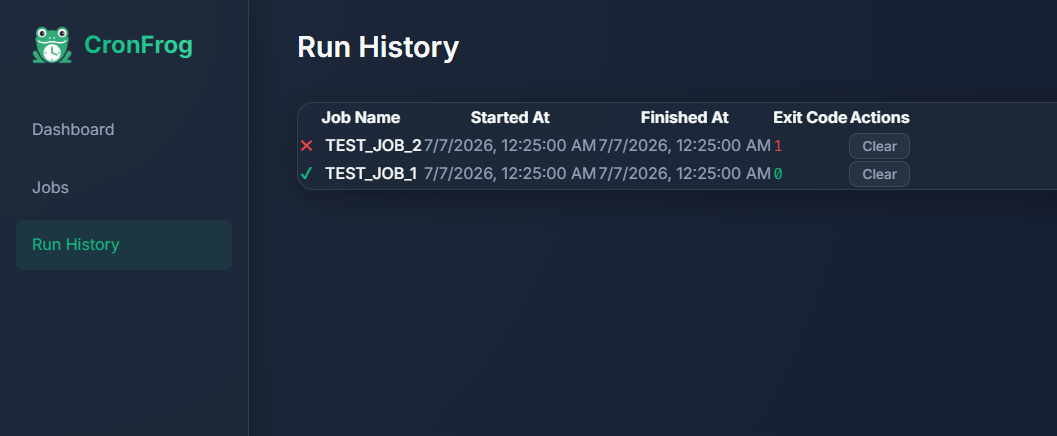
A dedicated Run History page accessible from the sidebar.
- Tracks all job runs - successful (✔), failed (✖), and running (⟳).
- Color-coded status indicators for quick visual scanning.
- Clear individual runs or wipe the entire history with one click.
- Table headers only render when data exists — clean empty state otherwise.
- Clicking a row navigates to the job's detail page.
🧹 Cascading Job Cleanup
- Deleting a job now automatically removes all its associated run history from the database.
- Dashboard "Failed Runs" counter updates instantly after clearing history or deleting jobs.
- No more stale or orphaned records.
Files Changed
| Area | Files |
|---|---|
| Backend | server/database.py, server/scheduler.py, server/api.py |
| Frontend | public/index.html, public/js/app.js, public/js/api.js, public/js/cron-builder.js, public/js/components.js, public/css/style.css |
Upgrade Notes
- Database migration is automatic. The new
schedule_typeandtimezonecolumns are added viaALTER TABLEon startup — no manual migration needed. - Existing jobs default to
schedule_type: "cron"andtimezone: "UTC". - No breaking changes. All existing cron jobs continue to work as-is.
How to Update
cd cronfrog
git pull origin master
pip install -r requirements.txt
python run.py
Full Changelog: v1.0.0...v1.0.1