See RELEASES for full documentation.
The purpose of the software is to automate the data analysis process for a data file using an Excel input file with records (unlimited in file size) intended for schema and data analysis. You can choose from a variety of actions of different types that include creating tables and summary graphs of the information from the input file and inserting it into a presentation that is ready to display as soon as the software activity ends according to the user's request.
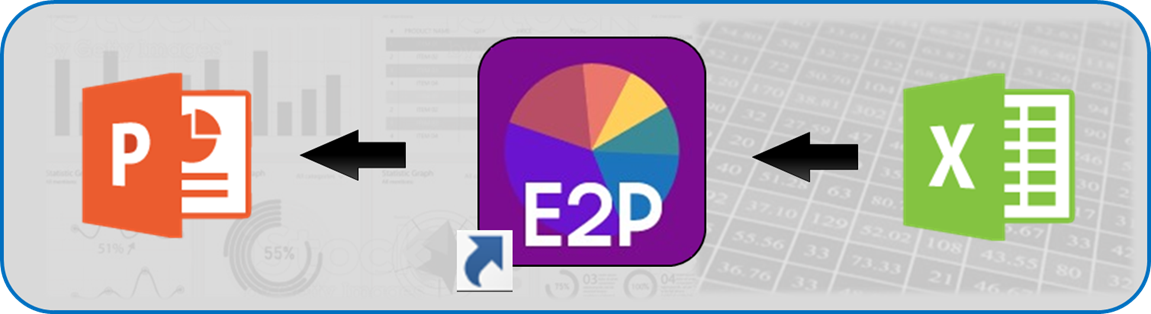
The main purpose of E2P is data analysis, but it puts together additional utilities that aim to save valuable time for the user in data analysis. The software can certainly be performed manually (using Pivot tables, macro formulas and graphics in Excel, and an employment service presentation template).
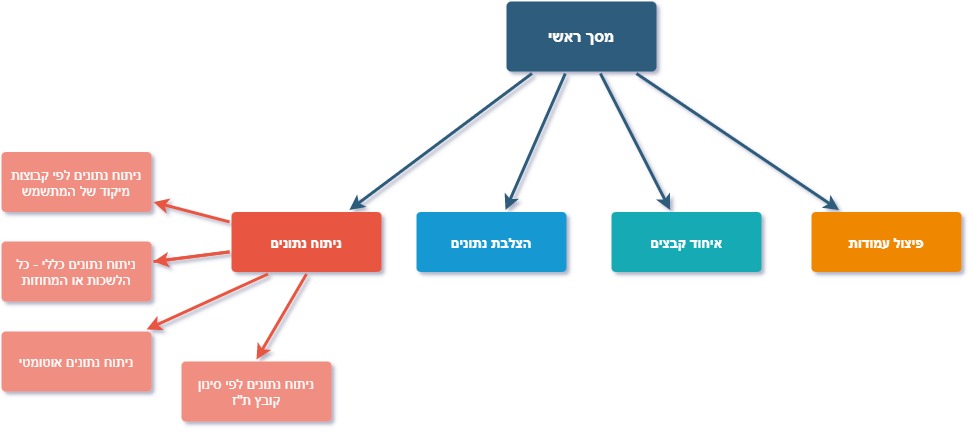
Data analysis
Data analysis according to the employment service format - with focus groups for user requirement or without, data analysis according to automatic format created from the input file structure (Excel file), data analysis according to the employment service format for all bureaus in the Southern District or for all Israeli employment service districts. In addition, there is the option of filtering by a focus group that consists of a list of IDs only.
Split Function
The second option in the software is to split an industry / profession record. This function, known as the "Itzik function", is an operation that involves splitting 2 specific columns in the reports of the employment service's report generator. One column will be split into 4 so that the user can use the various columns for data analysis (further details will be given in the example of using this function).
Data Crossing
The third option in our software is data crossing - according to the automatic data analysis format, we will cross between all 2 records of data and export an Excel spreadsheet with all crossings of every 2 data. Please note that the table is large and it is recommended to know in advance what the purpose of the crossing is.
Concatenation
The fourth and final option in our main menu, is file consolidation. To select this option, the user will be given the option to select how many files he wants to merge, and then upload them. This option is intended to consolidate files that are too large for the employment service report generator into a single large file, which our software is able to receive as an Excel input file that we analyze with standard data analysis.