Repository navigation
Releases: simoz/cinderbar
Release list
Cinder Bar 0.3.0

New in 0.3
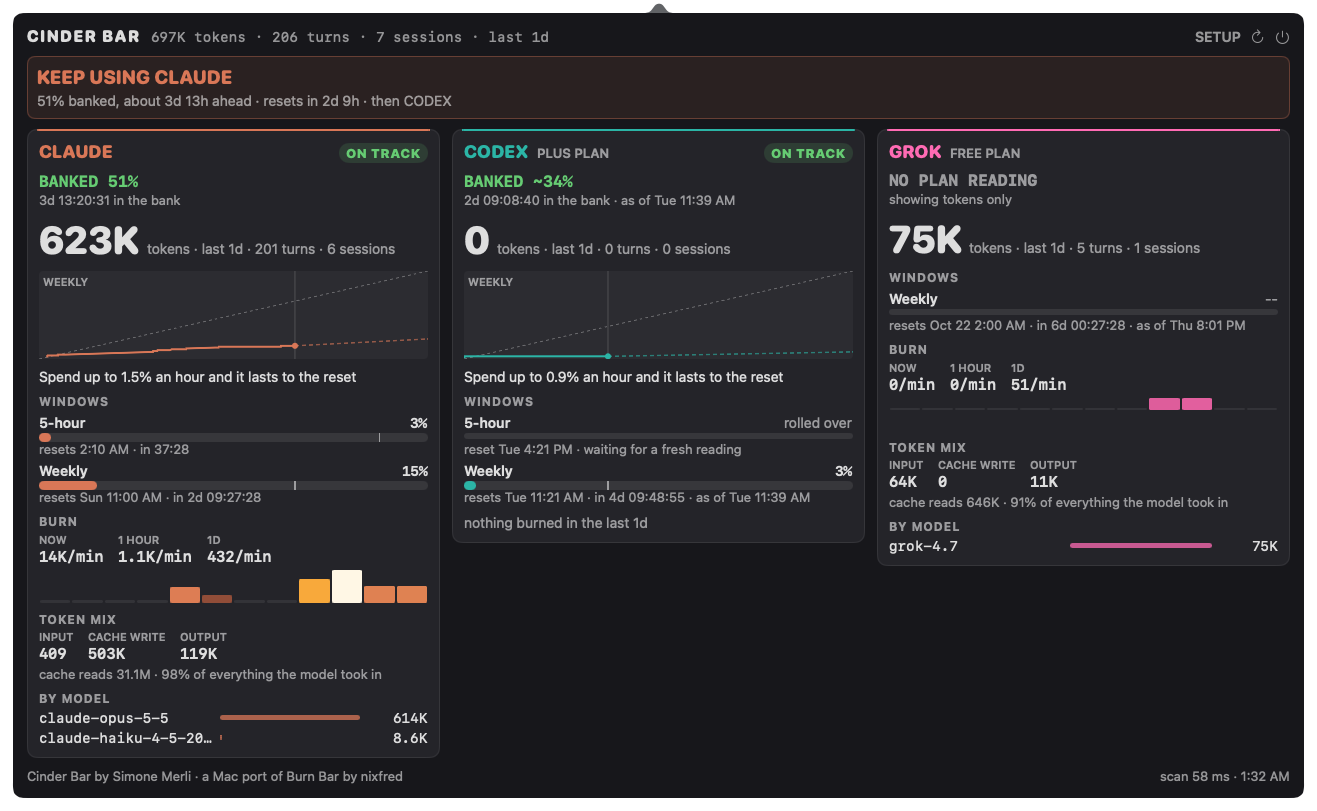
- A Grok lane, ported from Burn Bar. It follows Codex on the strip behind a thin rule and gets its own card: per-turn burn from Grok CLI's
usage.json(1.0.52 and later, with theupdates.jsonlestimate as a fallback), the weekly credit figure, the plan and a note when the plan changes mid-week. Grok's quota is a snapshot, so it is only suggested with 10% in the bank, 25% once it has been used since. - Account lines. Each card names the login it reads (Claude, Codex, Grok). Turn off Account names in SETUP before a screen share.
- The strip glows. Burn Bar's ember flicker and bloom on hot cells, a soft under-glow with total burn, a flash when new burn lands and a breathing "now" cell. It runs at 4 fps at most and stops at rest. Ember motion in SETUP, or Reduce Motion, turns it off.
Install
Download Cinder-Bar-0.3.0.zip, unzip it and open Cinder Bar.app. The app is not notarised, so macOS blocks the first launch. Go to System Settings › Privacy & Security and choose Open Anyway, then accept the offer to move it to Applications. Updating from 0.2: quit Cinder Bar, then do the same; it replaces the old copy.
Requires macOS 14 or later. Cinder Bar is a macOS port of Burn Bar by nixfred.
Cinder Bar 0.2.0
New in 0.2
- An app icon: Cinder Bar's mirrored strip on a charcoal tile.
- Moves itself to Applications. Open it from Downloads or anywhere else and it offers to move to Applications and relaunch from there. It also clears the quarantine flag, so
xattris no longer needed. - Opens at login. The first time it runs from Applications it adds itself to Login Items. You can turn this off in SETUP.
- How to uninstall is now in the README.
Install
Download Cinder-Bar-0.2.0.zip, unzip it and open Cinder Bar.app. The app is not notarised, so macOS blocks the first launch. Go to System Settings › Privacy & Security and choose Open Anyway, then accept the offer to move it to Applications.
Requires macOS 14 or later. Cinder Bar is a macOS port of Burn Bar by nixfred.
Cinder Bar 0.1.0
First release of Cinder Bar, a macOS port of Burn Bar, the Omarchy bar plugin by nixfred.
What's in it
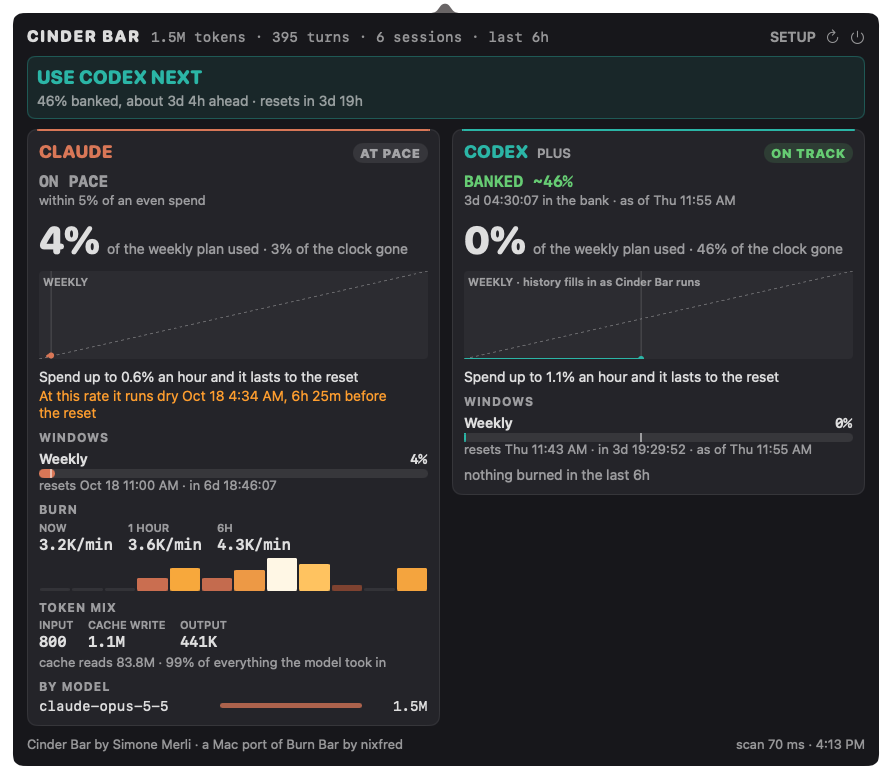
- A heat strip in the menu bar: Claude burns on the left, Codex on the right, and "now" sits on the divider between them.
- A chip that tells you what to do:
CLAUDE REST 3H,CODEX SPENT, orUSE CODEXwhen nothing needs a warning. - A cockpit with a guidance banner and one card per subscription. Each card shows the verdict, the time banked or the time until you can come back, a burndown, every quota window, burn rate, token mix and spend by model.
- Burn Bar's pacing and guidance rules, ported unchanged and covered by its tests.
- SETUP with Dark, Light and System themes, plus launch at login.
Install
Download Cinder-Bar-0.1.0.zip, unzip it and move Cinder Bar.app to /Applications. The app is not notarised, so clear the quarantine flag once:
xattr -dr com.apple.quarantine "/Applications/Cinder Bar.app"Requires macOS 14 or later.
Not yet ported: the Grok, Kimi and Zcode lanes, the local Ollama/GPU lane, and the strip animations.