Repository navigation
Candy Browser v0.46.0

Easier controls, steadier browsing
Candy Browser 0.46.0 brings a configurable bottom-sheet menu, searchable settings, and more ways
to make Candy your own. This release also improves page stability, tab restoration, sign-in, and
memory use during everyday browsing.
Keep your browser controls within reach
The main menu now opens as a bottom sheet by default. Your address row and library shortcuts stay
visible above the page actions, with a configurable five-slot toolbar below them.
- Choose a scrolling action list or two swipeable pages under Settings → Tabs & gestures → Menu
actions. - Put your preferred actions and page-control toggles in the lower toolbar. You can also keep slots
empty or switch back to the floating menu. - Enable Switch address pill with swipes to expand the pill with a downward page swipe and
compact it with an upward swipe, including on pages that do not scroll. This option is off by
default.
Learn more about menu customization
and gestures.
Find settings and make Candy your own
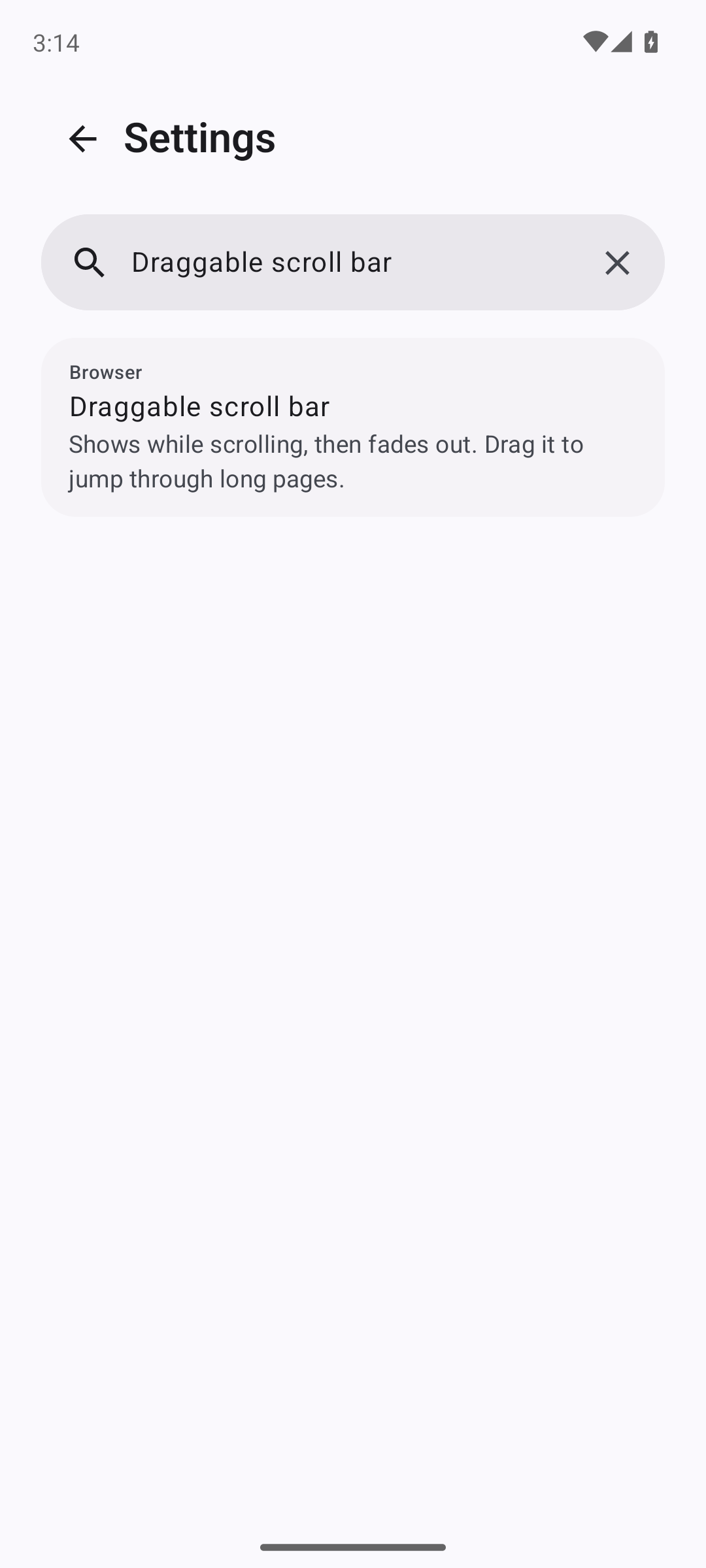
Search Settings in your app language to find a control by its name, description, or category.
Selecting a result opens its destination; supported controls scroll into view and receive a
highlight. Searches stay local and disappear when Settings closes.
- Choose among ten launcher icons under Settings → Appearance → App icon.
- Russian joins Candy's interface languages, including translated memory settings.
- Add favorites directly from Candy's home page. Favorite icons can use sharper same-origin
artwork, and Refresh icon lets you update an existing favorite explicitly.
Learn more about settings search,
appearance choices,
and favorites.
Return to steadier pages
- System WebView uses the same safe-area protection as Gecko, removing the older focus-based offset
that made Google’s results logo jump when tapped. - Header positioning is more stable during loading and dynamic page changes. Automatic safe-area
decisions reset when navigating to another domain. - Tab switches and returning from the background better preserve the page's painted content and
geometry. Keyboard insets are reconciled after returning from another window. - Gecko waits for confirmed navigation failures before displaying an error page, avoiding transient
errors during successful navigation. - Idle Gecko tabs can unload to reduce memory use. Background cleanup protects the selected tab,
private tabs, active media, pages with detected user input, and pending file, permission, or sign-in
flows. Unloaded tabs restore when opened; their pages reload, so live page state may be lost. - System WebView sign-in popups retain their native callback flow. Web games follow the device’s
normal rotation policy in fullscreen. - Text typed into the address field stays as entered while you edit it.
Learn more about page rendering and navigation
and tab memory management.
More useful downloads and site controls
- Aria2App is available as an external download manager. Candy passes the download URL and type
without cookies, referrers, or profile details. - System WebView can download Gemini’s sandboxed PNG/JPEG images.
- On supported System WebView providers, Clear this site's cookies & data removes the site's
data from its current storage context and reloads the page after completion.
Site deletion includes the site's registrable domain and subdomains. Other tabs sharing the same
storage context are affected too. Site deletion remains unavailable with Gecko because its
current APIs cannot safely preserve both site and Candy profile boundaries.
Learn more about external download managers
and site data deletion.