Repository navigation
Releases: skizzophrenic/SquachWatch-CYD
Release list
SquachWatch-CYD v1.38.0 "Snoop Onto Them"

Snoop Onto Them. They snoop onto us, so Squachy snoops onto them. This time he learned what a police body camera sounds like over Bluetooth, what a gunshot sensor's own radio looks like, and the one little tag every tracker has to carry now. He also stopped mistaking himself for a Flock camera, which was embarrassing for everyone. And M3@ty grew arms. We did not ask him to.
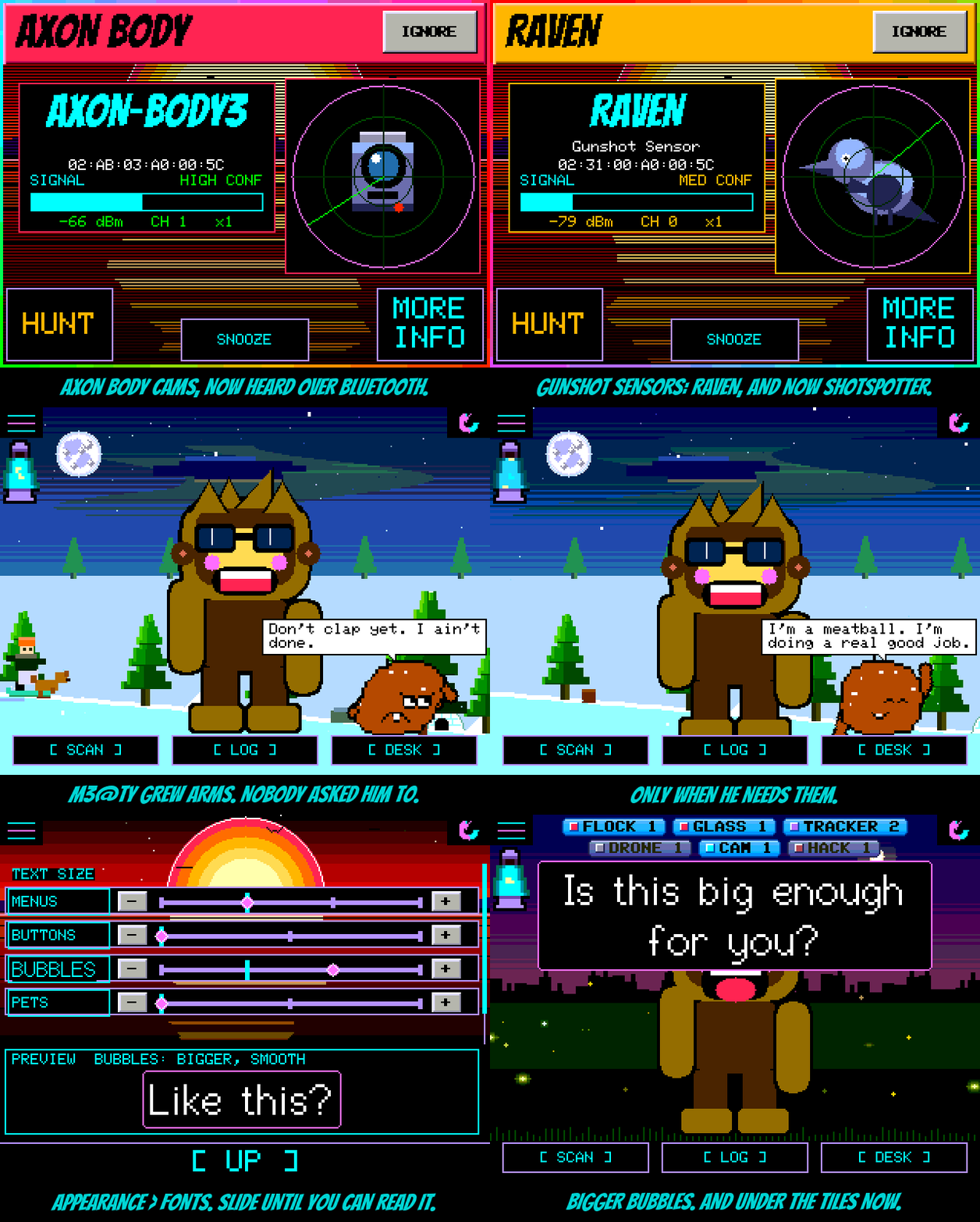
Body cams, by ear. An Axon body camera says its name in its own Bluetooth broadcast, if you know where to look. Squachy knows now. He also knows Axon's own Bluetooth IDs, the ones Utility's BodyWorn remote, WatchGuard Video and Digital Ally use, and ShotSpotter's gunshot sensors, which sit next to Raven under the same heading. Camera glasses got Luxottica's own code and a few more makers. Trackers got the new industry-wide "I'm away from my owner" signal, which Chipolo, Moto Tag, Pebblebee and eufy all have to send, so Squachy hears all of them at once. Drones that skip Remote ID still give themselves away by maker: DJI, Skydio and Parrot are in the book.
Fewer false Flocks. The old Flock list included every Espressif chip on earth, which is the chip inside every SquachWatch. So your SquachWatch could, on a quiet day, accuse your other SquachWatch of being a Flock camera. Those are gone. Google trackers no longer match every shop beacon in the mall, Quest headsets stopped counting as camera glasses, and the skimmer module's address was wrong by one digit for about a year. Every value in this release was checked against the registries, and the ones that came from the field say so in the docs.
FONTS. Settings > APPEARANCE > FONTS. Six sliders, one for each kind of text: MENUS, TEXT, BUTTONS, BUBBLES, PETS and the XP TILES, each going as far as your screen can take it. Tap a label to switch it between PIXEL and SMOOTH. The preview box shows whichever one you just moved, drawn by the same code that draws the real thing, so what you see is what you get. Rows that would run off the screen at a bigger size politely step back down. Nothing changes until you touch a slider.
Under the tiles. Speech bubbles, from Squachy, a visitor or a pet, now appear just below the detection tiles instead of on top of them. The tiles were there first.
M3@ty has arms. Only when he needs them. They grow out of his sides for a wave, a shrug, hands on hips, a scratch of the head or a point at Squachy, and sink back into the meat afterwards. Thrown, he flails. When Squachy dances, M3@ty raises the roof. And about once a minute, unprompted, he does a dance of his own, twelve steps of uneven length that never land on the beat, with a line like "Five, six, seven, eight! I don't know nine." Squachy always has a review ready. It is usually "never do that again."
The T-Deck hears MeshCore. Last release, with both networks on, the T-Deck caught Meshtastic fine and about one MeshCore message in four. Now it stays tuned to MeshCore, whose messages announce themselves for only 65 milliseconds, and glances at Meshtastic every 33 or so. On the bench that was 24 of 25 MeshCore and 25 of 25 Meshtastic, screen smooth throughout.
24-hour time. GreyFox01 sent in a CLOCK FORMAT row for DESK MODE, so the desk clock, the zone clock and the little corner clock can all drop the AM and PM. Thank you, GreyFox01.
The actually-useful part
Added
- Axon body cams over Bluetooth: Axon's company ID and three service IDs, and the
BWCDEVICEtag a real cam carries in its broadcast, which survives Axon changing addresses. - Body cams from other makers: Utility BodyWorn (by its remote's name), WatchGuard Video and Digital Ally. ShotSpotter gunshot sensors, under RAVEN.
- Flock: a camera's "Flock Camera net." hotspot and its
FS-accessory names. - Camera glasses: Luxottica's address, more Meta and Snap IDs, Vuzix.
- Trackers: the DULT unwanted-tracker signal, Chipolo, a third Tile ID, and Google Find Hub matched by Google's own frames. Known tracker IDs now also match when sent as data, which is how most of them broadcast.
- Cameras: Blink's six addresses and i-PRO. Drones: DJI, Skydio and Parrot addresses, for the ones without Remote ID.
- A MORE INFO page for each new kind of device.
- FONTS page under APPEARANCE: sliders for MENUS, TEXT, BUTTONS, BUBBLES, PETS and XP TILES, PIXEL or SMOOTH per kind, a live preview.
- M3@ty: arms when he needs them, five gestures, flailing when thrown, and a bad dance every 50 to 75 seconds with six new lines. Console
MEATY DANCE | WAVE | SHRUG | HIPS | SCRATCH | POINT. - CLOCK FORMAT on the DESK MODE page: 12-hour or 24-hour (GreyFox01, PR #56).
Changed
- Speech bubbles sit below the XP tiles on every screen size.
- The T-Deck's BOTH mode parks on MeshCore and glances at Meshtastic: 24 of 25 MeshCore on the bench, from about 1 in 4.
Fixed
- Seventeen Espressif chip addresses no longer count as Flock cameras, so a SquachWatch never flags another SquachWatch.
- Google trackers no longer match ordinary Eddystone shop beacons.
- Quest headsets no longer count as Meta glasses.
- The HC-05 skimmer module's address prefix was off by one digit.
SquachWatch-CYD v1.37.0 "Video Killed the Radio Star"
Video Killed the Radio Star. For a whole day the T-Deck's screen and its LoRa radio fought over the same three wires, and every time the radio spoke, the picture tore, froze, or fell over. The screen was winning. Then they agreed to share: same wires, same settings, the radio speaks between frames, and nobody gets hurt. Video did not, in the end, kill the radio star. They're roommates now. Also, a meatball moved into the snow.
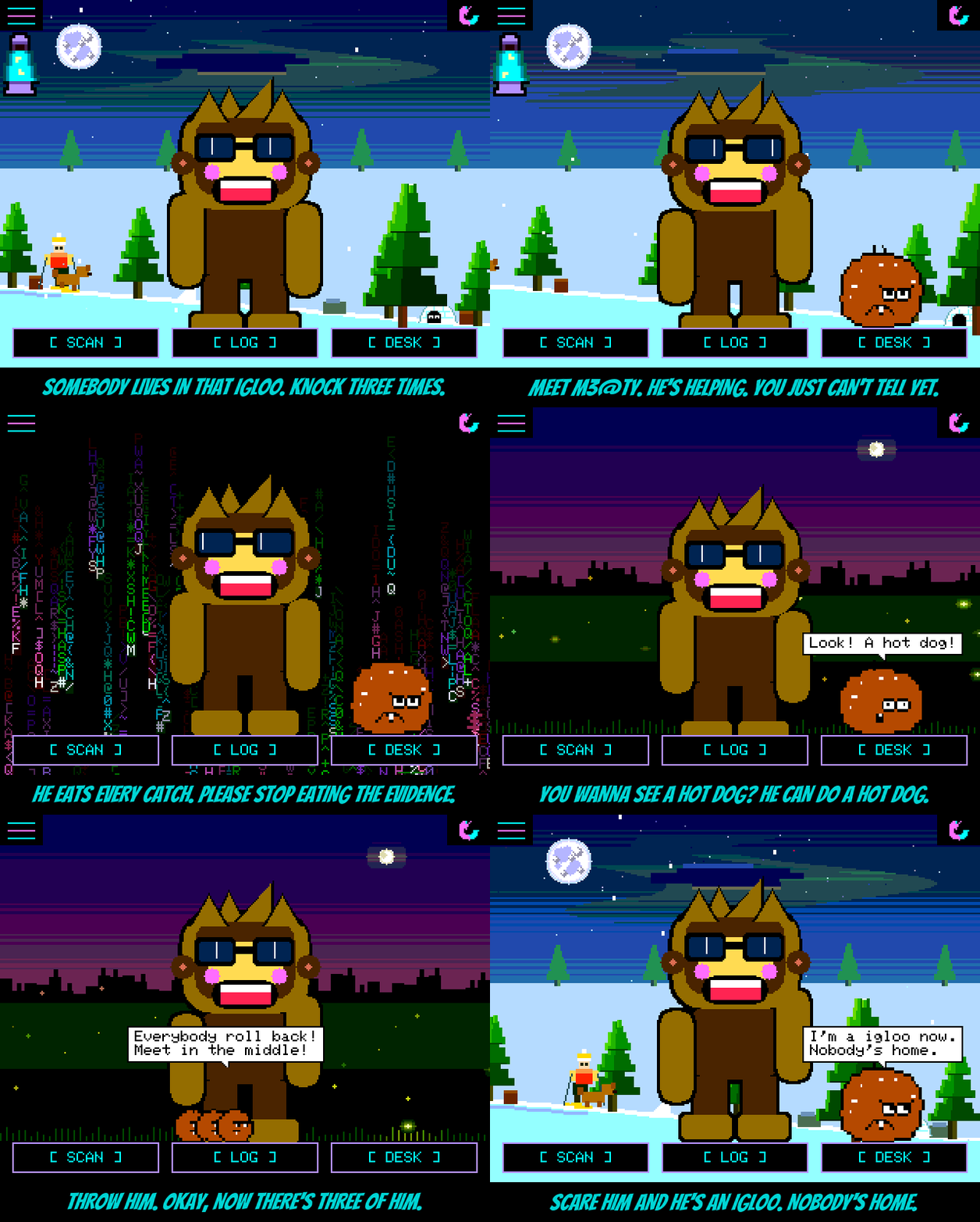
Meet M3@ty. Somebody lives in the igloo that slides across SNOWFALL. You can see two eyes in the door. Knock three times (as slowly as you like, it's an easy one) and out rolls M3@ty: a meatball. He's helping. You just can't tell yet. His face stays perfectly still while the rest of him rolls, which he is very proud of. He eats every catch Squachy makes (a little morsel in the catch's colour drops in and he swells up), and if the catch was a serious one he hides as an igloo for a bit. Now and then he shows you a hot dog. He can do a hot dog every time. When Squachy dances he does "Shake it!". Throw him and he splats; throw him HARD and there are three of him, who then roll back together and meet in the middle. He has about a hundred things to say and says one every 20 to 40 seconds, so he will not run out soon. Squachy has opinions about him eating the evidence.
The T-Deck talks LoRa. Last release the T-Deck's radio sat this one out because it shares its wiring with the screen and the two couldn't take turns without the picture paying for it. They can now. The radio stopped being a stranger on the bus and started sending its bytes through the screen's own path, between frames, at its own speed, and then hands everything back exactly how it found it. It listens to Meshtastic and MeshCore just like the T-Watch: the pink LORA n NEW pill on the main screen, LORA CHATS with a tab for each network, and a ding when something new comes in. One honest note: with BOTH networks on, the T-Deck has to take turns between them, and MeshCore only announces a message for 65 ms, so in BOTH it catches most Meshtastic messages but only about one MeshCore message in four. If MeshCore is your thing, pick MESHCORE.
And it sends. It has a keyboard, so it would be rude not to. Turn on LORA TX in Settings (it starts OFF; then 10 or 20 dBm, and never more than 14 in the EU band), open LORA CHATS, type, press Enter. Your message goes out on the open tab's network: Meshtastic's public LongFast channel, or MeshCore's Public channel under your squad nickname. It shows up in the chat as YOU. These are public channels, so anyone nearby with a Meshtastic or MeshCore radio can read it, and anyone can type any name on them. Please be nice. Squachy is listening. Squachy is always listening.
CROWD NONE. With a desk full of SquachWatches, every one of them kept wandering onto every other one's screen to visit. Fun, until you're trying to test something. CROWD now has a NONE setting: nobody visits, nobody crowds, every board keeps its own Squachy to itself, and the squad count, messages and heads-ups all still work.
A bigger lava lamp on the watches. The battery lamp on the T-Watch sits right against the left edge now, and one and a half times the size. You can read it from across the room. If your room is small.
Under the hood. The pets that can be thrown (C1iPPY, T0@$TY, the yeti and M3@ty) used to carry a copy each of the same flight maths. Now they share one, and every throw still lands exactly where it did (we filmed 560 frames of it to check). M3@ty himself went on a diet before the release: his body, his face and his lines got packed down from 18.5 KB to 14.4, and he looks and talks exactly the same.
The actually-useful part
Added
- M3@ty, a new pet: knock three times on the igloo on SNOWFALL. Eats catches, hides as an igloo after serious ones, does a hot dog, dances along with Squachy, splats when thrown and splits in three on a hard landing. About a hundred lines, one every 20 to 40 seconds.
- LoRa on the LilyGo T-Deck Plus: Meshtastic and MeshCore listening with the LORA n NEW pill, LORA CHATS and a ding, set in Settings > SYSTEM > LORA.
- Sending from the T-Deck: LORA TX in Settings (OFF, 10 dBm, 20 dBm; 14 dBm at most in the EU band) and a compose line in LORA CHATS. Enter sends on the open tab's network.
- CROWD NONE: no visits and no crowd on the main screen; the squad badge, messages and heads-ups carry on.
- Console:
MEATY(unlock him),MEATY IGLOO | DOG | SHAKE | SPLIT,MEATY LOCK(earn him again).
Changed
- The T-Watch's battery lamp sits against the left edge at one and a half times the size.
- The throwable pets share one flight path; M3@ty is about 4 KB smaller than when he was first built.
- On the T-Deck, the counter tiles drop under the LORA pill only while it is showing.
- BACK from LORA CHATS goes straight to the main screen, on the watches and the T-Deck.
SquachWatch-CYD v1.36.0 "Highway to the Danger Zone"
Highway to the Danger Zone. Squachy got his license. Specifically, he got a Marauder V8: justcallmekoko's ESP32-C5 board, with a GPS, a battery gauge and an SD slot, which is a polite way of saying "a surveillance detector that wants to go for a drive." So now it can. Turn on WARDRIVE, take it outside, and every WiFi network and Bluetooth gadget it hears goes into a WiGLE file on the SD card, pinned to where you were when you heard it. Squachy rides shotgun. He does not have a license. Please do not tell anyone.
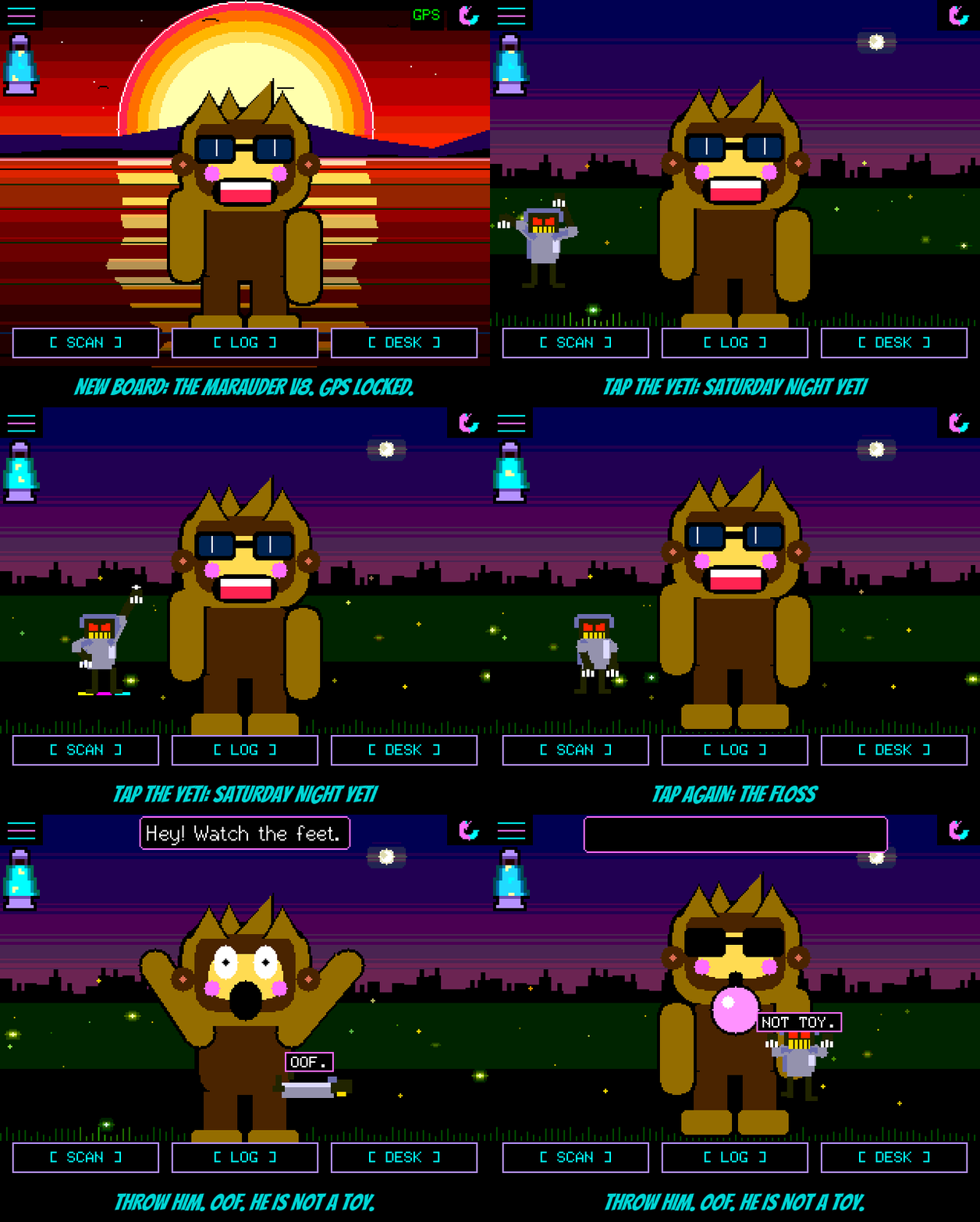
The Marauder V8 (BETA). It's on the flasher. Marauder keeps the V8's screen wiring a secret (it's built in a private step), so we did what any reasonable cryptid would do: we asked every pin. A little test program tried every possible arrangement of wires until the screen answered "I'm an ILI9341" and the touch chip told us its temperature. Then we lit one pin at a time until the backlight came on. Turns out it's wired exactly like the NM-CYD-C5, which made everything else easy. It has a real battery gauge (actual percent, and it knows when it's charging), its little activity light breathes like the status lights on the other boards, it scans 5 GHz too, and its battery lamp is now twice the size. Thanks, justcallmekoko, for the board.
And the T-Deck Plus (BETA). Two new boards in one release, because a LilyGo T-Deck Plus landed on the bench the same afternoon and it was too good to leave: an ESP32-S3 handheld with a 2.8" screen, capacitive touch, a GPS, an SD slot, a speaker, a 2000 mAh battery, and a REAL KEYBOARD. Type a squad message on actual keys. Type the WiFi password without poking at glass. Enter sends, backspace backspaces, and alt+B lights the keys up in the dark. It wardrives like the V8. Its backlight turned out to be a chip that counts pulses instead of taking a brightness, which is the sort of thing you only find out by making the screen flicker like a disco, so now we count pulses. The trackball and the LoRa radio sit this one out. The radio shares its wiring with the screen, and the two have not yet learned to take turns without the picture paying for it. They're in couples counselling. They come later.
Wardriving. jotra7 built GPS and wardriving for the CYD (PR #46), and the V8 drives with it. WARDRIVE is in Settings and tells you what's up: NO CARD, WAITING FOR FIX, or how many rows it's written. The GPS also sets the clock with no WiFi, puts a position on every catch in the SD log, and shows its fix on the main screen and in DIAGNOSTICS. Speaking of the SD log: it used to name every file "day zero," forever, on every board. Now it's one file per date, with the real time on every row.
Faster on the C5. The ESP32-C5 has no math co-processor, so every time SYNTHWAVE did a little trigonometry for the water (up to six times per row, a hundred-something rows) the chip did it longhand, like a kid in detention. It took 70 ms a frame. Now it uses a lookup table and takes 4.6. SYNTHWAVE went from 8 to 20 frames a second, THE GIBSON from 11 to 17, and it looks exactly the same. The NM-CYD-C5 gets all of it too.
The yeti has moves. Tap him and he dances: SATURDAY NIGHT YETI (full disco floor) or THE FLOSS (sweaty finish, very proud). When Squachy dances, the yeti joins in. Pick him up and throw him and he flies like the other pets, lands face-first with an "OOF.", and stomps off muttering "NOT TOY." Until you discover each trick, he drops hints. Loudly. In yeti.
POWER OFF, properly this time. Sometimes waking the Freenove boards from POWER OFF showed you a second of picture and then died, and BOOT couldn't bring it back, because it wasn't asleep, it was stuck. It got stuck starting WiFi, but only when nothing on the other end of the USB cable was listening (a charger, say), which is why it never once did it while we were watching. Now a wake restarts itself once, in half a second, the clean way, and it has woken 24 times out of 24. And if anything ever hangs on a wake again, it restarts in seconds instead of sitting there dead.
Squad messages that actually arrive. In a busy room the boards switch to quiet listening, and quiet listening could not hear squad messages at all, which was most rooms, including ours. retrodroid32 fixed it (PR #48): we tested it on two boards, 0 messages out of 8 got through before, 8 out of 8 after, in under a second. retrodroid32 also made the raw scan rows say WATCH, HUNT and IGNORE right there in the list (PR #44).
And. T0x0pl4sm4 added the Freenove ESP32-S3 4.0" (PR #51). It builds from source for now, and goes on the flasher once a few more people have run it. An NVIDIA Shield is no longer a gunshot detector (#41). The C5's WiFi password keyboard stopped strobing between capitals and lower case (#52). CALIBRATE TOUCH no longer turns the screen white on the C5 and Freenove boards. The host's speech bubble stays in front of a visitor, the intro screen's bubble got out of the way, and the 3.5" visit's message button moved out from under the visitor's words. The black box finally works on the two C5 boards: its spot in flash turned out to be inside the app, so it had been quietly switched off the whole time. We found that out by drawing a picture of the flash. Pictures are important.
The actually-useful part
Added
- The Marauder V8 (justcallmekoko, ESP32-C5) as a BETA on the flasher: ILI9341 at 40 MHz, resistive touch, SD, MAX17048 battery gauge, GPS, activity LED, 5 GHz scanning.
- The LilyGo T-Deck Plus (ESP32-S3) as a BETA on the flasher: ST7789 at 40 MHz, GT911 touch, the keyboard typing into the message, name, PIN and WiFi password screens, speaker, SD, battery, GPS wardriving. Trackball and LoRa not yet.
- GPS and wardriving on the CYD GPS builds, the V8 and the T-Deck (from PR #46 by jotra7): WARDRIVE in Settings writes a WiGLE file to the SD card; the fix sets the clock, goes on SD log rows and the alert card, and shows on the main screen and in DIAGNOSTICS.
- The yeti pet's dances (tap him), his throw, his hints, and dancing along with Squachy.
- The Freenove ESP32-S3 4.0" (FNK0104S), build from source (PR #51 by T0x0pl4sm4).
- WATCH, HUNT and IGNORE on raw scan rows (PR #44 by retrodroid32).
- Console:
POWERLOG(the power diary),NAPTEST,YETI DISCO,YETI FLOSS.
Changed
- SD log files are named by date (
squachwatch-YYYYMMDD.log) and rows start with the real time once the clock is set (from PR #46 by jotra7). - SYNTHWAVE and THE GIBSON draw with whole-number maths: 2.5x and 1.5x faster on the ESP32-C5.
- The battery lamp is twice the size against the left edge on 320-wide screens.
- Squad messages and invites travel in the main advert, so boards on passive scanning receive them, with transmit retries and MESH TX / RX lines in DIAGNOSTICS (PR #48 by retrodroid32).
- Raven matches only its five known service numbers.
Fixed
- Waking the Freenove S3 boards from POWER OFF could hang starting WiFi when no computer was reading the USB port.
- A guessed clock was treated as real after a restart.
- The C5's WiFi keyboard flickered between capitals and lower case (#52).
- An NVIDIA Shield showed up as a Raven (#41).
- CALIBRATE TOUCH could leave the screen white on the C5 and Freenove S3 boards.
- The black box was switched off on the NM-CYD-C5 and Marauder V8.
- The host's speech bubble went behind a visitor; the intro bubble covered the scene; the 3.5" message button sat under the visitor's bubble.
SquachWatch-CYD v1.35.0 "Pump Up the Jam"
Pump Up the Jam. For his entire career Squachy has been a mime. He waved, he danced, he got thrown across the screen and landed on his face, and not one peep came out of him. Meanwhile the two Freenove S3 boards had a speaker plug sitting on the edge the entire time, wired to a real audio chip, doing absolutely nothing. That's like owning a jukebox and using it as a side table. Plug a little speaker in and Squachy finally makes noise: blips, chimes, a siren, a wheee, and a very satisfying splat. We tested it. It is LOUD. So it starts at 25%, and it starts switched off. You're welcome, everyone else in the room.
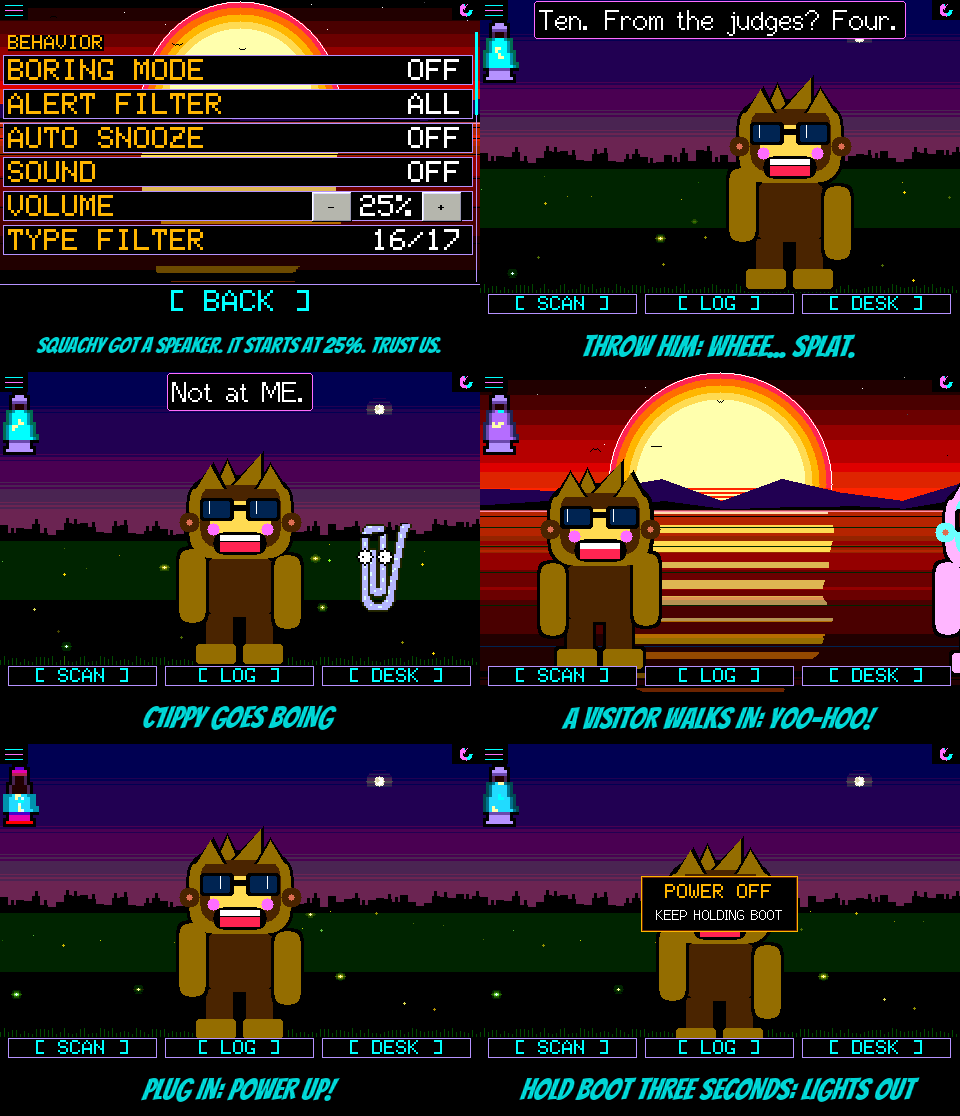
The speaker. Eleven sounds, all 8-bit style tones made on the fly, so they cost almost nothing to store and the screen doesn't slow down a frame while they play. The amplifier only switches on while a sound is actually playing, so a quiet board spends nothing on it. SOUND in Settings has three settings:
- OFF, the default. Nothing.
- ALERTS: three climbing blips for a device you've never seen, a two-tone siren for something on your watch list, and two tired notes when the battery dips under 10%.
- ALL: everything above, plus a ding-dong for a squad message, a sing-song yoo-hoo when a visitor walks in, a wheee when you throw Squachy (or a pet), a splat when they land, a springy boing when C1iPPY pipes up, a ptoing when the toaster pops, and a little power-up tune when the lamp notices the cable (and a sad slide when it comes back out).
Every sound was picked by ear from a lab of three takes each. It stays quiet while the screen is dimmed, and at night (11 pm to 5 am), except for a watch-list hit, because that's the whole point of a watch list. C1iPPY only gets one boing every twenty seconds. We love him, but no.
Real buttons. VOLUME goes from 0 to 100% in steps of five, on a proper [ - ] and [ + ], and each press plays the blips at the new level so you can hear what you picked. BRIGHT got the same buttons on every board. It used to be "BRIGHT - +" written in the label with the row split down the middle, so a thumb landing anywhere on it nudged your brightness. Now only the buttons do. On the StickS3 and the Cardputer the cursor stops on each button.
POWER OFF. The Freenove S3 boards take a battery but have no power switch, so the BOOT button is the switch now. Hold it: at one second it says KEEP HOLDING BOOT, at three the screen goes dark, let go and the board goes to sleep. Press BOOT and it boots right back up. Getting there took three tries: the board froze waiting to talk to a computer that wasn't listening, then it woke itself up instantly because you were still holding the button that wakes it, then it woke itself up two seconds later because the button's own pull-up nods off in deep sleep. All three are fixed, and it slept for seventeen minutes straight until it was told to wake. On those two boards CHARGE MODE moved to the Settings list, since the button has a new job.
And. On the 3.5", the charge screen, the boot-time calibration prompt and the update check used to come out as green static, because they were drawing straight at a screen that only takes pictures through its own driver. They draw properly now. And squachwatch.com's flasher is the three-step page: pick your board, connect, flash.
The actually-useful part
Added
- A speaker on the Freenove ESP32-S3 2.8" and 3.5": eleven tones through the ES8311 codec, SOUND in Settings (OFF, ALERTS, ALL), off by default, quiet while dimmed and at night except a watch-list hit, silenced through the security wipe.
- VOLUME in Settings, 0-100% in fives with - and + buttons, starting at 25%. Each press plays a sample.
- POWER OFF on the Freenove S3 boards: hold BOOT three seconds, let go, and it sleeps until BOOT is pressed.
- Console:
SOUND nplays sound n,SOUND AMP HIGH/LOWflips the amplifier pin,POWER OFF, andSCREENsays why the screen is dark and lights it. - Emulator:
SQUACHSIM_SPEAKERlists the speaker rows,SQUACHSIM_POWEROFFshows the power-off note.
Changed
- BRIGHT has real - and + buttons on every board; a tap anywhere else on the row does nothing.
- On the Freenove S3 boards, holding BOOT powers off instead of starting CHARGE MODE, which is on the Settings list.
- A BOOT press already held when the board starts is ignored until it's let go.
- The three-step flasher is squachwatch.com's main page.
- PINOUT, README and FAQ cover the speaker and POWER OFF.
Fixed
- The 3.5"'s charge screen, calibration prompt and update-check message came out as green static, and the charge screen covered only part of the panel.
SquachWatch-CYD v1.34.0 "Lava Lamp"
Lava Lamp. Squachy has never once known how much battery he had left. He'd just keep talking until the screen went black mid-sentence, like a guy who refuses to check his gas gauge. That ends today. On the boards that carry a battery, there's now a little vaporwave lava lamp tucked under the menu button, and the lava is your charge. Blobs drift up and sink back. The lava wanders from pink to purple to cyan. It is, objectively, the most relaxing fuel gauge ever built.
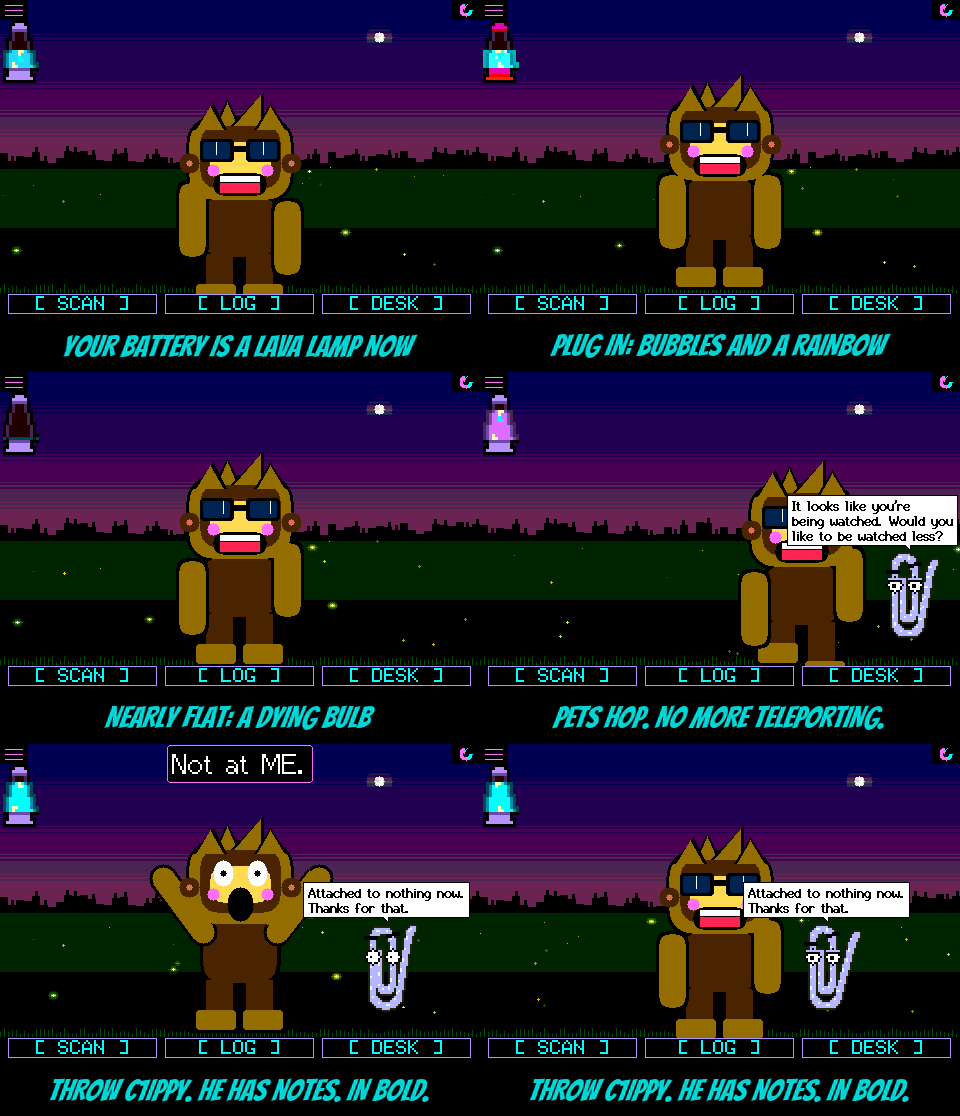
The lamp. Plug in and the lamp knows: bubbles stream up through the lava, the glow around the glass beats like a heart, and a rainbow scrolls through the cap and base. Unplug and it settles back to purple. Under 10% it flickers like a bulb on its last legs, which is your cue. Full, it twinkles. On the T-Watch it reads the power chip, so it's exact. On the Freenove S3 boards there's no charging wire to read, so the lamp watches the battery's voltage instead: plugging in makes it jump, and it notices within a few seconds. Boards with no battery don't get a lamp at all, and look exactly as they did. On the 3.5" it's drawn three times the size, because a lava lamp you have to squint at is just sad.
Big text on the 3.5". Every 480x320 screen got its glasses back. About thirty screens use a bigger, rounder font now, the buttons are taller, and the SquachMesh warning and the phrase screens open as proper Windows 95 windows, title bar and all. MORE INFO pages through its text in big type instead of cramming. Squachy got resized too, screen by screen, picked off sliders of real emulator pictures: much bigger on the 3.5" in both orientations, and bigger with company on everything else, so a visitor or a crowd doesn't shrink everybody to ants. In portrait on the 3.5", Squachy and a visitor now stand together in the middle of the screen instead of huddling at the bottom like they're waiting for a bus. He also no longer floats off the floor at his LARGE size. He was never meant to fly. Not like that.
The Freenove ESP32-S3 3.5" (BETA). The black one, FNK0104N: a 320x480 panel on a four-lane QSPI bus that the usual display library can't drive, so it got its own driver, at 23-40 fps. Pets come out at double size there, and their speech balloons stay small and bold so C1iPPY's advice doesn't cover half the screen. It's on the flasher as a BETA. Its little sibling, the Freenove S3 2.8", went from 19 to 40 fps: the screen now goes out by DMA in a task of its own, at 80 MHz.
No more teleporting pets. When Squachy wandered close to the edge, C1iPPY and T0@$TY used to blink out of existence and reappear on his other side, like a cheap magic trick. Now they hop across, and the further they have to go, the bigger the hop. The iron ball rolls after him when he's been carried off. And if you pick Squachy up while the lil guy or the yeti is visiting, they walk off in a huff instead of vanishing into thin air.
POCKET MODE. Turn the screen off with the BOOT button (the crown on the watch) and now only another press wakes it. A touch won't, so a board in a pocket or a bag can't be woken by your keys. Alerts still light it for their card and then it goes dark again, and the very first time, a note tells you how to get back out. While we were in there: an alert used to leave a button-darkened screen on for its whole timeout, which felt like the button had been undone. It doesn't anymore.
SEEN AT. A board with a GPS fix now keeps each catch with where it was. Long-press a device in the LOG and it shows SEEN AT and the spot, for anything the log ever kept with a position.
The actually-useful part
Added
- A lava-lamp battery gauge under the menu button on the Freenove S3 2.8" and 3.5" and the T-Watch S3: filled to the charge, bubbles and a rainbow cap on the cable, a flicker under 10%, a twinkle when full. Triple size on the 3.5". Boards with no battery show nothing.
- The Freenove ESP32-S3 3.5" (FNK0104N) as a BETA on the flasher: its own QSPI driver, touch, SD, LED and battery pins, pets at double size.
- POCKET MODE: with the screen turned off by BOOT or the crown, only another press turns it back on. A one-time note says how.
- SEEN AT on a LOG long-press for any device kept with a GPS position.
- Console
BATTon the Freenove S3 boards prints the lamp's last three minutes of readings. - Emulator:
SQUACHSIM_BATT=54(or54con the cable),SQUACHSIM_WANDER,SQUACHSIM_WANDERATandSQUACHSIM_PETLOG.
Changed
- Every 480x320 screen: a bigger body font on about thirty screens, taller buttons, Windows 95 windows for the SquachMesh warning and phrase screens, and MORE INFO in big type with paging.
- Squachy's size picked per screen for every panel, alone, with a visitor and in a crowd. A visit on the 3.5" in portrait stands in the middle. The StickS3 and Cardputer keep one row of counter tiles, count only.
- Pets hop to a spot that jumps instead of appearing there, the ball rolls, and the lil guy and the yeti walk off when Squachy is picked up.
- Pet balloons on the 3.5" are drawn at the screen's own size, in the medium font, in bold.
- IGNORE (and MUTED) on the alert is bold.
- Freenove S3 2.8": the frame goes out by DMA in its own task at 80 MHz, 19 to 40 fps.
- A rewritten FAQ, and a README, DETECTIONS, BUILD and LORA brought up to date.
Fixed
- Squachy floated above the floor at the LARGE size.
- An alert left a screen the button had turned off lit for the whole timeout.
SquachWatch-CYD v1.33.0 "Doin Time"
Doin Time. We know what you've been doing. You've been throwing the pets. T0@$TY across the room, C1iPPY off the wall, over and over, and they've been counting. So now there's a line. Throw a pet ten times inside one minute and the sirens go off, the screen says BUSTED!, your pet vanishes in a puff of smoke, and an iron ball drops out of the sky with a CLANK. Squachy is in STRIPES, number 1337, chained to it by the ankle for the next ten minutes. The ball has a face. The ball has opinions.
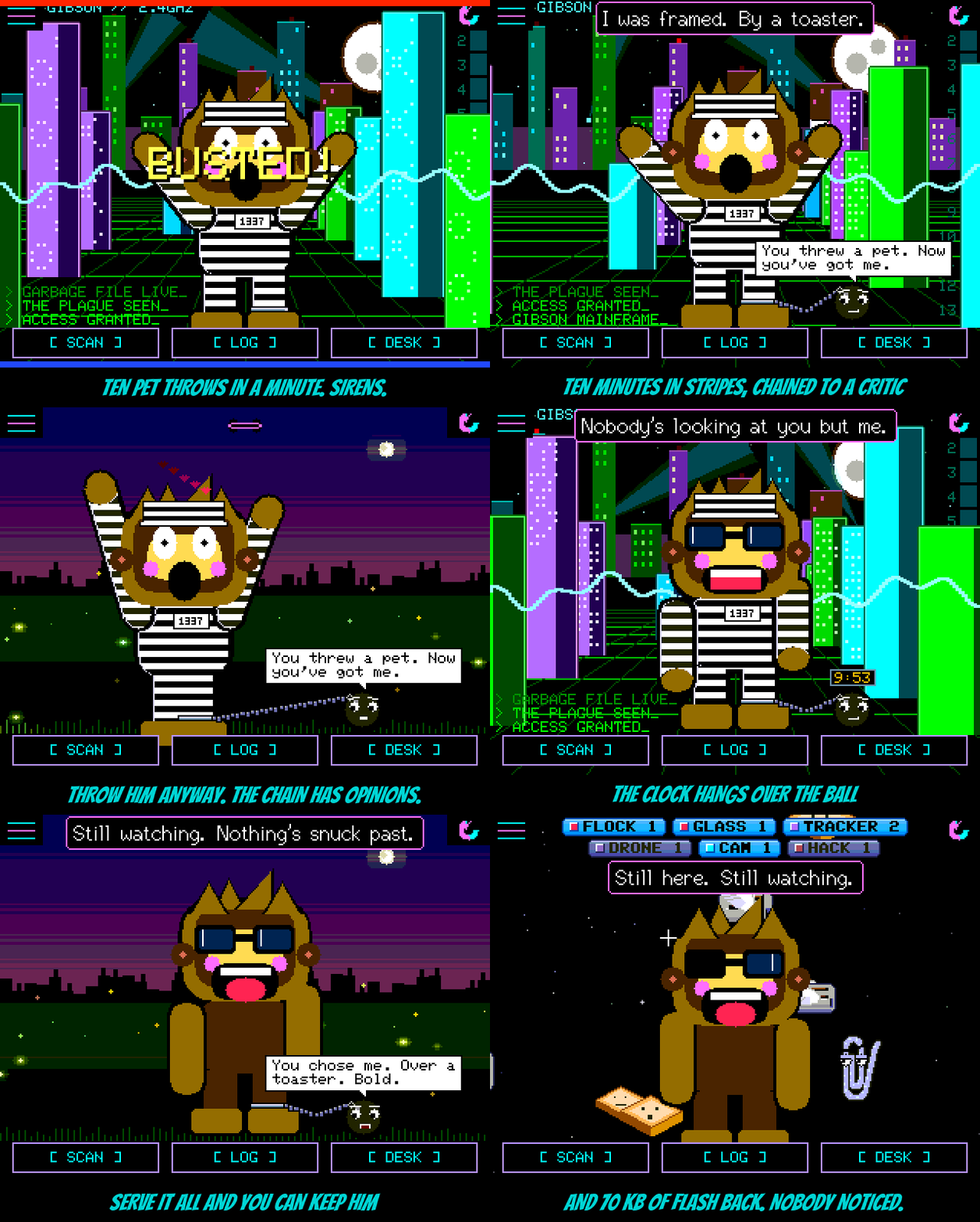
The cell block. Ten minutes, and the clock is right there over the ball so you can watch it. The pet you threw is in protective custody until it's up. Settings won't let you change the outfit or the pet while he serves, just tells you how long is left. Throw Squachy and the chain stops him about a third of the way up ("Nope." "Where do you think you're going?" "Sit."). Try to wander off and it stops that too. The ball checks in about once a minute ("Your pet filed a report. It was mostly crying." / "Some people collect stamps. You collect charges.") and Squachy answers back ("I was framed. By a toaster."). Poke the ball and it writes that down as well. The sentence survives a restart, so don't bother. When it's up, the ball says its goodbye and goes up in smoke, your pet comes back, and Squachy keeps the stripes as an outfit, because he looked good in them.
Ball & Chain, the pet. Serve one whole sentence and the ball becomes a pet you can pick, same as the others. Settings > PET > BALL & CHAIN. He sits chained to Squachy's ankle, no stripes this time, with a dozen new things to say about the arrangement ("The only pet you can't throw. Think about that." / "I don't fetch. I anchor." / "Not a ball and chain. A commitment."), three replies to being poked ("Pet. Not poke. Pet."), and three for when the chain stops a throw ("Leash law."). Squachy, for his part: "We're not friends. We're attached." The chain is as short as it was in jail. That's the deal.
Updates that say what went wrong. A lot of you have seen "couldn't reach squachwatch.com" and had nothing to go on. The board now does its own fetching, and when something's in the way it tells you which thing: a hotel or school WiFi that wants a sign-in first, a network that blocks the site, a router that can't look up the name (the board now tries the site's fixed addresses instead), the site itself being slow or down, or a secure-only redirect. It retries a few times before giving up, and every message ends with a short code in brackets you can quote if you ask for help. One honest note: this fix lives on the board, so a board that can't reach the site today still can't reach it to fetch this release. If yours is stuck, one USB install from the flasher gets you onto the new code, and WiFi updates after that use it.
And the diet. We found about 70 KB of flash nobody was using. The compiler was carrying crash-unwinding tables for a feature the firmware never used, hundreds of colours were being worked out every frame instead of written down once, the update code was dragging a general-purpose web library around for three small fetches, and the pets had some duplicate drawing code. All gone, with the same pixels on the screen. The 3.2" board went from about 205 KB free to about 280 KB, and every other board gained about the same. That's six or seven more cell-block-sized features of room.
The actually-useful part
Added
- The cell block: ten pet throws inside a minute is ten minutes in STRIPES, chained to an iron ball with a face. Sirens, BUSTED!, a puff, the CLANK, fifteen lines from the ball, four from Squachy, yank lines when the chain stops a throw, poke replies, and a goodbye. The time left shows over the ball, and on the Settings OUTFIT and PET rows. The sentence survives a restart.
- STRIPES, outfit 20, kept once a sentence is served.
- BALL & CHAIN, a pet earned by serving a whole sentence: chained to the ankle, with his own dozen lines, poke replies and yank lines, and Squachy's answers. The master unlock gives him too.
- WiFi updates: failures now say whether the network wants a sign-in, blocks the site, can't look the name up, or the site is slow, down or secure-only, each with a short code. The site is also reached by its fixed addresses when the router's name lookup fails, and fetches retry up to three times.
- Console
JAIL,FREE,BALLandPETfor the bench; emulator--pet 5andSQUACHSIM_JAIL=1|2.
Changed
- About 70 KB of flash back on every board: no C++ exception tables, fixed colours as constants, our own small fetch instead of the HTTP library, and slimmer pet drawing. Same pixels.
- Chained to the ball, Squachy's wander stops at the end of the chain, and so does a startled dart.
- The squad's outfit list grows to twenty for STRIPES.
Fixed
- The WiFi update check at boot could run past its time budget on a slow network; it stays inside it now.
SquachWatch-CYD v1.32.0 "Put On Your Brave Face"
Put On Your Brave Face. There's a new pet on the counter, and he's a toaster. Not a smart one. A chrome two-slot off somebody's kitchen counter, with a red lever, a cloth cord for a tail, and the firm belief that he is the bravest thing in the room. He is scared of nearly everything and will tell you he isn't. Meet T0@$TY.
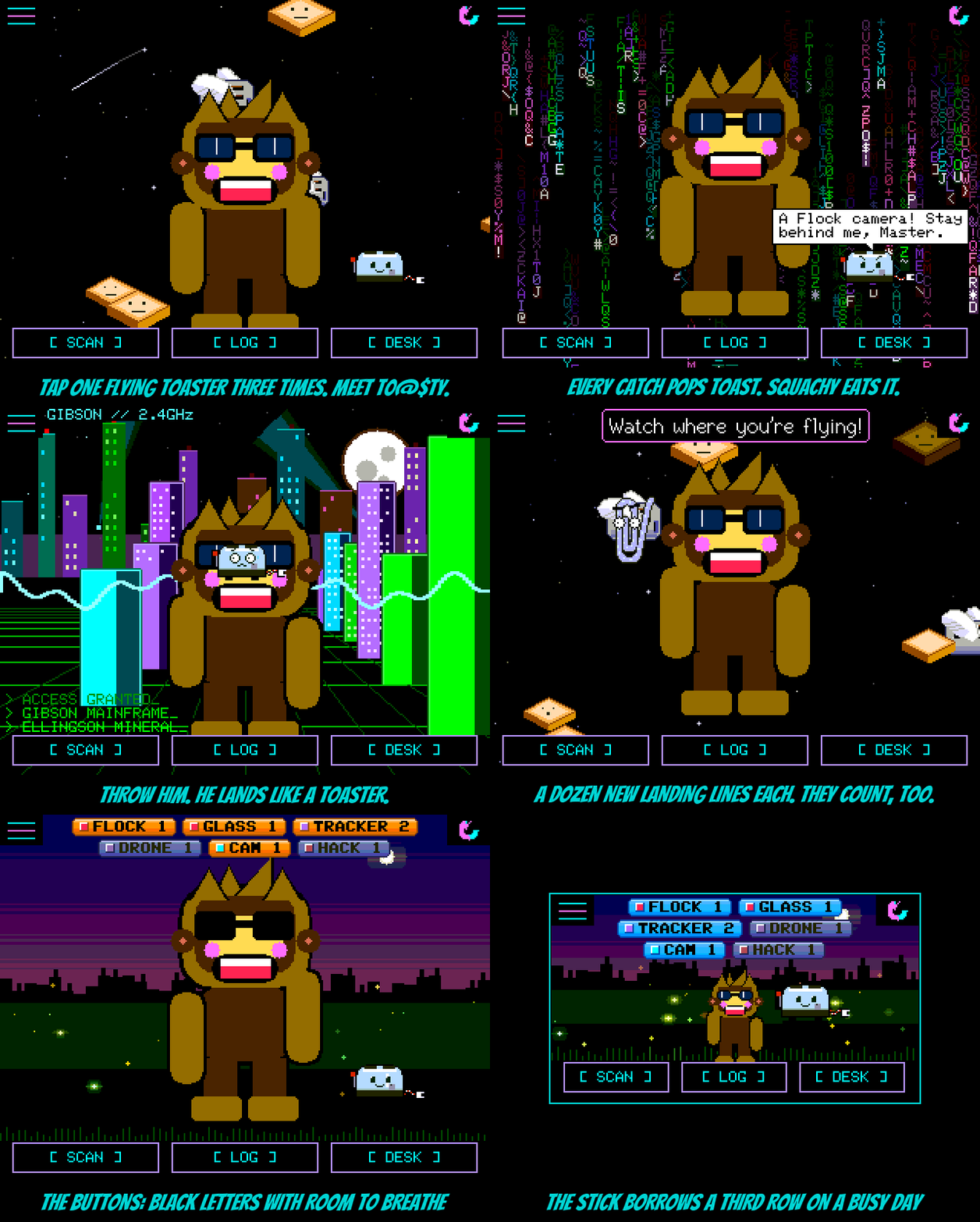
T0@$TY. Go to the TOASTERS background, pick one of the chrome toasters flying past, and tap it three times, quick. It drops out of the flock, and from then on he stands beside Squachy, on the pets' line, keeping watch. Every catch is a threat to be faced: his lever goes down, he braces, and a slice of toast pops out in that device's colour and flies straight to Squachy, who eats it. ("Nom.") Serious catches come out burnt, with a wisp of smoke. One slice in fifty is golden, and Squachy dances. The little dial on his front shows how worried he is about the last thing you caught. About once a minute he has something to say ("I'm not scared. Are you scared? I'm not."), and Squachy answers back now and then ("Stop calling me Master."). Throw Squachy past him and he panics on your behalf. He hops. He has no arms. He'd die for you. Settings > Pet switches between him, C1iPPY, VAPOR SHAGGY and the yeti, and the master unlock gives you all of them.
Throw him, though. Everybody is going to throw him, so he lands like a toaster: one thud, crumbs everywhere, a loose slice falling out, and barely a bounce. A hard throw leaves him on his back ("Little help?") for a few seconds before he rights himself and hops home. He has thirteen things to say about a landing and six about lying on his back, and C1iPPY got the same treatment: fourteen landing lines of his own ("It looks like gravity. Would you like to turn it off?"). Keep throwing and they start counting. From the third throw in a minute, every other line says the number: "That's 6. I'm counting." / "Throw 7. I'm filing a complaint." And if a pet lands on Squachy's feet, he jumps and lets you know: "Hey! Watch the feet."
The buttons, readable. The XP counter buttons from last release had white letters that ran together on the glass. Now they're black, with a clear pixel between every letter, on a blue that runs from light down to the channel's #0099FF. The StickS3 and Cardputer get a third row of buttons on a crowded day, and Squachy gives up that row's height only while it's in use.
Flasher. The usual 2.8" ST7789 board now gets the 80 MHz build by default; the box is still there if yours wants it off. The flasher also knows the ESP32-32E boards by the codes on their backs (E32R28T and friends), and the white-screen help says to untick 80 MHz before trying the other screen driver. The browser emulator tells you which version it is.
The actually-useful part
Added
- T0@$TY, a new pet: tap the same flying toaster three times on the TOASTERS background. Toast on every catch in that device's colour, eaten by Squachy; burnt toast and smoke for serious catches; a golden slice one time in fifty; a browning dial; hops, throws, and an upside-down landing. Squachy hints at him on that background.
- A dozen or more landing lines for each throwable pet, a throw count that shows up from the third throw in a minute, and Squachy flinching when a pet lands on his feet.
- The master unlock covers every pet, and a board that already has it picks up new pets at boot.
- Console
TOASTERunlocks him on the bench; emulator--pet 4.
Changed
- XP counter buttons: black letters, a pixel between each, no drop shadow, blue from light to #0099FF. The 135-pixel boards take a third row when two won't do.
- Flasher: 80 MHz on by default for the usual ST7789 2.8" CYD, off for everything else; board codes for the ESP32-32E family; clearer white-screen help.
- The browser emulator shows its firmware version.
Fixed
- A black line was left under a pointed speech bubble after it moved.
- Six counter kinds on the StickS3 ran into the corner icon.
SquachWatch-CYD v1.31.0 "Need Help?"
Need Help? It looks like you're reading release notes. Would you like help with that? Too late. Meet C1iPPY: a paperclip somebody bent into a lock pick, who has moved in next to Squachy and will not stop offering advice. He has a tip for everything, he has an opinion on every catch, and every single one of them is the most obvious thing anyone could possibly say.
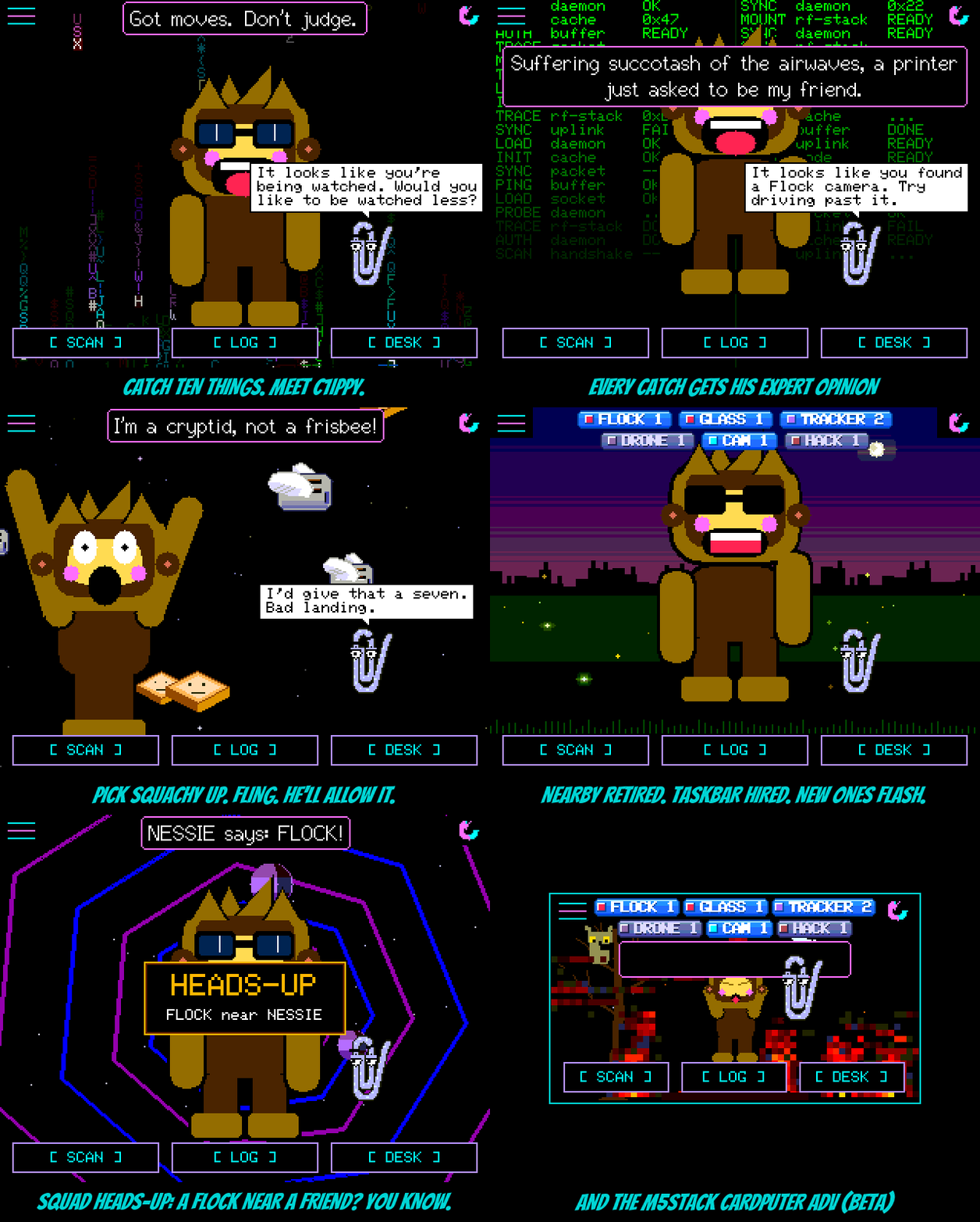
C1iPPY. A new pet, and the second thing you'll ever earn: catch ten things and he turns up with "It looks like you caught ten things. Want help?" (Already past ten? He's waiting for you after the update.) If you can't wait that long, press backspace ten times in a row on the name or message keyboard; he can tell when you're struggling. On the StickS3 and Cardputer, which have no such keyboard, opening Settings five times in thirty seconds does it; he'll assume you're lost. He switches himself on the moment he's earned, because he's the kind of help that doesn't wait to be asked; if you already walk VAPOR SHAGGY or the yeti, you keep them and he waits in Settings > Pet. About once a minute he has a tip ("Battery low? Have you tried charging it?"). After every catch he has the obvious take ("Pro tip: if it says FLOCK, it is a Flock."). Poke him and he'll offer to help, and keep offering. Now and then Squachy answers back, and C1iPPY looks smug about it. Every line stays up long enough to read; he waits his turn now, which is more than his namesake ever did.
Throw things. Press and hold Squachy until he notices, drag, and let go while your finger is still moving: he's thrown. He flies off at the speed you flung him, out of the top of the screen if you really meant it, bounces off the floor and the edges, sits there dazed after a hard one ("Which way is the forest?"), and walks home. Let go slowly and he just drops, like before. C1iPPY doesn't need the hold: grab him and fling. He's wire, so he bounces better, and once he lands he has something to say about it. He also stays put when you throw Squachy, and rates the landing. On the StickS3 and Cardputer, hold the button on either of them and let go to toss them.
NEARBY retired. Taskbar hired. The big rainbow NEARBY headline is gone; it covered Squachy, it covered the pets, and it only ever said "something". The counters took its job, and they took it Windows XP style. They're glossy blue taskbar buttons now, right along the top of the screen between the menu and the corner icons, and they only show the kinds of thing that are actually in range. Nothing around means no buttons and a clear sky. Each one has a tiny tray icon in that device's colour. A kind that has just turned up flashes orange for a few seconds, the way XP always asked for attention. A kind where everything in range is something you've ignored or snoozed goes grey. They use as few rows as they fit in, and tapping one opens the closest device of that kind. With the bottom of the screen free, Squachy stands right on the SCAN / LOG / DESK buttons now. The pets keep the line they always stood on, just behind him. Miss the old look? Settings > Appearance > DETECTIONS flips between XP and CLASSIC, and CLASSIC brings back NEARBY, every counter at the bottom, and Squachy where he used to stand.
Squad Heads-Up. When your board catches something serious it tells your squad. That means Flock, Axon, a card skimmer, Raven, a plate reader, a deauth flood, an evil twin or a hacking tool; never trackers, because nobody needs a banner for an AirTag in a coat. Their boards show an amber HEADS-UP banner for eight seconds, "FLOCK near NESSIE", before they walk into it. It's sent at most once a minute and never twice for the same device in ten minutes, and a board that's already seeing the thing itself stays quiet. It's on by default; HEADS-UP in the SquachMesh menu switches it off. Both boards need this release.
Two new boards, both BETA. The M5Stack StickS3 runs the whole firmware on its 240x135 screen, sideways. One button moves a cursor and the other presses; hold it to press-and-hold. Every screen was squeezed to fit, from the main screen (only what's in range, nothing else) to a log of one line per device and paged help. The M5Stack Cardputer ADV gets the same treatment with its keyboard: the arrows and TAB move, ENTER presses, and ESC goes home. If you've wired an ILI9341 to its EXT header, EXT SCREEN in Settings puts Squachy on the big screen and the menus on the little one. Both are on the flasher.
And from the squad. The 3.5" capacitive board (ESP32-3248S035C) joins the 3.5" resistive one as a BETA, thanks to VV-B0Y. And the NM-CYD-C5 now listens on 5 GHz as well, thanks to quietradio: after every 2.4 GHz sweep it takes a short slice of the 5 GHz channels, so cameras and access points parked up there stop being invisible. WIFI BANDS in Settings turns it off.
The actually-useful part
Added
- C1iPPY, a new pet, earned at ten catches (between TINFOIL and SHADOW). Shortcuts: backspace ten times in a row on the name or message keyboard, or on the StickS3 and Cardputer open Settings five times in 30 s. A tip about once a minute, a line for each catch, answers when poked, and Squachy talks back.
- Throwing: fling Squachy as you let go of a carry, or grab and fling C1iPPY. On button boards, hold and let go to toss.
- Squad Heads-Up: serious catches (no trackers) are shared with your squad as an eight-second banner. SquachMesh menu > HEADS-UP.
- M5Stack StickS3 (BETA) and M5Stack Cardputer ADV (BETA), with EXT SCREEN on the Cardputer.
- ESP32-3248S035C 3.5" capacitive,
[env:cyd35c-fast], by VV-B0Y (#24). On the flasher as a BETA. - 5 GHz scanning on the NM-CYD-C5, with WIFI BANDS in Settings and 5 GHz channels shown on screen, by quietradio (#27).
Changed
- The NEARBY headline is gone. The counters show only what's in range, as Windows XP style buttons along the top of the screen. Tap one to open the closest device of that kind.
- Squachy stands on the button bar; the pets keep their old line.
- DETECTIONS in Settings > Appearance: XP (the new look, the default) or CLASSIC (NEARBY and the full counter rows, as before).
- Squachy's speech bubble keeps clear of the counter buttons, and a button it does overlap waits until he's finished talking.
Fixed
- Tapping the HUNTING pill opens HUNT MODE, where STOP HUNT ends it. It used to open the watch alert, whose REMOVE FROM WATCH LIST left the hunt running.
SquachWatch-CYD v1.30.0 "No Spoon"
No Spoon. The digital rain has been falling behind Squachy since the very first release, and he's been staring at it the whole time. Turns out he wasn't zoning out. Every half a minute or so, one glyph in the rain now falls red. Big, slow, and very much not supposed to be there. Tap it. Squachy will say "Whoa. I know kung fu," and then he'll want a coat.
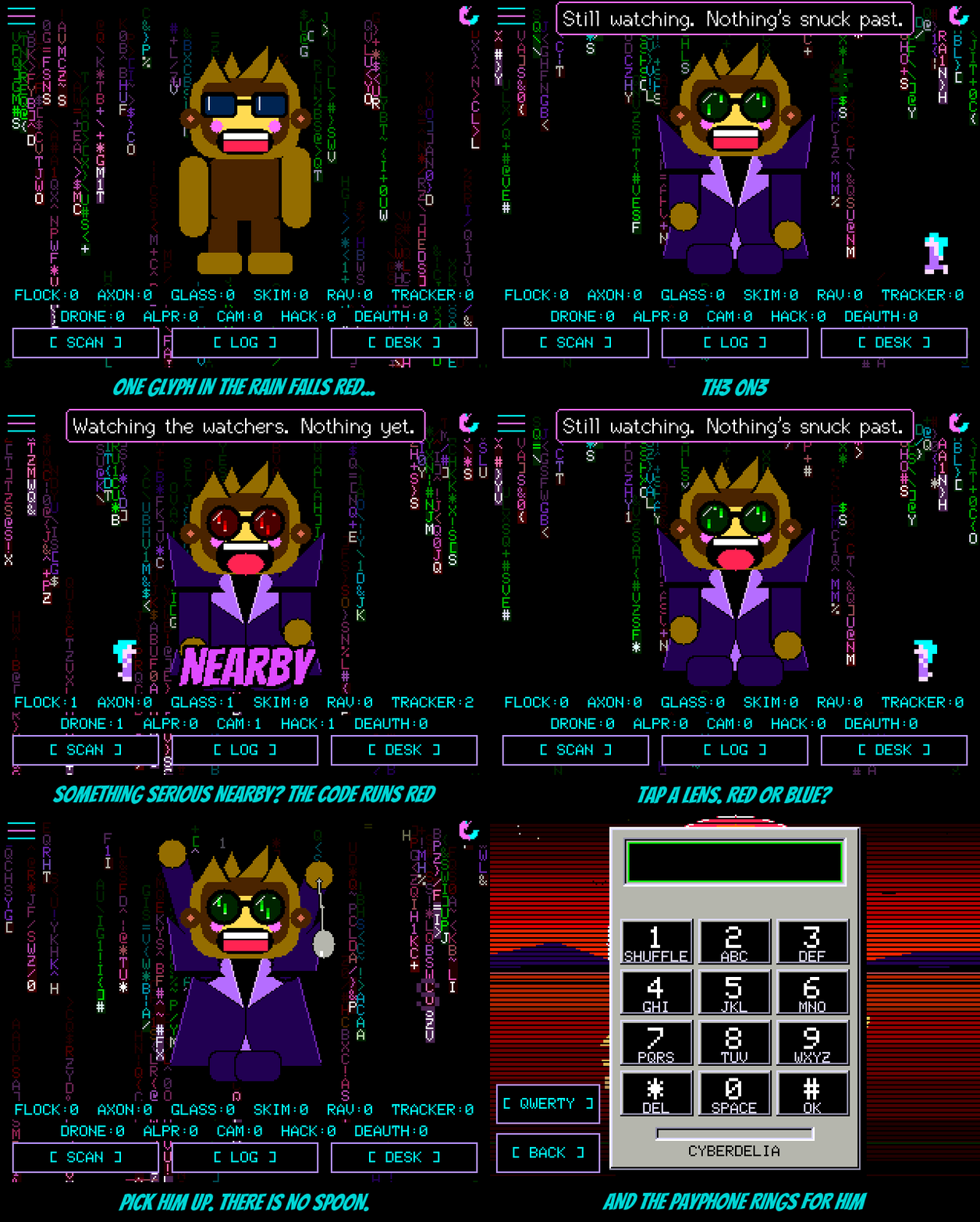
TH3 0N3. The eighteenth outfit, picked from a costume lab of six takes and fifteen passes. A long near-black coat with a violet edge, lapels folded back to show purple lining, boots, and his own chunky shades made round, with green code falling inside the lenses. All the Matrix lives in his glasses; the rest of him is the same flat cardboard cutout as every other costume. On the digital rain background his idle chatter starts dropping hints about a glyph that doesn't belong until you get the idea, and once the coat is yours the rain stops sending red ones.
He sees the Agents. While he's wearing it, the code in his lenses turns red and runs faster whenever something serious is nearby: trackers (AirTag, Tile, SmartTag, Google's tags), Flock and ALPR cameras, Axon gear, Raven gunshot detectors, card skimmers, hacking tools, fake access points and deauth floods. Doorbells, smart glasses and the rest leave him green. Anything you've ignored or snoozed doesn't count.
He's got moves. Every fourteen seconds he drops into bullet time: the code in his lenses freezes, the air ripples, and a bullet creeps past his head. Tap him while it's crossing and he ducks it ("Too slow."). Tap his left lens and a red pill glows in it; his right lens, a blue one. Pick him up and he dangles from your finger, calmly bending a spoon. Every few minutes the same black cat walks past behind him twice. And open the payphone (renaming him, or writing to your squad) and it rings for him first. He has eight new lines of his own, too. Free your mind. Keep your Bluetooth off.
3 KB of RAM back. The wardriving code was holding two capture queues on every board, 2,948 bytes in all, for a feature only the GPS watch can use. They're only made now on a board that actually wardrives.
The actually-useful part
Added
- TH3 0N3, a new outfit: tap the red glyph that now and then falls in the DIGITAL rain on the main screen. Hints on DIGITAL while it's locked; the master unlock includes it.
- In TH3 0N3: red lenses while a serious catch is nearby, bullet time every 14 s (tap him to duck), a red or blue pill on a lens tap, a spoon while he's held, a deja vu cat every four minutes, eight lines of his own, and a ringing payphone.
Changed
- The squad radio carries nineteen outfit slots. Older boards show a visiting TH3 0N3 as plain Squachy, and a visitor in the coat wears it without the tricks.
- The outfit gallery in the README shows all eighteen costumes.
Fixed
- The wardriving capture queues (2,948 bytes of RAM) are made only when wardriving starts, not held on every board.
SquachWatch-CYD v1.29.0 "What Reeks"
What Reeks. The owl on the campfire background has been sitting in that tree for months saying things like "RTFM" and "salt your hash." This time he noticed something. Every so often he leans off his branch and asks the whole forest WHAT REEKS?! Tap him while he's asking. Squachy will take it personally, and then he'll take the outfit.
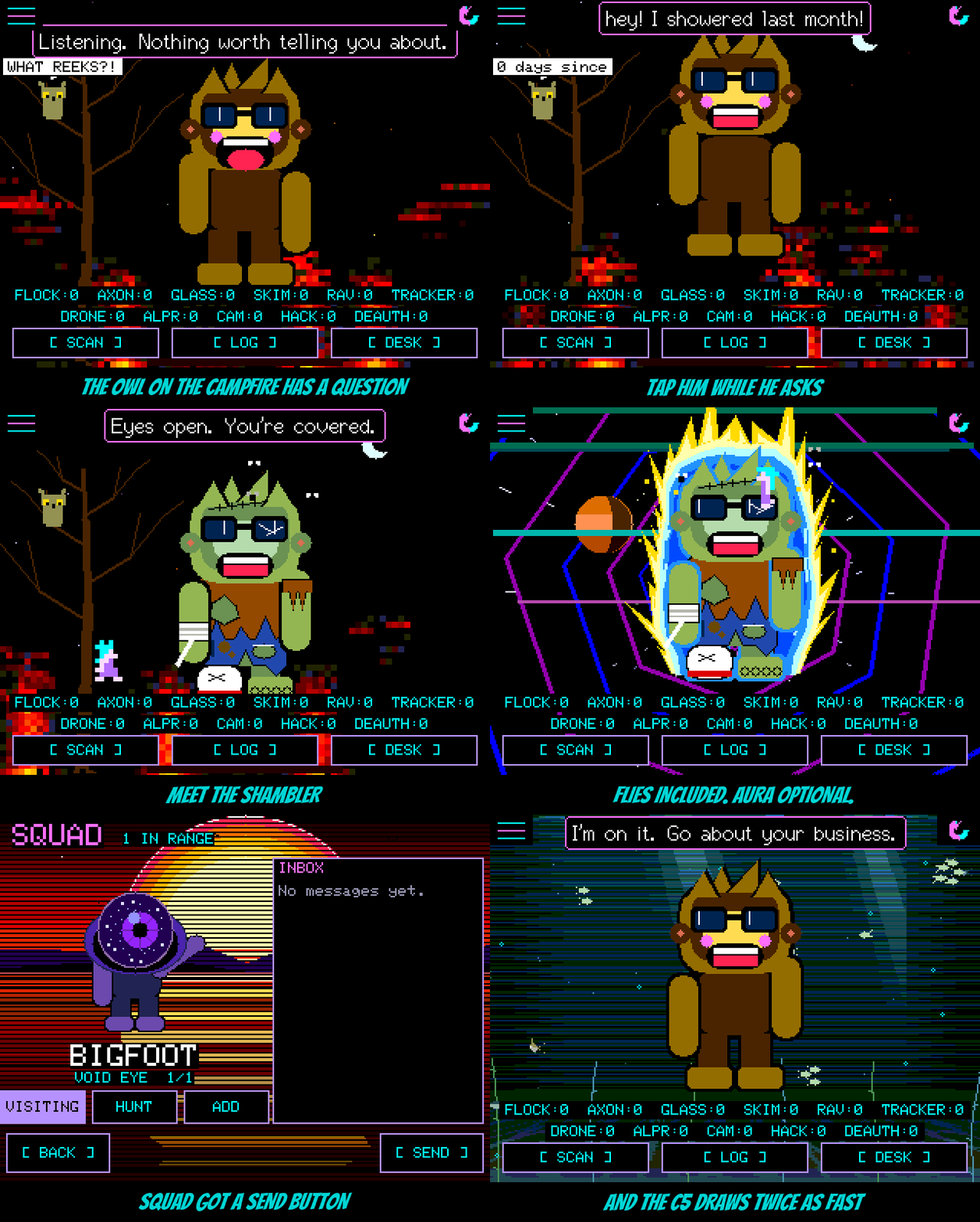
The SHAMBLER. The seventeenth outfit, picked from a lab of twelve zombies (a grave riser, a pirate, a frozen one, a punk, a miner with a canary who is somehow fine). Grey-green from his ears to his toes, a torn shirt over torn jeans, a stitched scar, a bandage coming loose, one tatty sneaker and one bare foot, a crack across his right lens, and three flies who will not leave him alone. One of them lands on his head for a rest now and then. He has made his peace with it. The owl asks about every minute and a half; on the campfire, Squachy's idle chatter starts hinting at the owl's nose until you get the idea. Once the outfit is yours the owl drops the question and goes back to his usual material.
Legends visit in their aura. Until now the aura only lit up your own screen, which is no way to flex. It travels with you now: a Legend with the aura on walks onto another board's screen wrapped in it, in a visit, in the crowd, on the SQUAD screen and on the desk's message card. Nobody borrows yours, either. A board on an older release just sees a plain visitor.
SQUAD got a SEND button. Bottom right, across from BACK. Writing to your squad from that screen used to mean tapping a message in the inbox and replying to it, which is hard to do with an empty inbox. Now you just press SEND.
NEARBY stops shouting about your own things. If you've ignored or snoozed a device (your own AirTag, your own doorbell) it no longer brings up the NEARBY headline. The counters underneath still count it, so you can see it's there; it just isn't news.
The C5 draws faster. The RockBase NM-CYD-C5 now sends each picture to the screen in the background while it draws the next one. The aquarium went from about 15 frames a second to 20, night city from 20 to 25. It's still on the flasher as a BETA; tell us how it does.
The actually-useful part
Added
- SHAMBLER, a new outfit: tap the owl on the FIRE background while he asks WHAT REEKS?!. Hints on FIRE while it's locked; the master unlock includes it.
- A SEND button on the SQUAD screen's in-range page, which opens the message screen.
Changed
- A Legend's aura now shows on other boards when they visit, using a spare bit in the squad advert. Older boards show them without it.
- The squad radio carries eighteen outfit slots. Older boards show a visiting SHAMBLER as plain Squachy.
- The NEARBY headline needs a live device that is neither ignored nor snoozed; the counters are unchanged.
- NM-CYD-C5: the frame goes to the panel by DMA from its own task while the next one is drawn, into a second frame buffer.
- The outfit gallery in the README shows all seventeen costumes.