Releases: snyderman3000/mixtape
Releases · snyderman3000/mixtape
Release list
Mixtape v0.1.2

- Projects beyond the community catalog. Mixtape now also lists ports from its own list,
catalog/extra.json, alongside the MiyooMini-Ports catalog. First up: Panel Attack, with online play. If the community catalog adds the same project later, its entry is used instead. - Mixtape updates itself. It checks its GitHub releases at startup and shows ▲ READY · SELECT in the header when a new version is out. Press SELECT to install it; your settings are kept and Mixtape restarts.
Updating from 0.1.1: install this version by hand once (copy the App folder over the old one). Future versions can be installed from inside Mixtape.
v0.1.1

Adds ability to check for Mixtape updates and fixes installs of ports whose zips were made on Windows (e.g. Half-Life)
Mixtape v0.1.0
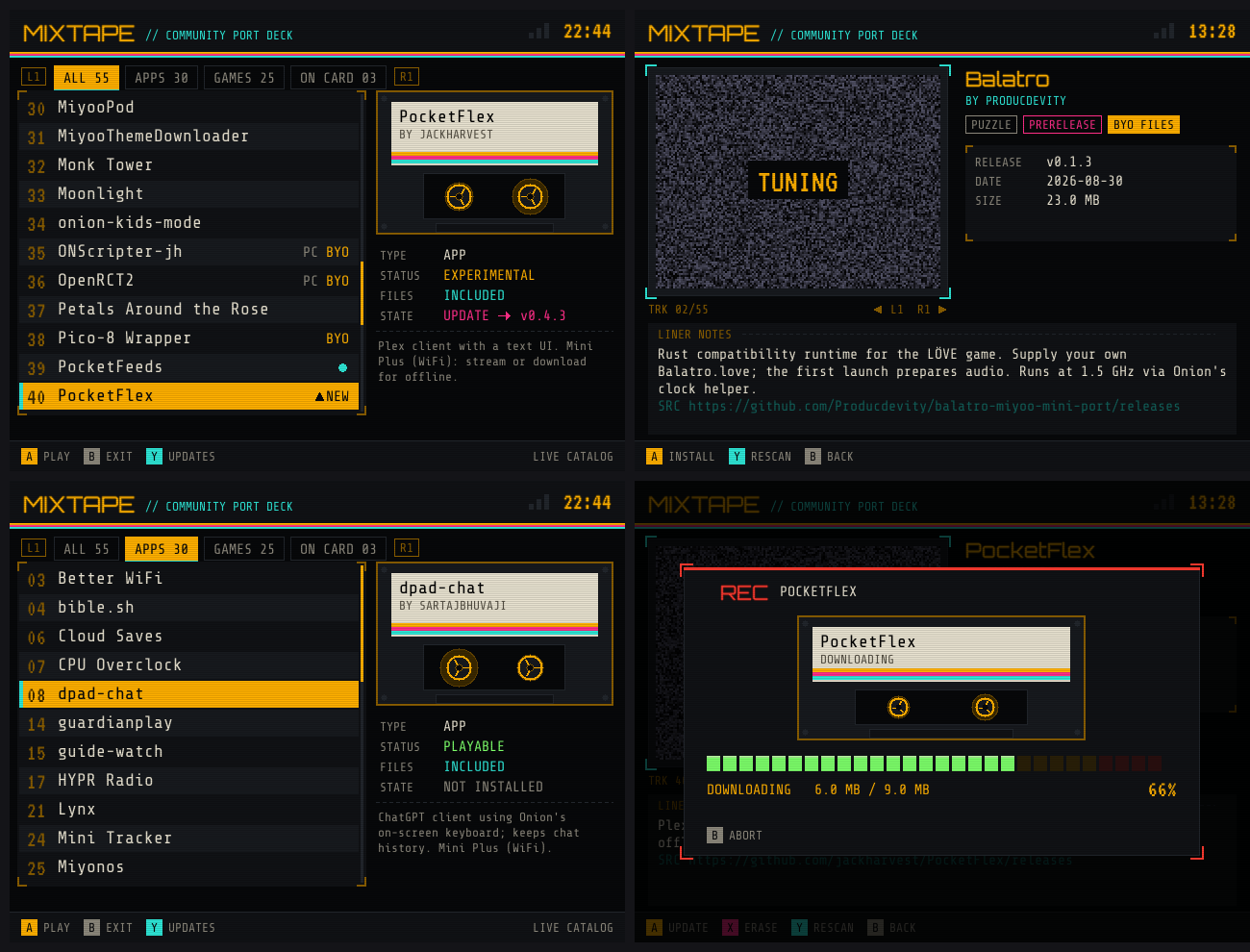
First release of Mixtape, a community port deck for OnionOS on the Miyoo Mini Plus.
Install
- Download
Mixtape-v0.1.0-OnionOS.zipbelow. - Extract it and copy the
Appfolder to the root of your SD card, merging it with the existingAppfolder. - Open Apps → Mixtape with Wi-Fi on.
Highlights
- Browse all 55 ports and apps in the MiyooMini-Ports catalog
- One-button install, update and erase over Wi-Fi
- Keeps your edited settings on update and never touches Onion's system files
- Games that need your own files are marked BYO, and the notes say where the files go
🤖 Built by Claude (Anthropic) for @snyderman3000. Please report problems in Issues and include App/Mixtape/data/mixtape.log.
Contributors

snyderman3000