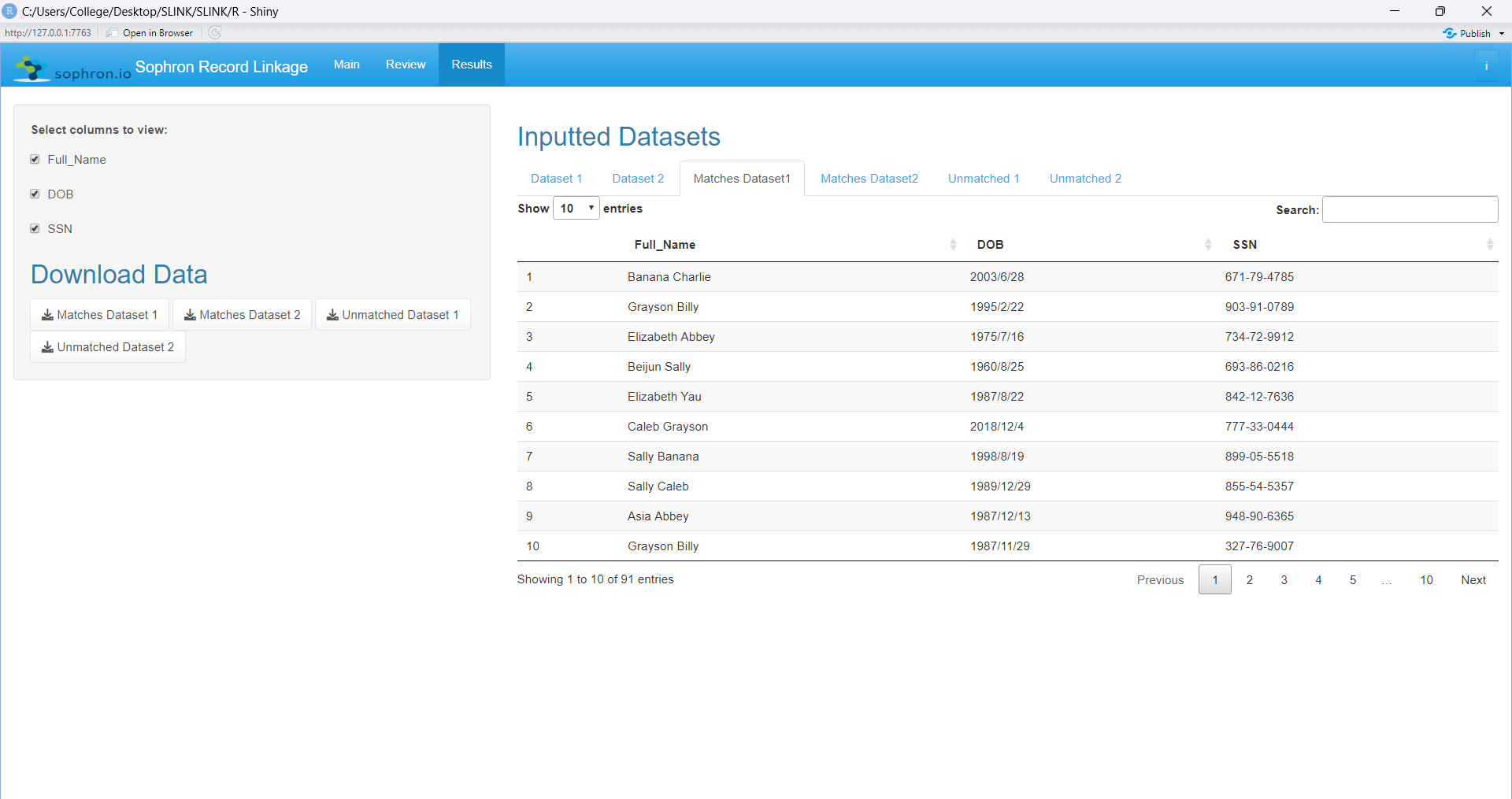
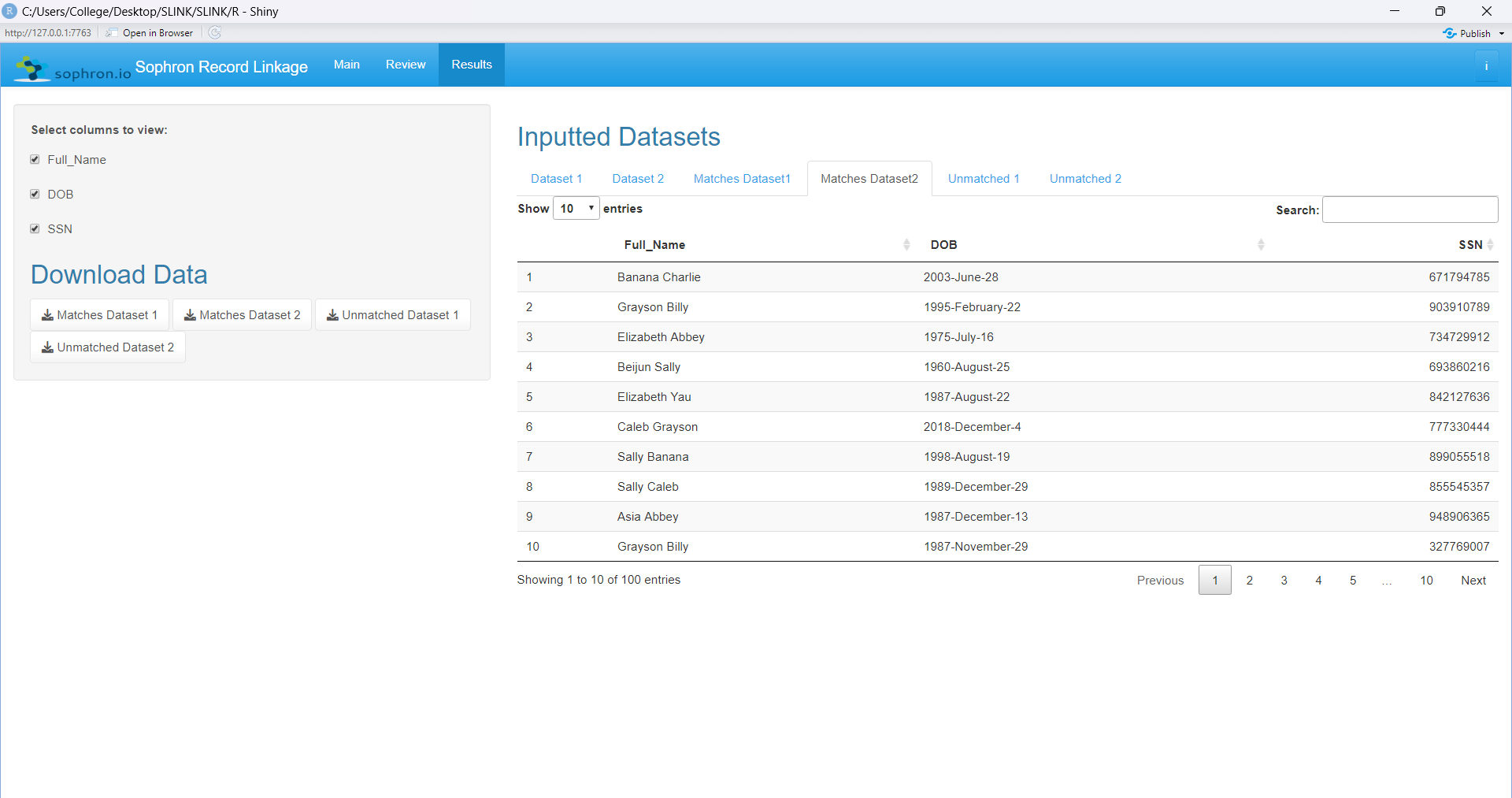
Instructions on Usage:
There are 3 main pages to the package.
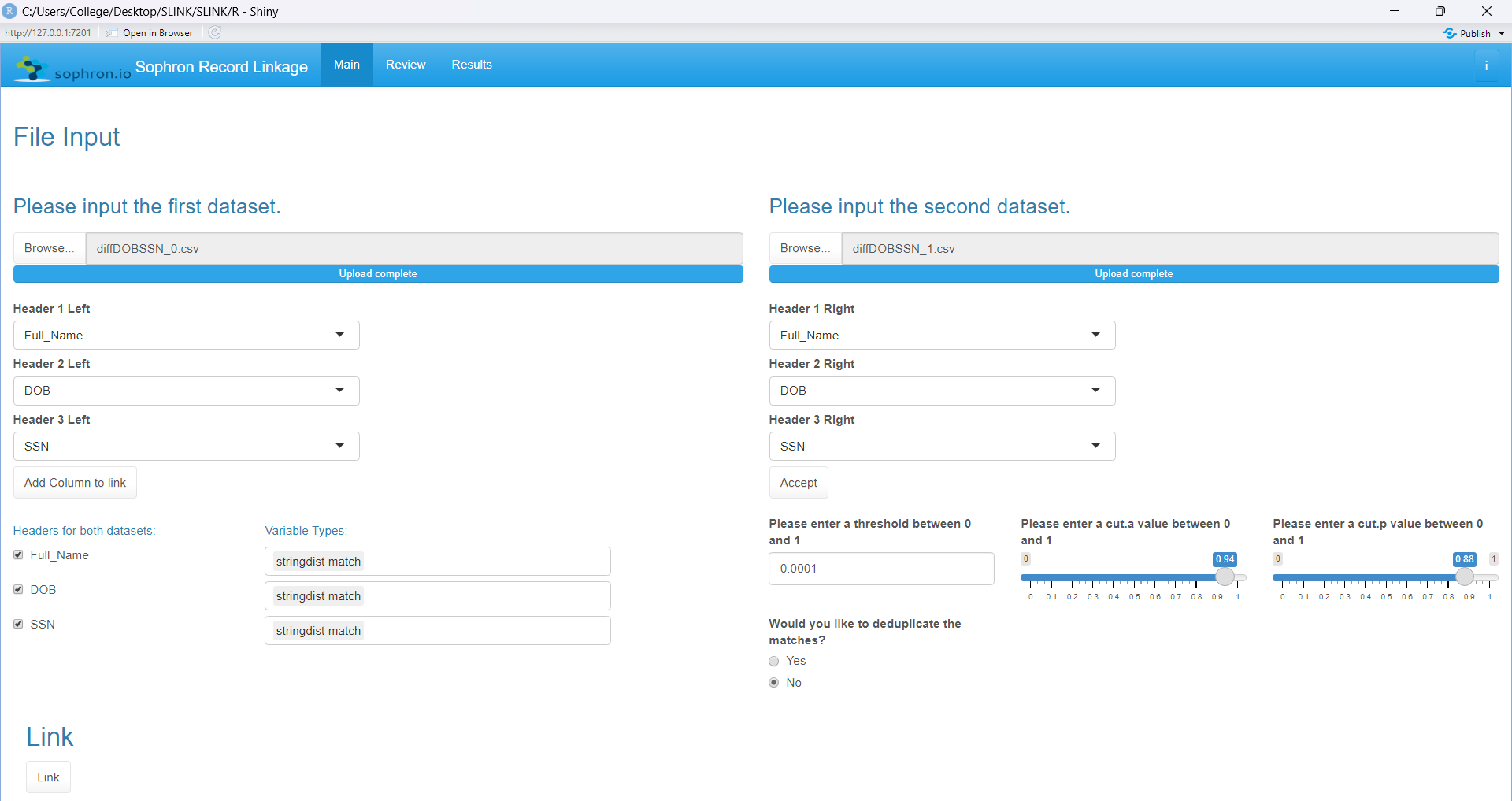
First, the main page contains the inputs into the FastLink algorithm. There are options for the user to input two datasets which must have the same headers (column names).
After entering the datasets, the user will be presented with the option of choosing which columns need to be linked together(WIP). After choosing, click accept to continue. Then the set of chosen headers appear
which need to be checked off. There are multi-selects with offer these choices: (partial match, stringdist match, gender field, and numeric match). Finishing with these the user can then input a threshold value
to get all matches with a match probability greater than the threshold. The user can also enter a cut.a and cut.p value which work with the string distance matching. The user can decide if it is an estimate
only(WIP), and they can also decide to deduplicate the matches. Click the link button to start the linkage.
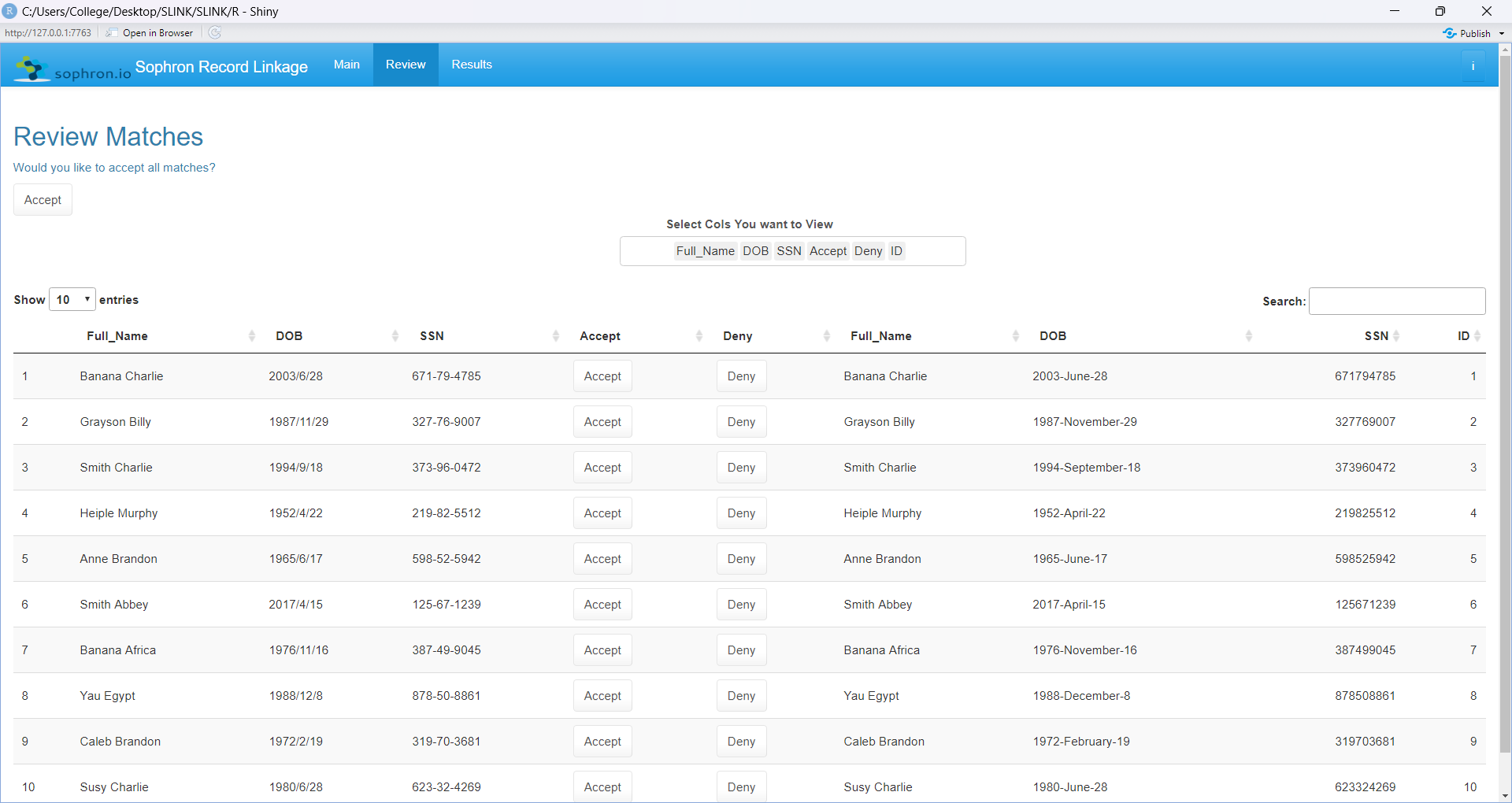
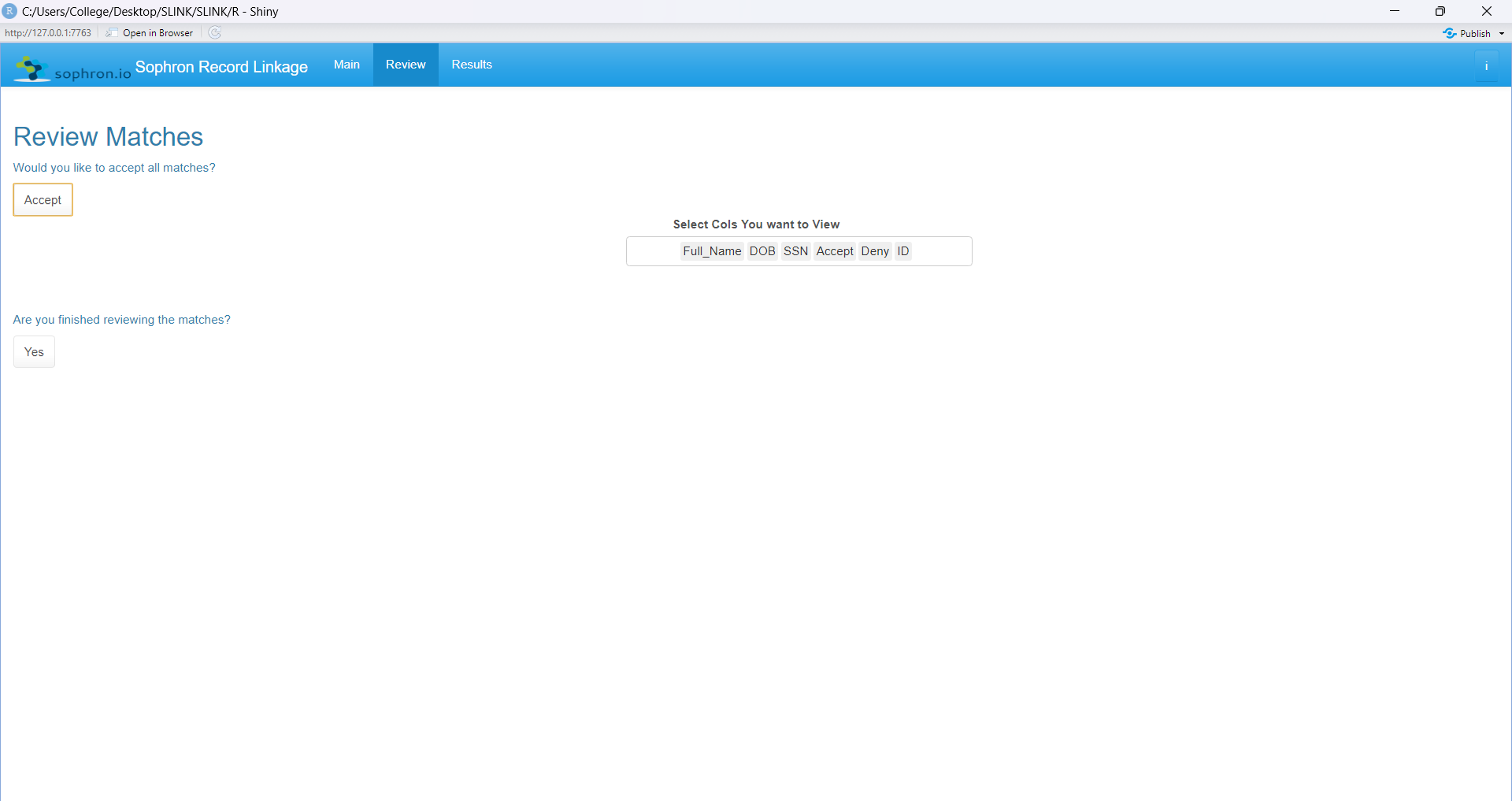
The algorithm then takes the user to the review page where the user decides if the matches provided by the algorithm are satisfactory or unsatisfactory. Each row corresponds to a match, and the user has the
option to accept or deny a match which then is separated into accepted and denied matches. The user can also decide to accept all the matches beforehand without having to individually click on each match. Once
finished reviewing, a button pop-ups to the user which the user then clicks on to take the user to the results page which displays the results of the matching.
The results page contains all 6 datasets: the original 2 inputted, the matched data from both, and the unmatched data from both. Here the user has the ability to look at each and every one of the datasets and
filter the datasets using the checkbox group on the left side of the screen. The user also has the option to download each of these datasets: 2 matched datasets and 2 unmatched datasets. The usage is now complete.