Our software is a spelling game that requires the player to guess a word. There are 3 difficulties: Easy, Medium, and Hard. Each difficulty has 10 levels; 1 word to be guessed for each level. The length of the words to be guessed varies between the difficulties.
The words in the Easy, Medium, and Hard difficulties are three, four, and five letters long respectively. A player cannot start a level without completing the previous level. For example, if a player has completed levels 1 and 2, they would not be able to attempt levels 4, 5, 6, etc... without first completing level 3. Similar to the levels, a player cannot attempt levels in another difficulty without first completing all the levels in the previous difficulty. For example, if a player completed the first 9 levels of the easy difficulty, they would not be able to attempt the first level of the medium difficulty without first completing the 10th level of the easy difficulty.
Players have 6 guesses to make to attempt to guess the word. If they do not guess the word within those 6 guesses, they fail the level. There is also a scoring system, where the fewer the number of guesses the player makes to guess the word correctly, the more points they acquire.
Java Development Kit (JDK) - version 21
- JDK is available to download from the official Oracle website: https://www.oracle.com/ca-en/java/technologies/downloads/#java21
JavaFX - version 21.0.2
- JavaFX is available to download from the gluon website: https://gluonhq.com/products/javafx/
-
Run the MainMenu.java file.
-
The Main Menu screen will appear. Before registering via the "New Player" button, make sure to check the "How to Play" screen by clicking on the "How to Play" button in the main menu. After understanding how the game works, if you are a new player, click on the "New Player" button and enter your desired player name. If you are not a new player, skip to Part II.
-
After entering your player name, you will be shown your designated player ID. Make sure to save your ID somewhere to remember.
-
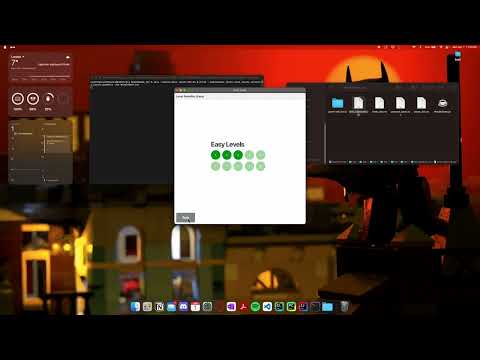
Next, the "Level Selection" screen will appear. You will need to select a difficulty. You cannot try another difficulty without first completing the difficulty before it, which means you cannot try the levels in the "Medium" difficulty without first completing all the levels in the "Easy" difficulty. You also cannot try a level without completing the level before it. For example, you cannot attempt level 3 without first completing levels 1 and 2.
-
After selecting a difficulty and a level, the "Gameplay" screen will be shown. there will be 6 rows of boxes (6 guesses), a text field at the bottom, and a "Check" button under the text field. Each box displays a letter in the word you must guess. You type your guesses into the text field and click the "Check" button to see if your guess is correct.
-
If you guess the word before using all 6 attempts a "Continue" button will appear. Clicking it takes you to the results screen. Clicking the button in the results screen takes you to the "Level Selection" screen.
-
If you use all 6 attempts and do not manage to guess the word correctly, then a button will appear. After clicking it, it will show a screen that says that you have failed and that the next level has not been unlocked. Similar to the results screen, there will be a "Continue" button that takes you to the "Level Selection" screen.
-
If you are a returning player, after running the program and after the "Main Menu" screen is open, click the "Load Player" button. A screen with a text field that prompts you for your user ID will appear. Enter the user ID that you saved in Part I, Step 3, and click the button to continue to the "Level Selection" screen.
-
The rest is similar to steps 5, 6, and 7 in Part I.
The how to play screen provides a visual representation of the gameplay, tips to aid in understanding the rules, and how to load a previously saved game state.
After you're logged in or signed up as a new player, the level selection screen will appear. Players can choose the difficulty level they want to play (easy, medium, or hard). After a difficulty mode is selected, the player will be brought to a screen to select a specific level to play. However, players must start in easy mode and complete each level sequentially, starting from level 1. Levels are locked until the previous level is completed.
Players are granted six attempts to unravel the mystery word by inputting letters into the text field and confirming their selection by clicking the "Check" button. When a guessed letter aligns perfectly with the corresponding position in the mystery word, it turns green. Similarly, if a guessed letter is correct but misplaced, it turns in yellow. Conversely, if a guessed letter is not part of the mystery word, it appears grey.
Upon successfully guessing the word within their 6 guesses, players are directed to the results screen, where they can see their score. Alternatively, if the mystery remains unsolved, players can return to the level selection screen to make another attempt.
The results screen appears after completing a level. It displays the player's score and allows for navigation back to the level selection screen.
The scoreboard button in the main menu displays a screen that shows all the levels, who acquired the highest score in that level, and the score that they acquired. This feature provides players with a competitive aspect and encourages improvement and replayability.
-
After running the program, the "Main Menu" screen will appear.
-
Click on the "Login" button and enter the password in the text box.
-
The password is displayed in the red text under the text box. The password is "CS2212".
-
After that, the "Progress/Results" screen appears, which has a dropdown of player names as its options. Select a player from the dropdown and press the "Display Information" button to display the chosen player's information.
-
After running the program, the "Main Menu" screen will appear.
-
Click on the "Debug" button and enter the password in the text box.
-
The password is displayed in the red text under the text box. The password is "Team75".
-
After that, the "Level Select" screen appears, which has all the levels unlocked. You can play any level!