Repository navigation
Releases: ssssssanjiu/gleaner
Releases · ssssssanjiu/gleaner
Release list
Gleaner 拾穗 v0.2.1

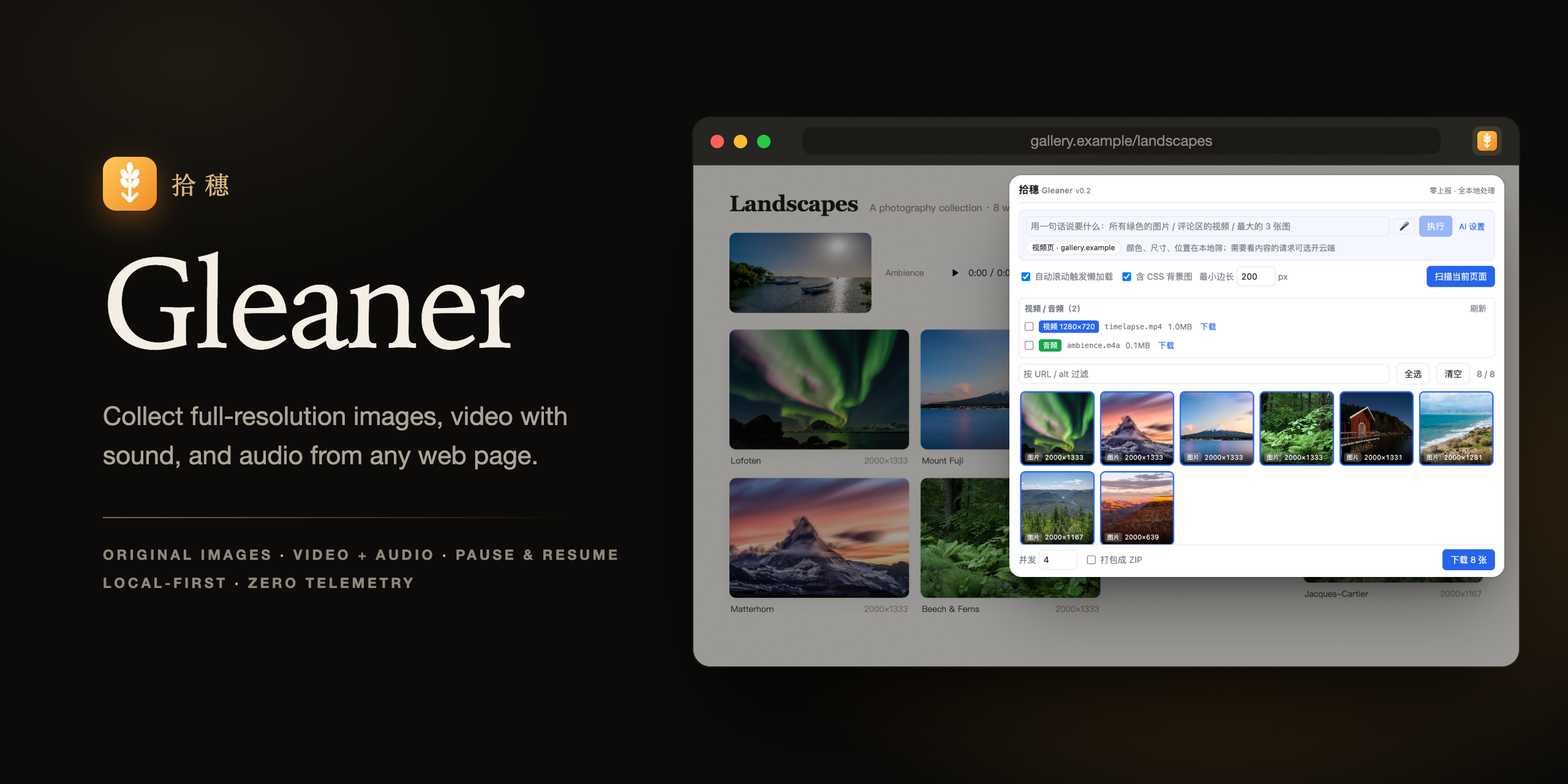
Collect full-resolution images, video with sound, and audio from any web page. Zero telemetry.
What's new in 0.2.1
- English README (Chinese version at
README.zh-CN.md), new banner and screenshots. - Video rows now read like
480P · H.264without a site name; the extension description was updated to match.
Install (Chrome)
- Download
gleaner-0.2.1-chrome.zipbelow and unzip it to a folder you'll keep. - Open
chrome://extensionsand turn on Developer mode. - Click Load unpacked and pick the unzipped folder.
The extension UI is Simplified Chinese. Release packages bundle FFmpeg (ffmpeg.wasm, GPL-2.0-or-later) and other third-party components — see licenses/ inside the package and THIRD_PARTY_NOTICES.md.
一键拾取网页里的原图、视频和音频,零上报。 本版:README 改为英文(中文见 README.zh-CN.md)、新横幅和截图;视频行名称不再带网站名(如「480P · H.264」)。安装方法同上:下载 gleaner-0.2.1-chrome.zip → 解压 → chrome://extensions 打开开发者模式 → 加载已解压的扩展程序。
拾穗 Gleaner v0.2.0
一键拾取网页里的原图、视频和音频。零上报。
安装(Chrome)
- 下载下面的
gleaner-0.2.0-chrome.zip,解压到一个不会被删掉的文件夹。 - 打开
chrome://extensions,右上角打开「开发者模式」。 - 点「加载已解压的扩展程序」,选择解压出来的文件夹。
- 把工具栏上的 🌾 图标固定出来,在任意网页点它 →「扫描当前页面」。
想下在线播放的视频:先在页面上播放几秒,再打开拾穗点「刷新」。
这一版有什么
- 🖼 原图自动升级:常见电商、社交、图床网站的缩略图自动换成原图,卡片上标原图的真实分辨率。
- 🎬 视频:画面和声音分开传的网站自动合成一个带声音的 MP4;能拿到播放器轨道清单时自动挑 H.264(Chrome 里播放器常选的 AV1 在 M1/M2 Mac 上打不开);主线路失败自动换备用线路;按体积自动挑放得下的清晰度。
- ⏯ 像 Chrome 下载管理器一样:真暂停、断点续传、取消;关掉弹窗照常下载;再点下载会加进列表而不是顶掉正在下的;每批一条下载记录,一键定位文件。
- 🤖 一句话挑素材:「所有绿色的图片」「评论区的视频」「最大的 3 张图」在本机筛完;需要看懂内容的请求可选接入 Claude(默认关闭,自带 Key)。
- 🔒 零上报:没有统计、埋点、远程配置。
说明
gleaner-0.2.0-firefox.zip:Firefox 版功能受限(没有防盗链补 Referer、没有音画合并),见 README「已知限制」。gleaner-0.2.0-sources.zip:构建这个版本所用的源代码。- 安装包里带有 FFmpeg(ffmpeg.wasm,GPL-2.0-or-later)等第三方组件,许可证全文在包内
licenses/目录,说明见 THIRD_PARTY_NOTICES.md。 - 本项目与文中提到的各网站没有任何关联。请只用于个人备份与合理使用,尊重原作者版权和各网站的服务条款。
Full Changelog: https://github.com/ssssssanjiu/gleaner/commits/v0.2.0