Starcat 1.5.0

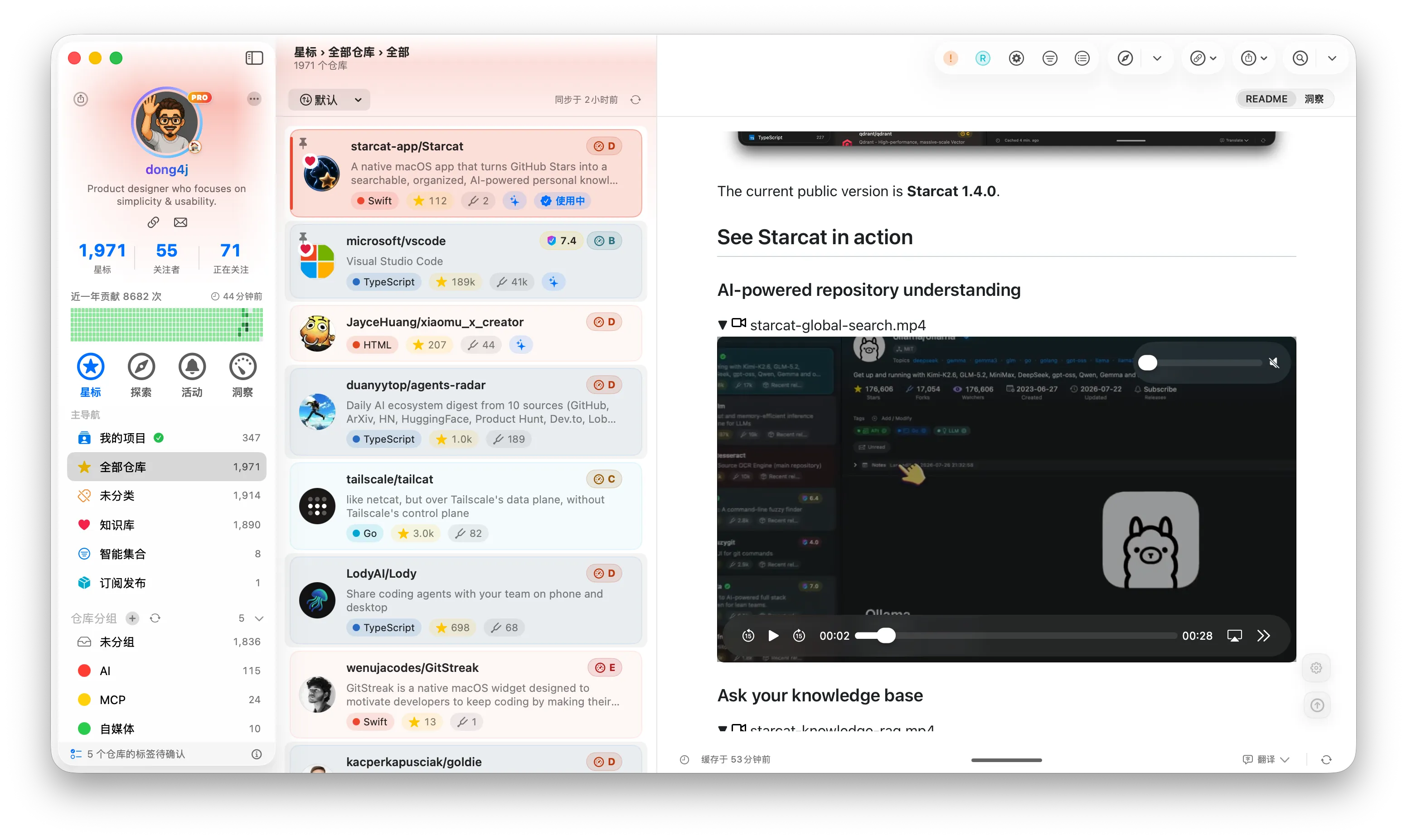
Starcat 1.5.0 expands how you discover, organize, and revisit GitHub repositories with Awesome discovery, Spotlight search, GitHub Lists and batch AI organization, GitHub contribution widgets, and richer Activity conversations, README reading, and repository insights.
New
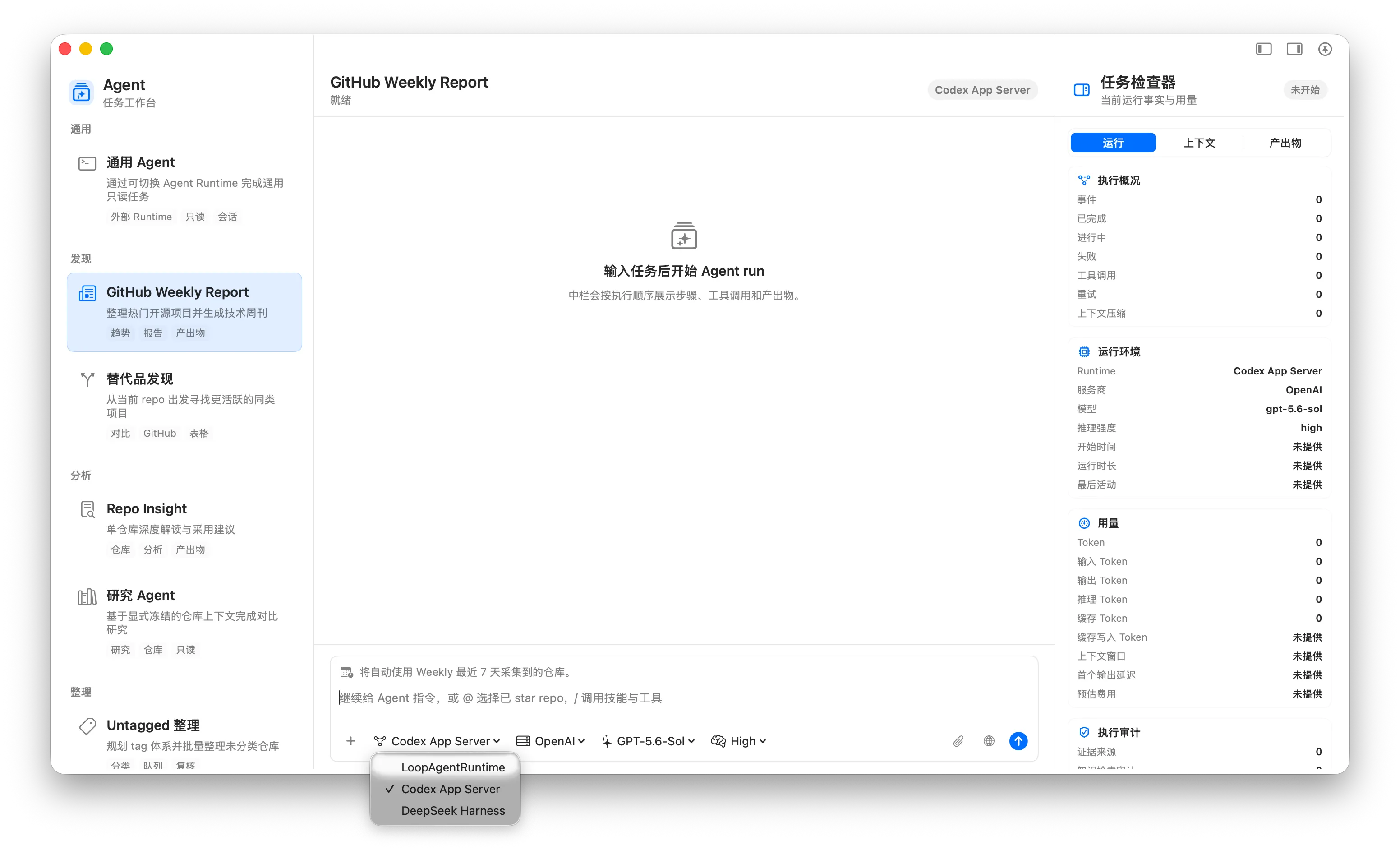
- Agent multi-runtime: Switch the Agent workspace between the built-in runtime, Codex App Server, and DeepSeek Harness while reusing Starcat repository context, knowledge retrieval, and product tools, with provider, model, configuration checks, execution traces, and run metrics.
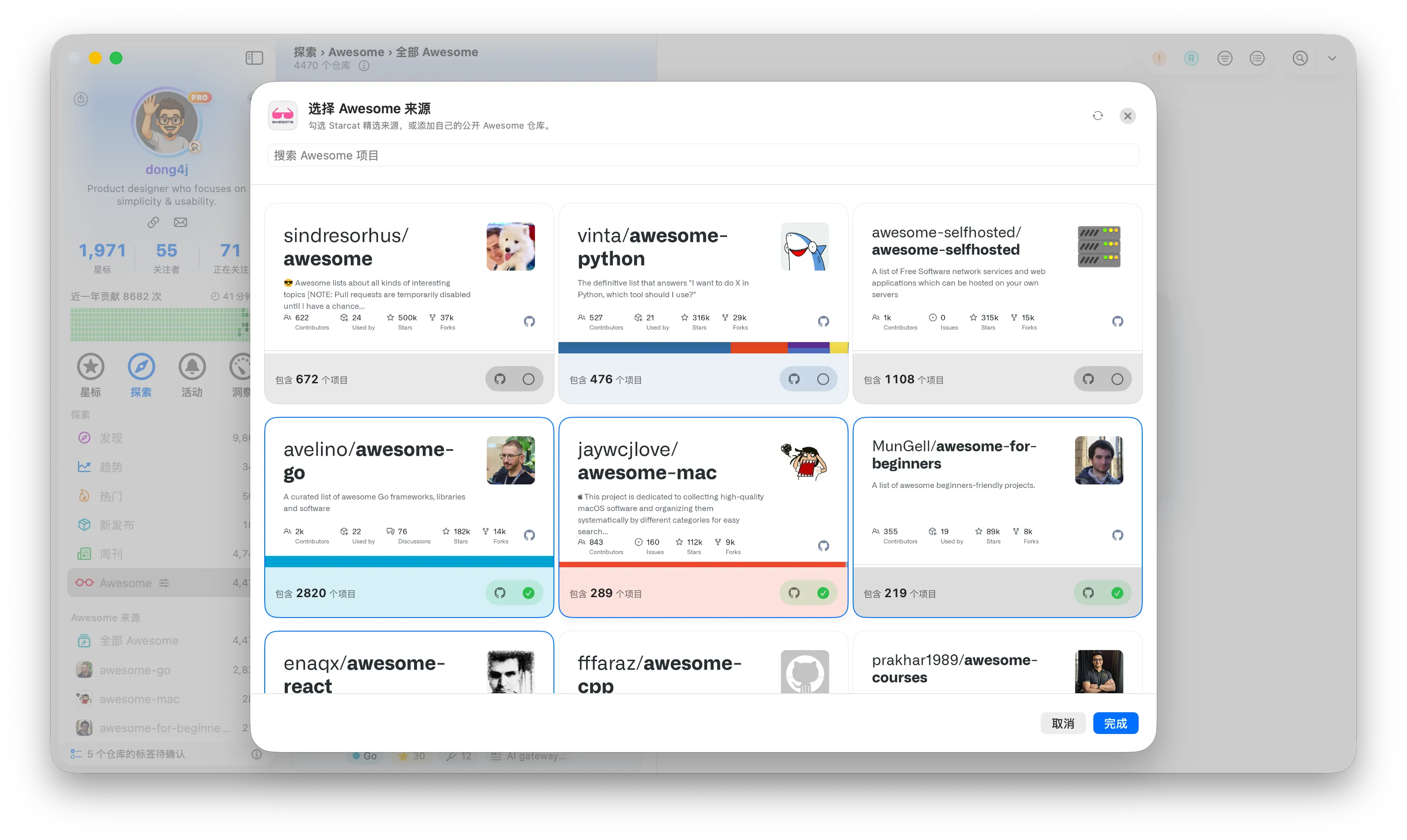
- Awesome discovery: Find projects through Starcat Picks or custom Awesome sources, browse by source and section, search, filter, select repositories in bulk, and review repository files and external resources.
- Awesome source management: Add public GitHub Awesome repositories as sources, follow background parsing progress, refresh them manually, and keep using local results when the network is unavailable.
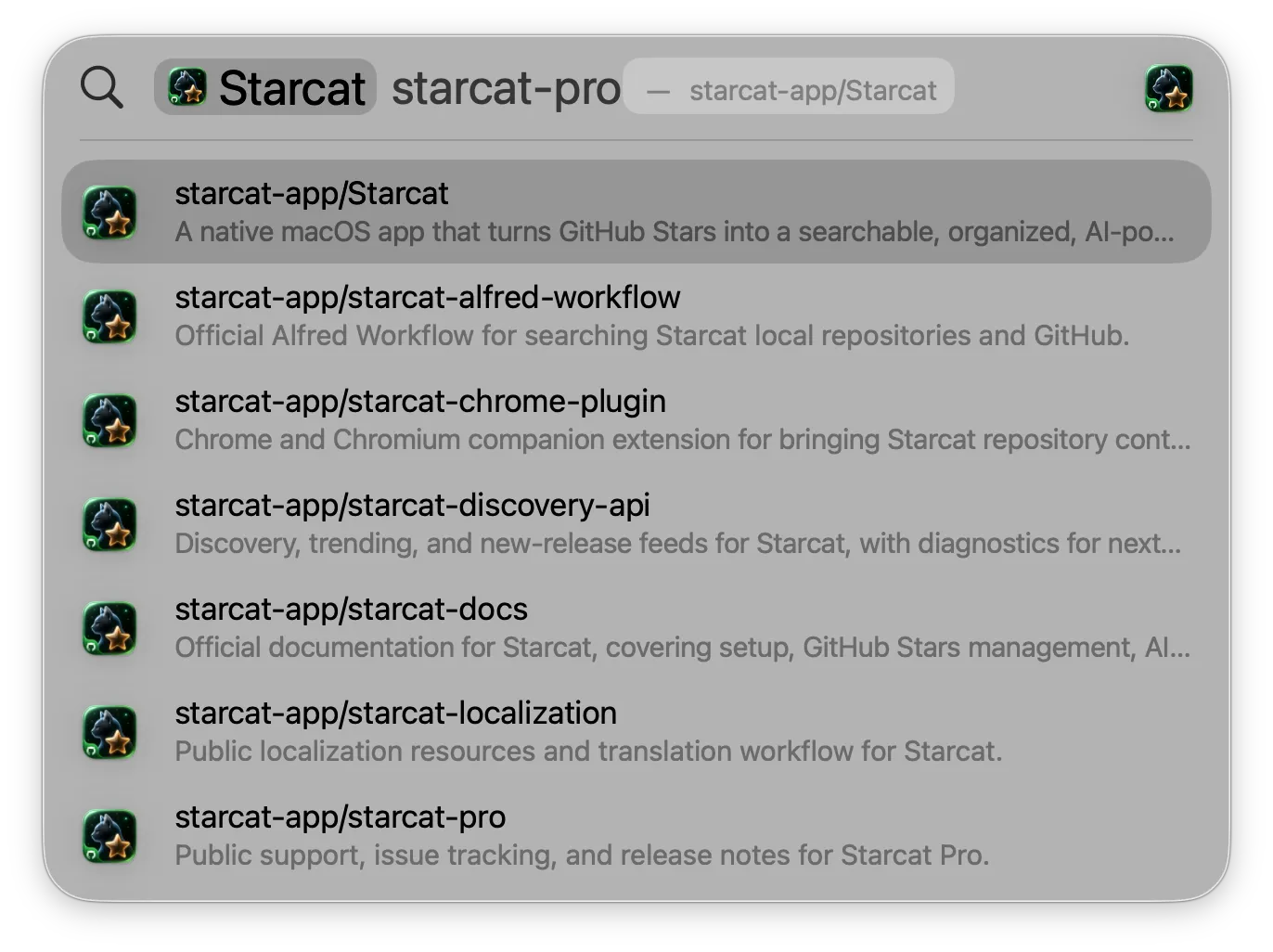
- Spotlight repository search: Search starred repositories and local notes from macOS Spotlight, then open Starcat directly at the matching detail. The repository header can also copy the full name.
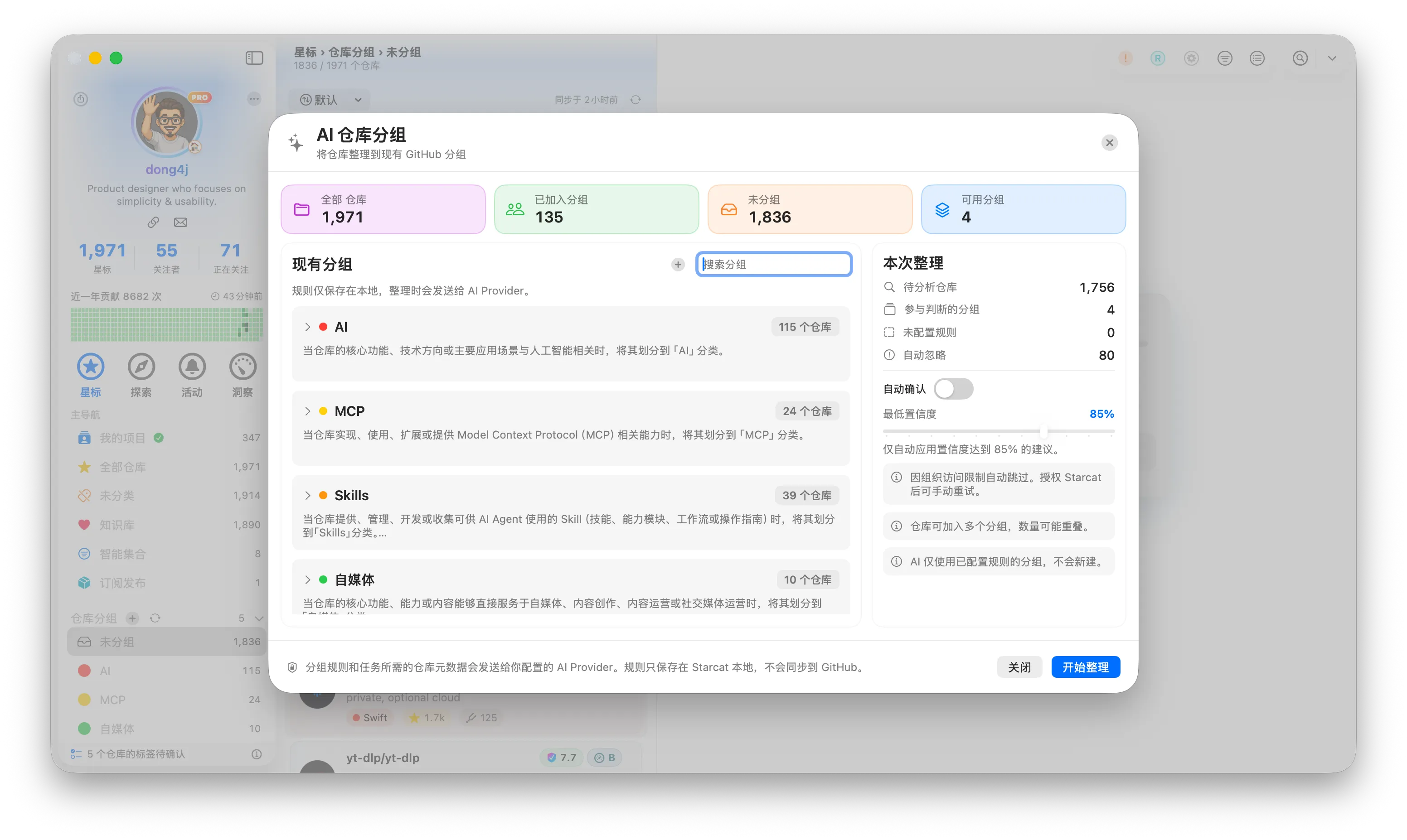
- GitHub Lists organization: Add repositories to multiple GitHub Lists and generate AI grouping suggestions. Preview, filter, and adjust results before applying them, create groups, discard suggestions, or regroup repositories.
- Batch AI workspace: Select repositories to generate summaries, tags, and grouping suggestions through one task queue and review them in the same window. Code context and external search can be chosen for each task.
- Automatic AI organization: Configure the GitHub Lists scope and schedule. Human review remains the default, with an optional user-enabled automatic confirmation setting.
- GitHub contribution widgets: Add Contribution Overview, Contribution Summary, yearly heatmap, and contribution radar widgets for today’s activity, best day, totals, commits, issues, pull requests, reviews, and repositories.
- GitHub service status: The main-window status panel now shows the official GitHub service status.
- README in-page search: Press Command-F in a README to open the find bar and step through matches. List search defaults to Shift-Command-F, and both shortcuts can be changed in Settings.
- Repository documents and videos: Open same-repository Markdown documents in a separate Starcat window and play supported GitHub README videos with native controls.
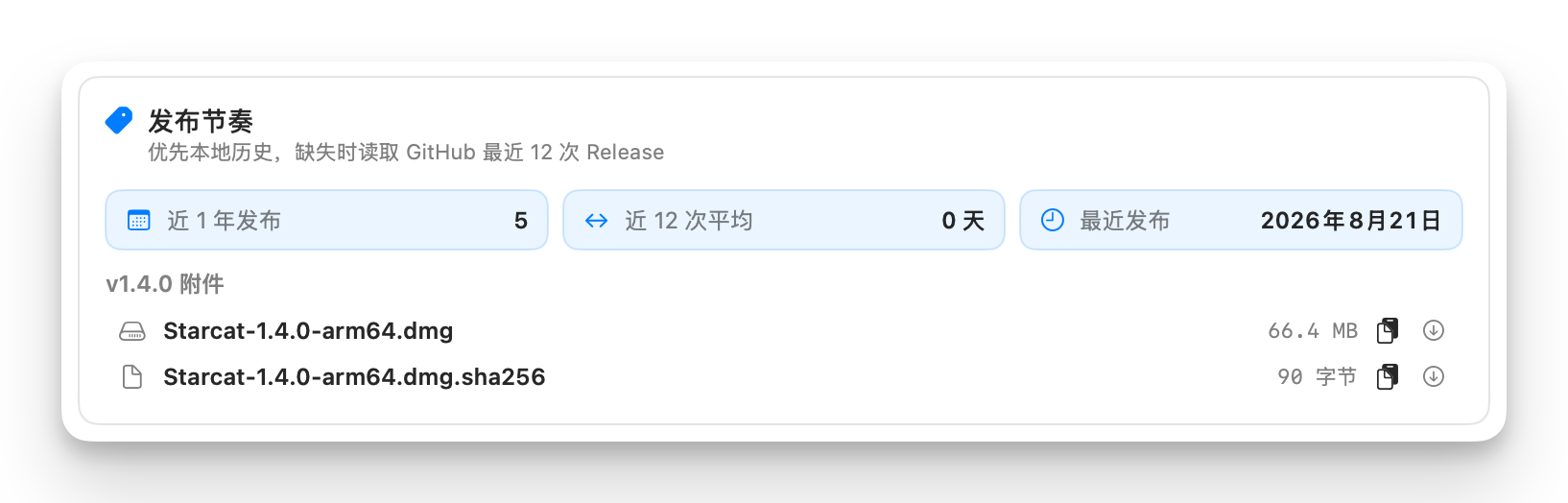
- Security advisories and release assets: Review recent advisories, severity, and GHSA / CVE details in Insights, then browse, copy, or download the latest release attachments.
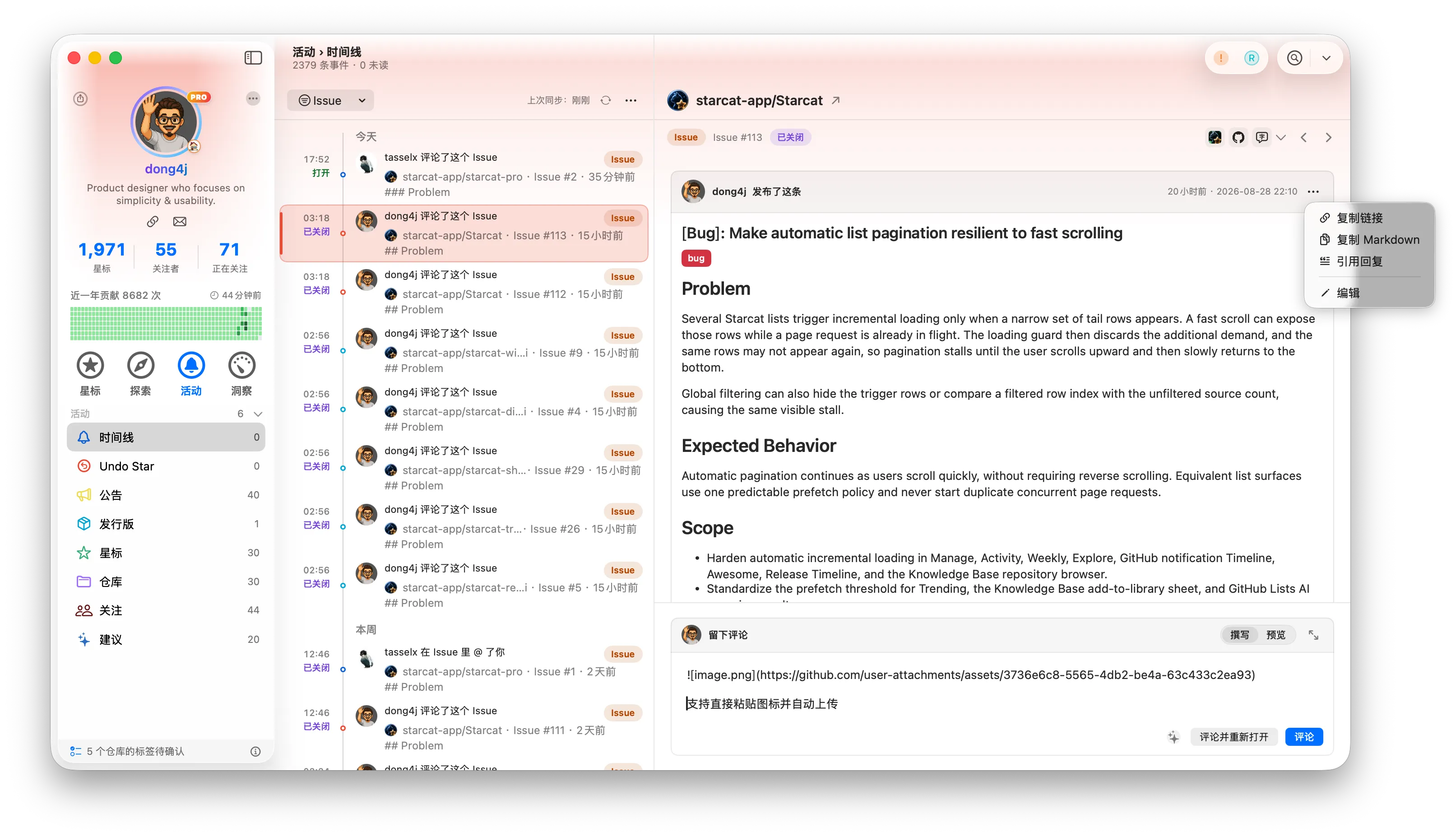
- Background Activity notifications: While Starcat is running, receive Issue, pull request, and Discussion updates without opening Activity, with distinct closed, reopened, and merged state changes.
- Activity status and filters: Issues and pull requests show Open, Closed, or Merged, while Star, Unstar, and Fork events show whether the repository is in your library and support combined status filters.
- Issue conversation actions: See opening titles, labels, and event history; paste images, preview Markdown, copy links or content, quote replies, and edit your own opening posts and comments.
- Public Star contribution: An optional, off-by-default privacy setting can anonymously contribute public repository IDs and available Star dates to improve recommendations without blocking normal sync.
- Sharing and open-source links: Copy share text from repository health, repository insights, and library statistics. Share cards and exports identify Starcat, while Help and About link to the source repository.
- Star trend image sharing: Copy the Star trend card from Repository Insights as an image, preserving repository identity and avatar for saving or sharing.
- Trained repository recommendations: The Direct edition uses offline-trained results in Similar Repositories, displays model-calibrated match scores, and refreshes caches when the model version changes.
Improvements
- Awesome browsing: Sources, sections, and repositories now load incrementally with stable pagination, improved source search, real descriptions, repository metadata, refresh progress, and a three-column layout.
- AI organization workflow: Ungrouped organization starts from a middle-column banner and can create groups before processing. The task queue shows avatars, descriptions, status totals, and review results, and unfinished sessions can be discarded or continued.
- AI processing performance: Batch summaries, tags, and grouping tasks use bounded parallel processing, publish each repository’s result as it finishes, and keep large review lists and windows responsive.
- Long-list loading: Activity, Explore, Awesome, Releases, Knowledge Base, and AI review lists now prefetch consistently so fast scrolling is less likely to miss the next page.
- AI usage statistics: The usage dashboard adds estimated cost, pricing coverage, and persisted snapshots for comparing model and task consumption.
- Desktop widgets: Focus, Repository Rediscovery, Collection Trend, and Release Watch have clearer hierarchy and heatmap layouts. Sparse large-size variants have been removed.
- Local Issue state: Comments, event history, and unsent drafts are cached per thread and survive thread changes or app restarts; each cache can be cleared in Settings.
- Release asset downloads: See live progress in each download row, then use the completion toast to find or open the saved file.
- Tag and list editing: Choose tag-merge targets in a sheet with predictable ordering and default selection, with consistent headers across tag and GitHub List editors.
- Interface details: Shortcut modifiers and primary keys use separate keycaps, the empty Activity detail guides selection, and suggested tags use clearer rows and hover feedback.
- Agent Runtime diagnostics: Automatic Runtime discovery, configuration documentation, optional capabilities, and failure guidance are clearer, while the execution timeline exposes reasoning summaries, tool calls, errors, artifacts, and cost estimates; a Beta badge makes the workspace preview status explicit.
Fixes
- Account data isolation: Restoring a cached session switches to the matching account database before publishing the signed-in state, avoiding temporary reads or writes against another account.
- Release notes images: Screenshots in the Activity timeline now scale to the window width instead of being clipped.
- README and comment translation: Switching repositories or conversations no longer mixes translation state, and opening posts plus every comment can show the correct side-by-side translation.
- Comment box on thread change: Switching Issues immediately stops AI generation and collapses the composer so drafts do not carry into another thread.
- Activity library state: Adding a repository from the timeline updates only its library badge without closing the current detail or resetting the selection.
- Star count synchronization: After starring or unstarring in Manage, Explore, or Activity, list and detail counts update immediately and remain consistent.
- Repository community signals: Directory-based GitHub Issue Forms are recognized correctly instead of appearing missing.
- AI summary overlay: The expanded panel stays below the README / Insights tabs instead of covering page navigation.