v0.1.0 — PDF conversion that keeps the presenter notes

First release.
Converts Keynote, PowerPoint, Google Slides, Canva and OpenDocument presentations to PDF — and keeps the presenter notes, in a .notes.json sidecar written beside each PDF.
The problem it solves
Exporting a deck to PDF is easy. Every tool that does it throws the speaker notes away — which is a problem if the PDF is what you actually present from.
Worse, a deck's slide count and its PDF's page count usually disagree, because exporters silently drop hidden slides. A 4-slide Keynote deck with one skipped slide exports 3 pages, so a naive tool puts slide 3's notes on page 3 and every note after that is a page out.
This reads the PDF back, reconciles the two, and records what it did — exact, adjusted, or mismatch. A mismatch is reported loudly rather than quietly emitting misaligned notes.
What's in it
- CLI —
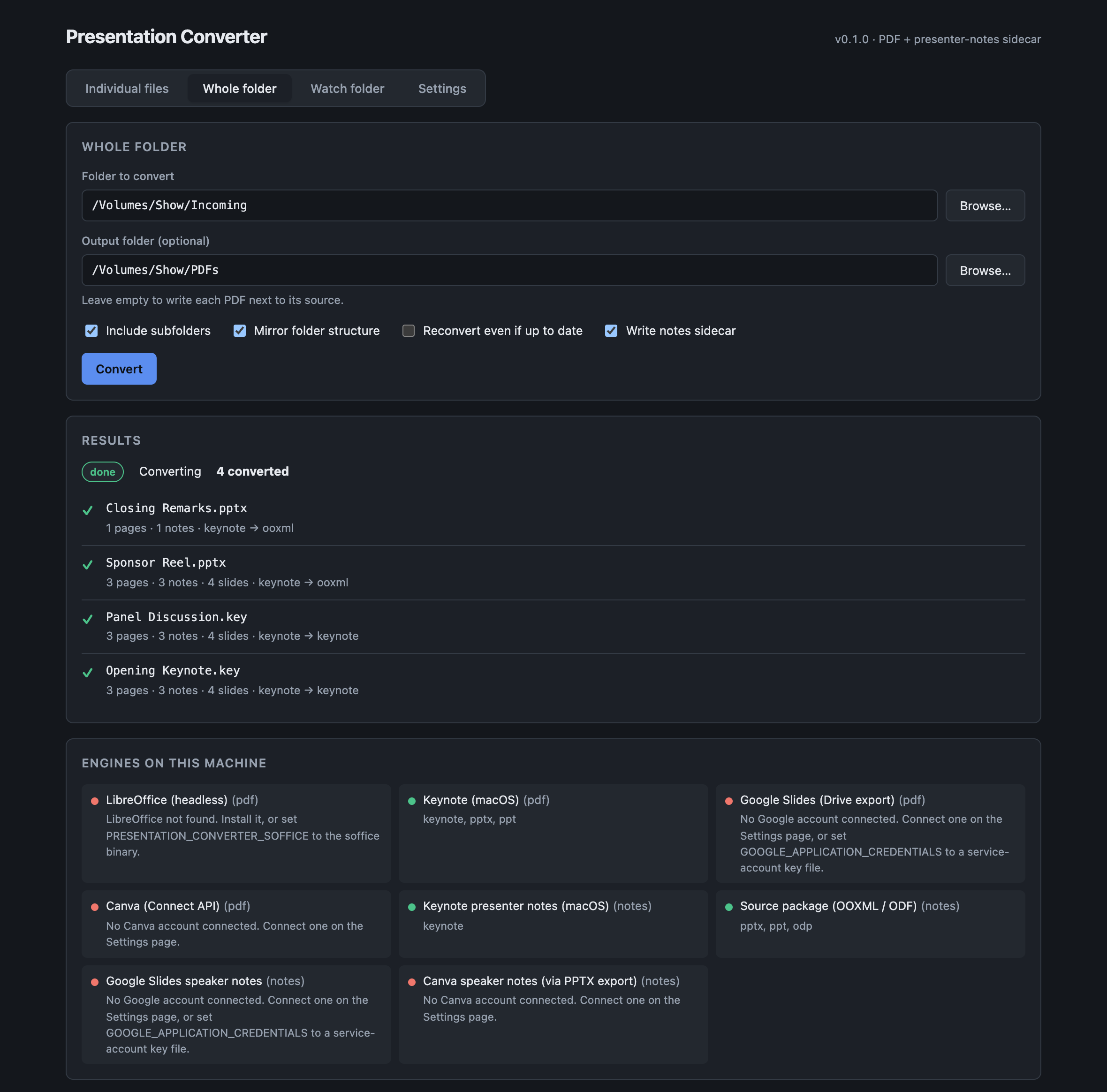
convert,batch,watch,serve,doctor; all with--json - GUI — files, whole folder, watch folder, and account settings, with live progress
- Library —
@presentation-converter/core, for embedding in other apps - Nextcloud app — keeps a whole folder tree converted automatically
Notes extraction is deliberately independent of PDF rendering: for Office and ODF formats the notes come straight from the source package's XML, so they're the author's exact text regardless of which engine drew the PDF — and it works headless.
Getting started
git clone https://github.com/allansargeant/presentation-converter.git
cd presentation-converter && npm install && npm run build
node packages/cli/dist/index.js doctor
Install LibreOffice for PowerPoint and ODP; on macOS, Keynote can stand in for it.
Please read before relying on this
Verified end to end on macOS against real Keynote-authored fixtures and a real Canva export: conversion, hidden-slide mapping, batches with tree mirroring, incremental re-runs, collision detection, the watch folder, the GUI, and the macOS worker endpoint.
Three things are not verified, and you'll hit them first:
- The Nextcloud app has never been run — it was written on a machine with neither PHP nor Docker, so it has not been executed or even lint-checked. Shake it down on a test instance first.
- Live OAuth round trips for Google and Canva are untested; both need real credentials and a human at the consent screen. Everything up to the handshake is verified.
- The LibreOffice engine is untested — LibreOffice wasn't installed during development, so Office and ODF rendering went through Keynote instead.
Full detail in CHANGELOG.md.
🤖 Generated with Claude Code